Explanation of "Warn: frame took 18.58ms" message (ref#5CMQ0O)

What’s happening?

· Other

How can we help?

· None of the above

Other options

· Other

Describe the issue

What does the message "10/13 15:52:37 Warn: frame took 18.58ms! 16.57ms preframe, 0.00ms safe queue, 0.00ms timers, 0.00ms frame calls, 0.12ms update, 18.58ms render" mean?
"

Describe your network setup

Roon core on a Lenova e590 laptop connected to a Google Nest mesh network, either by Wifi 5 or Ethernet 5e.

Hello @tripleCrotchet,

Thank you for reaching out. Could you please let us know what you’d like to achieve with this information? Are you troubleshooting a specific performance issue, such as playback interruptions, display lag, or something else?

Understanding the context will help us provide a more relevant explanation and guidance.

@vadim for context:

Thanks for responding.

I actually couldn’t figure out how to raise a coherent ticket with the current support ticket workflow.

The ticket is raised because I asked the question on another thread whether anyone had experience of wifi 6/6e/7.

When I looked more closely at my logs I see these repeated frame timeout warnings. I get them regardless if I am connected via wifi 5 or ethernet (5e) They seem to be something to do with rendering rather than streaming. That’s the question. What do they mean? I’m not sure everyone sees these warnings as I have debug switched on in my logs from a previous support ticket.

The messages look like more than a coincidence to me because the issue I am having seems to be triggered by rendering rather than streaming. I can play on roon on wifi 5 and have done for many years. However in recent years roon has become increasingly unstable when both playing and accessing my library concurrently. First it became impossible to both play and edit. Now its impossible to both play and browse.

Maybe if I understood what that warning message meant it would be possible to get to the bottom of it. Of course I can use ethernet, and that does solve the problem. But a domestically acceptable rewiring is non trivial in a 16th century cottage in the middle of rural Denmark.

Hi @tripleCrotchet !

The log you have shared is related to the UI rendering.

In your case it says that that it took 18,57 ms for a picture one or few times which equals to 53 fps (1000 ms / 18,58 ms = 53 fps).

If you are watching to answer some network related questions that line of log is not what you are interested in.

If you want to know something specific - feel free to ask and we’ll try out best to tell you.

Regards.

The question is. Why can I not edit/browse my library at the same time as playing?

Before roon disconnects/reconnects and all my devices disappear/reappear the logs show a number of these frame rendering warnings. There are also other GUI related warnings. For example, ui/slowness and waveform warnings. The disconnects do not appear to be network related. They appear to be GUI related.

Here is a longer section from the logs:

10/13 09:24:01 Warn: frame took 39.34ms! 13.55ms preframe, 0.00ms safe queue, 2.57ms timers, 0.00ms frame calls, 0.11ms update, 39.34ms render
10/13 09:24:02 Debug: GMS: saving nav stack
10/13 09:24:02 Trace: waveformshader(1549) texture loaded: 83
10/13 09:24:02 Debug: GMS: done saving nav stack
10/13 09:24:03 Warn: frame took 20.39ms! 16.53ms preframe, 0.00ms safe queue, 0.01ms timers, 0.00ms frame calls, 11.31ms update, 20.38ms render
10/13 09:24:07 Debug: GMS: saving nav stack
10/13 09:24:07 Debug: GMS: done saving nav stack
10/13 09:24:16 Info: [stats] 2105349mb Virtual, 1178mb Physical, 835mb Managed, 343mb estimated Unmanaged, 1682 Handles, 50 Threads
10/13 09:24:24 Debug: [easyhttp] [2242] GET to http://127.0.0.1:9330/image/xnagaaaa.1by1_512.jpg returned after 372 ms, status code: 200, request body size: 0 B
10/13 09:24:24 Info:   ==> 200
10/13 09:24:24 Trace: [broo/images] caching http://127.0.0.1:9330/image/xnagaaaa.1by1_512.jpg etag=fd4543c958df9856c7a7e3fcb5e0f16626aafe49 expiration=15/10/2025 07:24:24
10/13 09:24:31 Info: [stats] 2105349mb Virtual, 1178mb Physical, 840mb Managed, 338mb estimated Unmanaged, 1686 Handles, 50 Threads
10/13 09:24:42 Debug: GMS: saving nav stack
10/13 09:24:46 Info: [stats] 2105605mb Virtual, 1250mb Physical, 911mb Managed, 339mb estimated Unmanaged, 1691 Handles, 50 Threads
10/13 09:24:59 Trace: [roondns] flushed 5 last-known-good entries
10/13 09:25:01 Info: [stats] 2105637mb Virtual, 1251mb Physical, 785mb Managed, 466mb estimated Unmanaged, 1704 Handles, 71 Threads
10/13 09:25:09 Warn: [ui/slowness] widget popup_tag_picker(32619) > vpanel(32620) > stackpanel(32621) > vpanel(32622) > scrollpanel(32633) > vpanel(32634) > vpanel(32635) > vpanel(32644) took 201ms to _PreUpdate
10/13 09:25:16 Info: [stats] 2105629mb Virtual, 1256mb Physical, 857mb Managed, 399mb estimated Unmanaged, 1689 Handles, 66 Threads
10/13 09:25:31 Info: [stats] 2105601mb Virtual, 1255mb Physical, 859mb Managed, 396mb estimated Unmanaged, 1690 Handles, 47 Threads
10/13 09:25:46 Info: [stats] 2105599mb Virtual, 1253mb Physical, 870mb Managed, 383mb estimated Unmanaged, 1693 Handles, 46 Threads
10/13 09:26:01 Info: [stats] 2105625mb Virtual, 1254mb Physical, 870mb Managed, 384mb estimated Unmanaged, 1755 Handles, 63 Threads
10/13 09:26:16 Info: [stats] 2105611mb Virtual, 1252mb Physical, 881mb Managed, 371mb estimated Unmanaged, 1726 Handles, 54 Threads
10/13 09:26:31 Info: [stats] 2105589mb Virtual, 1252mb Physical, 884mb Managed, 368mb estimated Unmanaged, 1728 Handles, 39 Threads
10/13 09:26:46 Info: [stats] 2105589mb Virtual, 1260mb Physical, 897mb Managed, 363mb estimated Unmanaged, 1730 Handles, 39 Threads
10/13 09:27:01 Info: [stats] 2105590mb Virtual, 1217mb Physical, 786mb Managed, 431mb estimated Unmanaged, 1600 Handles, 40 Threads
10/13 09:27:16 Info: [stats] 2105611mb Virtual, 1218mb Physical, 794mb Managed, 424mb estimated Unmanaged, 1652 Handles, 54 Threads
10/13 09:27:31 Info: [stats] 2105593mb Virtual, 1163mb Physical, 783mb Managed, 380mb estimated Unmanaged, 1581 Handles, 42 Threads
10/13 09:27:43 Warn: [remoting/remotingprotocolv2] timed out
10/13 09:27:43 Trace: [remoting/remotebrokerv2] [TONY-LAPTOP] Connection dropped: Id: f630fffe-cb13-4e86-bfc3-d7cdd2d03929 Name: TONY-LAPTOP: 127.0.0.1 tcp=9331 tcpv2=9332, http=9330, inet=False, timestamp=12/10/2025 01:00:30
10/13 09:27:43 Trace: [remoting/remotebrokerv2] [TONY-LAPTOP] disconnect(hard=False)
10/13 09:27:43 Trace: [remoting/remotebrokerv2] [TONY-LAPTOP] Connected => Connecting
Good day @tripleCrotchet !

I am not sure I understand you.

You actually can browse your library during the playback process.

Can you please record the video of the issue and share it with us here:

https://workdrive.zohoexternal.com/collection/nqcgjac23027d90a441bda2c314de49d7958a/external
?

Looking forward to your reply!

Regards.

Thinking a bit longer about the case, it might be that the system runs out of free RAM and starts swapping memory to disk. This usually brings a systems to a snails pace and may lead to the disconnects, general slowness and other issues observed.

No you don’t seem to understand me.

Of course, I should be able to browse whilst playing and I used to be able to. But since the last release I cannot do that. If I am playing something and then click on any link, for example, playing now or the queue, roon will immediately drop the connection to the device and the music will stop playing. A few seconds later, the device will reappear and I have to press play to start the music again. At the moment, things have deteriorated further and roon has become completely unstable in any scenario. I do not even have to attempt browsing to reproduce the device dissappearing/reappearing error. It’s happening constantly now.

I know from experience that once roon performance has deteriorated to this point the only solution is a hard reboot of my ISP modem and my roon server. Roon will then at least be playable for a while but I will not be able to browse without triggering a crash.

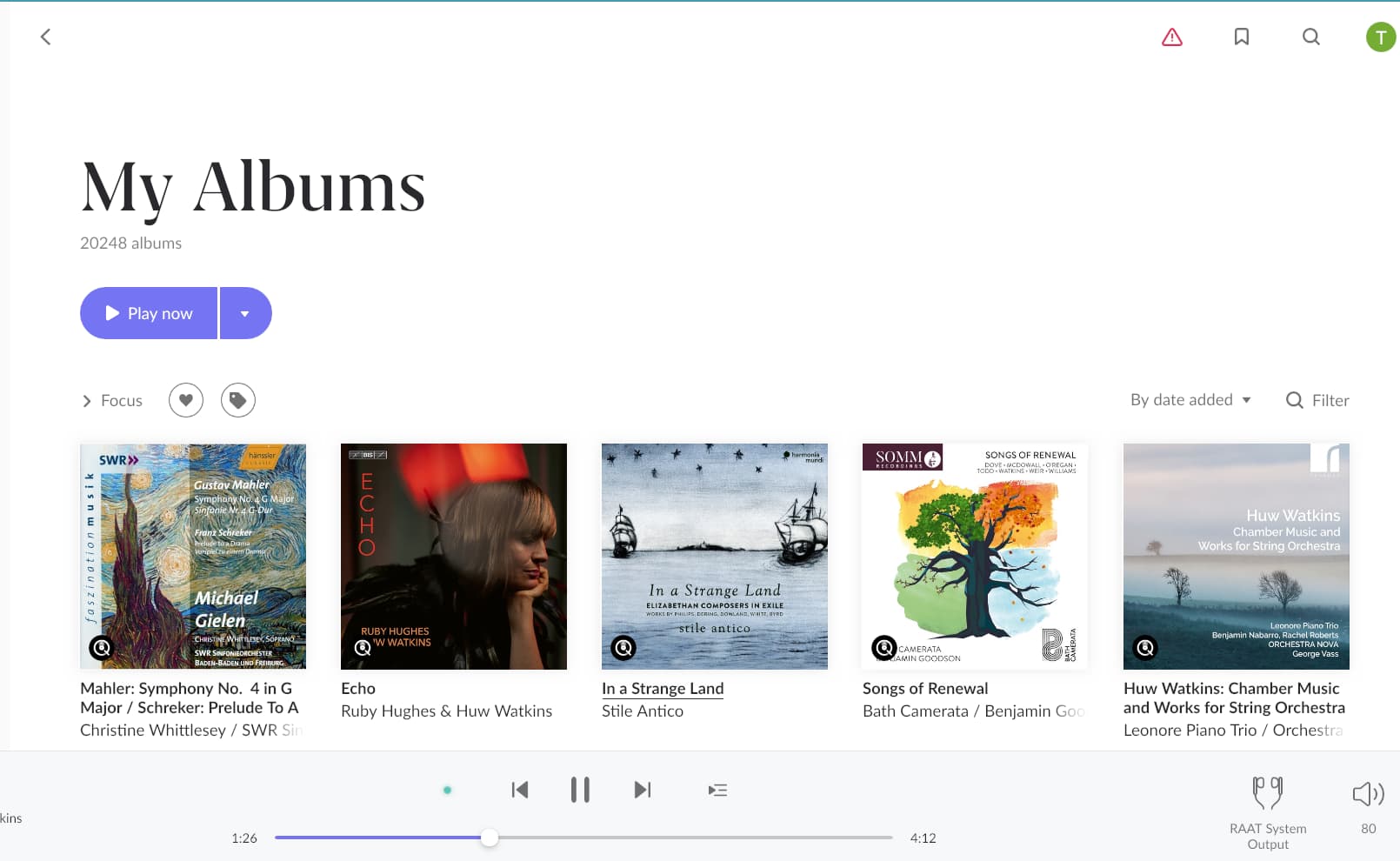
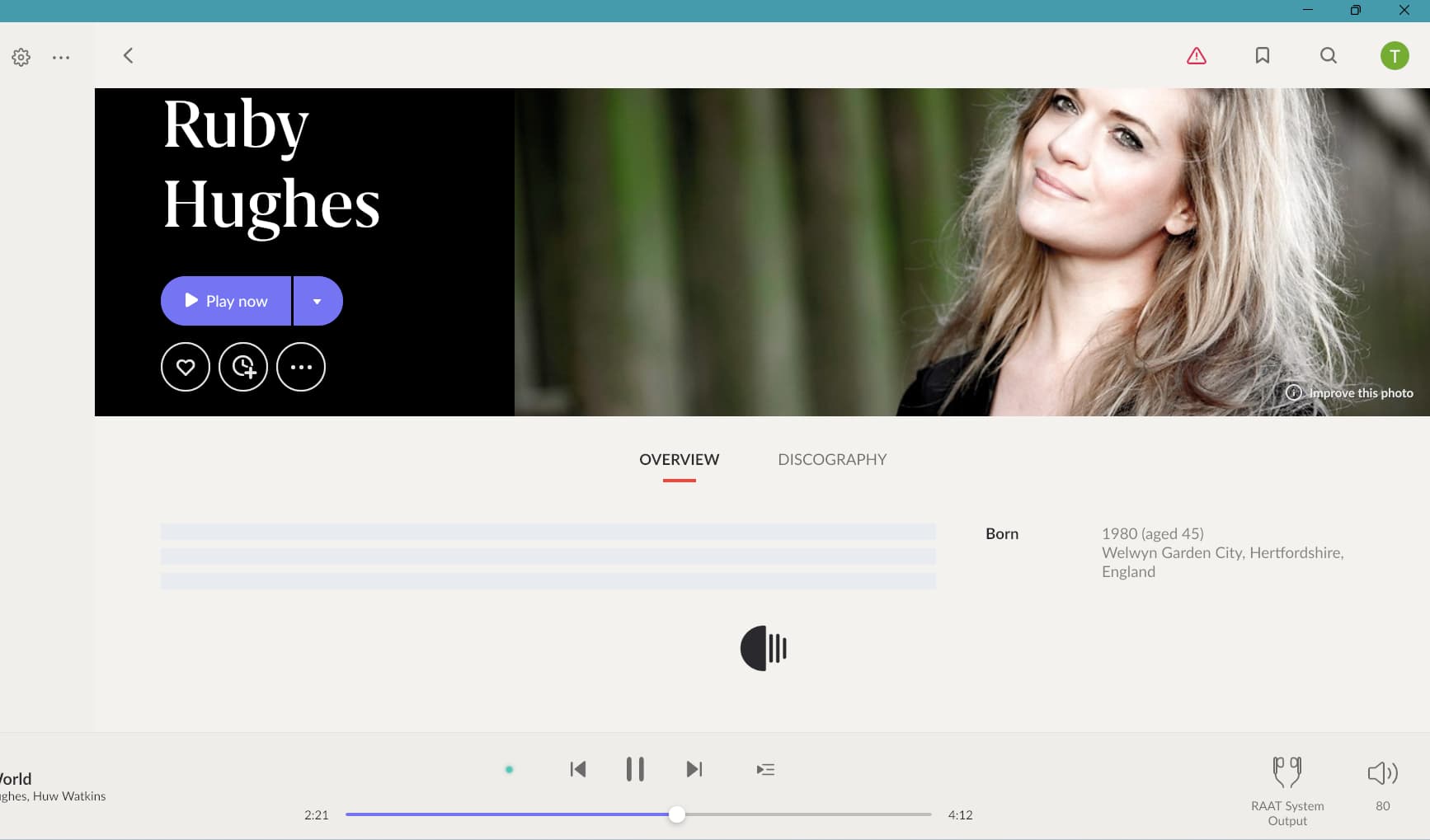
The example I am using is the Ruby Hughes and Huw Watkins album. Just so there is no further misunderstanding, this is an example. I can reproduce this with any random album. The sequence is:

Playing:

Browsing:

Crashing (devices disappear and the music stops playing)

Devices reappear (music remains stopped until I press play)

I have 32 megs of ram, so I don’t think its that, but I wouldn’t rule it out.

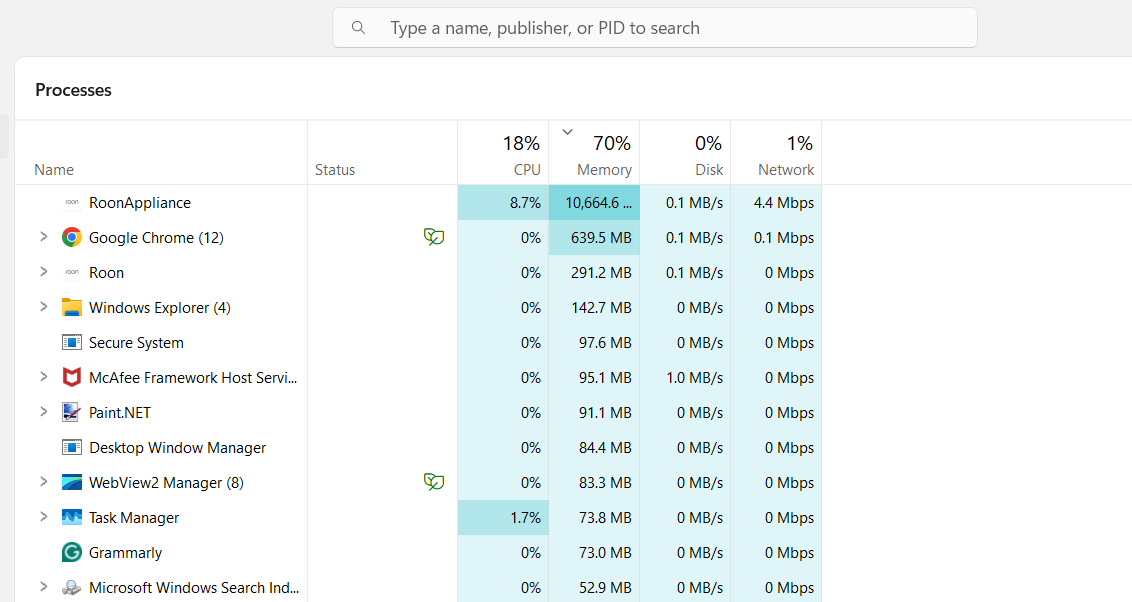
Task manager shows disk and network activity as very low, close to zero, which is what I would expect. Memory usage is very consistently about 75%. Roon memory usage is very high as others have reported. RoonApliance is about 8.5MB and Roon about .9MB. The other big consumer is Chrome at 2.7MB. RoonAppliance CPU usage also fluctuates wildly. Its very noticeable.

Good day @tripleCrotchet !

Can you please now let us know the time when did you take those screenshots so we could browse through the logs from that time ?

Thanks!

Regards.

Please check your swap usage. How many gigs are used there? Expectation for a healty system with 32 GB of RAM is less than 1 GB swap used.

I didn’t take timing notes so this is an educated guess. My post was about an hour ago so there is a connection dropped / reconnect at 15:39. So its probably around then:

10/14 15:39:07 Warn: [remoting/remotingprotocolv2] timed out
10/14 15:39:07 Trace: [remoting/remotebrokerv2] [TONY-LAPTOP] Connection dropped: Id: f630fffe-cb13-4e86-bfc3-d7cdd2d03929 Name: TONY-LAPTOP: 127.0.0.1 tcp=9331 tcpv2=9332, http=9330, inet=False, timestamp=14/10/2025 09:55:18
10/14 15:39:07 Warn: [remoting/remotingprotocolv2] timed out
10/14 15:39:07 Trace: [remoting/remotebrokerv2] [TONY-LAPTOP] disconnect(hard=False)
10/14 15:39:07 Warn: [remoting/remotingprotocolv2] timed out
10/14 15:39:07 Trace: [remoting/remotebrokerv2] [TONY-LAPTOP] Connected => Connecting

I notice his thread. Is my case just part of this from a different use case?

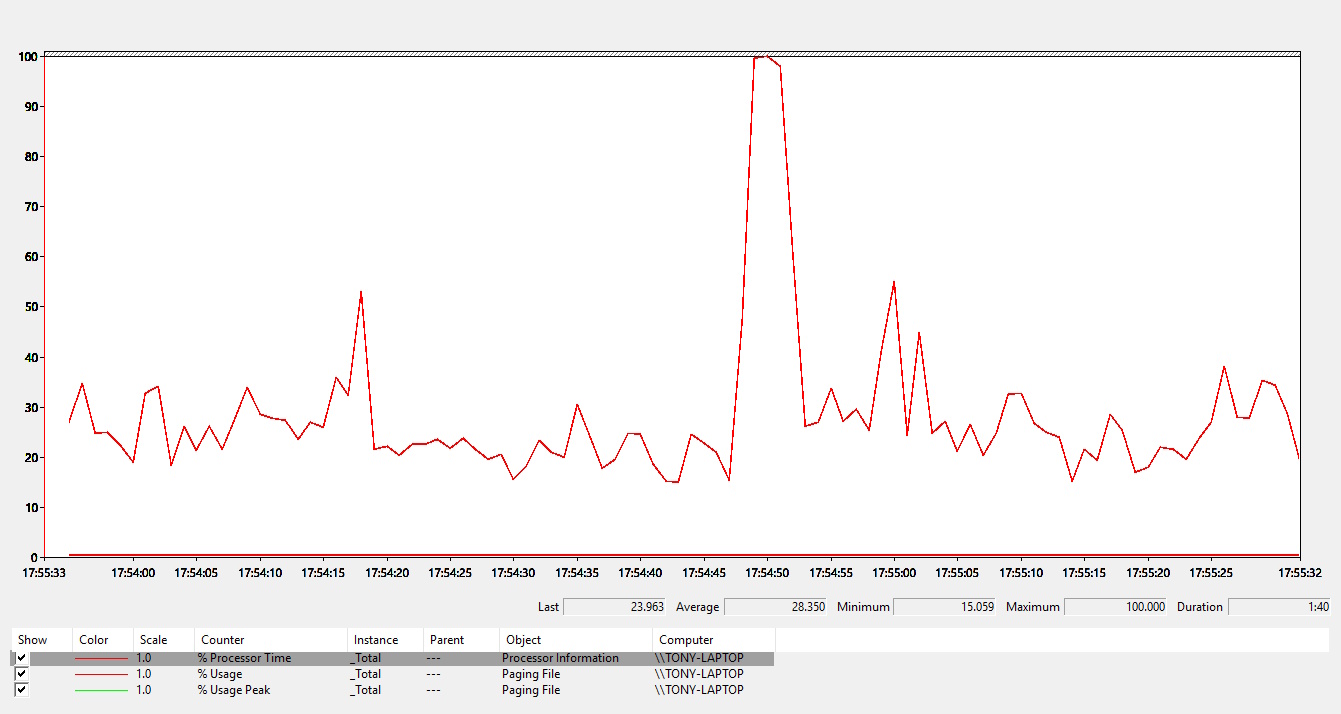
This is what performance monitor says. I had a lot of trouble getting roon running again. Had to reboot everything. There are two zones playing and with 32 megs, it looks as if nothing is being paged to disk. I would expect roon to run very smoothly for a couple of days after a major restart like this. But usually there is a degradation in stability over time which I have just learnt to live with. Eventually I just reboot everything and rinse and repeat.

Which, to my knowledge, boils down to “your library has become too big for the RAM you have”. The system may run acceptable after a restart but then, when you start using Roon with local music, streaming services, searches and filters a lot, memory consumption creeps up over time until the system starts swapping and Roon issues start to surface (as you described). That you don’t seem to have a dedicated Roon Server but seem to use your every day laptop doesn’t make things easier as other apps may need (a lot of) memory too and, to my knowledge, Windows is bad at giving back swap memory. While there is always a chance that Roon is misbehaving or there is an underlying issue with a users database that drive-up memory consumption of Roon, it often is just simply that a users library and usage have out grown the system Roon Server runs on. Maybe Roon Labs Support can see traces in the logs and help you further by confirming or falsifying my theory in your case.

I haven’t noticed any disk paging but then again I haven’t been paying attention so I can monitor more closely. What I normally see is 70% memory usage when roon is running which will creep up to 75% if backblaze kicks in and/or I have multiple Chrome windows open:

I did have 16megs before and memory usage would eventually creep up to 100% and disk paging would kick in prior to a crash. But since I upgraded to 32megs I haven’t seen that. So I think what I am experiencing is something else. Maybe a variation on the devices disappearing/reappearing thread that I posted above. There doesn’t seem to be a current solution or even a theory about what the underlying issue is. Roon are investigating my logs now so we will see what they conclude.

Edit: I was just able to reproduce the problem with the current stably playing and rebooted roon, on fixed line internet, with 70% memory usage and zero disk paging. This behaviour is different from yesterday when on fixed internet I could play and browse roon at the same time. Now I cannot without getting a device disconnect. It’s almost as if there have been changes in the background from yesterday to today.

@tripleCrotchet, do you actually need a portable Roon Core? If not it would surely be a lot more reliable to dedicate an appropriately sized NUC to this task, wired to the network.

Yes. I need a portable roon core. Its actually the simplest solution for my use case which would otherwise require 2 static cores pus a mobile core anyway. I actually purchased a NUC and all the parts a while ago, but never bothered building it as it just doesn’t suit when I realised I would need 2 of them and I have no interest in the DIY and self-maintenance involved at the end of the day anyway. Been there, done that. I will be replacing the laptop at some point but I will just run roon on that.

I am running a few tests on the GPU configuration. Its a dual GPU model with both an Intel onboard and an AMD Radeon. The warning messages are concerning rendering so that is the obvious place to look. I initially thought that a better performing network would mask the underlying problem. But now I am paying attention I am also getting device dissapearing/reapearing errors on ethernet as well as wifi 5. It just takes longer to surface.

There are a number of GPU prioritization options in Windows 11, so I’ll see if there is some conflict introduced in the last roon release. That is, I can configure roon to use the Intel GPU, the AMD GPU or let windows decide. This looks suspiciously similar to problems I had with roon initially 7 years ago on a dedicated fanless media server. There turned out to be a deepseated roon conflict with Intel onboard GPU’s that only exposed above a certain library size so there is history.

Edit. Initial results are that roon is far more stable if I force the use of the Intel GPU. Task manager reports a reduction in memory usage to 65% as well. But its early days and there are probably a number of factors. Let’s see how I get on..

Hi @tripleCrotchet,

Thanks for the update! Certainly, let us know how things perform.

We took a fresh look at a set of your Roon Server logs, and saw traces that could point to similar issues as the thread you’ve listed above regarding audio devices disappearing.

If you only use the system output of your Windows running Roon Server, do you see similar issues?