I have had a Nucleus since 11/18, but have chronic problems with corrupted databases, so I bought the most recent nucleus and I want to start from scratch.
I bought a lifetime subscription with my last nucleus and want to transfer it to the new one. When I try to log into the new one. It says I am already logged in to another. So I hit the “deauthorize” button at the bottom, and then the app crashes. when I try to bring it up again, the app crashed before I even log in.
I don’t want to bring anything over to the new nucleus than my lifetime subscription. Then I want to start 100% fresh.
Can you help me be able to log into the new nucleus with my subscription login?
Old Nucleus: 94C6911CFC14
New Nucleus:54B203F69E8D
Current remote versions crash when they try to connect to certain outdated Roon Server versions, such as are installed on new Nucleuses (as they don’t get updated when shipped). You have to update the Nucleus first, see below. This crash is expected to be fixed in the next update for remotes, but for now:
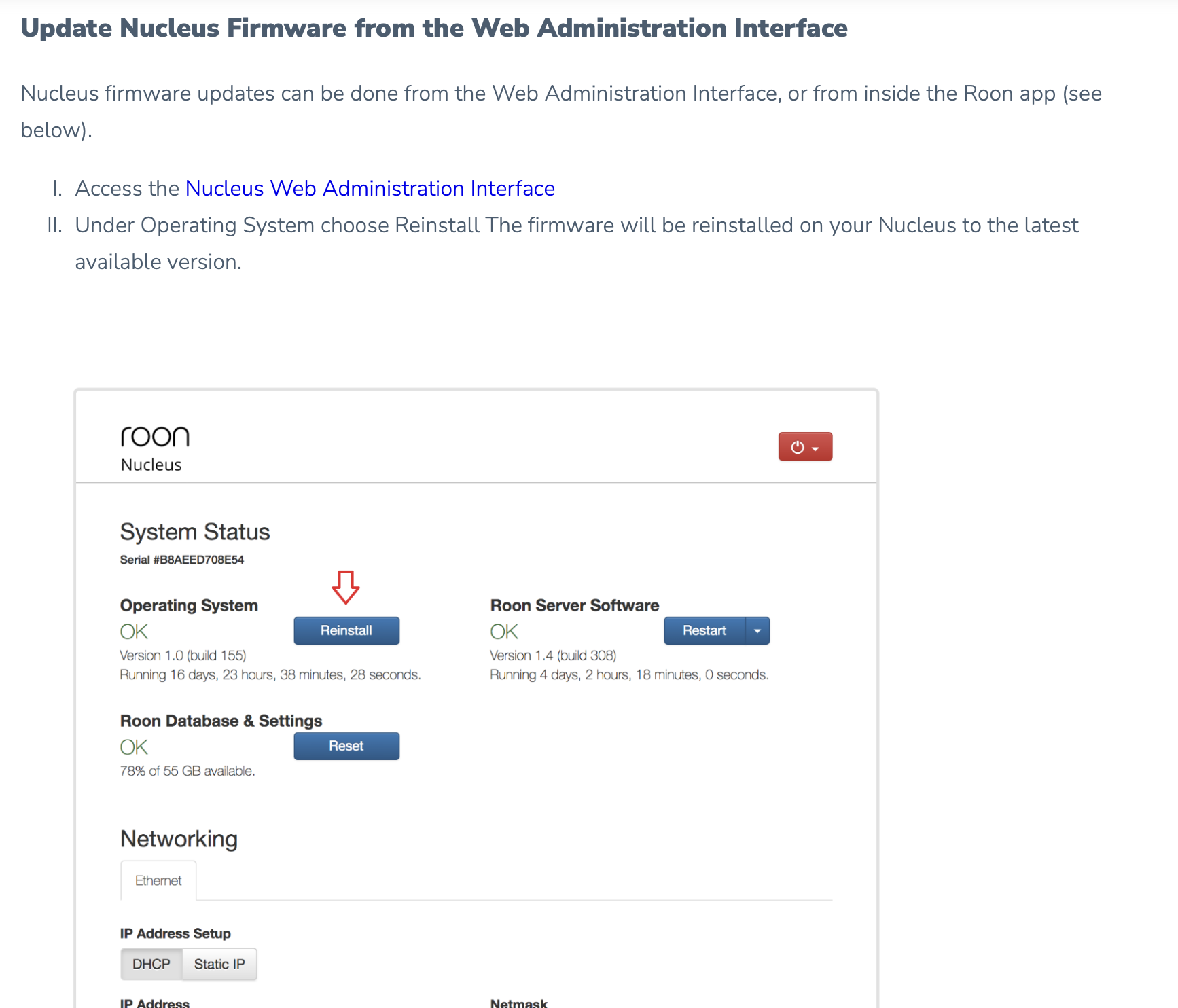
Go to the admin web page of your Nucleus and check if it is up to date. Open your internet browser and try http://nucleus or if this does not work try http://nucleus.local. If this does not work either, use the IP address of the Nucleus instead of “nucleus” (which you should find in the admin web page of your router where the network devices are listed)
The Roon Server Software version you see there is probably going to be something like version 2.0 (build 1143). In any case, much lower than the current Roon Server version, which is 2.0 (build 1234)
On the admin web page, click the Reinstall button for the Operating System:
As I recall what may be required is to power up your older Nucleus, and use the app on your networked device to logout under settings. Then you should be able to sign into your account on the new Nucleus.
Yeah same with ROCK as the version for the installation image is not the latest Roon Server, either.
Normally, the remote would connect and then prompt for an update of the Core, but currently it crashes instead. Roon support posted yesterday that the next update for remotes should fix that crash, so then the update can be triggered from the remote again as usual.
The logging out can be done on the new Nucleus as well, using the Unauthorize button. However, there is currently the issue with the remote crashing when encountering an outdated Roon Server, and this would even happen if first logging out on the old Nucleus. Therefore, the new Nucleus must be updated from the web admin interface anyway, and then the Unauthorize button should work when connecting to the new Nucleus.