You still have the issue that the EDIROL is set as both default audio output and default audio input for macOS… (of course we cannot rule out bugs from the device’s USB audio implementation either)
And you didn’t confirm if you are using HQPlayer Desktop 5.16.3?
You were rightly asking ! I must reckon I had not upgraded. Like presumably many, getting used to software asking user to download and install the latest update (or optionally doing it automatically, which I am reluctant to aside from IOS itself), I am getting lazy and losing the habit of checking regularly for new versions of my favorite software. It was a good warning though.
No issues now, problem solved with Tahoo using HQplayer Desktop 5.16.3 !
Best regards,
Christian
Is it possible to select multiple USB outputs from same HQP NAA Image PC? Such as e.g. two RME Dacs, one for speakers, the other for subwoofers. Do they show up automatically and selectable in HQP output tab, when active?
You can select either one with the NAA backend. So you can choose between two DACs.
But in subs + speakers case you would like to have a combined output, so hence you would use the Combo backend and configure both DACs for the backend. This gives you four channel output in case of two RME ADI-2 DACs. Then you just need to configure the audio routing and possible cross-over filters in the matrix setup.
Hi Jussi,
Does that mean that it is now possible in the general case to simultaneously use two different stereo DACs whatever they are, using two separate USB audio outputs, one for subwoofer, one for main speakers, combining the routing of filters in Matrix Setup with presumably midi utility on MacBook ?
Yes, for subwoofers it may work. It still would be best to have the two DACs with clock synchronization. As otherwise they are likely to drift apart over time.
Subwoofers are less timing sensitive due to the physical properties (long wavelengths).
Hello,
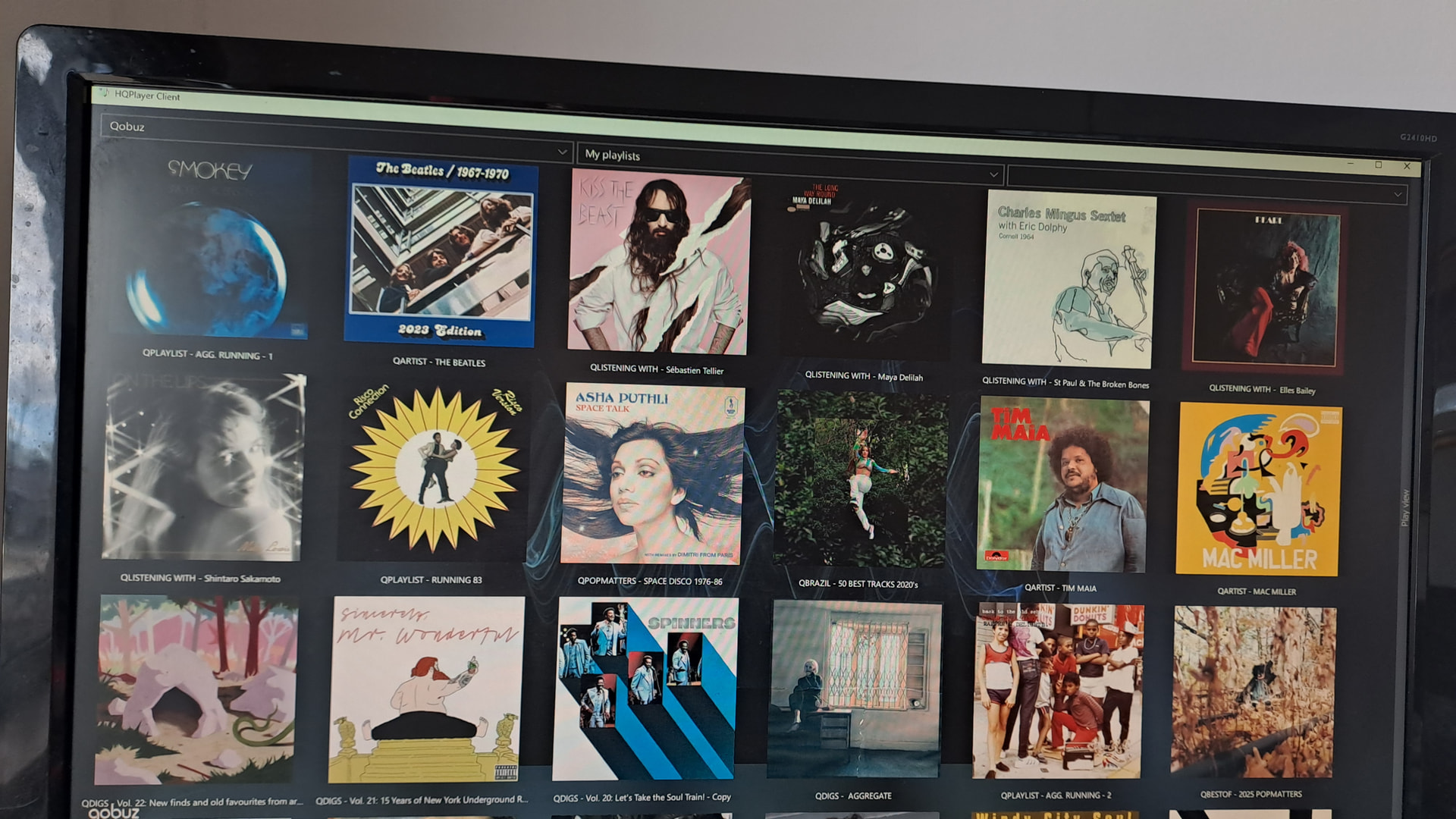
I’ve convinced myself that streaming via HQP Client 5.17.0, sounds better than via Roon. Anyway, when I call up my Qobuz playlists, they are organised in a grid, in alphabetical order, however, when I go to HQP Client, they appear to be random. Is there a way to get Client to mirror Qobuz ? In addition, Client only shows title, is there a way to show artist as well ?
Thanks Jussi. Please find attached images showing Qobuz playlist & how it appears on Client. Re. artist query, I have many compilation playlists & seeing only the title, makes it harder to navigate.
It has for a long time sounded better, not just a little, but clearly. I have flipped between them for friends in my ‘hood, the hear it clearly too. Not every set-up is transparent enough to display this, some still favour the slightly more soft sounding Roon, but when the rig is good enough to release the sonic handbreak, the HQP built-in player is superior.
The one in Client looks cleaner to me, but I don’t understand why there’s the unnecessary "QALBUM” prefix there. I don’t have any such… Just wondering where that is coming from. You can of course freely name your own playlists. Only the favorited Qobuz’ playlists retain their name.
Qobuz can of course do what ever they want on their own GUI. What I can do with their API is another thing.
P.S. I need to check about the artist data related to playlists, I don’t remember right now what they are sending.
The Q prefix, was just used to differentiate between playlists made in Qobuz - which I use to download to my phone for use when I’m out - & playlists I make from Roon directly. I think the issue is that there are two ways to organise playlists within Qobuz. The first is as a grid, which can be ordered alphabetically & is the format I have always used, and the second is in line item format, which I cannot get to display alphabetically in Qobuz. Client seems to mirror the second format but in grid format, hence my confusion. If there were a way to display the second Qobuz format in alphabetical order, then I expect that would be mirrored in Client & I’d be happy.
I found a filter combination that I really like but I’m having a problem with it that I’ve seen mentioned in other posts. However, I don’t seem to be able to locate the threads again. I’m running Roon/HQPlayer on a base model M4 Mac Mini with 32 Gb RAM. The settings I’m having problems with are sinc-MGa & ASDM7EC-fast. I upsample everything to DSD 256. When I first start the music there is a 10-15 second delay before there’s any sound. If I’m playing an album there are no further problems until the end of the album. If I’m playing a playlist I get the same delay every time there is a resolution change. There is also a noticeable delay in the music stopping whenever I hit pause. I’ve tried switching to ASDM7EC-light and turning off Convolution and DAC Correction to lighten the load but that didn’t make any difference. Any chance I have something else set wrong or my Mini doesn’t have enough Horsepower? I don’t get any dropouts or other signs of strain once the music is playing.
You could switch to the more flexible version poly-sinc-gauss-xla. You still have some amount of inherent delay, but it may be more fluid.
Please also note that some of the initialization data is cached in memory as long as HQPlayer is kept running. So whenever the playback encounters same rate combination second time, it is quicker.
Remember to also set “Idle time” setting to something from 10 - 60 seconds when using Roon as a source. This helps dealing with unnecessary expensive engine stop/start cycles Roon has a habit of doing quite a lot.
Thanks for your help. When the M5 Studio Ultra comes out I’ll have an M1 Studio Ultra available so maybe I’ll come back to these settings then and see if that does any better.