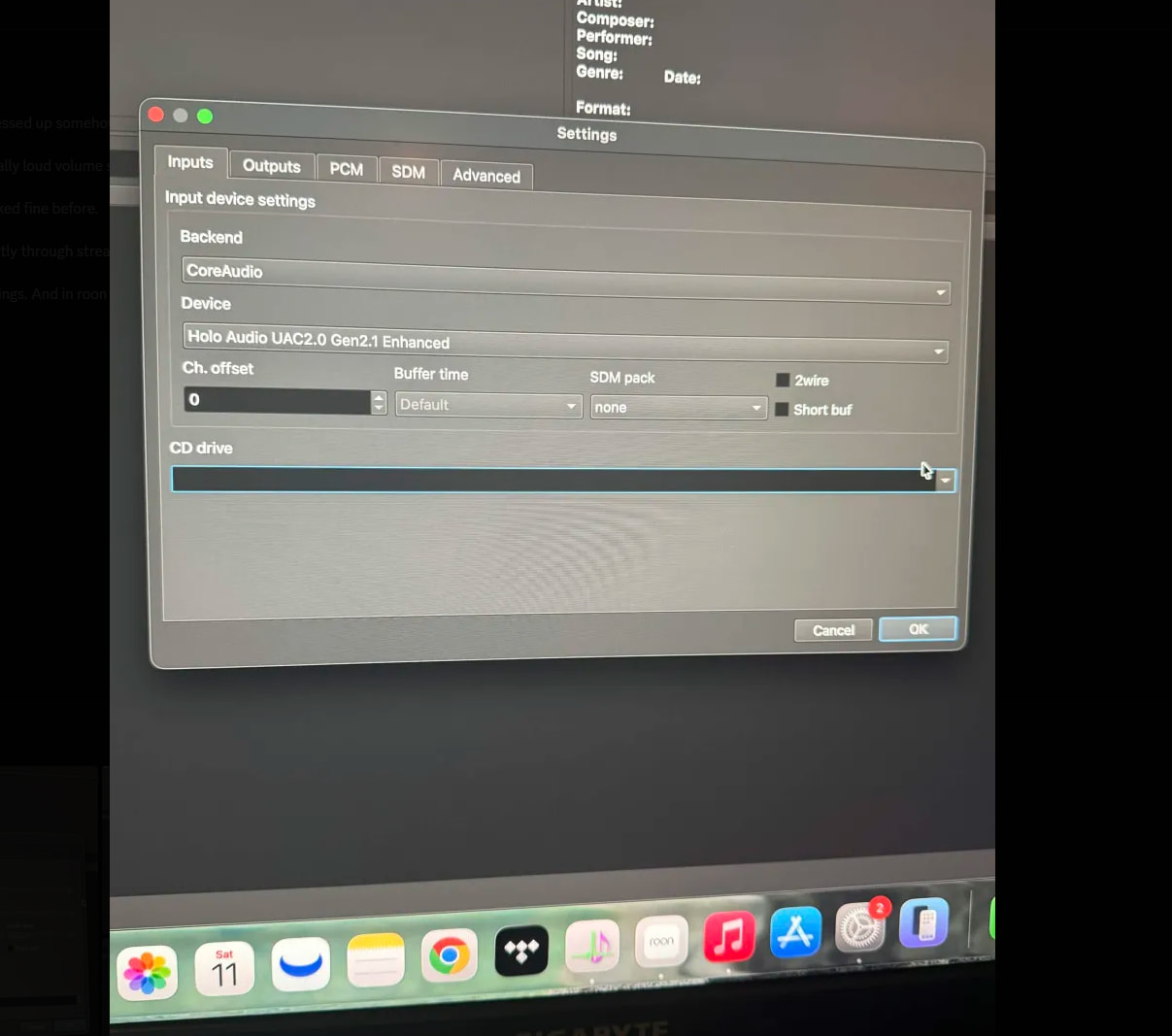
Yes, looks good. You can ignore the SDM tab when default output mode is set to PCM (on Outputs tab).
In normal cases you can also enable “6 dB gain” option for DSD-to-PCM conversion, but it largely depends on the DSD content.
Yes, looks good. You can ignore the SDM tab when default output mode is set to PCM (on Outputs tab).
In normal cases you can also enable “6 dB gain” option for DSD-to-PCM conversion, but it largely depends on the DSD content.
I wouldn’t recommend those as starting point though.
For better quality, I would recommend to get started with these settings:
On output tab, set default output mode to “SDM (DSD)”. You can also enable “48k DSD” and “Adaptive rate” (to checked).
On SDM tab, set:
1x = poly-sinc-gauss-long
Nx = poly-sinc-gauss-hires-lp
Modulator = ASDM7EC-fast
Bit rate / limit = 48k x256
Sorry for the late reply! I will try these settings and get back. Do you think the settings I was using was potentially causing the pops/crackles?
Possibly yes…
If you want to compare PCM vs DSD output with Holo Audio, remember to set “PCM Gain Compensation” in HQPlayer to -6 dB! Because otherwise PCM output is 6 dB louder than DSD output.
@jussi_laako
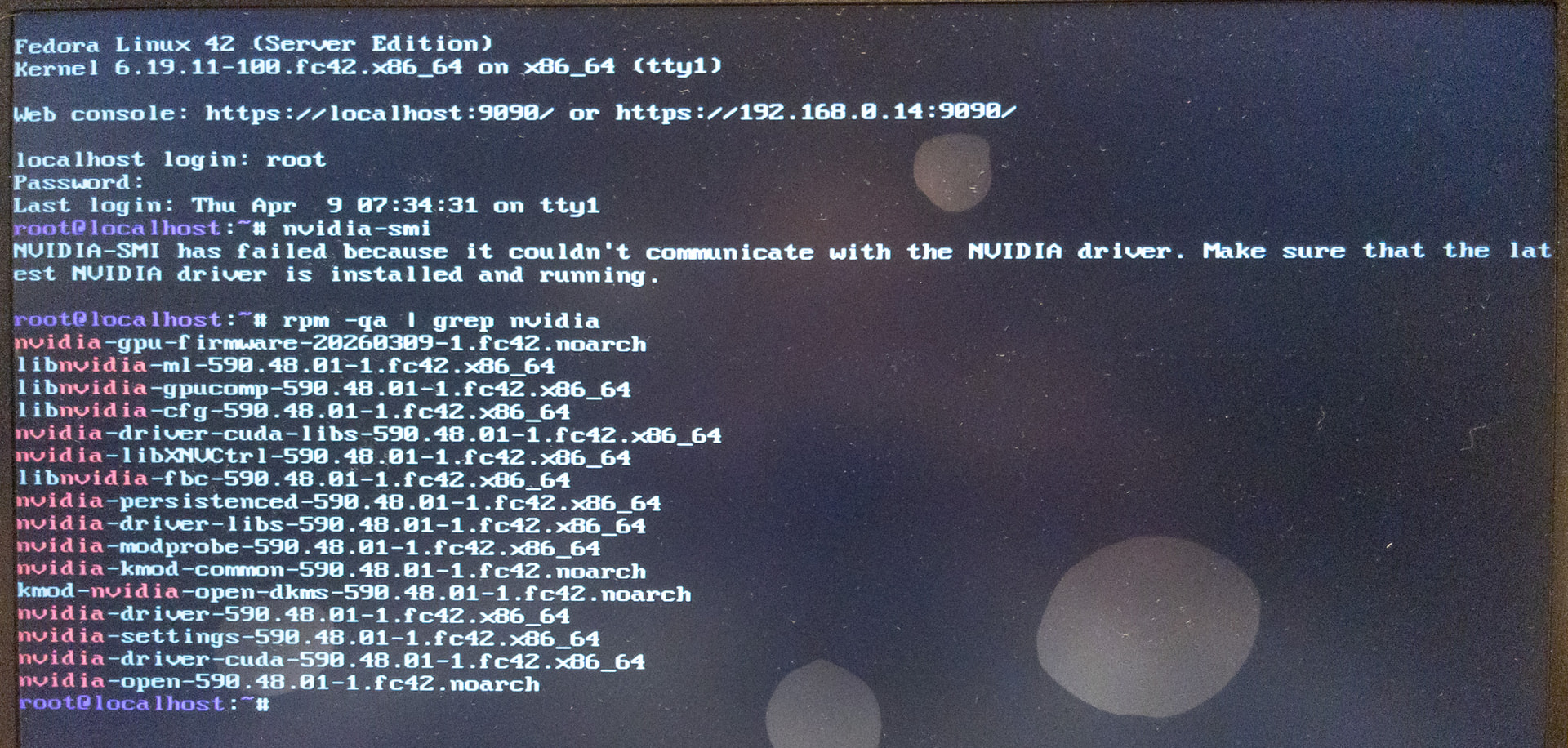
I replaced the motherboard, and I’m having trouble accessing the graphics card again on Fedora 42.
I currently have the following:
I ask for your help, please…
If you are on latest kernel from Fedora, it has broken the Nvidia’s driver, and Nvidia is likely not updating the driver as they moved to Fedora 43 on CUDA 13.2. This is down side of living on the edge with Fedora, something that doesn’t happen with Ubuntu LTS releases…
But good news is that you can upgrade the system to Fedora 43 and current HQPlayer release should keep working. Next release will be for Fedora 43 anyway.
To avoid trouble, first uninstall the existing nvidia driver
dnf remove nvidia-open
And then delete the cuda repository file from /etc/yum.d
Then upgrade the system according to official instructions.
After upgrade, add the new CUDA repository to the system:
dnf config-manager addrepo --from-repofile https://developer.download.nvidia.com/compute/cuda/repos/fedora43/x86_64/cuda-fedora43.repo
And install the driver:
dnf install nvidia-open
This should be enough (at least was for me to solve the issue)!
Thank you very much!
I got it working. 
The
/etc/yum.d
part was
/etc/yum.repos.d/
but I managed to figure it out with the help of ChatGPT.
Hello I need some help.
I have recently been experiencing problems with Roon and HQplayer implementation.
It seems like every other track I’m getting insane clipping/ volume spiking and distortion and I cannot tell why. It used to work without any issues.
My chain is a Holo Audio May KTE and Holo Bliss that is connected to an M2 Mac Mini. The mac mini acts the roon source and is used with HQplayer. I have confirmed that issue is coming from here directly as I have used other steaming sources without Roon/HQ player and have not had any issues with clipping.
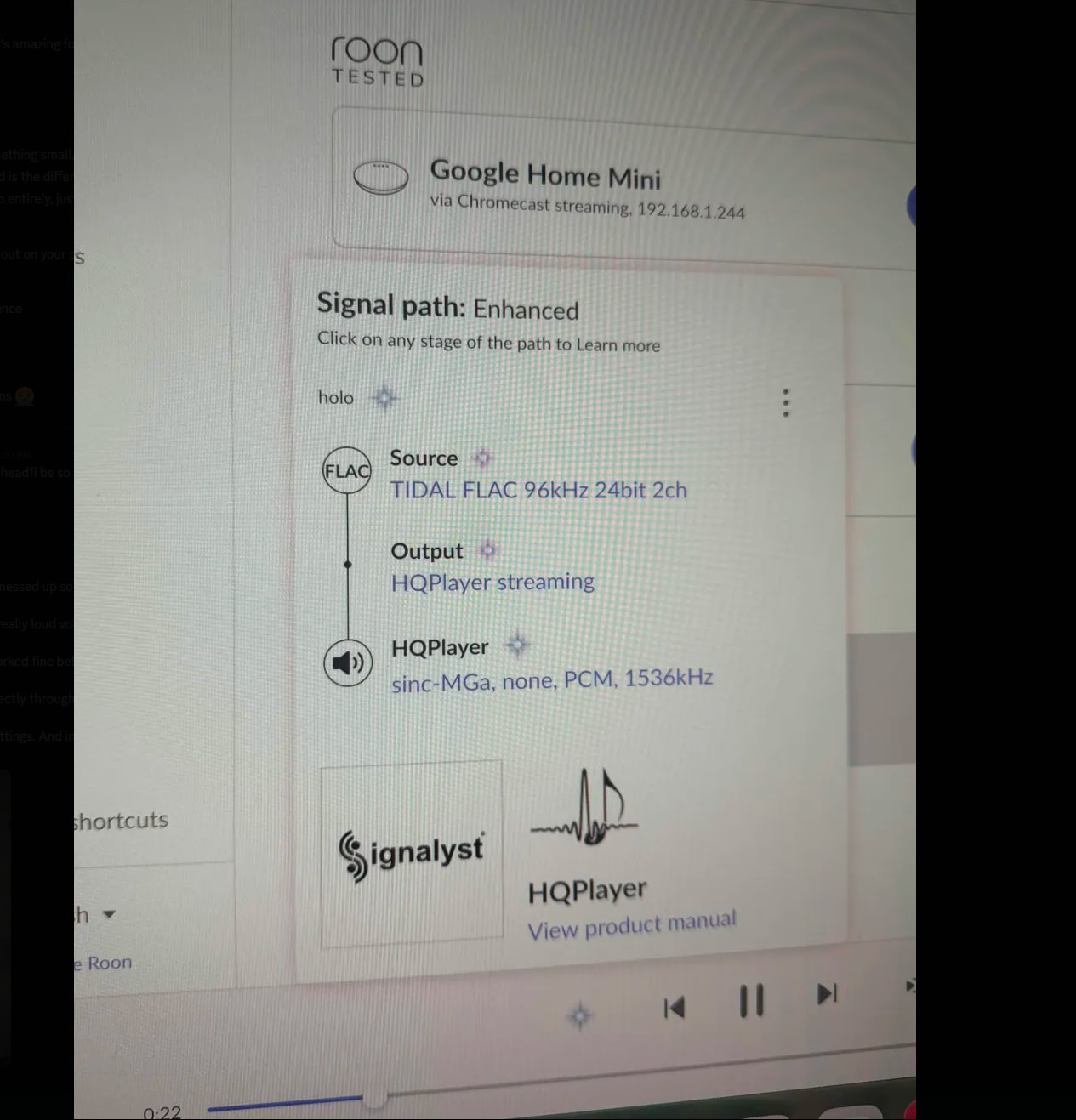
Below is a picture of my roon setup.
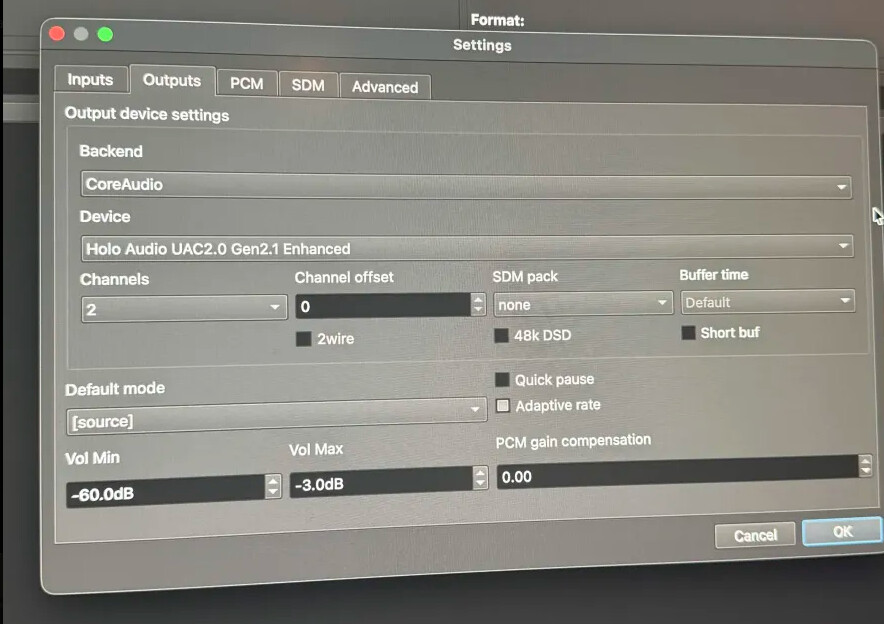
Hqplayer settings
If there any suggestions I can try I would greatly appreciate it
I notice here you have dither disabled. This should be never used whenever there’s any DSP processing involved. I would recommend setting LNS15 here. Also remember to set DAC Bits on PCM tab to 20 (this is correct value for Holo Audio DACs).
I would also like to suggest starting with the default filters:
1x = poly-sinc-gauss-long
Nx = poly-sinc-gauss-hires-lp
Here set SDM pack to DoP, enabled 48k DSD and set Adaptive rate to checked. Also set PCM gain compensation to -6 dB.
Here, on inputs tab, set backend to [none]. Your DAC cannot provide any inputs to HQPlayer.
In addition, on advanced tab, set Idle time to something like 10 or 30 seconds. This is important when using Roon as a source.
@jussi_laako
I noticed I use overclock memories (RAMs).
However, I’m not sure whether they make any difference in HQP performances.
You told us before that the speed for SSD storage doesn’t matter, but what about RAMs?
Yes, RAM speed and latency matters for performance. I’m personally using DDR5-6400 CL32 with either set of two 16 GB or two 32 GB modules.
Thank you.
Then, I’ll use them overclocked.
Just for a reference (because RAMs are deadly expensive these days…), how much improvement can I expect if I change my DDR5-6400 CL38 to DDR5-6400 CL32 ?
According to the latency calculation formula, there is a 1.875 ns difference, but I’m not sure how much this would affect the overall performance of HQPe.
I don’t know. Personally, given current RAM prices, I wouldn’t change the RAM just for this…
You’re right. But thanks for your input. It sounds like it won’t be a drastic change, anyway.
Regarding the Core i9 14900T, Copilot says it can be modified by raising power limits, but I fail to do this on my ASRock motherboard.
AI can be wrong, and what would you say?
Short answer: You cannot “modify” an Intel Core i9‑14900T in the sense of unlocking it or turning it into a higher‑power CPU, but you can improve its real‑world performance through tuning, power‑limit adjustments, and system optimization.
Below is the full picture, including what’s possible, what’s not, and what actually works.
 What is possible (safe, realistic performance improvements)
This is the single biggest performance lever for a 14900T.
If your motherboard allows it, raising PL1 to 45–65 W and PL2 to 110–125 W can significantly increase sustained turbo clocks.
This is not overclocking; it’s letting the CPU use more of its built‑in turbo capability.
Many Z‑series boards allow all cores to boost to their max turbo frequency simultaneously.
This can give a noticeable uplift in multi‑core workloads.
Theoretically you could multiply the latency difference by the output sampling rate and have a figure. But since the whole picture is much more complex than that, I don’t think the number would be useful.
Why would you buy 14900T and then do that? Instead of just going for example for 14900KS?
Point of 14900T is to have a 35W TDP CPU…
The reason is simple. Perhaps you remember I had difficulty using the 20kHz filter with DSD sources.
The processing speed for that is slightly below 1.00x – at 0.98x or 0.95x.
This made me consider the possibility of reaching 1.00x by doing some modification.
The reason I chose 14900T was that I wanted to try the unique variant and didn’t want to deal with 100 degrees and high power consumption. 
I don’t have the 14900K but I have 14700K.
I’ve been using my undervolt 14700K on the Z690/Z790 motherboard with PL1 at 45W and PL2 at 63W on a passive cooling case for 1-2 years. With the assist of an RTX4060Ti 16GGB also underclock/under power to max 105W and passive cooling, the CPU / GPU temperature has never been higher than 65oC. I can run DSD512x48 and DAC correction with most of the filter/modulator. If using AHM7EC8B, I can also run many filters with DAC correction at DSD1024x48.
The K variant give you much more flexibility on the good Z chipset motherboard including underclock/undervolt to as close as the T variant or even lower.
Yes, key of 14900T is the low power operation and keeping the cooling demands low while still producing very good performance.
But if you force drive the 14900T to the max, it will be quite a bit like higher TDP models.
This is quite a bit like i9-14900 (no suffix letters)… Although 14900 will produce 219W at full turbo. While normal 14900T is just 106W.
Of course you can try something like this, but it will have some cooling implications, so it is important to check that it doesn’t run into thermal throttling as that would affect playback reliability over time.
I believe best option is Nvidia GPU. I have 13900T and RTX2080 (Founders Edition) running nicely in a small slim mini-ITX case, with Seasonic Focus SPX SFX form factor PSU.
Thank you for your input!
I’ll refer to it.
Thank you as well!
I think I’m good with the cooling because the fans on the computer run very slowly and I use a 420 mm AIO cooling system.
I’m not sure how to tweak the CPU on my ASRock Z790 Taichi Carrara, which seems to be a high-end Z790 chipset motherboard, though. When I raise the voltages on PL1 and PL2, they automatically return to default. That’s why I asked my intial question.
You helped me a lot to set up the GeForce RTX 5070 Ti graphics card.
It works fine, but with the filters I mainly use, adding the 20kHz filter exceeds the overall system’s capacity.
FYI, here’s what I use:
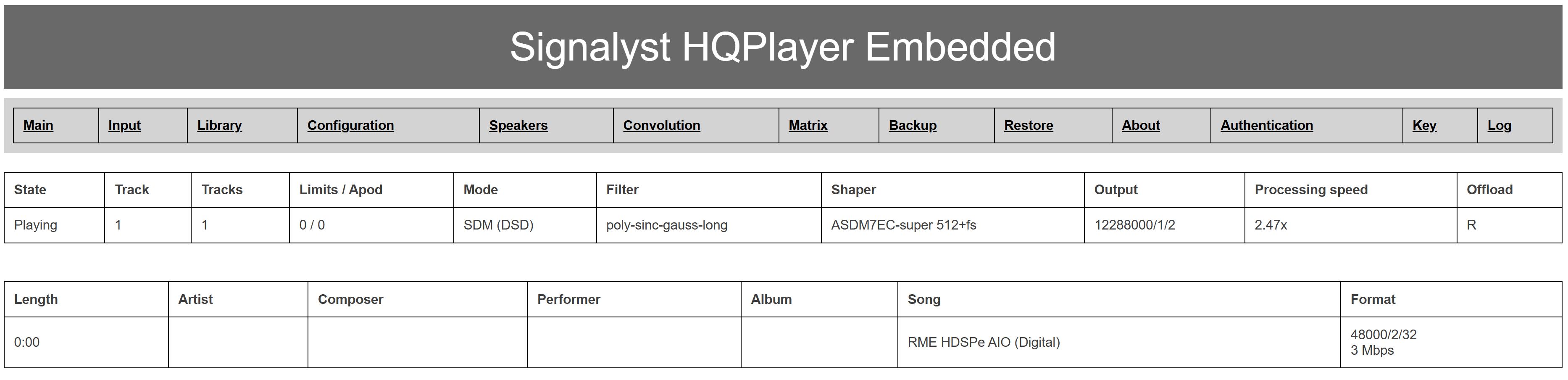
Output mode: SDM
DSD sources settings:
Integrator: IIR3
SDM-SDM conversion: XFi
Noise filter: wec2
SDM settings:
1x Oversampling: poly-sinc-fauss-long
Nx Oversampling: poly-sinc-gauss-hires-lp
Modulator: ASDM7EC-super 512+fs
Rate limit: 24576000
Matrix pipeline: enabled with EQ
DAC correction: Holo Audio Spring 3 / May