Which file version of embedded shoukd i download for win to trial
Purchase experience was flawless, got new license key on the thank you page and email as well.
Paid using green button, selected Paypal, and added previous license key.
Congratulation Jussi for your new version and all best for new versions to come! 
2 Likes
2 Likes
Under the Embedded downloads folder structure, there’s a folder “windows” and there you can find HQPlayer6Embedded-setup-600.exe
Using this will require some use of Windows command line operations calling the hqplayerd.exe in the installation directory (you can add the installation directory to your PATH if necessary). First set the web credentials with “hqplayerd -u username password” and then install the default configuraiton file in your home directory with “hqplayerd --install”. Then you are ready to use, just start it up with “hqplayerd”. You can then point local web browser at “http://localhost:8088/” to access the web interface.
1 Like
I tried to upgrade from HQP 5 .. but got the “Please use original key, or contact support!”, sent a couple of emails with the original key file, have been waiting for few hours already ..
For headless I would recommend to stay on Embedded. So it is pretty straightforward setup. Also quite a lot of dependencies have been dropped. So you can cleanup after update with “apt autoremove”.
2 Likes
Aapo is going through the emails right now.
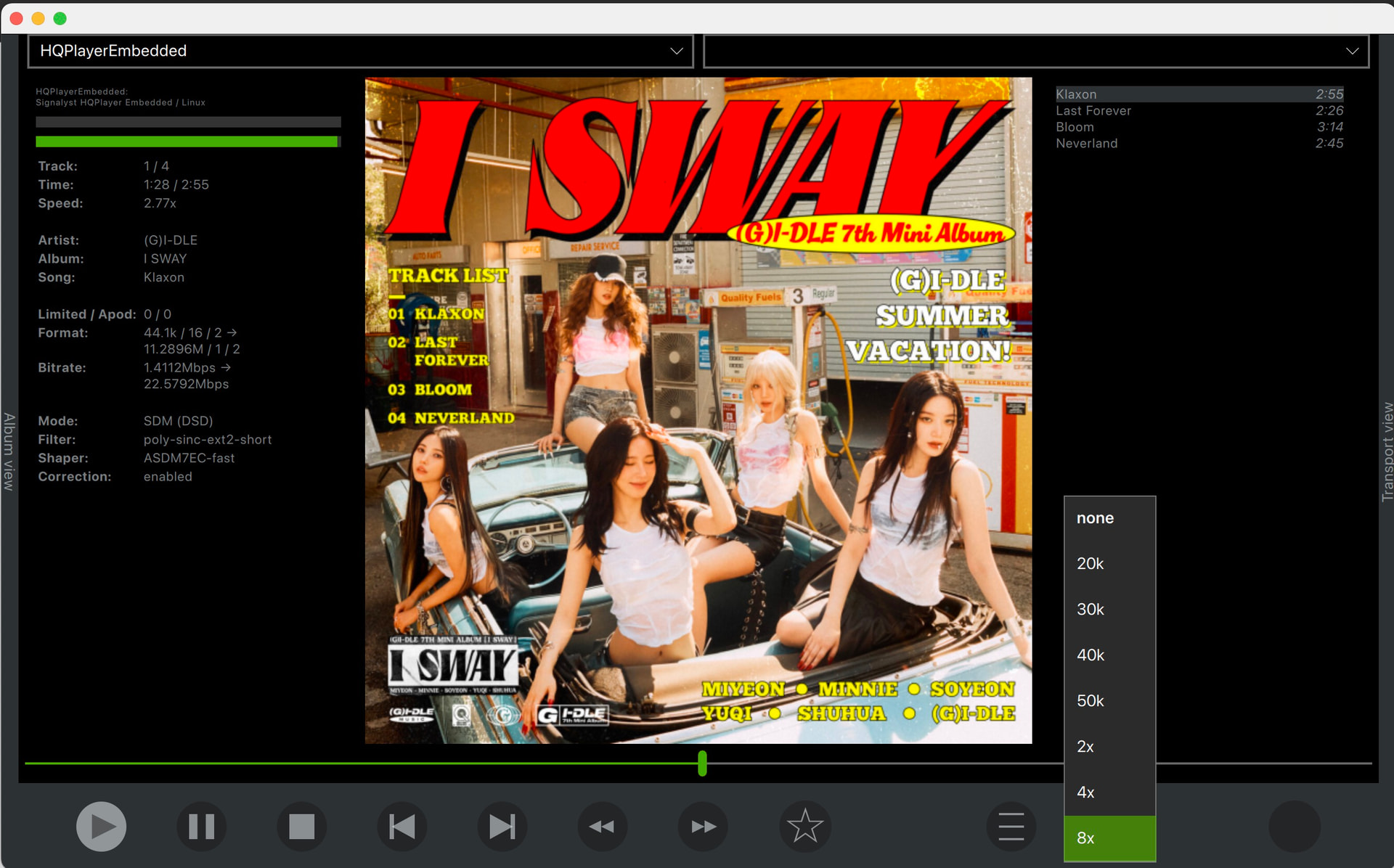
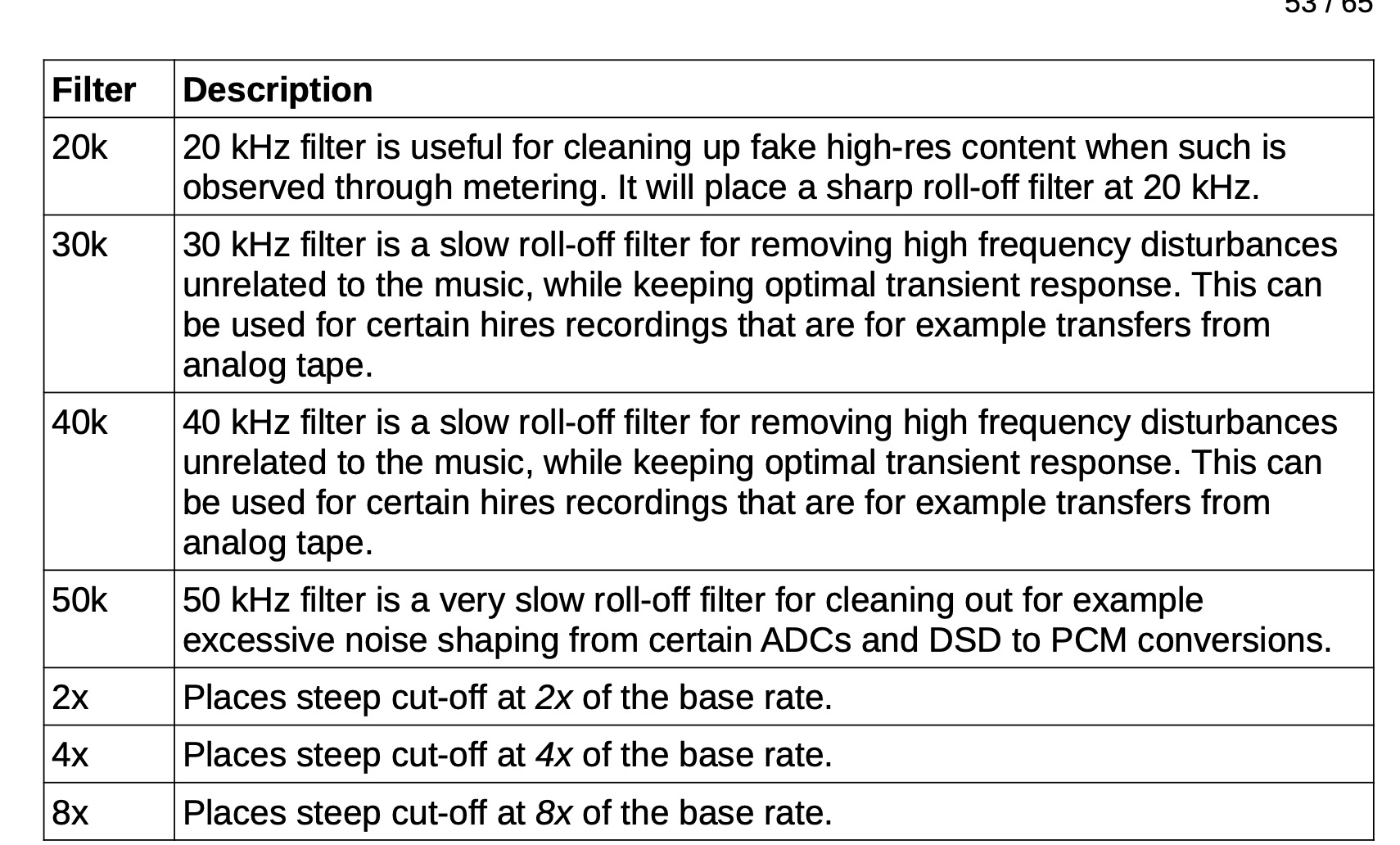
OK, buying Embedded.
I was surprised to see how short the installation guide has become. Good work!
1 Like
After buying the upgrade for Embedded, I downloaded and installed the 6.0 hqplayerd-package (there is only the AMD-package, right?) on my headless Ubuntu 24.04 server. I encountered a dependency problem with libmicrohttpd12t64. After installing this, installation of Embedded 6.0 went through. I chose to keep my existing configuration.
After restarting Embedded (even after restarting the whole machine), I can only access the “main” and the “about” pages of Embedded. Obviously, the "about page says I am on 6.0.0 x64 ABX2 build under trial license. Unfortunately, I cannot upload my new key because the “key” page will not display “Unable to connect”. The same for the other pages.
What did I do wrong?
You need to reset the web interface credentials, as the hash algorithm has been updated to SHA256. So if you are running hqplayerd as a service, first call “sudo hqplayerd -s username password” and then restart the service with “sudo systemctl restart hqplayerd”.
Thank you, that solved it!
HQPlayer Embedded v5 Web UI worked fine on iPad.
After upgrading to v6, when I press “Configuration”, the login popup (username/password) no longer appears on iPad browsers.
Instead, the page only shows:
“Authentication is required for this page”
Environment:
-
Windows browsers: OK
-
iPad Safari/Chrome/Opera: all fail
-
Same local network
-
HTTP access
Did something change in the Web UI authentication method in v6?
Yes, it now uses modern SHA256 based hash for HTTP Digest authentication instead of the ancient deprecated hash algorithm.
I will look into what has changed. Note that if you have stored the password earlier in the browser for the page, the stored data may be outdated.
I just installed v6.thanks!
Currently, the Playback filter settings appear to be exclusive to HQPClient. Are there any plans to implement this functionality into HQPDcontrol or the WebUI down the road? (Granted, it might be pointless for the WebUI given the absence of a spectrum analyzer…)
Seems like Apple has not yet implemented RFC7616 (from 2015) in Safari. Of other browsers, Chrome gained support for it last, in 2023.
Apple rules don’t allow other browser engines on iOS, so for example Firefox on iOS uses Apple’s WebKit, instead of their own Gecko engine.
Safari on macOS also fails, while Opera/Firefox/etc work on macOS. Since there is no such restriction on macOS.
Chrome on Android works fine too.
I understand the cause now.
Thank you for the detailed explanation.
So Safari / WebKit does not support RFC7616 yet.
Now I understand why all browsers on iPad showed the same behavior.
I’m relieved to know this is not a problem with HQPlayer v6 itself, but a limitation of Apple WebKit.
I will try to look into detecting Apple WebKit and offering the obsolete MD5 digest authentication to it instead. If I get it working it will be included in next release.
1 Like
Posting the results of today’s work here as well:
OK, I have now implemented a solution to detect that browser is not using Chromium or Gecko engine and in such case degrades to the old MD5 algorithm. Works on Safari now. This will come out in next release. If you wish to use it, remember to reset the hqplayerd username and password once again to get authentication data written also for the old algorithm. Next release of HQPlayer OS will come with the default password stored for both algorithms.
1 Like
Thank you for the excellent work and quick response.
I’m glad to hear that it now works with Safari.
Your detailed explanation about the cause and workaround was also very helpful.
I’m looking forward to the next release.
I also understand that the username/password needs to be reset again.