I’ve upgraded to 6.0.1.2 embedded on Ubuntu and hqplayerd is running and I have reset the credentials and restarted hqplayerd. But I cannot connect in the browser → ERR_CONNECTION_REFUSED. This is on Firefox in Windows and Brave on Android.
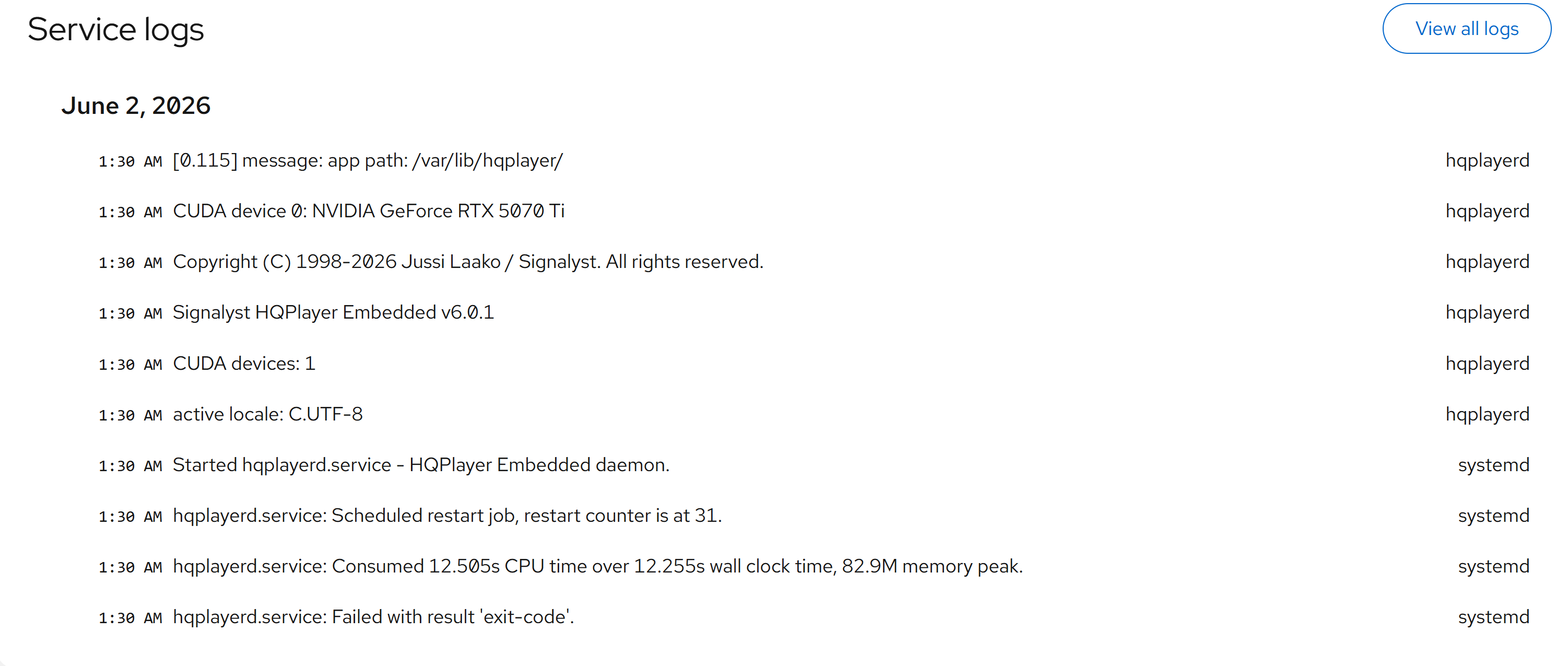
I am getting this when checking the status of hqplayerd
May 27 08:28:48 hqplayerserver systemd[1]: hqplayerd.service: Scheduled restart job, restart counter is at 58.
May 27 08:28:48 hqplayerserver systemd[1]: Started hqplayerd.service - HQPlayer Embedded daemon.
May 27 08:28:48 hqplayerserver hqplayerd[6146]: active locale: C.UTF-8
May 27 08:28:48 hqplayerserver hqplayerd[6146]: CUDA devices: 1
May 27 08:28:48 hqplayerserver hqplayerd[6146]: Signalyst HQPlayer Embedded v6.0.1
May 27 08:28:48 hqplayerserver hqplayerd[6146]: Copyright (C) 1998-2026 Jussi Laako / Signalyst. All rights reserved.
May 27 08:28:48 hqplayerserver hqplayerd[6146]: CUDA device 0: NVIDIA GeForce RTX 5080
May 27 08:28:48 hqplayerserver hqplayerd[6146]: [0.112] message: app path: /var/lib/hqplayer/
hal9001@hqplayerserver:~$ sudo service hqplayerd status
● hqplayerd.service - HQPlayer Embedded daemon
Loaded: loaded (/usr/lib/systemd/system/hqplayerd.service; enabled; preset: enabled)
Active: activating (auto-restart) (Result: exit-code) since Wed 2026-05-27 08:28:51 UTC; 1s ago
Process: 6146 ExecStart=/usr/bin/hqplayerd (code=exited, status=255/EXCEPTION)
Main PID: 6146 (code=exited, status=255/EXCEPTION)
CPU: 569ms
Looks like there is an exception and hqplayerd stops:
sudo service hqplayerd status
● hqplayerd.service - HQPlayer Embedded daemon
Loaded: loaded (/usr/lib/systemd/system/hqplayerd.service; enabled; preset: enabled)
Active: activating (auto-restart) (Result: exit-code) since Wed 2026-05-27 08:31:12 UTC; 1s ago
Process: 7246 ExecStart=/usr/bin/hqplayerd (code=exited, status=255/EXCEPTION)
Main PID: 7246 (code=exited, status=255/EXCEPTION)
CPU: 531ms
I also had issues with missing dependencies but fixed that and the version 6 deployment went through.
What have I missed?
I followed these instructions :
On Linux, first define a username and password for the web interface with “sudo hqplayerd -s username password”. Then the service can be enabled with “sudo systemctl enable hqplayerd” and started immediately with “sudo systemctl start hqplayerd”.
hqplayerd is continually crashing and restarting as I can see the restart counter continually updating.
Note that I took the 6.0.1 Ubuntu packages off and I’m rebuilding the 6.0.1 package today. But the reason is not any known problem or such. Just want to include couple of other things on the 6.0.1 as well.
You could check “journalctl -u hqplayerd” to check if it shows the exception reason. If not, stop the service with “systemctl stop hqplayerd” and then just start “hqplayerd” as root and see if it will tell about the exception (it should).
Since you have Nvidia GPU, check that you have Nvidia driver version >= 610.43.02.
May 27 15:32:02 hqplayerserver systemd[1]: hqplayerd.service: Scheduled restart job, restart counter is at 69.
May 27 15:32:00 hqplayerserver systemd[1]: hqplayerd.service: Failed with result ‘exit-code’.
May 27 15:32:00 hqplayerserver systemd[1]: hqplayerd.service: Main process exited, code=exited, status=255/EXCEPTION
May 27 15:32:00 hqplayerserver hqplayerd[4011]: [2.483] error: clUPnPControl::Start(): clUPnPRenderer::Start(): clUPnP::Start(): no network interfaces available
May 27 15:32:00 hqplayerserver hqplayerd[4011]: [2.483] message: enable UPnP Renderer functionality for interface: br0
May 27 15:31:57 hqplayerserver hqplayerd[4011]: [0.113] message: app path: /var/lib/hqplayer/
May 27 15:31:57 hqplayerserver hqplayerd[4011]: CUDA device 0: NVIDIA GeForce RTX 5080
May 27 15:31:57 hqplayerserver hqplayerd[4011]: Copyright (C) 1998-2026 Jussi Laako / Signalyst. All rights reserved.
May 27 15:31:57 hqplayerserver hqplayerd[4011]: Signalyst HQPlayer Embedded v6.0.1
Running as root:
hal9001@hqplayerserver:~$ sudo hqplayerd
active locale: C.UTF-8
CUDA devices: 1
Signalyst HQPlayer Embedded v6.0.1
Copyright (C) 1998-2026 Jussi Laako / Signalyst. All rights reserved.
CUDA device 0: NVIDIA GeForce RTX 5080
[0.144] message: app path: /var/lib/hqplayer/
[2.129] message: enable UPnP Renderer functionality for interface: br0
[2.129] error: clUPnPControl::Start(): clUPnPRenderer::Start(): clUPnP::Start(): no network interfaces available
Is there some further config needed for Upnp?
I thought it may have been something to do with the NAA not running but I still get this error when the NAA is present on the network.
HQPlayer is now running but I am now getting this trial licence issue despite resetting my credentials and restarting the service (as previously described). Rebooting has no effect. Perhaps there is some re-configuration required in hqplayerd.xml?
I can upload my licence file but the licence is still showing as a trial. Is a re-purchase necessary for v6? Yes. Looks like I have a coupon code now for V6 but when I try to use it it’s asking me for payment. Is this not a free upgrade? I can’t see a green buy button in Firefox only the “Buy HQPlayer Embedded” button. And the coupon code gives a small discount.
To use a coupon code, please use the green buy-button to proceed. The code is valid only on through the 2checkout store.
Thought this was a free upgrade. Evidently not. I need to see whether UPnP is worth the extra £280 as I assume I can use any UPnP renderer with HQPlayer.
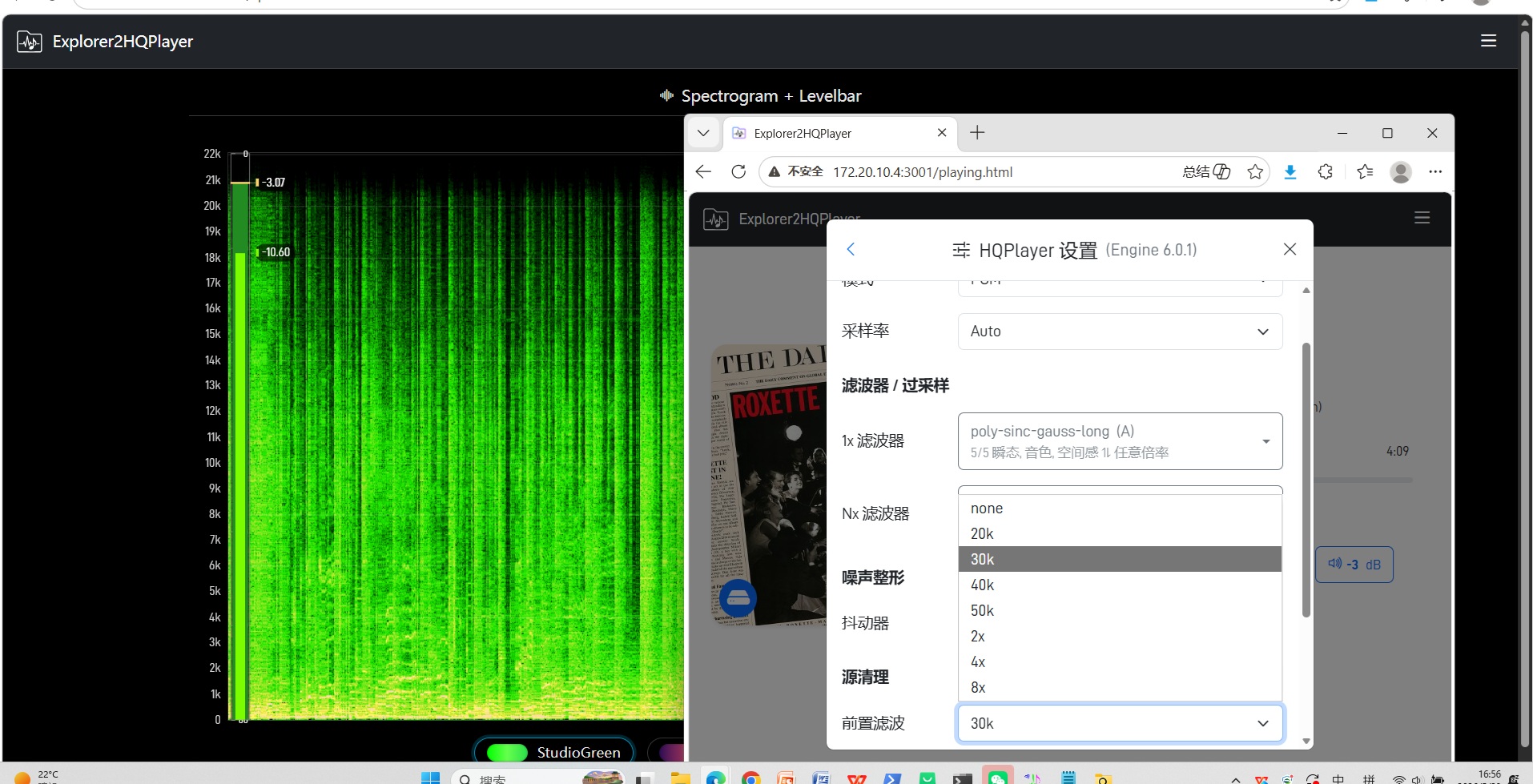
HQPlayer 6.x SDK support in Jellyfin2HQPlayer is now basically in place.
The new Source Cleanup / Pre-filter controls are working, and support for the new Filters Description field from HQPlayer 6.x has also been integrated into the HQPlayer Settings UI.
In the screenshot:
J2H is controlling HQPlayer 6.0.1 while displaying the new Pre-filter options together with the live Spectrogram + Levelbar view.
J2H will continue to maintain compatibility with both HQPlayer 5.x and 6.x.
Your existing key file is fine. If you are running hqplayerd as a service, check that /etc/hqplayer directory is owned by “hqplayer” user. Otherwise it won’t be able to write files there.
You have hqplayerd running as a service (the default)? And you have set the default credentials from command line before starting the service? (as documented in the installation instructions)
You can also place the key file manually there, as instructed in the readme.txt. So you can just copy the key file to /etc/hqplayer/hqplayerd6-key.xml and please check that it has hqplayer:root 0600 permissions. Then restart the hqplayerd service.
Thank you. Looks like I am now back up and running. I had to upload the most recent licence file that you sent me although when I compared the license files I had they all appeared to be identical but only the most recent one worked. So I assume they weren’t identical.
Anyway it looks like I am good to go now. NAA and DAC have been recognised.
I will keep an eye on developments with V6 and upgrade as and when the time is right.