· The Nucleus boots up and I can connect to it in the Roon app without issue, but I have a question about configuration/storage/attached devices
Describe the issue
I replaced my 2012 Mac mini with a Nucleus One and I'm now getting brief, faint, intermittent pops and crackles during audio playback. They are intermittent and do not occur at the same place/time on a song. My previous setup with the Mac mini did not have this problem.
My setup is: Modem --> Eero Pro Router --> Netgear GS108E Switch. Out of the GS108E switch I have my Nucleus One and another Eero Pro router on the other end of the house hardwired. My Roon ready source is a pair of KEF LS50 wireless II speakers.
Looking for help on eliminating these pops and crackle.
I’m running roon server software version 2.64 and KEF firmware 4.0.
I think this is related to two additional support threads: ref#940T7E and ref#RQBMH1
I can also confirm that playing MQA from tidal results in a warbly sound like its coming from underwater. If I disable all MQA capabilites in my device settings within roon it fixes it and the nucleus one does the unfolds.
This issu was introduce since the Kef firmware 4.0, only happen through Roon Ready. Full wiring things or not, same thing. Wireless has nothing to do with this then. Streaming through Qobuz connect with the Qobuz app, do not do that too. So it’s clearly the roon ready protocol hand shaking with LS50. Will see if the update of roon on the 20 April 2026 will fix things.
Update:
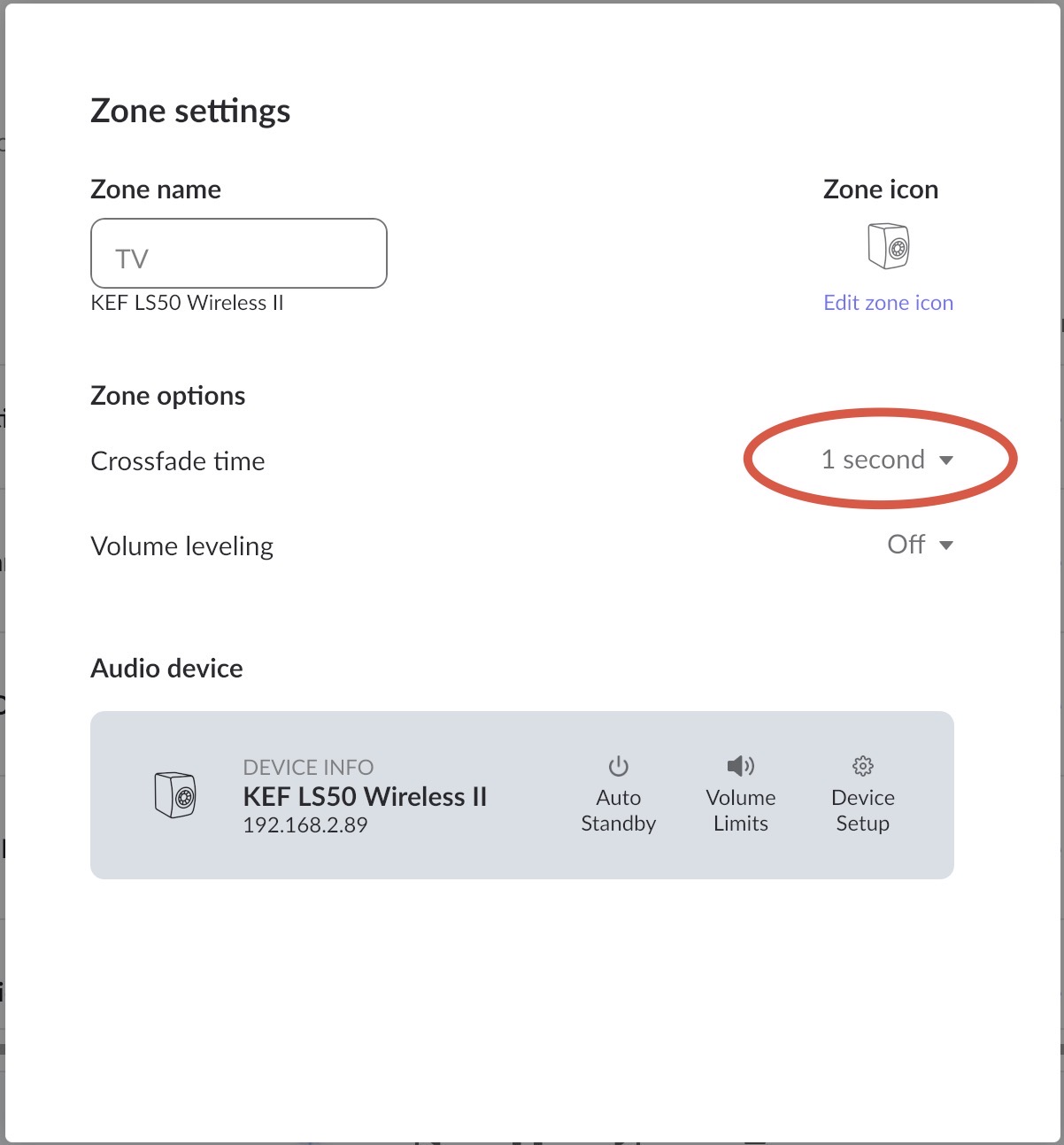
By adding a crossfade of 1 sec, that resolve the crackling/pop’s meantime the real fix…
Welcome back to the community! I am sorry to hear that your transition to the Nucleus One has been accompanied by these frustrating audio artifacts with your KEF speakers.
A huge thank you to @magagne for jumping in with that excellent observation, as they are absolutely correct.
Because the timing of your Nucleus One installation likely coincided with this recent KEF firmware update, it certainly seemed like the new Core was the culprit. However, this issue appears to be strictly tied to how the new KEF firmware handles the Roon Ready (RAAT) stream.
Because this issue was directly introduced by the recent KEF firmware update and affects how their hardware handles the incoming Roon Ready (RAAT) stream, we highly recommend reporting this behavior directly to KEF support. They manage the internal firmware for their devices and will need this customer feedback to implement a permanent fix.
Crossfade: As @magagne suggested, enabling a 1-second crossfade in your Zone Settings can help mitigate the intermittent pops and crackles during track transitions.
Please keep these workarounds in place for now, and let us know if KEF provides any helpful updates!
With all my respect, that’s not part of Kef certification and Roon too, to garantie that the Roon Ready certification still fill all the requirement ? Else, that mean, anytime a firmware is touch of third party, the certification is potentially broken. What was in place to re-do regression certification test in that case ?
I open a ticket to Kef to look at that. Very sad that we have to deal with both company to fix a streaming protocol that is suppose to be certified though.
The pops and ticks were not between tracks. They were happening as the song was playing. That said, adding 1 second of cross fade does seem to address the issue during playback.
The firmware update from KEF, 4.1 on the 21 April do not fix the issu yet of pop’s and crackling, and that was not in the note of kef that this 4.1 fix the issue, maybe in a subsequent update. Meantime, set your crossfade to 1sec.
I believe they certify the hardware device and Roon Ready implementation. The manufacturer can and should test their subsequent updates.
According to the docs, they do have every Roon Ready device in the lab for analysis if issues surface, but surely this is on demand if necessary. Surely they can’t re-test and re-certify every firmware update of every manufacturer. Can you imagine the workload?
Every time someone from tens of manufacturers releases a firmware update? For code Roon doesn’t have? Don’t be ridiculous. It’s the manufacturer’s job.