Intermittent Rebooting of ROCK with Large Database (ref#T9UBJ6)

Hi! What’s not quite right with Roon?

· None of the above quite fits

None of the above quite fits

· None of these quite match

Tell us what's going on

· ROCK keeps rebooting whilst playing

ROCK high spec required for larger databases

Have 62995 tracks - about a third on an external hard drive, rest on Qobuz.

Transferred all the gubbins to an Akasa fanless case over a year ago, and it's been fine up to about a month ago.

It can go days without rebooting, but at other times it does it several times a day. Have re-installed the latest software version i.e. 2.58 build 1608, also rebooted the ROCK and router several times.

There are three end points i.e. an Auralic pre-amp and two Raspberry PI's running Ropiee

Tell us about your home network

· EE Smart Hub H32B - Not using VPN or switches/extenders

more details of the hardware cpu ram etc

Hello,
What is the version of the nuc (7i5, 11i5…)? How much RAM is installed?
Are you in playback mode when the NUC reboots? Are you using the parametric equalizer or convolution?

Hello Cyril & Mr Fix It

Thank you for your responses

It’s a NUC 11 Tall Tiger

Yes, it is in playback mode when it crashes

No parametric eq. or convolution used

Sorry, but I can’t remember the size of the RAM - but it’s the one that used to be recommended in Roon guidelines for larger databases, Roon tells me that 94% of 199 GB available.

Roon saying that the software version is Version 2.1 (build 271) production

In my opinion, there are two possibilities:

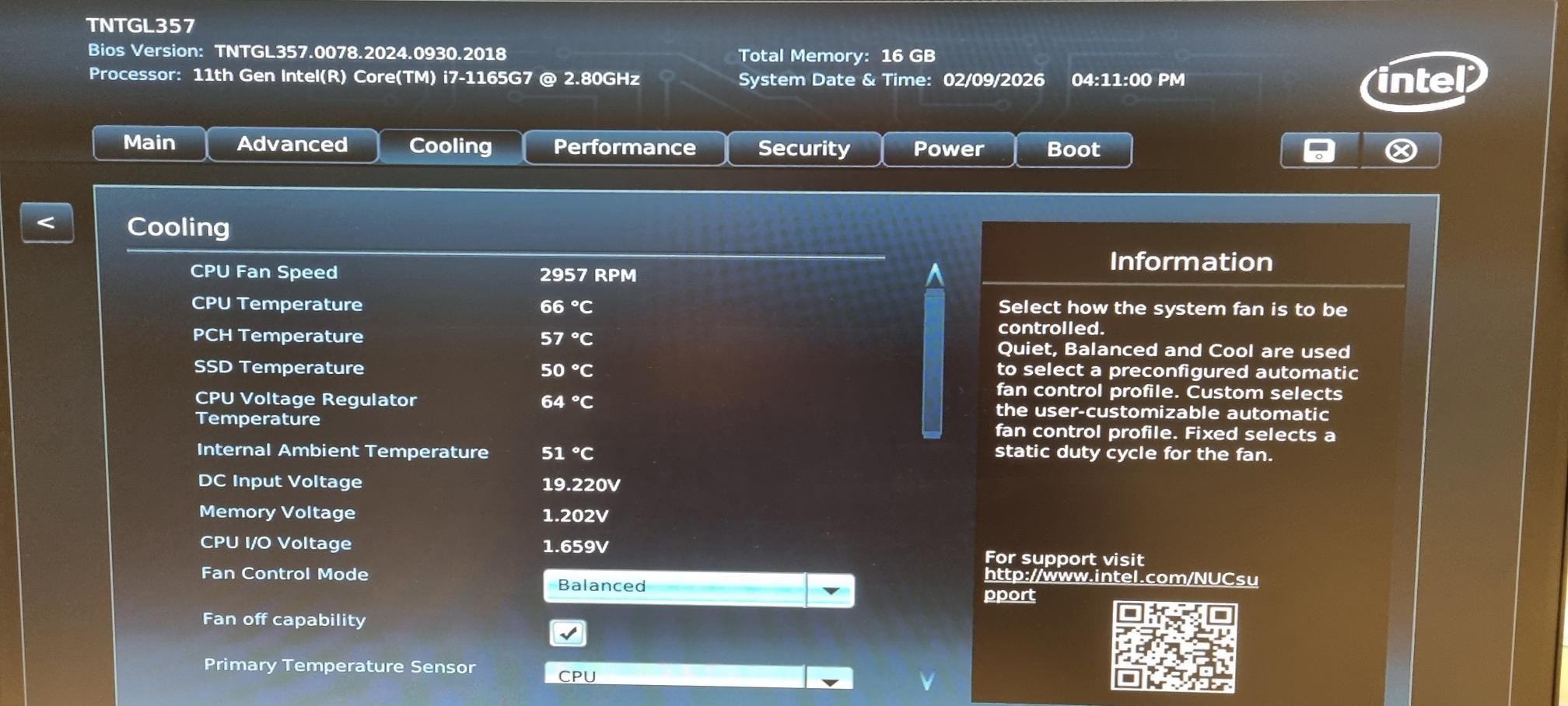
  • The CPU is overheating (check the thermal paste). You can see if the CPU is overheating by connecting to the NUC’s BIOS. If it exceeds 80°C, that’s not good. To access it, press the F2 key on your keyboard when starting up the NUC.

  • One of the memory sticks is broken (this happened to me not long ago). To test this, you can create a bootable USB stick with MEMTEST installed on it. MemTest86 - Download now!

This refers to the primary drive where the Nucleus software is installed, not the RAM.

Ram is a more likely issue if it’s not thermally shutting down…one side not working maybe reseat them both or go bigger I. Using 32gb my library is like 270k tracks or more :face_with_hand_over_mouth:

Hey @Ken_Talbot,

Thanks for writing in and for sharing your report!

Based on your ROCK machine info tied to your account admin, it looks like you have around 7.4 GB of RAM tied to the machine, which should be enough for your library size.

That said, a fresh diagnostic report from your Roon Server did show signs of RAM-related out-of-memory errors, for example:

(none) user.notice roonserver/run: *** exception: out of memory

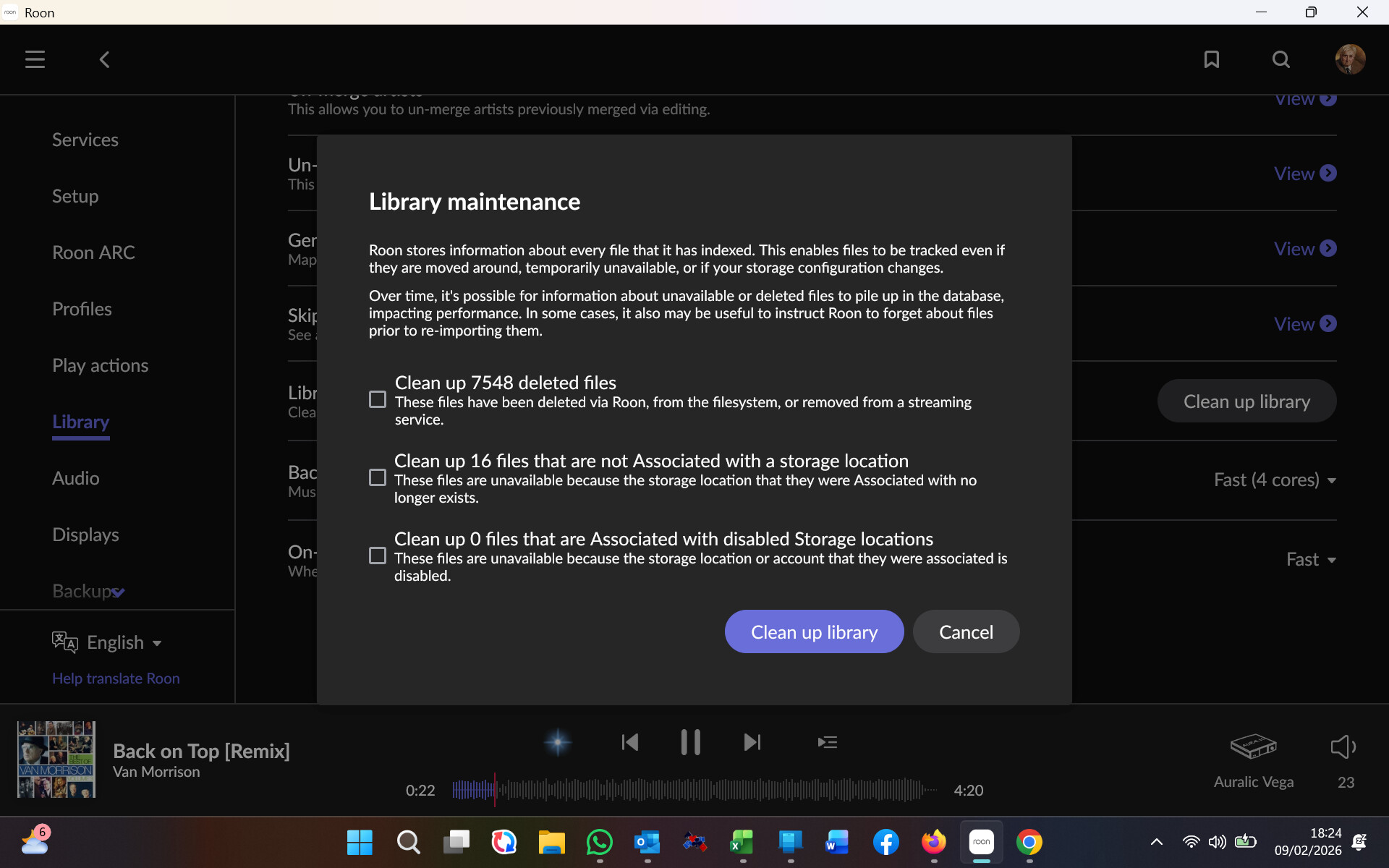
Could you head to your Roon Settings > Library > Clean up library and snap a screenshot of what you see?

If you temporarily disable half your library, do you still run into the same issues?

Thank you!

Many Thanks Benjamin

Screenshot as requested

Should I clean up the files?

Hello @Ken_Talbot ,

Thanks for sharing that screenshot. It doesn’t look like you have a large amount of missing files or anything like that. You can clean up the library if you wish, but note that it will remove any entries from the Roon database that are not currently active (e.g. if you had metadata edits and the files have been relocated). Is there anything else unique about your Roon database? Do you have a large amount of playlists / tags?
Hi Norris

Thank you for your reply

39 playlists
Barely any tags

Do you think the issue may be overheating, as suggested by other users?

Ken

Hello @Ken_Talbot

Thank you for the update.
We have identified a known issue with the high memory consumption on your device.

To allow our R&D team to properly analyze and reproduce this behavior, we’ll need a copy of your Roon database/backup folder.

Please upload the database using the instructions here:

To upload the database please use the following link:

Once uploaded, let us know — we’ll pass it directly to R&D for deeper investigation.

This step is optional, but it’s the fastest way to identify what’s triggering the memory spike and move toward a permanent resolution.

Thank you, Vadim

That’s very helpful - I have uploaded the file that’s needed (I think)

Hello @Ken_Talbot

Thank you for the update.

Unfortunately, I only see a few files that are a few kilobytes in size.

Would you kindly try again using the following link:

https://workdrive.zohoexternal.com/collection/nocvrfc5b2ddab55140af8640f1d7ce13291e/external

Thank you, Vadim

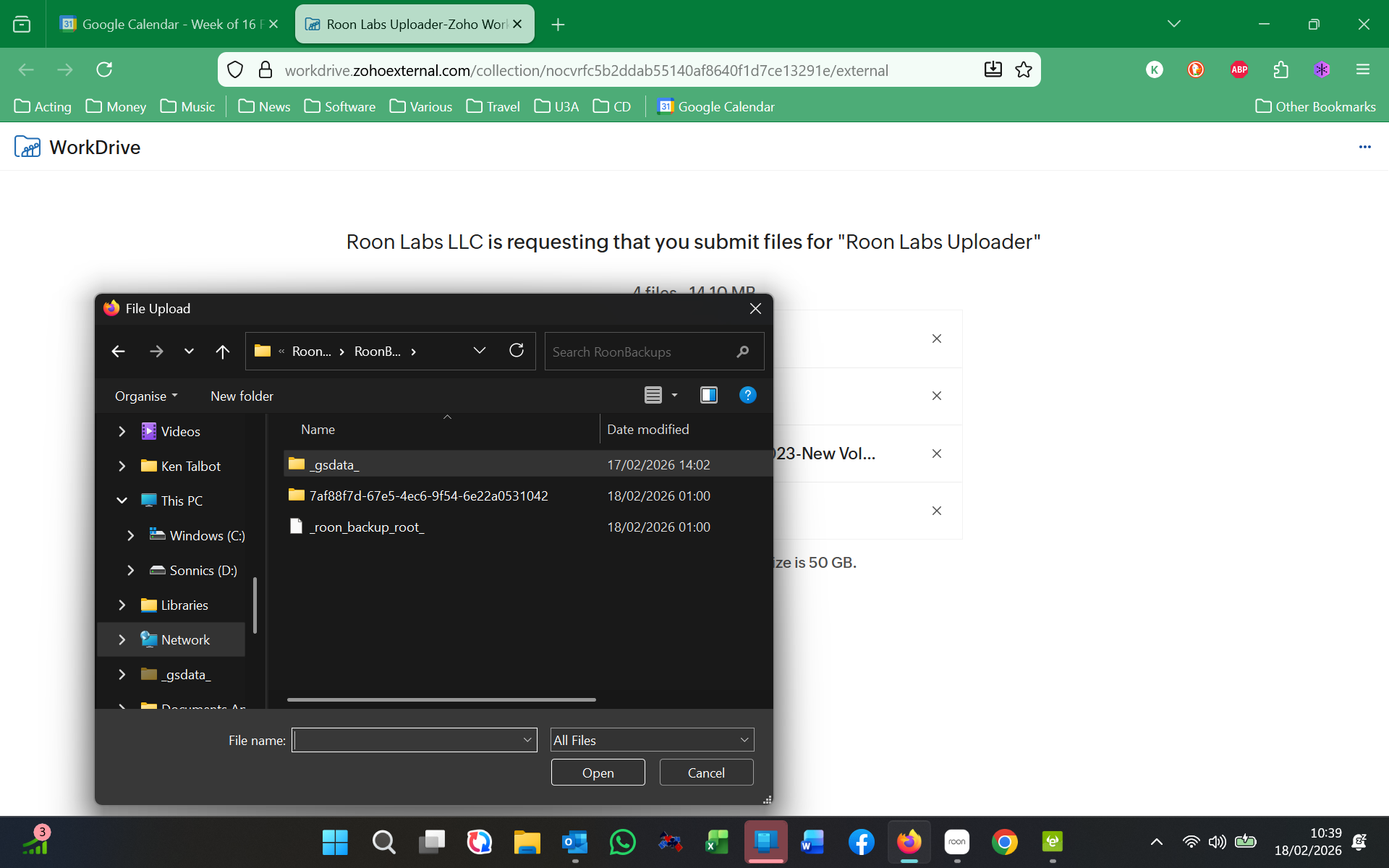
I have tried again, but I am not sure which files you want - which of these please?

Hi @Ken_Talbot,

To help us investigate further, we’ll need to take a look at the whole backup folder

  1. Go to the location where your Roon backups are stored. Move to one level up from the folder in the screenshot

  2. Ensure you are looking at the main RoonBackup folder itself, rather than the files inside it.

  3. Copy that RoonBackup folder to your Desktop for easier access.

  4. Right-click on the RoonBackup folder on your desktop and select “Compress to…” (or “Send to > Compressed (zipped) folder”).

  5. Ensure you choose the .zip archive format.

  6. Please upload that final .zip archive to us so we can analyze it.

Let us know once the upload is complete!

Hi Vadim

Thank you for your clear instructions

File now uploaded

Ken

Hello Vadim

Is there any progress to report please?

It is now rebooting several times per hour

Thanks

Ken

@vadim @benjamin

Despite messaging you several days ago I have not received a response which is rather disappointing

This annoying problem still exists which is not reasonable for such an expensive piece of software. No resolution and no communication from you.

Would you please give me the contact details of someone that I could escalate this to.

Very poor service from Roon

As it’s the weekend, Roon staff won’t reply.

Just out of curiosity, it’s suggested you have 8gb of RAM.

How many tracks in total is in your library?