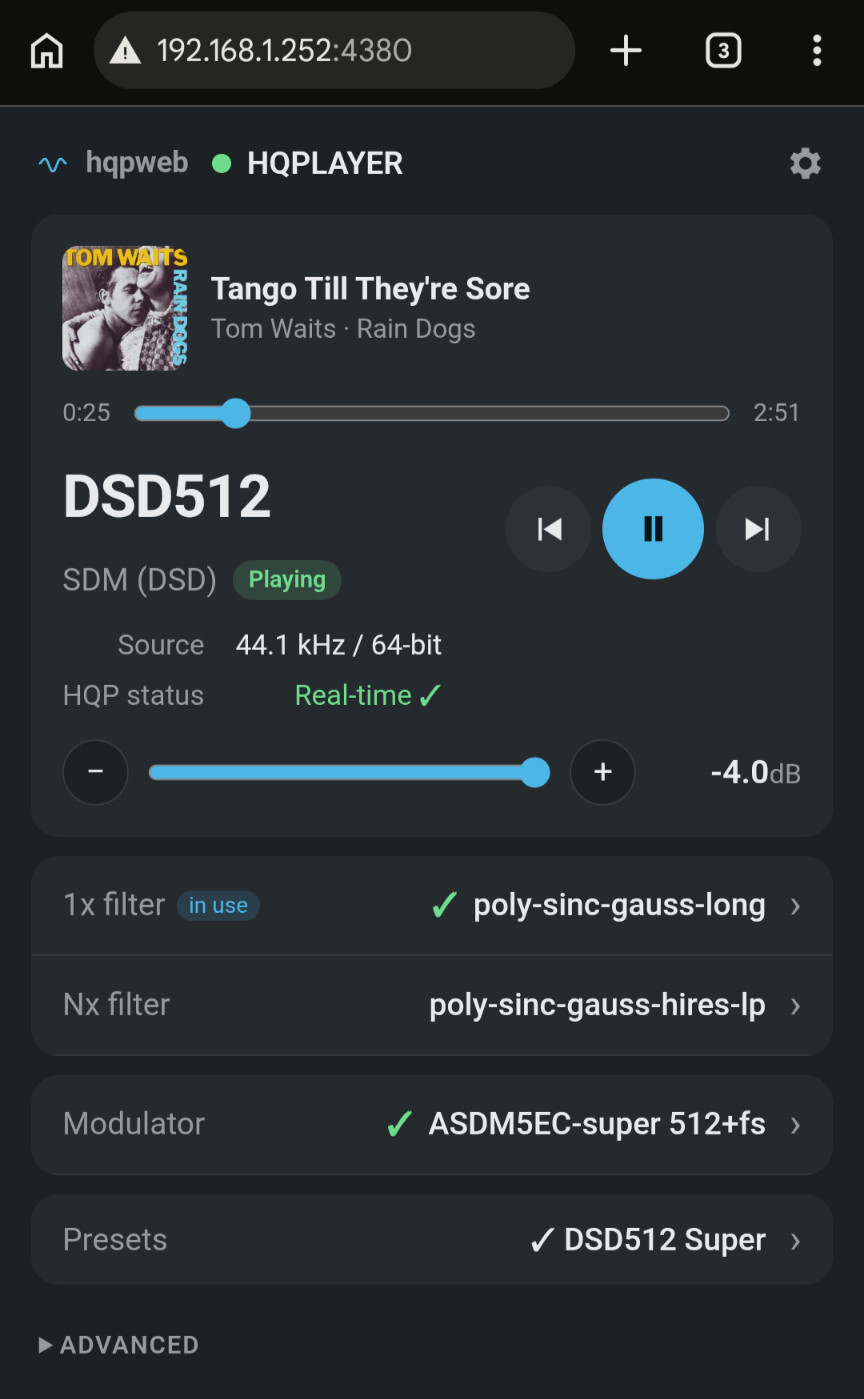
The short version
I spent two weeks moving HQPlayer Embedded onto a Mac mini M6 and testing it against a Holo Audio Red and a Spring 3 KTE, one setting at a time, writing down the speed figure for every combination. This post is the result. It is meant for anyone who is about to buy hardware for HQPlayer and would like to know, before paying, what a small, silent, affordable computer can really do.
Three conclusions, for those who read no further:
- The M6 handles about 95 percent of what I asked of it, up to DSD1024 with the newest AHM7EC4B modulator, with DAC correction switched on. The few things it cannot do are listed below, with numbers.
- The limit is never the filter. Filters spread across cores and never held anything back. The modulator runs on one core per channel, and with DSD source material the integrator becomes the bottleneck. Those two decide what plays.
- A speed of 1.0x is not enough. HQPlayer shows 1.0x as realtime, but anything averaging 1.03 to 1.05x still dropped out in my system. Stable playback started at about 1.1x, and I only trust a profile at 1.3x or more.
Everything here was measured on one system, mine. Treat the numbers as a map of one machine, not a guarantee for yours.
The chain and why each piece
Roon Server runs on an Intel NUC i7 under Roon’s own ROCK operating system and does nothing but manage the library. HQPlayer Embedded 6.1.0 runs on the Mac mini M6 and does all the processing; nothing else runs on that machine. The processed stream goes over the network to a Holo Audio Red acting as an NAA, then by USB to a Holo Audio Spring 3 KTE in NOS mode, and on to a Denon PMA-3000NE.
Why the Spring 3 KTE. Because it is a true NOS converter. It lets me hear a recording exactly in the format I own, or shape the conversion myself in HQPlayer until it sounds best to me, instead of choosing among the five or so filters a factory decided on. And it does this separately for PCM and for DSD. The rest was a judgment that it would suit the system around it.
Why the Red. It keeps the computer and its USB port out of the audio rack, and it passes native DSD up to DSD1024 to the Spring. It also comes from the same maker as the DAC, so the two are built to work together and compatibility is not something I have to think about.
Why the Mac mini M6. It is small, makes no noise, draws little power, and its single-core speed is what HQPlayer’s modulators need. The tables below show how far that goes.
How it sounds. I will skip the audiophile vocabulary. This is the closest to a live performance of anything I have had in my system, and the closest to the sound I used to admire at shows, hoping I might one day have it at home.
The network and the optical wall
The audio end of the system has no copper connection to the rest of the house. Everything electrical that a router, a mesh node or a computer might send down an Ethernet cable stops at a short run of glass.
The path, in order:
- HT router from the internet provider
- Cat 6 S/FTP Ethernet
- Mesh node 1 to mesh node 2 (Xiaomi AX3000), joined by a dedicated wireless link that other devices in the house cannot see or use
- Cat 6 S/FTP Ethernet
- Media converter 1: TW-MC1000-SFP with a Finisar FTLF8519P3BNL module
- OM3 LC-LC fibre
- Media converter 2: LHY FMC with the same Finisar module
- Cat 6 U/UTP Ethernet, deliberately unshielded so the cable itself does not rejoin the grounds
- Holo Audio Red
- QED Reference High Resolution USB cable
- Holo Audio Spring 3 KTE
The NUC and the M6 live in another room, on the house side of the fibre.
The only device on the quiet side of the fibre is the Red. The computers stay on the other side.
An optical break is easy to distrust: two conversions, cheap modules, one more thing to fail. So I tested it the dull way, with ten-minute pings from the M6 to the Red while music was playing, 600 packets each time.
| Playing | Packet loss | Max | Std dev |
|---|---|---|---|
| DSD1024, 44.1k family (90.3 Mbit/s) | 0 % | 57 ms | 8.7 ms |
| DSD1024 after a cable change | 0 % | 62 ms | 8.0 ms |
| DSD1024, 48k family (98.3 Mbit/s) | 0 % | 52 ms | 7.9 ms |
Not one packet was lost in any run. DSD1024 is close to 100 Mbit/s of continuous traffic, so the whole path has to be gigabit; a 100 Mbit link anywhere in it would be the end of the story.
What the M6 can and cannot do
The figure in each cell is the speed HQPlayer reports, where 1.0x is realtime. All of it was measured with DAC correction on, 1x filter poly-sinc-gauss-long, Nx filter poly-sinc-gauss-hires-lp. Columns are the output rate and modulator; rows are the source and, for DSD sources, the integrator.
| Source | DSD256 (ASDM7EC-super) | DSD512 (ASDM7EC-fast 512+fs) | DSD1024 (AHM7EC4B) |
|---|---|---|---|
| PCM 44.1k | 2.02x | 1.45x | 1.53x |
| PCM 48k | 1.90x | 1.37x | 1.42x |
| DSD64, FIR2 | 1.81x | 1.40x | 1.46x |
| DSD64, FIR-bl | 1.37x | 1.05x | 1.11x |
| DSD128, FIR2 | 1.80x | 1.34x | 1.41x |
| DSD128, FIR-bl | 1.02x | 0.83x | 0.87x |
| DSD256, FIR2 | 1.64x | 1.16x | 1.34x |
| DSD256, FIR-bl | 0.68x | 0.54x | 0.60x |
Read across the top two rows and the M6 looks comfortable everywhere. Read down the FIR-bl rows and the picture changes: the same machine that plays DSD1024 from a CD rip at 1.5x cannot convert a DSD256 album to DSD256 with that integrator.
Where the M6 gives up:
- ASDM7EC-super 512+fs at DSD512. 1.07 to 1.11x from 44.1k sources, 0.98 to 0.99x from 48k, 1.03x from DSD64, 1.00x from DSD128. On paper it plays; in practice it drops out. The fast variant of the same modulator runs at 1.45x and is what I use.
- FIR-bl with DSD128 and DSD256 sources, at any output rate.
- FIR-bw almost everywhere. 0.87x from DSD64 at DSD1024, 0.32x from DSD256 at DSD256.
For comparison, the older AHM7EC8B modulator at DSD1024 runs at 1.88x from 44.1k, about 20 percent lighter than AHM7EC4B. A plain PCM output at 1.4112 MHz with poly-sinc-gauss-xla reached 2.29x.
Lessons that cost us days
Realtime is not 1.0x. The speed figure is an average, and the average hides the moments when the machine falls behind. Profiles averaging 1.03 to 1.05x dropped out regularly. Plan for 1.1x as the floor and 1.3x as the point where you stop watching the number.
The integrator follows the source, not the output. I first read the advice on integrators as depending on the output rate. It does not. What matters is the rate of the DSD file you are playing, because the integrator’s load grows with it. DSD64 can take FIR2 or FIR-bl. DSD128 and DSD256 need FIR2 on this machine.
DAC correction is cheap. Forum estimates suggested it might cost half the available speed. Measured here, on PCM sources, it cost about 10 percent: 2.08x without it and 1.87x with it at DSD1024. It is set once, in the Matrix tab, for the whole output, and it is saved inside the configuration profile. It stays on in every profile of mine except direct DSD, where no processing takes place.
Blocks per cycle will not rescue a marginal profile. Lower values raised the average by about 10 percent, higher values lowered it, and the dropouts stayed in every case. I left it on Default.
Rate families depend on the DAC chip. On the Spring, automatic rate family and 48k-based DSD are both on, and the switch between families is clean and silent. On an ESS-based player I tried earlier, both had to be off to avoid noise; HQPlayer’s author attributes that to how ESS chips handle clocking. If your DAC is ESS-based, test this before anything else.
There is no formula for what to lighten first. I asked HQPlayer’s author whether a simple rule exists for trading filter against modulator against integrator when a profile is too heavy. His answer, in short, was no. You measure.
The profile set
All of the above settled into eight saved profiles. Every SDM profile uses the same pair of filters, poly-sinc-gauss-long for 1x sources and poly-sinc-gauss-hires-lp for higher rates, so that what changes between profiles is only the output rate, the modulator and the integrator.
| Profile | Output | Modulator | Integrator | DAC correction |
|---|---|---|---|---|
| 256 | DSD256 | ASDM7EC-super | FIR-bl | on |
| 512 | DSD512 | ASDM7EC-fast 512+fs | FIR2 | on |
| 512fast-bl | DSD512 | ASDM7EC-fast 512+fs | FIR-bl | on |
| 512super-FIR2 | DSD512 | ASDM7EC-super 512+fs | FIR2 | on |
| 1024 | DSD1024 | AHM7EC4B | FIR-bl | on |
| 1024FIR2 | DSD1024 | AHM7EC4B | FIR2 | on |
| PCM | 1.4112 MHz, 20 bit | LNS15 shaper | not used | on |
| direct DSD | source rate, untouched | DirectSDM | DirectSDM | off |
The logic behind the pairs is the source material. About 90 percent of my DSD albums are DSD64, and for those FIR-bl is an option, so the FIR-bl profiles exist for them. DSD128 and DSD256 albums go to the FIR2 profiles. PCM sources do not touch the integrator at all and play on any of them.
DSD256 albums are a special case. They already arrive at a rate the Spring takes natively, so their first home is the direct DSD profile, with no processing at all. The trade-off is that direct DSD also means no DAC correction. I have not yet compared the two by ear, direct against FIR2 with correction, so for now this is a principle rather than a listening result.
If you do remodulate DSD256 albums, the speed table shows where to send them. At DSD512 they run at 1.16x, which plays but leaves little margin. DSD256 at 1.64x and DSD1024 with FIR2 at 1.34x are the safer choices.
The 512super-FIR2 profile is kept as a reference rather than for daily use: it sits right at the edge of what the M6 can do.
Two profiles get most of the use. The first is 256 with FIR-bl, because the largest part of my library is DSD64 and that integrator suits it best. The second is 1024, because it is something entirely new to me, out of reach on my previous setup, and so far it sounds exceptionally promising with every kind of source.