Music doesn't start when I press "Play" (ref#FY15OT)

What best describes your playback issue?

· Music doesn't start when I press "Play"

What type of Zone is affected by this problem?

· *All of my Zones* are affected.

Does the issue affect all file formats?

· The issue affects *multiple/all* file formats.

Does the issue happen with local library music, streaming service music, or both?

· *Only local library *music is affected.

Where is your local content stored?

· Somewhere else on the local network (NAS)

If you move the content from your NAS to a local storage location, do you still experience issues with playback?

· The issue happens for both the NAS storage location and on the secondary storage location

Please try playing content of a lower sample rate (44.1kHz or 48kHz), does this work as expected?

· No, lower sample rates are still affected

Do you have an approximate timestamp of when the issue last occurred?

· only occurs when I try and play music

What are the make and model of the affected audio device(s) and the connection type?

· Maalready tested as finen301r network connection

Describe the issue

Thanks for laying out everything you have already tried: checking your network, removing Roon from your laptop, and testing with your old Nucleus+ to rule things out. Spending this much time troubleshooting on a brand new MAN301R is genuinely frustrating, and we want to get this resolved for you.

Your Lifetime subscription is completely intact. Nothing about this issue requires a new subscription or any additional purchase, even though the error message you are seeing points in that direction.

What you are describing lines up with a known conflict that can happen when a Roon backup from one server is restored onto different hardware. Roon can end up treating the new MAN301R as a duplicate of your old Nucleus+, and that identity conflict is very likely what is triggering the authorization error, rather than anything wrong with your network or your subscription. Restoring a backup is the correct and supported way to move your settings to a new Roon Server, so this is not something you did wrong.

The general fix for this kind of conflict is a clean reinstall on the new server: fully clearing out the existing Roon database on the MAN301R, reinstalling Roon fresh, and then restoring your backup into that clean install. Since the exact steps can vary by hardware, we would like our technical team to confirm the precise process for the MAN301R and check your device's logs before you try anything further.

Reaching them is not a live chat. It is a direct request that goes to Roon's technical engineers, the people with the tools to look into your specific setup:

https://account.roon.app/en/contact/new-ts-request
If you run into any trouble submitting that request, or anything else comes up in the meantime, please let us know and we will help however we can.

Best,
Olga

How did our team treat you today?

Really well

It was okay

Not so well


---- on Sat, 22 Aug 2026 18:13:34 -0400 "Alex Goodhart" wrote ----
My music starts to play then stops I get an error message

I got a new Man301r Roon server, I uploaded my old backup creating this issue and can’t fix it. I had my network checked out and it is ok I have an older Roon nucleus plus and it played fine

I deleted Roon from my laptop and now the new Man301r works shows all my music on nas

If I delete the man then add it back on it plays for a short time but as soon as I adjust the volume it stops playing music but Roon says it’s playing

This seems to be some kind of authoritorization
Issue the system seems to think I need a new subscription but I have a lifetime subscription

I think it was the backup that I restored from the old man that screwed this up I have spent countless hours trying to fix this

It is not something I can fix

So far the only was I can listen to my music is with the old nucleus plus so glad I spent $25,000 on the very good Man301r but can use it no ware did I see a warning not to use a backup file when you upgrade hardware

Not a happy customer

Please fix this and don’t send me to some stupid on line chat

Alex Goodhart

Describe your network setup

synology 423 system router The Beast and top end switch from Unifi not the issue
Hello @Alex_goodhart

Thank you for reaching out to Roon support.

There are two separate things happening, so let us keep them apart.

The iPad message. The banner in your screenshot is a permission on the iPad, not a fault:

Playback notifications are unavailable because the notification permission was denied.

Roon asked the iPad for permission to show notifications and was declined, so it is warning you that it may be interrupted when it is not the app on screen. Please turn both of these on:

  • Settings, then Notifications, then Roon, and switch Allow Notifications on
  • Settings, then General, then Background App Refresh, and make sure it is on and Roon is enabled in the list

That should stop the banner appearing. It is unrelated to the playback problem.

The playback problem, and what we need from you. We cannot retrieve logs from the MAN301R automatically the way we can from your Nucleus+. Roon Server runs on the Weiss hardware, and Weiss decide where its files live on that unit.

That is worth pursuing on both sides. Volume on the MAN301R is handled by the Weiss hardware and its own control path, so it is worth describing that exact behaviour to Weiss as well when you contact them.

For our part, please reproduce it once more and tell us the date and local time you changed the volume, to the minute, your timezone, and what was playing. With logs and an exact moment we can go straight to it instead of reading through days of activity.

So please ask Weiss how to retrieve the Roon Server log folder from the MAN301R. They may well be able to point you straight at it in their own web interface. Their support page is here:

Once you have the folder, please upload it here:

https://workdrive.zohoexternal.com/collection/nocvrfc5b2ddab55140af8640f1d7ce13291e/external

Then reply to tell us it is uploaded and roughly when, so we can find it.

After re-adding the device it plays for a short time, and then stops the moment you adjust the volume, while Roon still shows it as playing.

On the backup. Restoring a backup onto new hardware is the supported way to move your settings, so that was not a mistake on your part. Whether it is involved here is something the logs will answer, and we would rather find out than keep guessing at it.

Money spent so far because I followed directions and used a backup from my old Man301r on my new Man301r . After days of trying to fix it I just got this bill gave up and sent both units back to the dealer ( a $50,000 AUD investment in equipment that no no longer works )

NatNode Pty Ltd
$1,980.00 AUD
Due 25 Aug 2026
Invoice #: INV-0393

Since returning both now debunk Man301 r to the dealer I still get the error message on my old Nucleus Plus where you can get the logs and fix the issue.

It seems to play normally then stops playing at random points in time sometimes mid song

The volume issue is not hardware related but a function of the Roon software looking for a second lifetime Roon Licence when I try to use one unit.

It just a few seconds of music noise high volume then nothing

Hello @Alex_goodhart

We have been through your Nucleus Plus logs. Two separate things are going on, and neither of them is your subscription.

The licence message. On 24 August your account was asked to move the licence between servers, and the machine it named to release was MAN301r-2042. That is what you were seeing.

Only one Roon Server can be active on a licence at a time, so when you bring up another one, Roon asks you to release the previous server before it authorises the new one. It is a switch, not a purchase, and the prompt does not ask you to buy anything. The process is described here, and the section headed Authorization Flows matches what you saw:

Once that switch completed, your licence went back to normal and has stayed there. Across the whole log set the account reports as licensed, with no failures at all. Your Lifetime subscription is intact and always was.

The playback stops are something else entirely. Your logs show six occasions where Roon ended playback because too much audio had been lost:

22 Aug 20:25
25 Aug 04:26 (twice)
25 Aug 12:52 (twice)
26 Aug 14:50

All six are on your Meridian zone, playing local files at 16/44 and 24/44. Nothing streaming, nothing high resolution.

Roon stops a stream once three seconds of audio have been lost within thirty, and moves on. That is why it cuts out mid-song rather than just glitching. The background is here:

Those stops run from 22 to 26 August, which is before, during and after the MAN301R was in your system. The same behaviour is there with the Weiss installed and with it gone. So this is not the restored backup and not the Weiss hardware, and replacing the server would not have addressed it.

What the pattern usually means is that audio is not reaching the Meridian reliably enough to keep playing.

Six events across five days is not enough to see the cause. For the next one or two, please tell us:

  • The date and local time it stopped, to the minute, and your timezone
  • What was playing
  • Whether you were touching anything at the time, including the volume

And two questions about the Meridian:

  • How is it connected: Ethernet directly to a switch, over Wi-Fi, or through a powerline or mesh device?
  • Which Meridian model is it?

With an exact time we can look at the seconds around the stop and see whether the audio left the Nucleus normally, which tells us whether to look at the network path or at the endpoint.

Since I sent the 2 man301r back to the dealer I am using my second system to listen to Music.

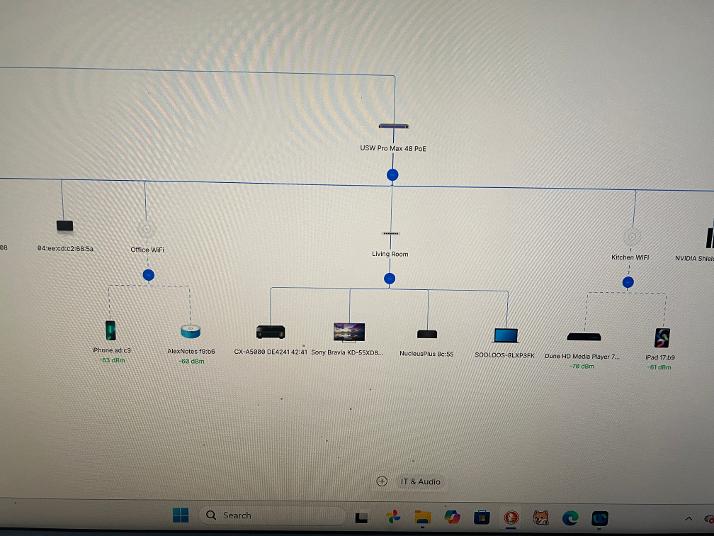
Nucleus Plus to Meridian Source one to Yamaha cxa-5000 to amp Yamaha mxa5000

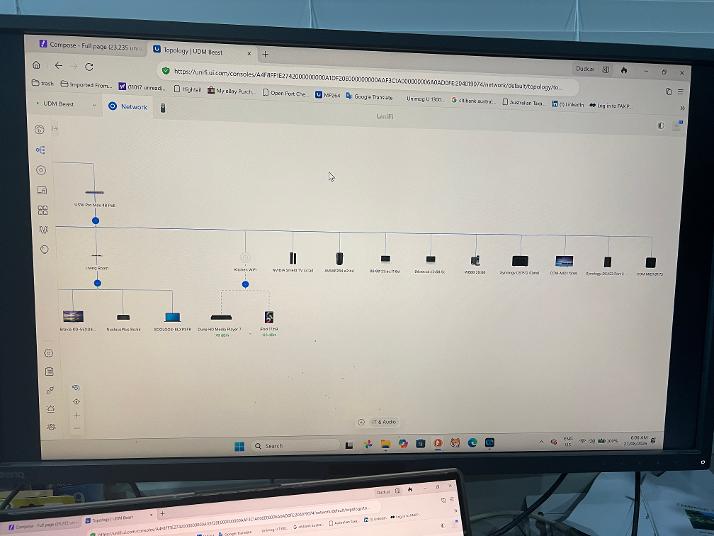
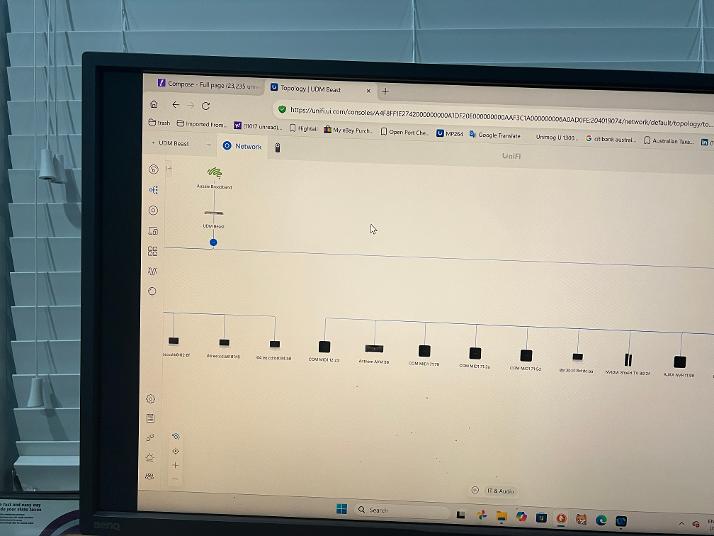
The Meridian Source one is connected to the network by a Unifi 8 switch

This is connected to the main Switch USW Pro Max 48 poe switch

connected to router " The Beast " top of the line UDM Beast

the musci is in Synology 423+ nas also connected to the USW Pro Max 48 poe switch

I control Roon with ipad

Today Roon quickly connected to music where I selected Jazz it will play normally for a long time then just stop playing, if I press play it and will go thru the sequence again

How to get logs

Alex Goodhart

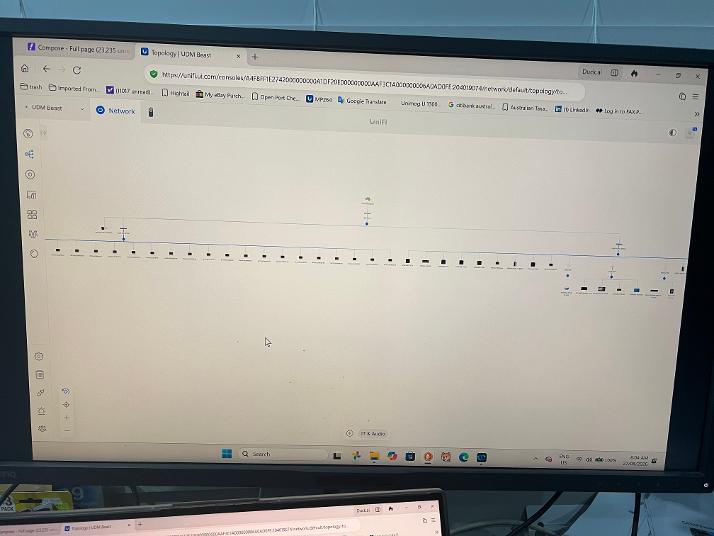
the network is all cable see above

I started the music 27/08/2026 6am aprox Brisbane Aus time I will let you know when it stops so far everything looks normal

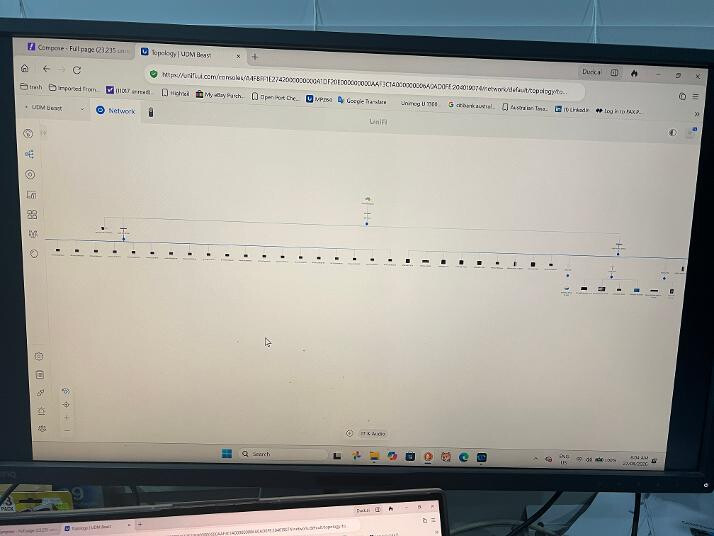
pictures show complete network

time when music stopped upper lt date stamp mid song

next stop 803 am see above

I have ;posted pictures of all data like this attached with

  • The date and local time it stopped, to the minute, and your timezone ) Brisbane Australia

  • What was playing see photo

  • Whether you were touching anything at the time, including the volume never touch

I have made a new playlist Watermelon Man Jazz to see if different folders are affected

All music on Synology 423+ from high quality source