Core Machine
Mac Pro, Nucleus+
Network Details
New Asus router, nodes, network, Ethernet
Audio Devices
Esoteric N-01xd, Nucleus+,
Description of Issue
I can not find the new Roon IP-address!
Mac Pro, Nucleus+
New Asus router, nodes, network, Ethernet
Esoteric N-01xd, Nucleus+,
I can not find the new Roon IP-address!
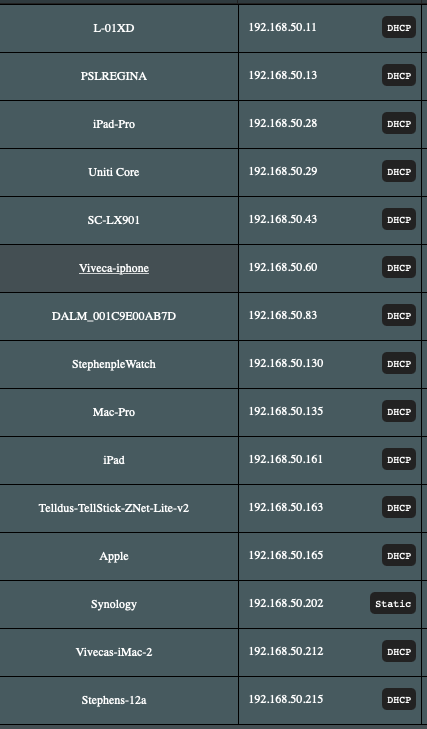
Your router should know. Log in and show the network devices or the current state of the DHCP server
two questions:
How do I reset Nucleus when I am not able to Connecting to the Web Administration Interface?
Do you have any idea what your previous network‘s subnet was?
Now it’s 192.168.50.x
If it was say 192.168.1.x you could assign a laptop a static IP address like 192.168.1.200 / mask 255.255.255.0. Connect both directly with an ethernet cable and see if you can control the Nucleus.
The Nucleus+ had the Ip-adress : 10.0.1.7 before in the Mac-network.
There you go. Get the laptop 10.0.1.1 connect both and start Roon remote or a browser to the Nucleus’ address
Make sure to configure the LAN interface and maybe stop the WLAN one.
If you can’t remember the previous IP address, then you need to do this:
Should the static IP really been the cause, try to avoid this in future. The better way is always to leave it on DHCP and arrange the reservation in the router (DHCP reservation).
Setting a static IP address was a trend for a while… apparently it sounded better or something! The reality is, it (obviously) doesn’t, and only adds confusion down the road. I agree, leave DHCP set.
Thank you, I managed to reset the old static IP-adress and Roon/Nucleus works again. 
This topic was automatically closed 36 hours after the last reply. New replies are no longer allowed.