Nucleus+. Version 1.0(Build 259). Remote on MacBook Pro, M4, Tahoe 26.5; iPhone iOS 26.5
Networking Gear & Setup Details
The Nucleus+ is connected by ethernet to my router.
Connected Audio Devices
Number of Tracks in Library
26,000
Description of Issue
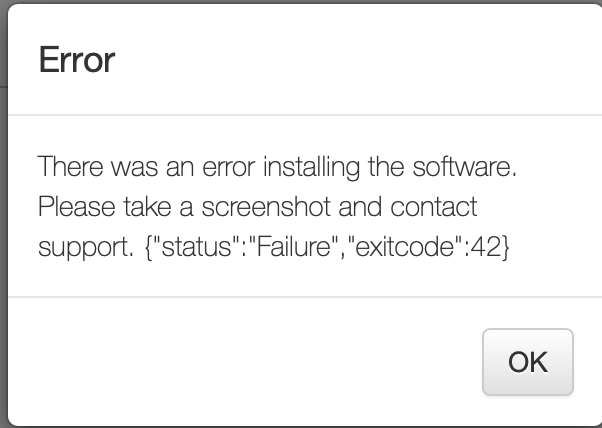
I have had nothing but trouble with this Nucleus+. It has been repaired at least twice for failed motherboards and drives. I recently encountered another issue where my remotes cannot find the Nucleus+. I can see it from the web UI. I tried resetting the database but the database on the Web UI still says not ready. I tried reinstalling the software, and I get this error message:
After reviewing some of the help articles, I tried to restore the Nucleus to factory settings with a USB drive with the drive image. That did not appear to work either. How do I fix this? This is really the last straw for me with this Nucleus and Roon.
I completely understand your frustration. Dealing with multiple hardware repairs is incredibly exhausting, and it is completely valid that you are at the end of your rope with this unit. I am very sorry that you are dealing with yet another hardware issue.
To give you a direct and honest explanation of what is happening: the combination of symptoms you are seeing points to a total failure of the internal SSD.
Here is exactly why those specific errors are appearing:
Database “Not Ready”: The Roon software cannot read or mount the internal storage drive where your database is supposed to live.
“Missing Payload” Error: The basic Web UI you are looking at actually runs from a separate, tiny flash memory chip on the motherboard. When you click reinstall, the system downloads the RoonServer software (the “payload”) and tries to extract it onto the main internal SSD. Because that SSD has failed or become completely write-protected, the extraction fails, and it throws that specific error.
USB Flash Failure: The factory reset script also targets that same internal SSD, which is why the USB method failed to resolve it.
Option 1: Self-Repair If you are comfortable working with PC hardware, you are welcome to open the Nucleus, replace the internal M.2 SSD yourself, and reinstall the Roon OS from a USB flash drive.
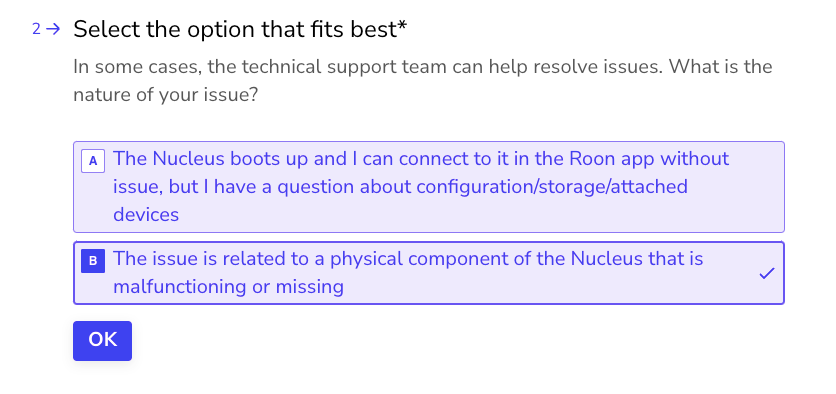
Option 2: Send it to us (RMA) If you prefer to have our hardware team handle the official diagnosis and replacement, we would be happy to take care of it. To get in touch with our RMA department and start this process, please open the Typeform link below and select ‘Other’ followed by ‘This issue is related to a physical component’.
Thanks. This is very frustrating. I went back in my records - my Nucleus has been repaired 3 times already. Twice for defective motherboards (and I had to pay $800 the second time because it was out of warranty) and once last November for a defective SSD. Am I going to be charged for this additional repair? At this point, I have zero expectation that any repair will be a long-lasting solution, based on this history. For a relatively expensive piece of equipment, this has been a disaster. Unless the repair is free, I don’t think this is worth investing more time or effort in. Please advise.
I completely get where you’re coming from. Given your history with this unit and the fact that the SSD was replaced just last November, your frustration is 100% justified.
Regarding the cost: as a support agent, I don’t have the authorization to clear financial exceptions or warranty extensions myself.
The best step right now is to go ahead and fill out the RMA form via the Typeform link above. This will put you directly in touch with our hardware and operations team.
They will review your repair history and let you know officially if this can be covered for free (either as an exception or under a warranty for the previous repair).
Submitting the form doesn’t commit you to anything, so you can see what they say first before making a final decision.