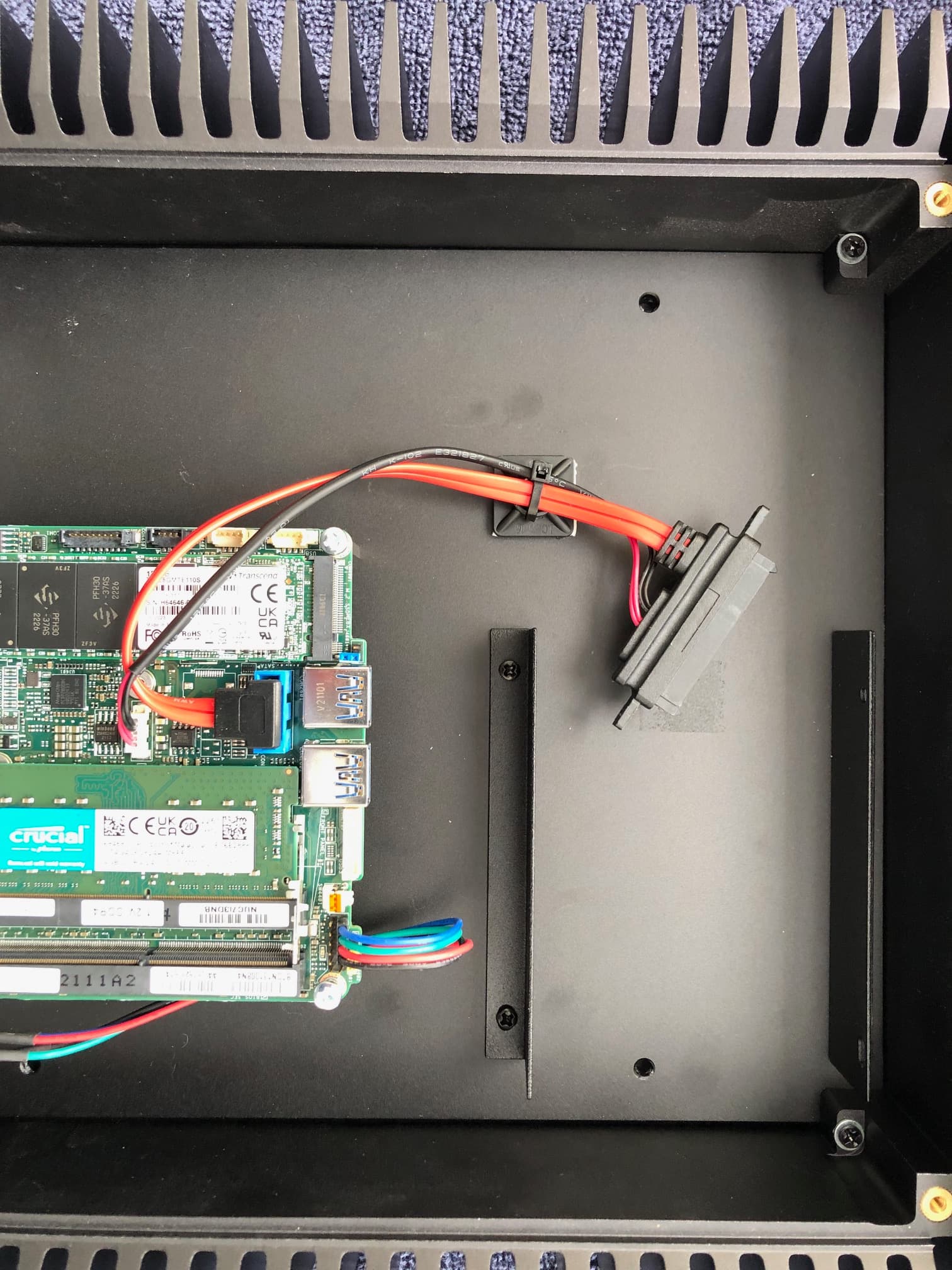
When I opened the Nucleus to install an SSD I found that wiring harness that connects the motherboard to the SSD is too short. Both connectors are on the short side but the smaller gauge black and red wires= bundle is absolutely too short. I also cannot tell if these smaller gauge wires are easily removable from the motherboard. They go into a white/tan connector but I am not going to touch anything until tech support contacts me and can see the picture that I took. I find this obvious flaw in this execution of the design to be pretty offputting.
I also note that Roon did not supply the screws to attach the SSD to the bracket inside the Nucleus.
@Stephen_Hendrick, welcome to the Community. You have posted to the correct category, the Roon staff monitors and responds to these posts here based on their queue.
Can you post the photo or photos you took to assist with your question? Other members with Nucleus’ may be able to assist you also.
Does it reach if you cut the cable tie holding the cable onto the self-adhesive base? I suspect that’s there just for retention purposes when it’s not being used.
You can pick these up from Amazon for pocket change.
Great point that most consumers would not realize. In the aviation world, we stow the provisional connector(s) so they reach the component when the new component gets installed. Diagonal cutters in inexperienced hands can lead to a bad end result.
Thanks for all your feedback. I disconnected the SSD cable from the hold down and it was indeed long enough to reach the SDD when mounted in its bracket. I also determined that the appropriate screw size for securing the SSD to the internal bracket was an M3 that was ideally 4mm long. I could only find 6mm length M3,s so I added a washer to prevents the 6mm screws from bottoming out. Now the only problem is that I am having problems getting the unit to power up. Power button has no obvious on or off, is lighted all the time, and yet the network cannot see the device. I’ll post on this later since I have not yet had a chance to see if there is info in the knowledge base about this.
You have my apologies for the long delay in getting to your thread! I was able to pull your account up and see that your Nucleus has been online and active recently, are you still running into issues?
Ben, thanks for your note. The repaired Nucleus is indeed working but internal Samsung SATA 1TB 870 QVO drive that I installed remains to be formatted. I haven’t yet fought my way through the various materials from Roon that explain how to do this. I’ll keep you posted.