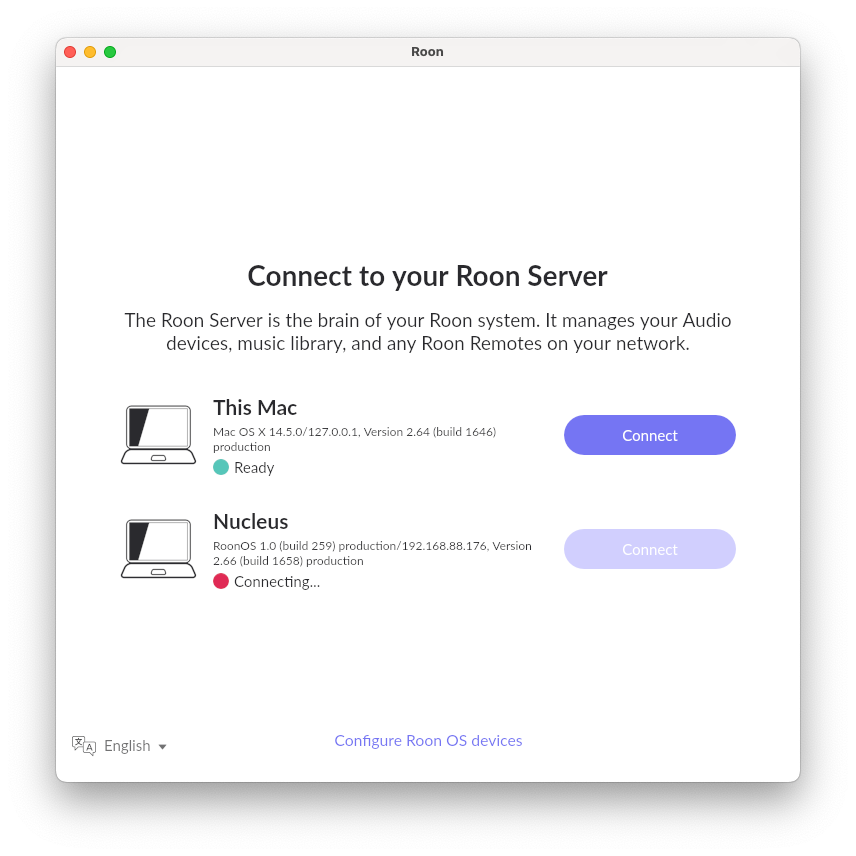
Is the Nucleus showing up after pressing the Configure RoonOS button?
· No
Please try to reboot your Nucleus
· false
Please try rebooting your network equipment
· false
Nucleus Factory Reset
· false
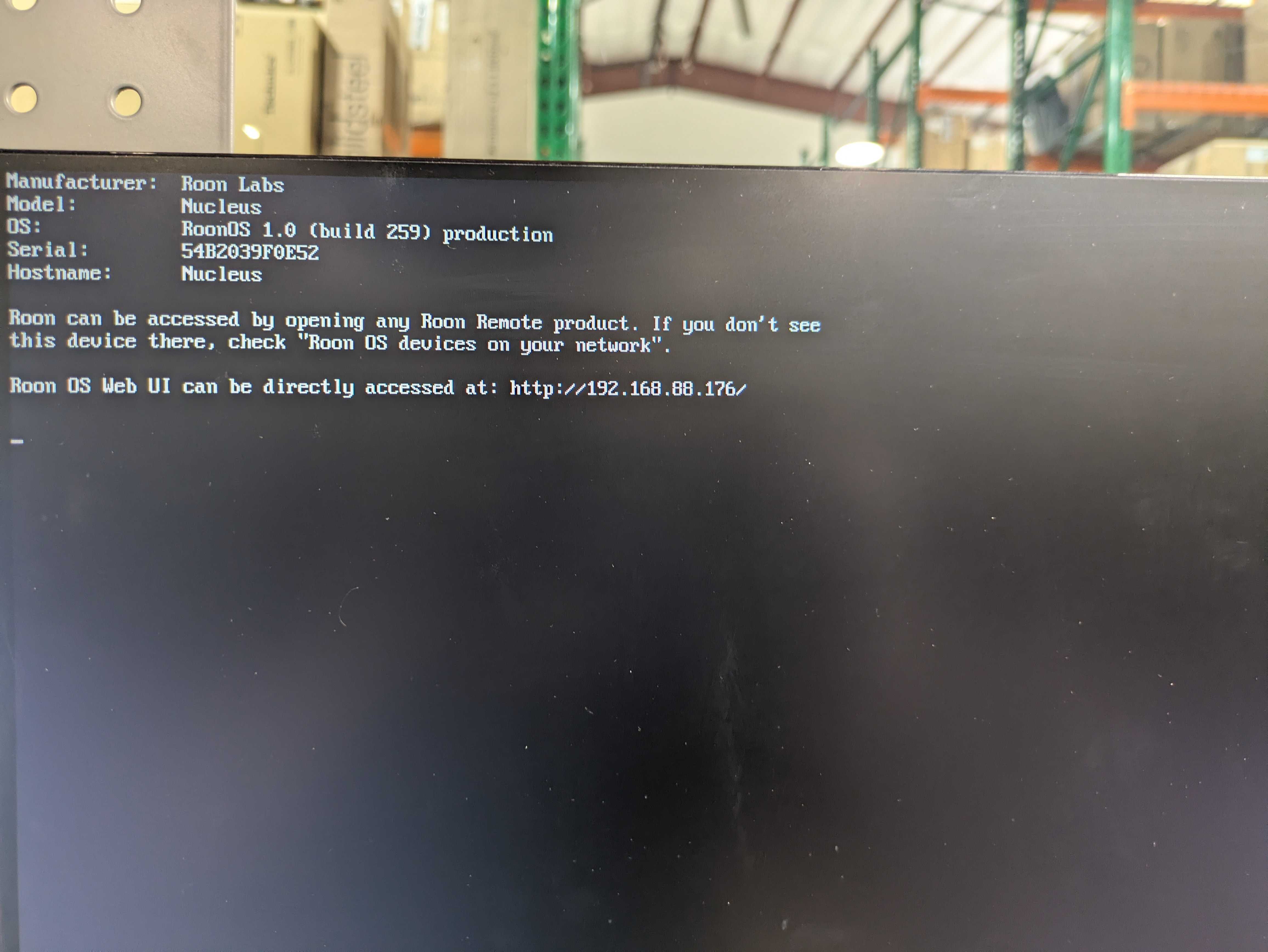
The Nucleus HDMI output can provide very useful diagnostic information. This process will involve connecting the Nucleus via HDMI to a TV or monitor and then checking to see what is being displayed.
· Yes, I am willing to try the HDMI test
When you plug in the HDMI cable to the TV or Monitor, is there something being displayed on the screen?
· true
On the Nucleus HDMI output, what do you see?
· "Roon OS Web UI can be directly accessed at [https://xxx.xxx.xxx.xxx/](https://xxx.xxx.xxx.xxx/)" and the address is NOT http://169.254.XX.YY/
In the Roon app, please try to click on the "Select a different Roon Server" button. Are you able to reconnect to Nucleus from the list?
·
Describe the issue
The Nucleus powers on and assigns itself an IP (192.168.88.176) This IP is not accessible via web browser and does not present as a device on my network. I have attempted many times to reset network settings using the "networkreset" command. The commandline acts as though it was successful, but the IP address never changes. Occasionally, I can see the device on the Roon app as a Nucleus with the same IP address. This device never progresses past "connecting". If I click on "configure Roon OS devices" there is a second Nucleus on this menu, IP 192.168.0.133. There is not any other Nucleuses on this network. I have tried to run RoonOS recovery as outlined in this article (https://help.roonlabs.com/portal/en/kb/articles/roonos-recovery#Running_Recovery) While I am able to flash the USB drive and see the USB drive from the boot menu, when I select the USB drive it does not give me recovery/install options, just proceeds with the normal boot procedure. There was no change after attempting to boot from the recovery USB.
That is an IP (192.168.88.176) is probably provided by DHCP server unless you setup a static IP; the IP of a device which cannot reach the DHCP server is different.
I would start by double checking what the Mac’s IP address is. Is the Mac connected via ethernet or wifi? If wifi, it is entirely possible that it is sitting on a different network than the actual RoonServer.
The OP says that they have already tried the ‘ResetNetwork’ procedure. This being the case, and assuming that the MAC and other devices are all using DHCP, it would seem to suggest that there may be more than one DHCP server attached to the switch.
Is there another router, or perhaps an incorrectly configured WiFi Mesh node still acting as a router, connected to the same switch (or a LAN port of the primary router) using a LAN port on the node?
If so, this could be offering IP leases with lease terms that are ‘more attractive’ to the Nucleus than the primary router (maybe a longer lease time?).
Having said that, if this is the case, I would expect to see other issues on the network - especially after devices have been powered off for an extended period such that DHCP leases have expired.
There was indeed a different router that had been added in to the network. With this router offline the Nucleus queries and assigns itself an IP in the .0 subnet. Thanks for the advice, the Nucleus is back online.