Hi there,
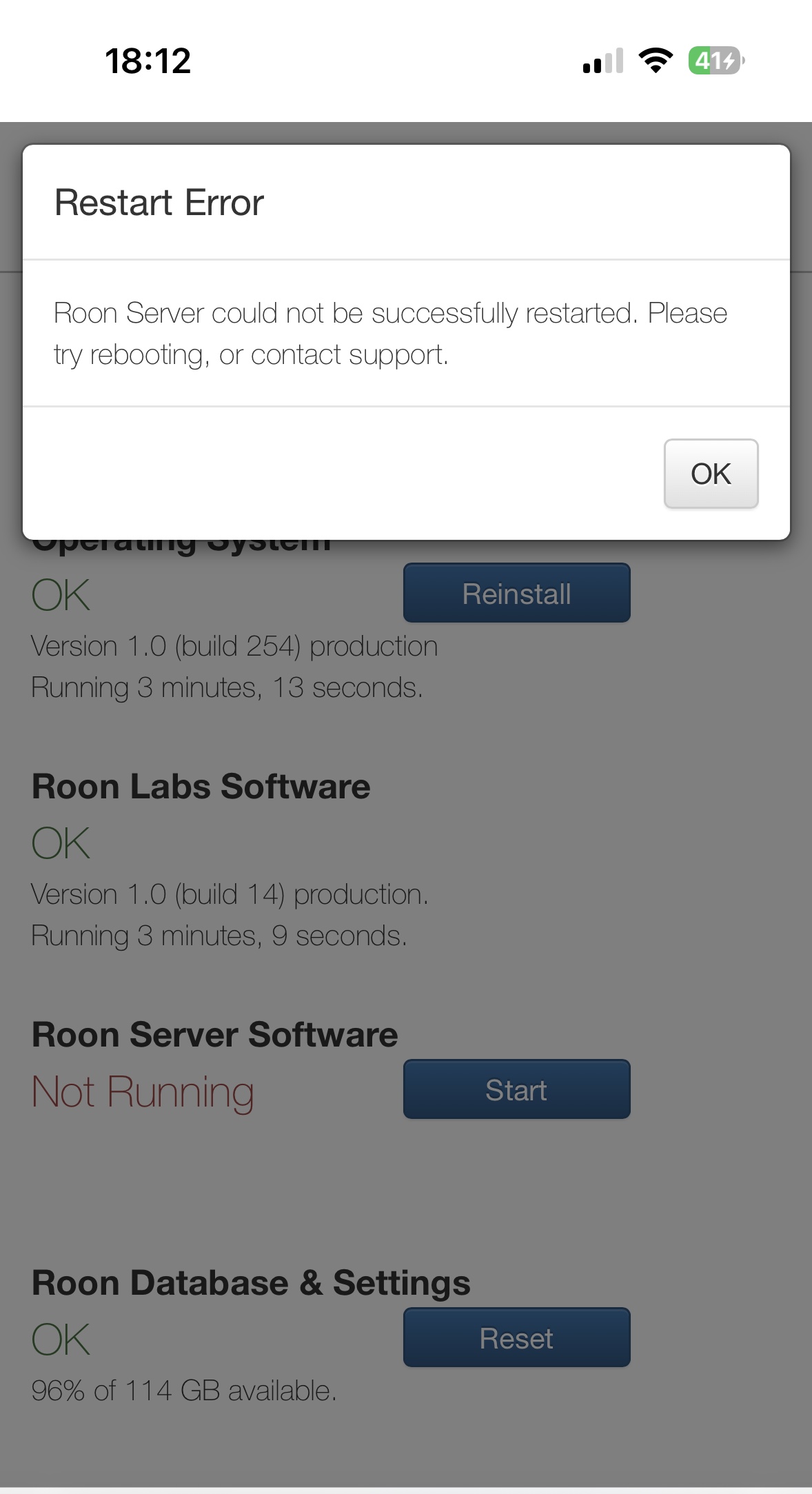
right now I can‘t access to my Nucleus at all!
It‘s not possible to get the Roon Server started.
It always leads to a field which says: Roon Server can‘t be started.
I need Roon to get working again! Please let me know what to do.
Deleting „bits“ (Core) doesn‘t solve my problem!
Best regards
Arnd
Hey @Arnd_Stuckmann,
I’m sorry it’s been so long and you didn’t hear back from our team. Your topic is in their queue, but, while they get to it, would you please provide them with the information they need to help? Here it is again:
Roon Core Machine
Include your operating system and machine info (Model, CPU, RAM)
Networking Gear & Setup Details
Your network gear (model of routers/switches) and if on WiFi/Ethernet
Connected Audio Devices
Specify what devices you’re using and their connection types, like USB/HDMI/Chromecast, etc.
Number of Tracks in Library
Tell us how large your music library is, eg. “30,000 tracks”
Description of Issue
Tell us about the problem you’re having in as much detail as possible. Screenshots are always appreciated!
Roon Core Machine:
Nucleus (got it early 2020)
S-Nr.: 54B2038D05F8
Networking gear & Setup Details
AVM FRITZ!Box 6591; connected via LAN
not working directly connected (LAN) and via switch (Cisco)
Connected Audio Devices:
Auralic Altair G1 (Stream)
Rotel Michi (USB)
Number of tracks in library
about 15,000 tracks
It worked fine - without problems - for almost three years. Suddenly Roon Server can‘t be reconnected anymore … I tried what I could do (reinstall, restart (Nucleus), restart FRITZ!Box, restart Cisco Switch, direct connection without switch, …)
Correction: Fritzbox 6590 (not 6591)
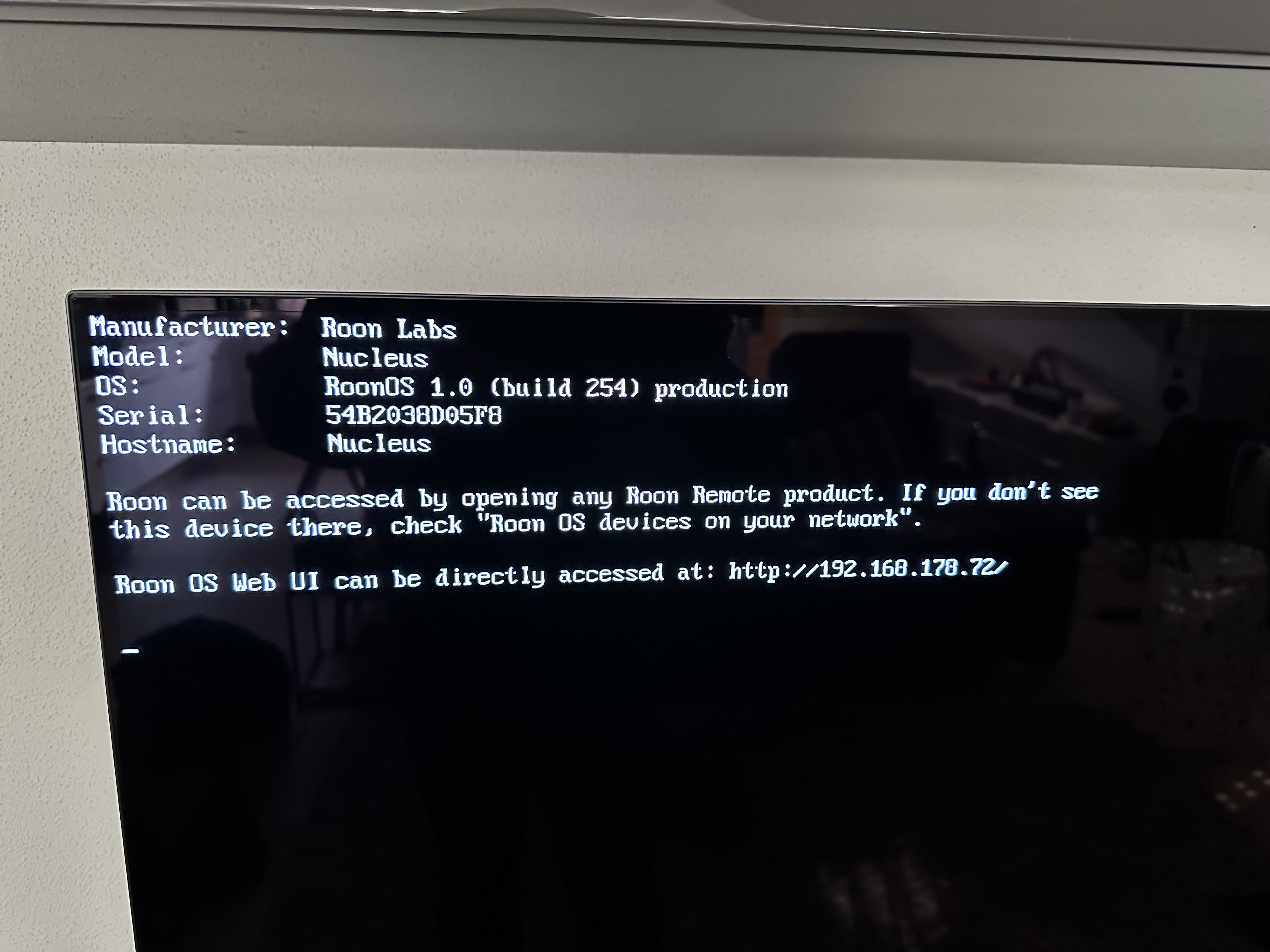
Can you connect a screen via HDMI and then restart the Nucleus , that ill show if the Nucleus is alive
It cold be a hardware issue eg the system SSD or even worse the Motherboard
That image implies that you see the Web Admin page of the Nucleus , can you post that image
I will post it, but it is always possible to reach the web surface. After reinstallation, reboot and the try to restart the Roon Server the web surface reappears again.
But always with the same result: Roon Server stays offline and could not be restarted …
Picture will follow soon.
From my point of view it‘s most probably a problem combined to the Roon Server Software.
Could you provide another build from the Nucleus installation? Just if it‘s worth to try …
Ok
Have you tried to reinstall the Roon Server theres a button on the Web Admin page
Hi once again,
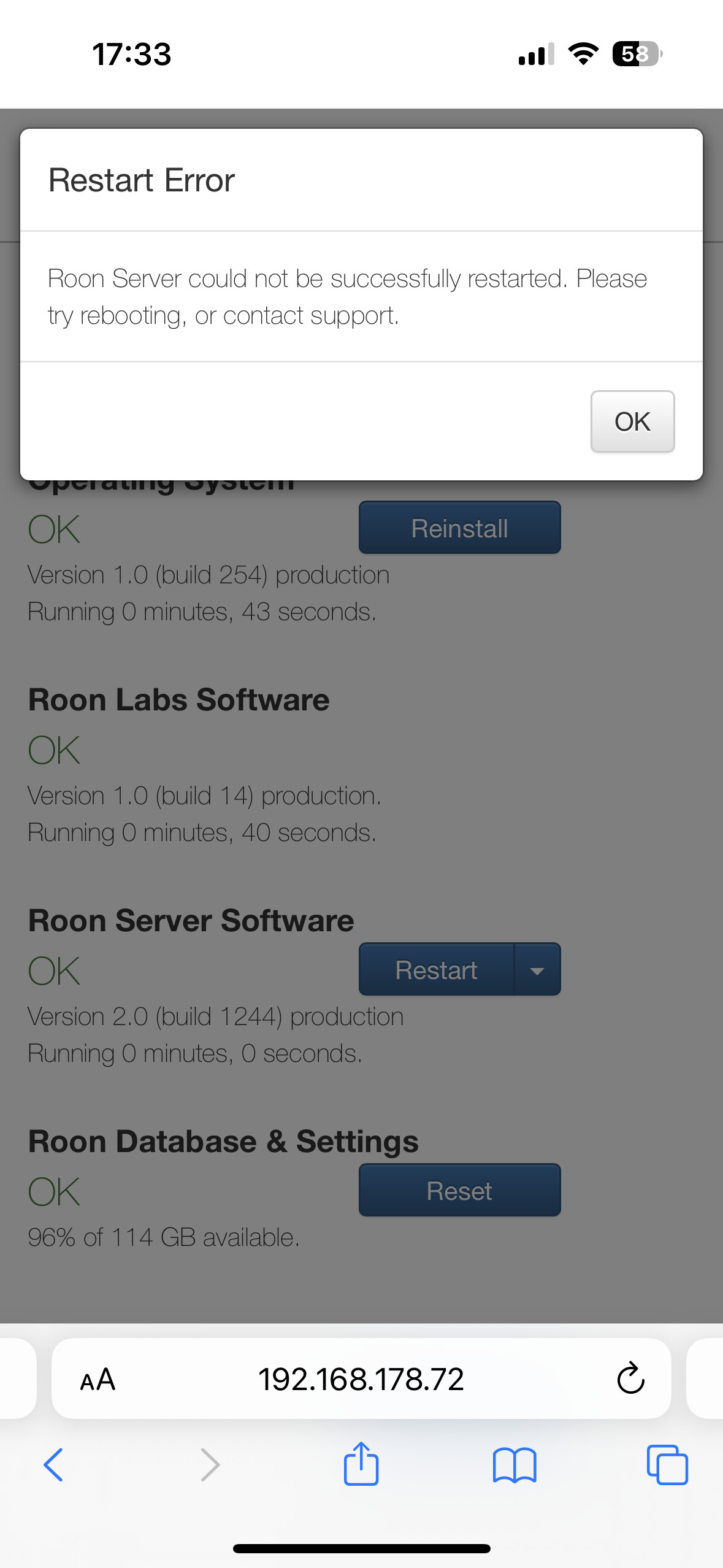
below I described what I have done. I tried everything including the software reinstallation.
Reinstallation failed every time.
Every time after reinstallation:
Roon Server not started
The problem could be that it is not recognised that the Roon Server is not running. Right now it is noticed as running although the windows tells something different …
Hey @Arnd_Stuckmann,
Thank you for your continued patience here! And, I’m sorry to hear you’re still having issues with your Nucleus. Let’s start out by manually refreshing your database. Steps to follow below:
- Create a Backup of your current Roon Database
- Stop RoonServer from running in Nucleus’s WebUI
- Navigate to your Nucleus’ Database Location
- Find the folder that says “RoonServer”
- Rename the “RoonServer” folder to “RoonServer_old”
- Restart the RoonServer in the WebUI to generate a new Database
- On the Roon Remotes, press “Use another Core” and connect to the new database
Let me know how things run on your new database, before restoring from a backup. Thanks! 
1 Like
Hi Benjamin,
that was very easy …
I couldn‘t generate a final backup because I had no chance to get the server running with the old profile.
But by generating the new profile it seems to work!
Very fast import - everything seems to be fine.
Please tell me how to proceed.
Thanks
Arnd
1 Like
Hey @Arnd_Stuckmann,
I’m glad you were able to get things sorted out on a fresh database! At this point, you’d want to restore from the latest available backup. Here is more info on this:
Let me know if this helps!
Is it possible to copy just the playlists from the old version? In which folder do I have to copy what data - if it is possible?
The Playlists are most important to be available …
Thanks in advance
Arnd
Hey @Arnd_Stuckmann,
At this time it is not possible to copy just the playlists. The playlists, alongside all the other data about the way you use Roon, are stored in your database. You can only copy them as a whole.
Thanks for your reply!
Is it possible to copy all the Roon information to my new installation?
Beside restore via the backup?
The new installation is running perfekt.
This might chance again, if I used the „load backup“ functionality. So I would like to import not everything …
Thanks in advance
Arnd
I’m really glad to hear things are going well so far. There is no other way to restore your data (including the playlists) other than by restoring a backup. You cannot just partially import information: all of the data is stored in your database backup and can be restored as a whole only.
If it is like that I would ask you to implement an export function for playlists.
In my case it is not possible to reload the backup.
So my playlists are gone without a chance to restore …
I gather a lot of files in playlists and lost them now!
Hey @Arnd_Stuckmann,
I’m sorry to hear you don’t have any available backups. Were you able to double-check the location where your previous backups were stored? Or, had you not set up your account to make backups?
We have a dedicated space over in Feature Suggestions where I suggest you add this too. I’m sure many would benefit from this.
Just one additional information:
No I have several backups. But every time I tried to reload an actual one it led to not working of the Roon Server again.
Therefore I asked whether it is possible to reload just parts of the backup (e.g. playlists).
This is why I have to say: no playlists anymore …
Best regards
Arnd