Xfinity Cable Modem/Gateway > Linksys 9500 Router > Static IP on Nucleus. Using the Linksys as the DHCP server.
Connected Audio Devices
Nothing connected
Number of Tracks in Library
15,000 Tracks
Description of Issue
Server software update to 1303 worked on all devices… except the Nucleus, rendering it in accessible through the various clients (Mac, iPad, etc.). This problem arose in conjunction with that update. I can easily go straight into the Nucleus web interface, and have tried updating the OS, and rebooting the Nucleus. I get the {“status”:“Failure”,“exitcode”:10} error most of the time. I have tried changing to a new static IP address. I have done proper-sequence power downs and restarts of the cable modem/gateway and the Linksys router and the Nucleus. No change, same error. I read a bit about DNS issues, and just to try it I changed DNS on the Linksys Router to 8.8.8.8. Works fine, but no change to my Nucleus issue.
I have zero network issues of any other kind in the house, with any devices. And yet (I assume that) the Nucleus cannot connect to the Roon mothership since the advent of needing to update to 1303. ‘Internet access.’
Would greatly appreciate the next round of things to try.
Thanks for writing in! @Geoff_Coupe is steering you in the right direction in regard to next steps. I’d add that giving both your core and router a power cycle (completely disconnecting power cables for a few minutes) would be helpful as well.
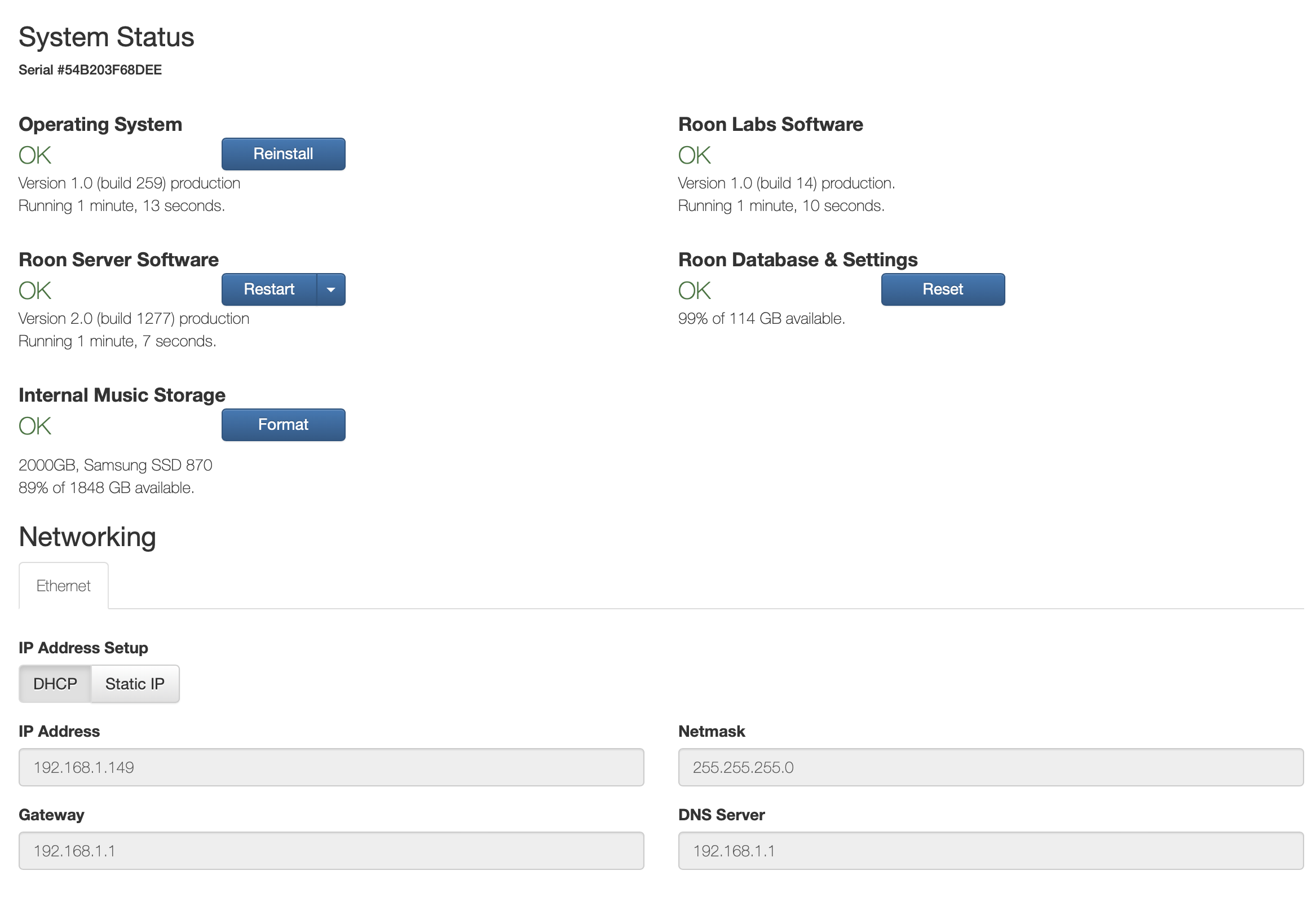
Hi, thank you for the replies. Changed back to DHCP in the Nucleus web interface, and released the DHCP reservation on the Router. I then rebooted the Nucleus (although it still assigned the same address… just not static), and the screen shot of the web interface is as follows:
Did you also test out changing the DNS from the Nucleus web interface? Bottom right of the webUI, you can change the DNS server to either 8.8.8.8 or 1.1.1.1 and see if you’re able to successfully reinstall the OS?
Thank you for this, really appreciate the prompt help and attention.
I had to revert to Static IP to be able to try 8.8.8.8 on the Nucleus Web Interface… it seems to have triggered some change, and indeed it shows (on the Web Interface) that it’s made it to 1303. Although I’m now having a funky login experience… as though my account were brand new, with no Tidal login, no playlists, no local storage in the Nucleus, etc.
Will noodle through and see if I can get back to my normal environment again from the Mac desktop Roon app. Perhaps I need to work from/with the backup that I have on a thumb drive. Will advise.
I believe the the instrumental changes were the DNS change (8.8.8.8) plus returning to DHCP. It seemed to require both of those in combination to finally connect with the mothership, complete the updates, and open up into accessibility again.
Going to poke around more and see if everything is back.
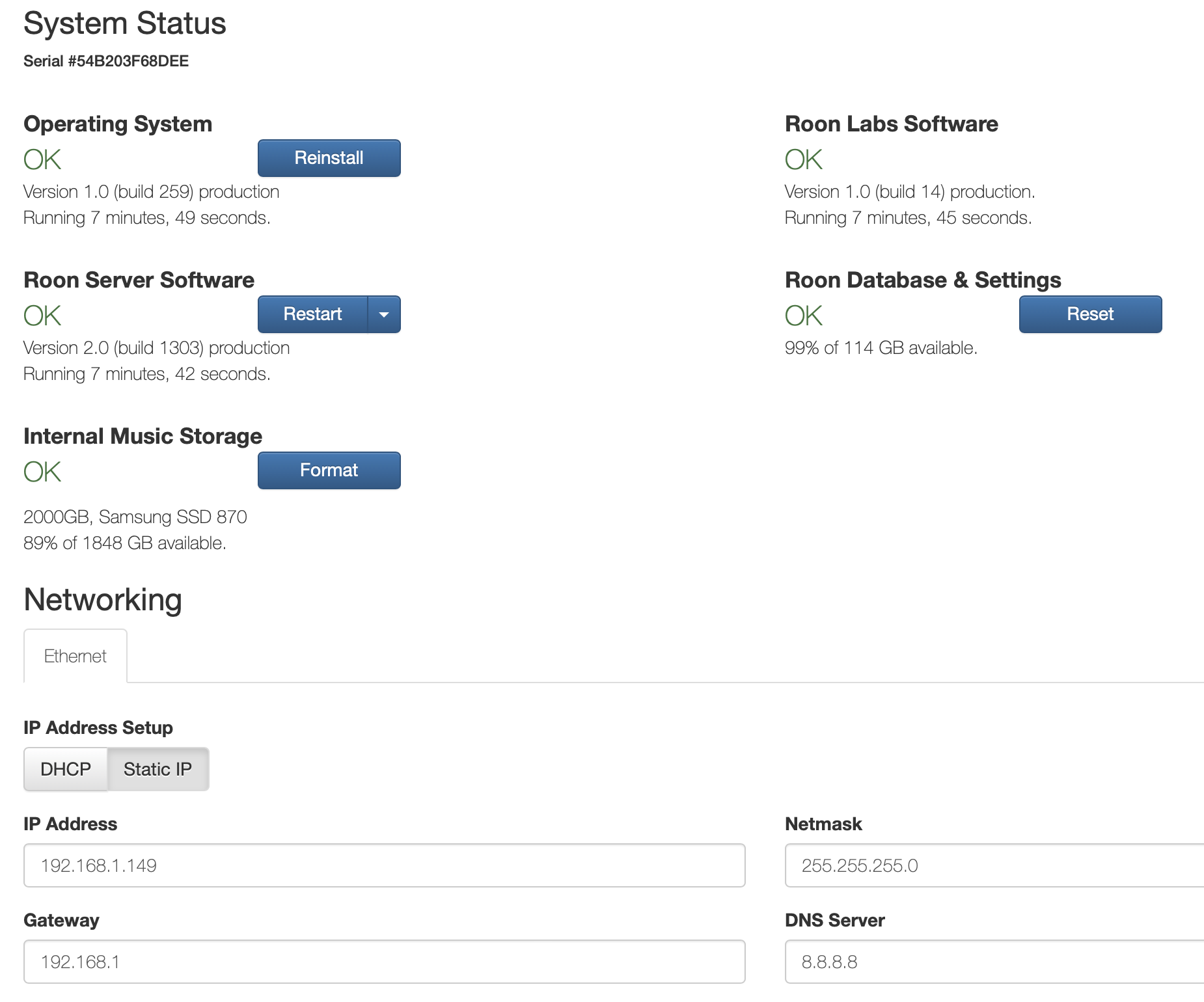
Your screenshot shows that you have a static IP address set up on your Nucleus (presumably to set the DNS Server to 8.8.8.8).
Please ensure that your chosen IP address (192.168.1.149) is not within the range of addresses given out by the DHCP server in your router. If it is, you will run into problems if this IP address is given to another device in your network by the DHCP server.
It’s interesting… if I go back to DHCP (.143 assigned), the Nucleus DNS field reverts to the Router IP address (.1) and is shaded, and I can’t make it 8.8.8.8 at the Nucleus. So I’ll work with this a bit.
In any case, now I know where and how to tackle this should it arise again. Very grateful for the assistance.
That’s correct, because the DHCP server assigns the DNS server address known at the router - which is the router itself.
This in turn will be talking to the DNS server of the ISP. Since some ISPs are fairly flaky with DNS servers, what you could do (if the router admin settings support this) is to set 8.8.8.8 as the DNS server in the router itself. Then the router will refer to 8.8.8.8. for DNS, rather than the DNS server of your ISP.