I came across a posting on the forum that showed a Titan with only 4GB of RAM inside. Perhaps that is something that has been upgraded over time.
In any case, I’m starting to feel that my machine may benefit from the addition of more RAM, but without being able to look under the bonnet at the actual RAM utilisation, it’s hard to say for sure.
Roon can and does occasionally use more memory during library scans and unidentified albums can hinder this and use more.
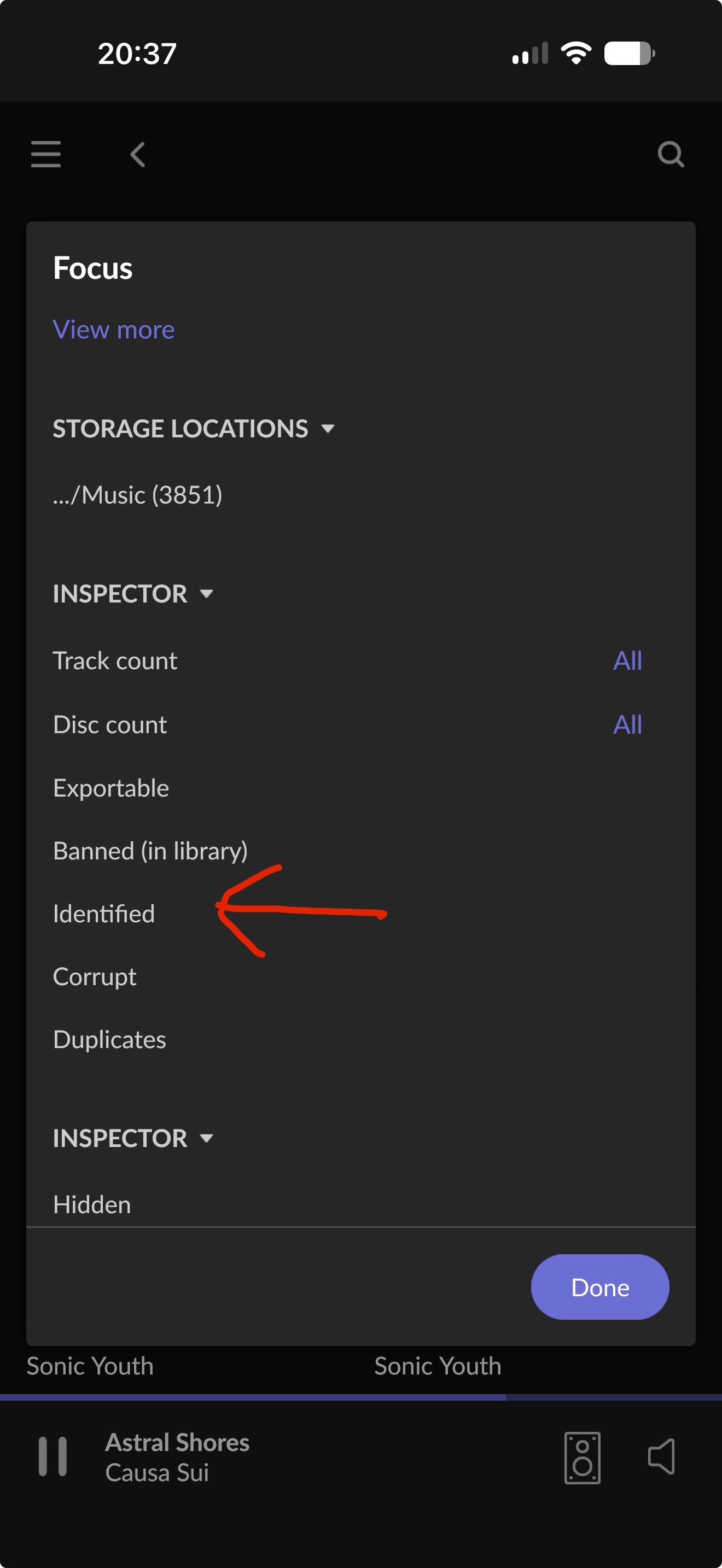
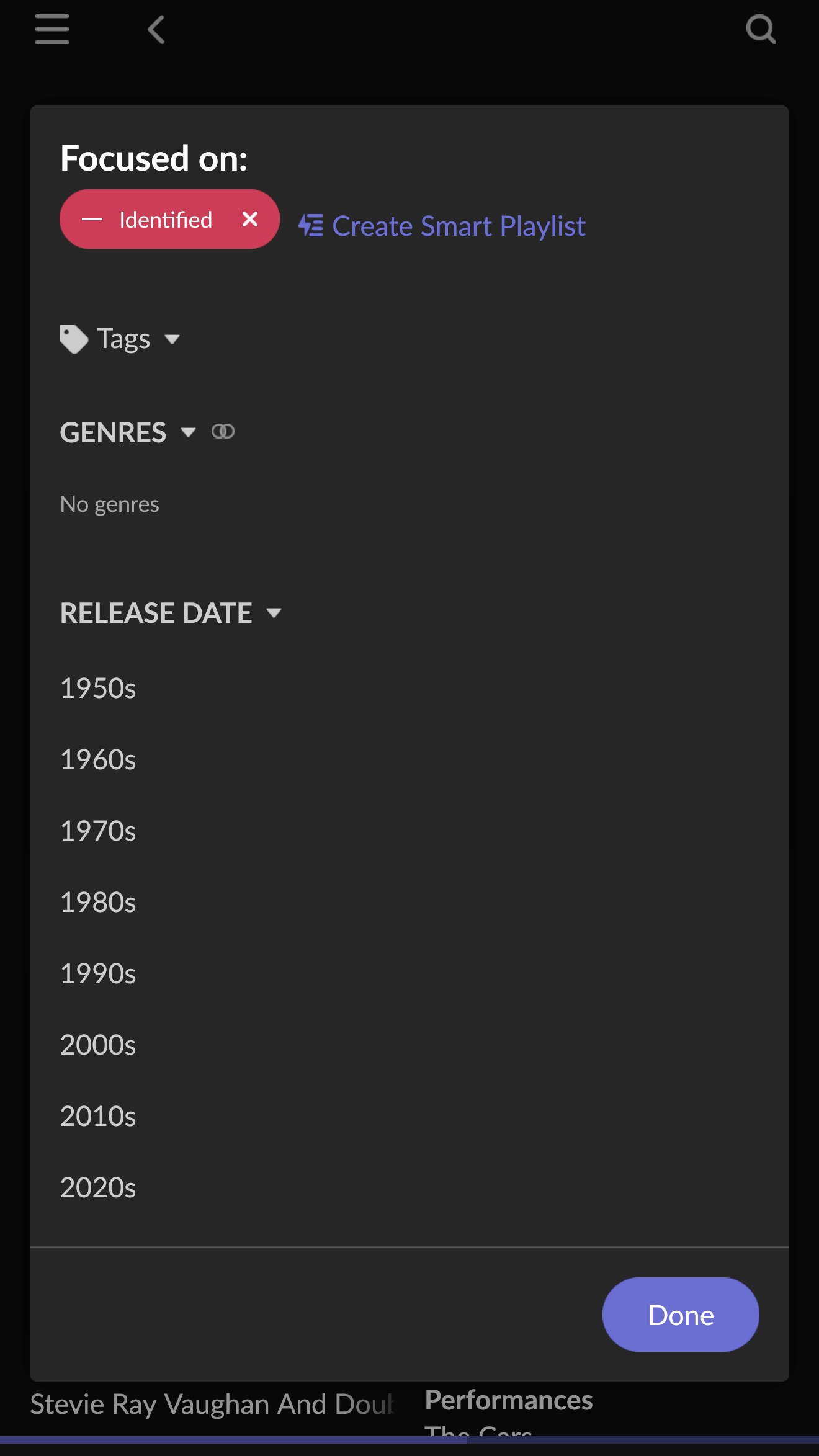
To find out how many albums are unidentified, apply a focus on identified albums (Focus > Inspector > Identified), then invert that focus and it will show your unidentified album count.
Yes, in the absence of being able to judge the machine’s memory utilisation for myself, it would be nice to hear an official verdict from Roon’s staff.
In the meantime, I’ve placed an order for a Crucial CT32G4SFD8266 32GB SO-DIMM to give the machine more room to breathe. This is the memory type I have seen recommended by Roon staff in the past.
Unless I am advised to the contrary in the next few days, I will fit that next week when I return home. If memory isn’t an issue yet, it probably will become one on some not too distant horizon.
Well, that’s why I was seeking prior approval by posting here, as instructed by the official documentation.
Noted. The order hasn’t been despatched yet, so I’ll switch it to 2 × 16GB modules.
I would still like to hear from Roon’s official support staff to a) bless the upgrade; and b) confirm that the Crucial RAM is still the recommended one. I have found their recommendation for that RAM for the Titan elsewhere on this forum, but possibly that has been updated in the meantime.
I won’t even be home until just over a week from now. Hopefully I’ll have an official response by then. I’d hoped for one already.
Do you (or does anyone else) know if the motherboard supports 3200Mhz RAM?
I can buy 3200MHz CL22 or 2666MHz CL19 for almost the same price. To reap any benefit from the former, the motherboard obviously has to support it.
From photos on-line, the machine seems to come with 3200MHz (Kingston) RAM, suggesting that the motherboard does support the higher speed.
mjw
(You want nice, supportive? Call a damn helpline.)
16
Yes, this is correct. Increasing the installed memory needs to be done by the manufacturer, i.e., it isn’t something you can do without voiding the warranty, since you will need to break the seals.
Thank you for reaching out. Diagnostics indicate several OOM events on this Titan in the last few weeks, mostly occurring during metadata updates and background work.
If you plan to expand this library long-term, then it’s highly recommended to upgrade to additional RAM.
That said, we’ll need to identify the culprit files that are causing this indexing and identification churn.
When did you first start experiencing crashing or performance issues on this machine? Was it when the library reached a certain size, or have you had issues throughout the Titan’s operation?
Depending on the purchase date of the Nucleus Titan and whether it’s still under warranty, our team might need to perform the RAM upgrade in-house through a formal service request. We will reach out via email to begin the process and collect the necessary information. Please stand by. Thank you!
It’s difficult to say when exactly the crashing started. It tends to happen when adding new albums or when background audio analysis is occurring at night, not when actually listening to music; and because it doesn’t happen very often, it hasn’t been very disruptive day to day.
I don’t recall it happening at all when I first got the machine and my library was still at around 200,000 tracks, so I think it’s probably been quite a recent thing; or perhaps I just didn’t notice it occurring at first.
The Titan’s about a year old, so with a year of warranty left on it. I’d like to keep that warranty if at all convenient, but I really don’t want to have to pack the machine up and send it in just to have a couple of RAM sticks swapped. If Roon can trust me to put a SATA drive inside the machine on day one, I don’t see why I can’t be trusted to competently upgrade the RAM now without voiding the warranty. It’s not exactly rocket science.
I’m happy to work with you guys and provide you with any and all of the information you ask for. Just bear in mind that I’m away from home for the next week still, so all of my Roon usage at the moment is via ARC. That said, I can access my home network remotely and run the Roon client on a machine there if necessary.