I'm having trouble with my DAC, speakers, streamer, etc.
What best describes the issue with your audio device?
Other
Multichannel Audio Interface
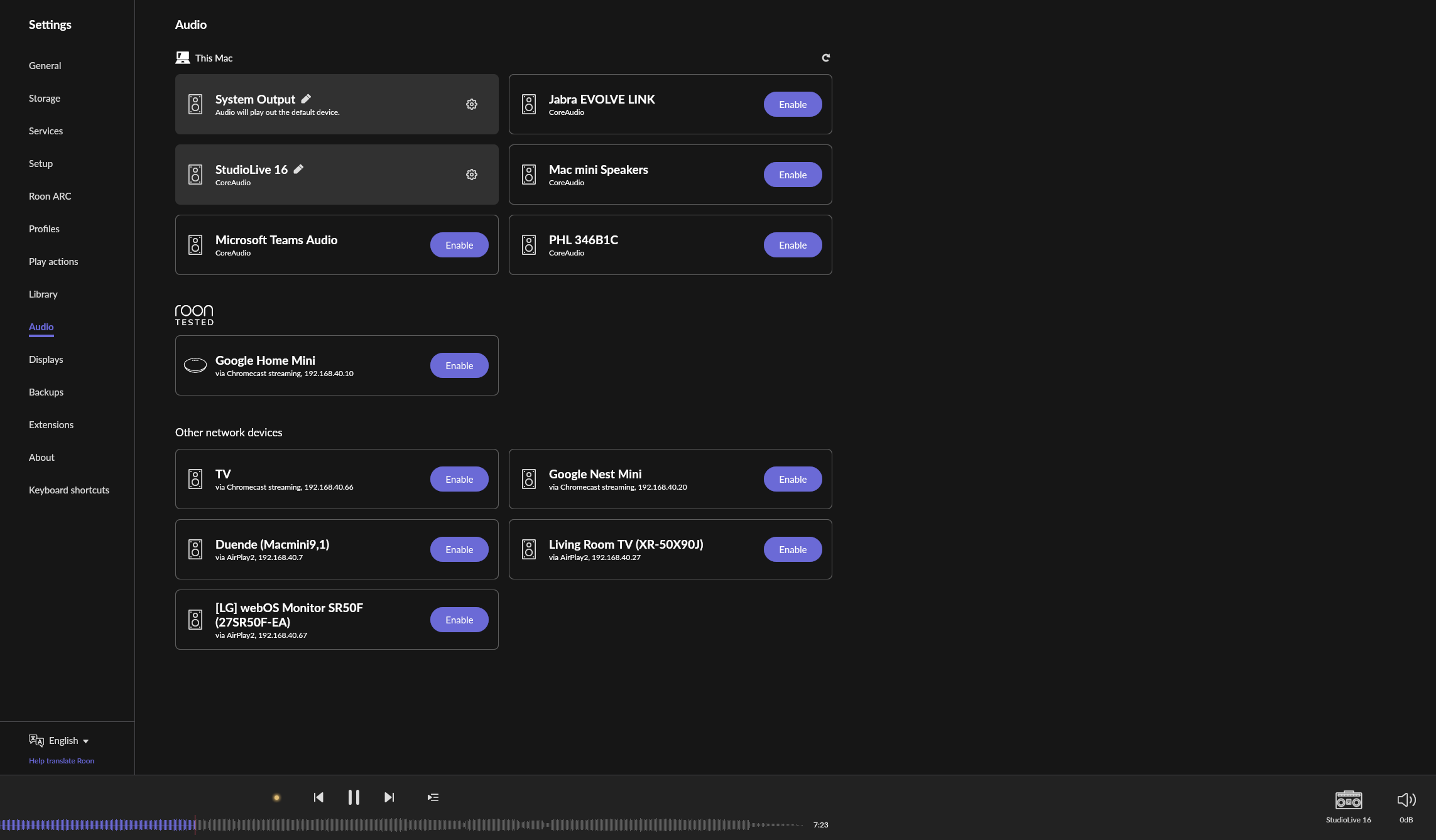
Hello. I’m completely new to Roon, on day 1 of the trial period. I have a PreSonus Studiolive 16 which is essentially a multichannel audio interface/digital mixing board that I use as the hub for my audio. At the moment, I can see my SL16 in the Settings/Audio. The Roon UI will show my songs playing but there is no audio output.
In all other audio applications that I use, there is an option to select which channels of the interface are addressing and being used as the audio output. I don’t see anything like that in Roon. This makes me wonder if Roon is assuming that I want to use channels 1/2 as opposed to 36/37 which I need to use as my master outputs.
Yes that is what happens. Additionally Roon’s audio setup supports 7.1 (8 channels) at maximum – so all channels above channel 8 are not accessible at all with Roon. If you need a setup like yours work with Roon you have to use external software (virtual soundcard) that maps the channels (1+2) from Roon to your desired channels 36+37.
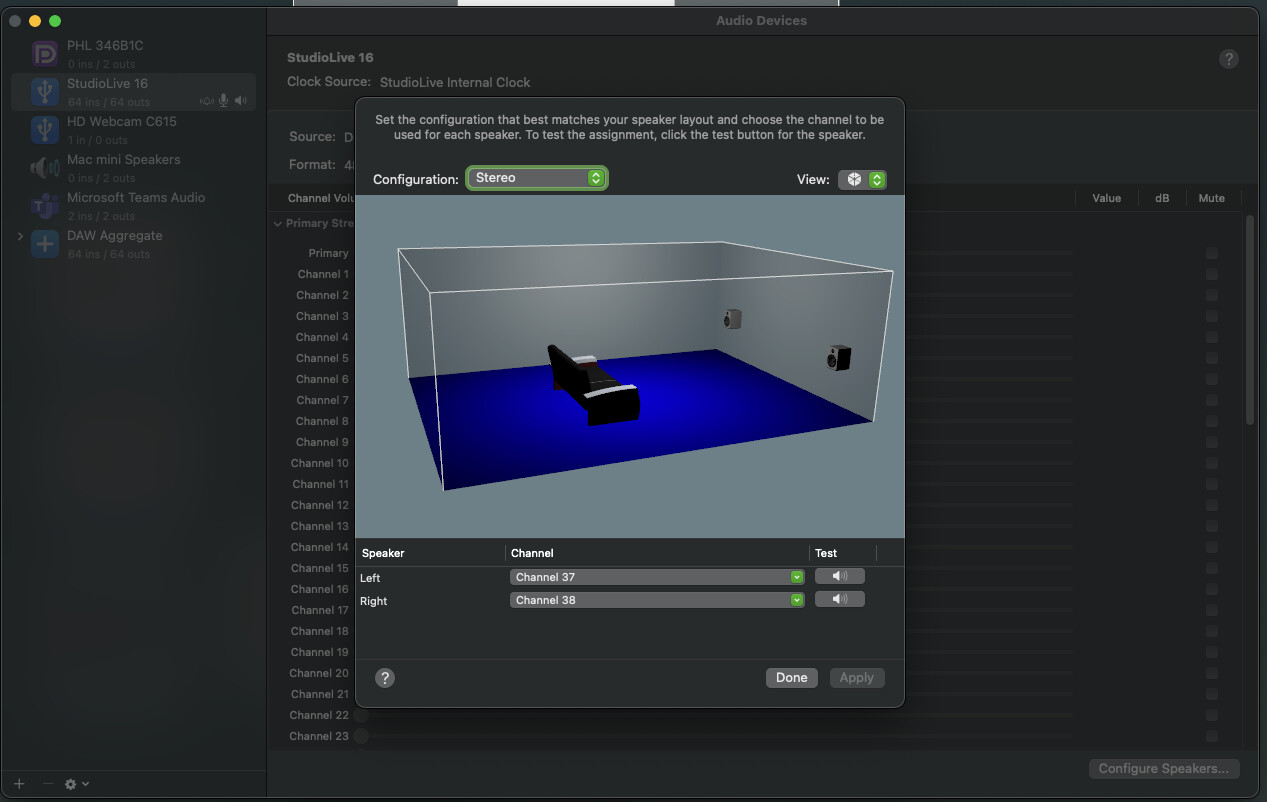
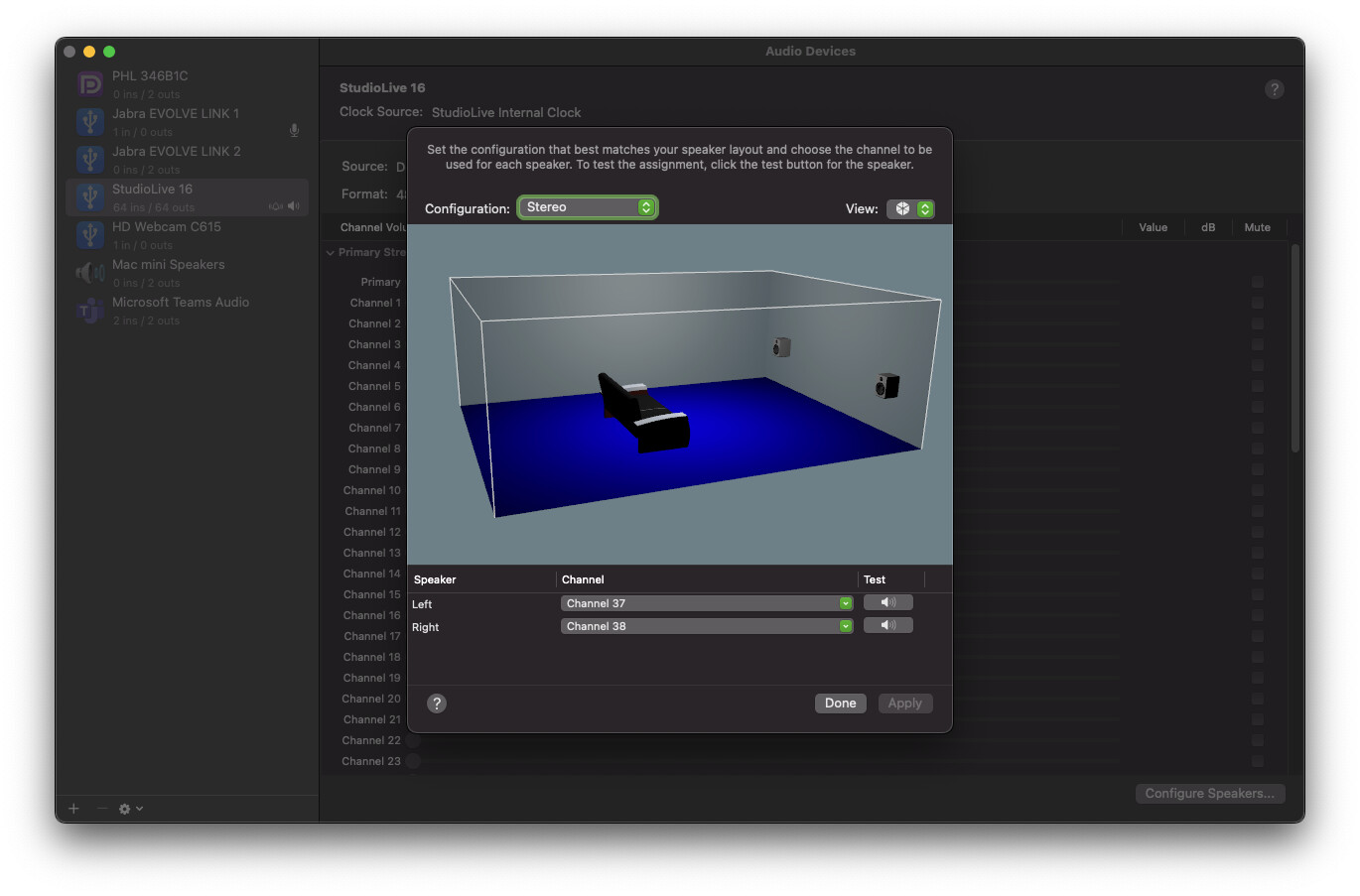
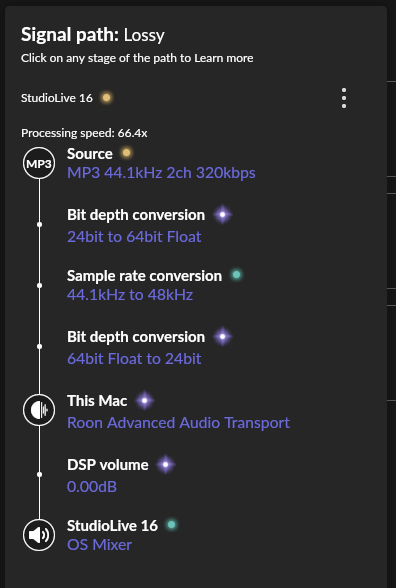
I’ve continued to have difficulty using my multichannel audio interface (Presonus StudioLive 16) with Roon in OSX. I’ve got the interface set up in the Audio/MIDI Settings using outputs 37 and 38. The “Test” function successfully outputs the test sound but no audio output from this same device from Roon. The settings within Roon seem to be accurate… the shuttle control shows that the song is playing… just no sound.
I had this problem when I initially started using Roon, got it sorted out but soon after started having trouble and I’ve just given up. Any help would be greatly appreciated.
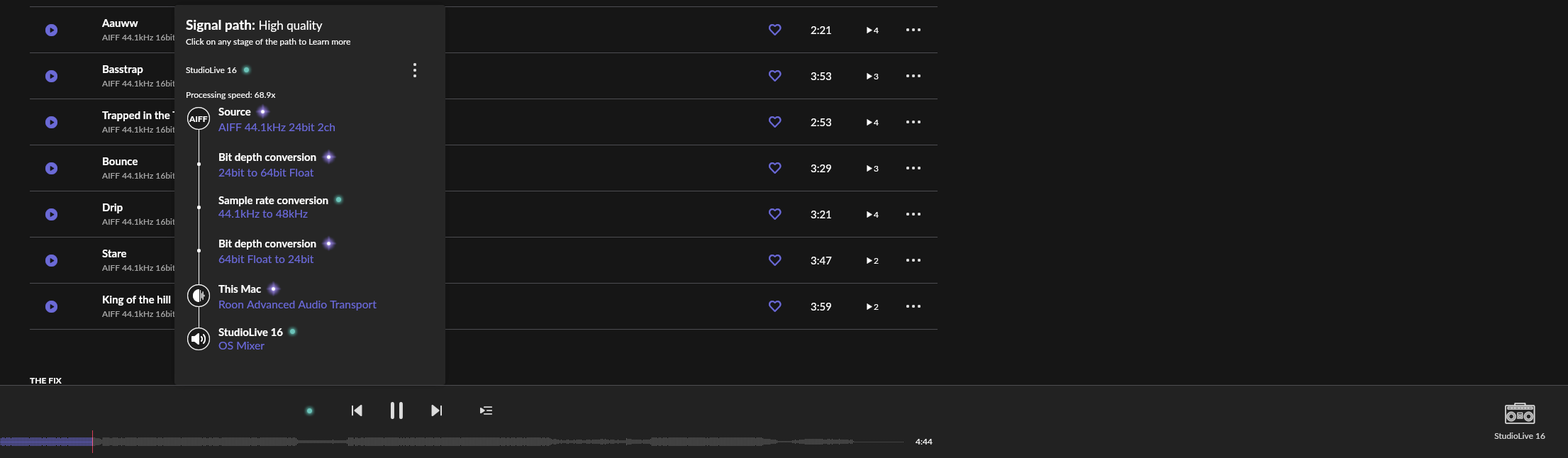
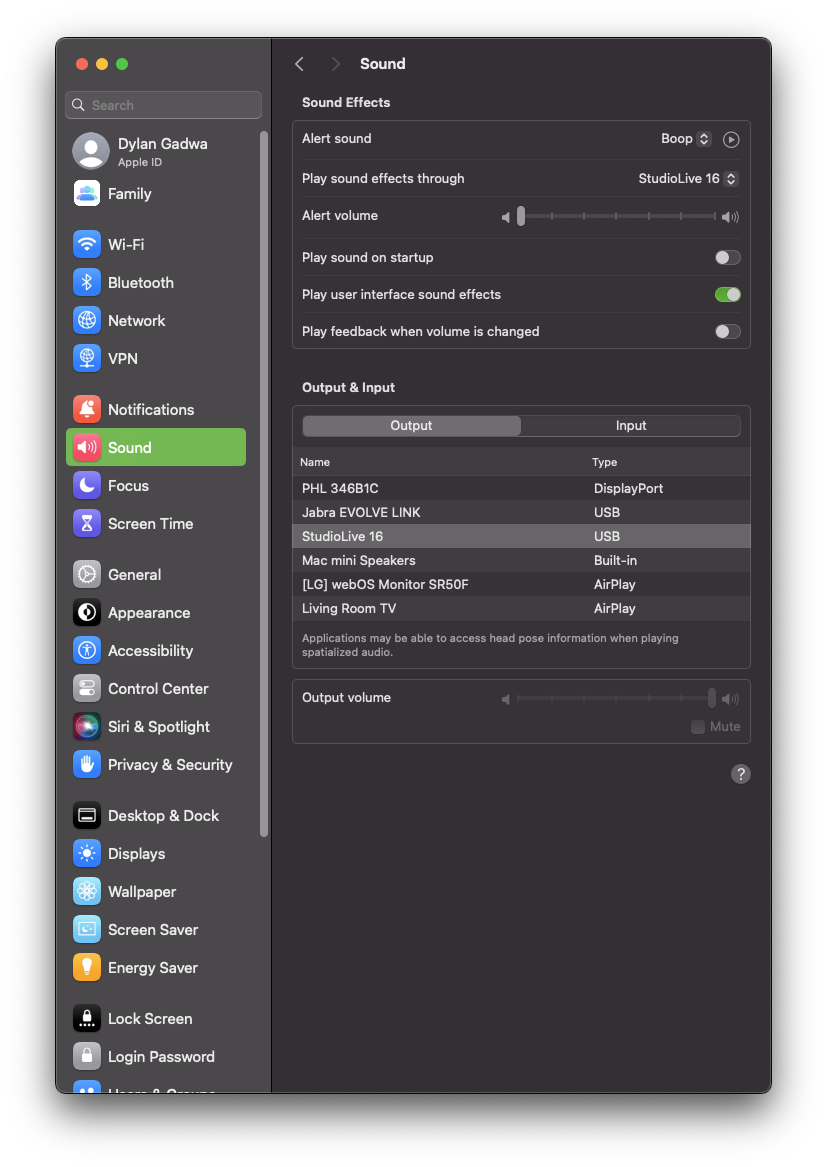
If you set these to channel 1 & channel 2, is there any change in behavior? What happens if you try to use the CoreAudio driver instead of the OS Mixer, does the behavior reproduce there too?
Unfortunately, I cannot use the channel 1 and channel 2 outputs on my audio device. Those jacks are XLR and I do not have the appropriate cables. When I use the CoreAudio driver (built-in speakers on my MacMini) there is no problem and I can hear audio output from Roon.
If you try to use Roon’s MUSE (DSP Engine) to do a procedural EQ → Mix, are you by any chance able to configure left/right to channels 37/38 from that menu?
Does the issue happen with local library music, streaming service music, or both?
· *Both streaming and local* *library* music are affected.
Do you encounter any playback errors with the "System Output" Zone?
· I don't have a System Output available, but I'd like to keep troubleshooting
How is the affected Zone connected to your RoonServer machine?
· Cable (USB, HDMI, SPDIF, etc.)
Is your device connected directly to the Roon Server via cable or over the network, or is it chained through another device (such as a streamer, Roon Bridge, or Roon Remote)?
· Connected directly to my RoonServer machine
Does the device show up at all in Roon Settings -> Audio?
· Yes, it shows up there, but it isn't Enabled
Does the "Enable" button unlock the Zone?
· I pressed Enable, but the Zone remains disabled
Does the device play audio from another source when using the same connection?
· The device has no problems with another audio source
Have you checked that Roon is whitelisted in any firewalls?
· I've checked the firewall and the issue remains
If the device has multiple output options, do the other options work as expected?
· Only one output type is affected while the other output type works as expected
Is the device using the latest firmware as per the manufacturer?
· Firmware is up-to-date but the issue remains
What are the make and model of the affected audio device(s) and the connection type?
· PreSonus Studio Live 16 mkIII
Describe the issue
Sound file plays, but no sound output from interface
Describe your network setup
MacMini directly connected by USB to audio interface and USB RAID. MacMini is on a Plume mesh WiFi system.
Outputs 37 and 38 correspond to the correct output on my audio interface/mixer. All other apps (eg. Spotify, audio apps, DAW software) work correctly through this output
What is wrong with your own solution from above (Audio/MIDI Setup config in Mac OS X)?
Maybe someone else can point out a virtual sound-card solution for MacOS that works with Roon and allows you to do what you want.
Unfortunately, it worked for only a day or so and stopped working again. I tried to toggle those settings to different options and then toggle back to what worked momentarily… No go.
I also tried a number of things described in the Apple Support Desk article here… I thought that resetting the Audio/MIDI Settings system app might solve it… No dice with that, either.
Reset Audio MIDI Setup: You can try resetting the Audio MIDI Setup app by deleting its preference file. To do this:
Close the Audio MIDI Setup app.
Navigate to ~/Library/Preferences/ and find the file com.apple.audio.AudioMIDISetup.plist.
Move this file to the desktop (or delete it) and then restart the Audio MIDI Setup app to see if the issue persists.
It’s been several months without and I’ve just been too busy to deep dive back into it. I’ve got a couple of days off and really want to try to get it working.
I get that you want to hear sound using Roon. It’s just that Roon doesn’t support anything more than the first 8 channels (for 7.1) at maximum of your sound interface. What you need is an external (outside of Roon) solution, or get the cabling straight so you can make use of the first channels of your interface. None of this has to do with Roon and Roon support. I’m not a Mac user so I don’t know if the Audio/MIDI settings in your OS even allow for a permanent solution, but you should contact Apple support if you have issues using it. You can use the forum search to try if you can find a solution from other users threads (search for popular audio interface brands), if not try internet search. I’m sure there are tools for MacOS that provide a virtual soundcard for audio routing. Maybe another user may chime in and name a solution for you, there is just no guarantee that this will happen.
Thanks @Carl and @BlackJack for the assist. Although I’d never needed it before, I reacquainted myself with an app called Loopback. https://rogueamoeba.com/loopback/. Rogue Amoeba makes other useful and reliable apps that I have used in the past.
On the one hand, Loopback does allow me to successfully route audio from Roon through my interface so that’s cool. On the other hand, Roon is the only app that doesn’t work with the onboard Audio/MIDI routing app in OS X and I’ve pushed it to its limits. To be clear, I am not pointing fingers or blaming Roon here. It’s just odd that it worked for a time and then stopped and is the only app that requires such a thing.
I’d be grateful for the chance to work with @support to see if this can be resolved without a third-party utility. Apart from adding complexity and a greater margin for error, Loopback costs $100. Thanks again to all.