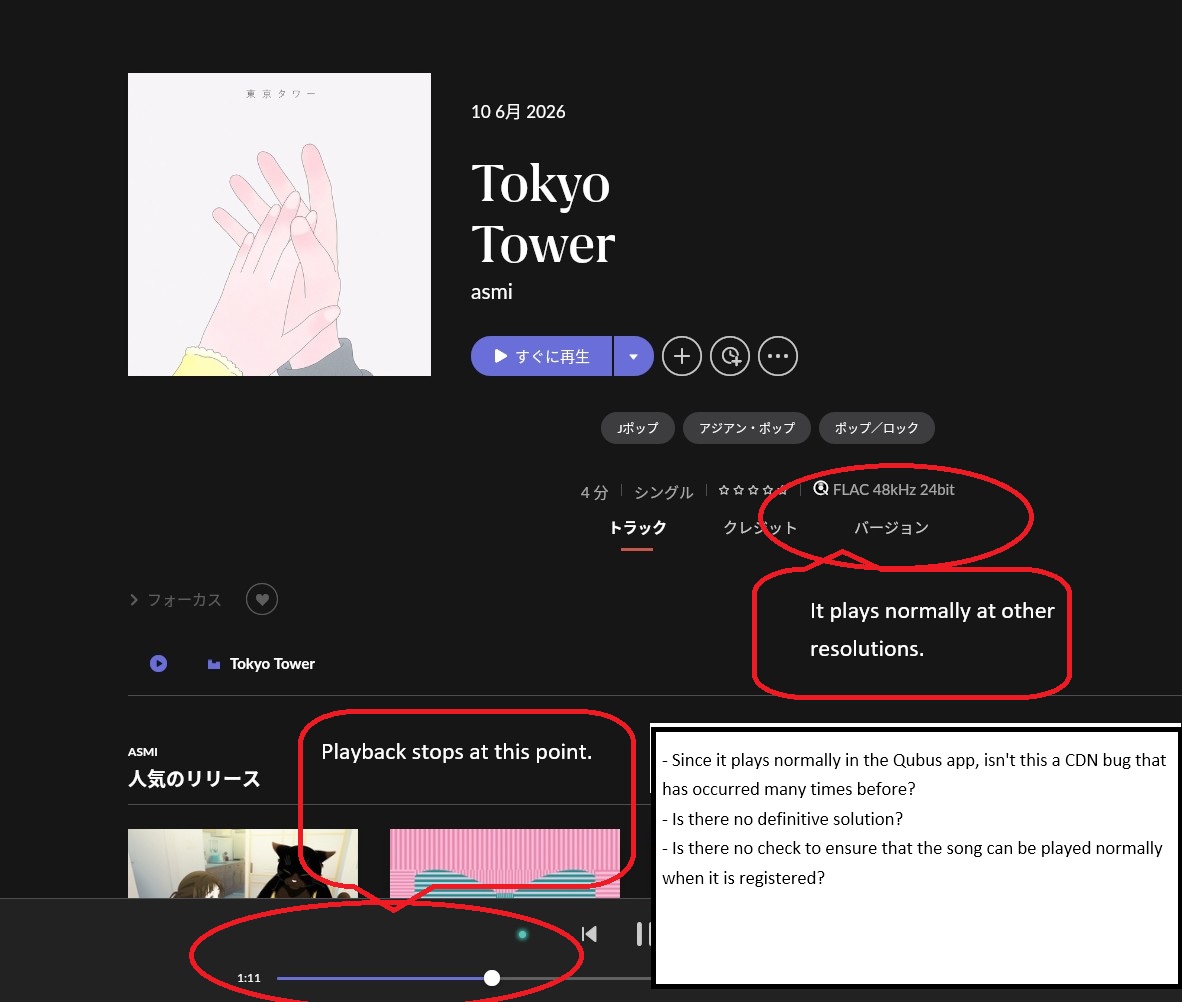
From a fresh server diagnostic report, it appears you’re hitting a known issue related to restrictions surrounding the Qobuz CDN within Roon.
While Qobuz did fix the CDN-related issues previously, we’re still seeing lingering CDN issues here and there, and are still in communication with Qobuz on getting these final strings tied up properly.
Specifically, Roon Server repeatedly requests block 850 of a Qobuz stream, literally hundreds of times across several minutes, and each request comes back with blocks read: 0 and download speed: -256kbps (a sentinel value indicating nothing was actually transferred).
The Qobuz CDN responds with HTTP 206 (success), meaning the connection isn’t being refused, but the data simply never arrives.
Could you see if any of the below troubleshooting steps help minimize the issue at all:
If you haven’t recently, fully sign out of Qobuz in Roon and resign/resync your account.
In Roon > Settings > Services > Qobuz, temporarily set the streaming quality to CD Quality (16-bit/44.1kHz) rather than Hi-Res. See if the dropouts stop or significantly reduce.
If you can, test out setting up a VPN tied to your server machine, and set it to somewhere outside of your current location, and see if you’re able to reproduce the issue.
Thanks for your ongoing patience in the meantime! 🙏
1.If you haven’t recently, fully sign out of Qobuz in Roon and resign/resync your account.
I logged out of Qobuz and logged back in to sync my library, but the situation remains unchanged; playback stops at 1:11.
2.In Roon > Settings > Services > Qobuz, temporarily set the streaming quality to CD Quality (16-bit/44.1kHz) rather than Hi-Res. See if the dropouts stop or significantly reduce.
FLAC 44.1kHz 16-bit playback worked normally before.
I tried it and it played normally, but when I changed the settings (streaming quality back to the original 192kHz 24-bit) and tried to play 192kHz 24-bit, an error occurred.
3.If you can, test out setting up a VPN tied to your server machine, and set it to somewhere outside of your current location, and see if you’re able to reproduce the issue.
I am not using a VPN, so I cannot use one.
By the way, does Roon not perform a playback test when registering new music?
Thank you for testing those steps — that’s helpful confirmation. The fact that CD Quality plays fine but Hi-Res fails points directly to the Qobuz CDN issue we’re tracking on our end.
For now, we’d recommend staying on CD Quality (16-bit/44.1kHz) as a workaround until this is resolved — the audio quality is still excellent and playback should be stable.
If you’d like to help speed things up on the Qobuz side, you’re welcome to contact Qobuz support directly and report that Hi-Res streaming fails when used through third-party apps, while the native Qobuz app works fine. The more users who report this, the more priority it may receive on their end.
We’ll continue following up with Qobuz and will post an update here once the issue is fully resolved. We appreciate your patience!
Thank you for testing those steps and getting back to us.
To answer your question about Roon performing a playback test: when you add or “register” new music from Qobuz into your Roon library, Roon does not download or test the actual audio file. At that stage, Roon only downloads the metadata (album art, track titles, artist info, and the streaming link).
The actual audio is streamed in real-time directly from Qobuz’s servers (their CDN) only when you press Play. Because the connection to Qobuz is initially successful and the first minute of the track downloads perfectly, Roon has no way of knowing the stream will fail. The issue happens exactly around 1:11 because that is the exact moment the Qobuz server stops sending the next block of audio data to your Roon Server, even though the connection itself remains open. The response code is 200, which means that the connection is established and we should have an ongoing playback, but the response size is 1kbps, which is causing the issues.
We are working closely with Qobuz on solving this issue. Thank you for your patience.
Thank you for your response regarding the song playback test during new registration on Roon.
So, the problematic song stops at 1 minute and 11 seconds, meaning it wasn’t detected during the test? I didn’t quite understand the technical details.
So, does this mean that a complete song playback test isn’t performed during new registration?
Regarding the song I initially raised as a problem, I hadn’t done anything to it, but it now plays normally.
The content delivery network through which the Qobuz API sends data to your geographic region is delivering 0-byte packets despite the connection remaining stable.
This is an upstream issue between Qobuz and their infrastructural providers, and Roon is where the symptom shows up. They are working hard to resolve it. We will share updates here as they become available:
We kindly request that you post in the main tracking thread moving forward to keep updates in one place. We’ll be closing this particular report for housekeeping.