· Starting Roon ARC (iOS) reports: "Your Roon Server is online but there's an issue that's preventing access" | again and again. All Roon apps (server on Linux) and Roon ARC are update. But there are some unknown circumstances that cause Roon ARC to not work, despite Roon app is reporting that Roon Server is accessible for Roon ARC (also restarting Roon Server and to be uptodate). And there are many other reports about this issue in the forum. Presently the only solution is to delete the Roon ARC from iOS (from all iOS devices) and reinstall Roon ARC and restart with downloading music (what a pain). This is now the third time in 2 years, and if it happens during a "long" journey, it is not resolvable until returning back to home. Has Roon ARC ever passed real use case testings?
Tell us about your home network
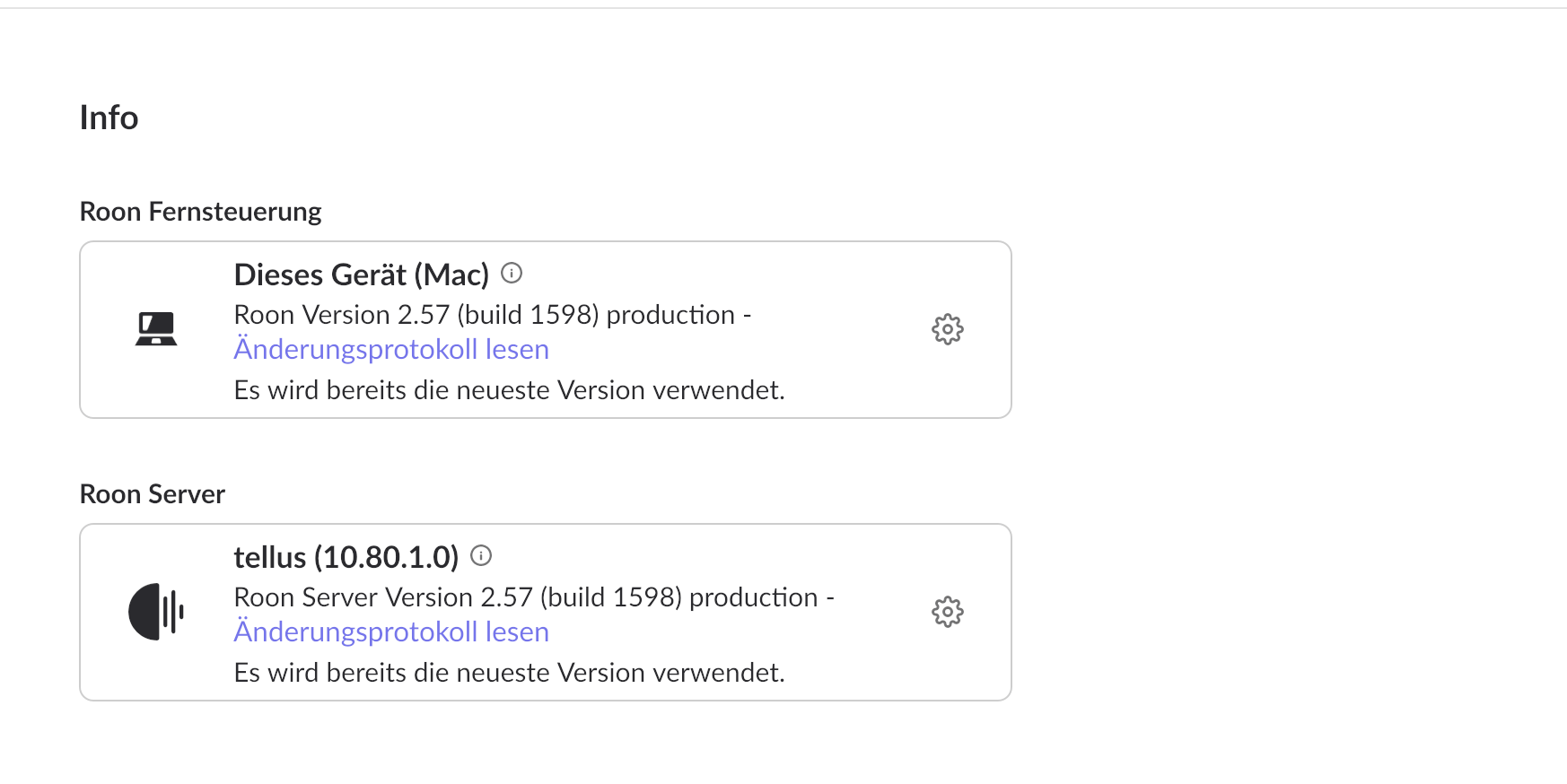
· OpnSense 25.7.9 as router/firewall but that is not the problem. Roon app/server 2.57 (build 1589) on macOS (as client) and Roon app/server 2.57 (build 1589) on Linux are reporting that Roon ARC can access the Roon Server.
Thanks for reaching out. Just to confirm here, if you remove ARC and reinstall it only on one of the affected devices, that does not restore functionality for that device? How long after not using ARC do you notice this issue? When you arrive back home, is ARC still working as expected on WiFi? Did the IP address of the Roon Server change at all while you were away for your journey and it required re-adding the port forwarding configuration? If the IP is changing, then setting up a Reserved IP for the Roon Server in the router is a good step.
Roon Server (linux Debian based) has a fixed, never-changing local IP.
OpnSense router/firewall has a fixed, never-changing public IP in a never-changing public IP-subnet.
Deleting Roon ARC and reinstalling the Roon Arc (and thereafter redownloading from a single iOS device (actually 26.1) does resolve the issue only for this device. Thus all other affected devices, and all other iOS devices are affected; the same deinstallations and reinstallations have to be executed on all other devices (we have only iOS devices).
The issue with Roon ARC is present over mobile connection but also at home (in the same local network subnet as the Roon Server) over Wifi, while at home “normal” Roon app is working “seamless”.
Of course Roon ARC does work again seamlessly also over local Wifi, after deinstallation and reinstallation of Roon ARC.
Would be very nice if the “normal” Roon app (iOS and macOS) would also work over VPN connections (like wireguard etc.) - maybe also Roon ARC.
Thanks for all the additional information! From what we can gather, this could very well be a Roon ARC token/authorization corruption issue.
How long are your ‘long’ journeys?
While this is less than ideal, it would be really helpful to test out disabling OpnSense temporarily - enough time where you’re able to test if the same issue occurs.
Our development team has a ticket in for this issue and is currently investigating, and we should have more information to share likely by next week.
I do not think, that OpnSense router/firewall is creating the issue, because:
Roon ARC is working for weeks without any problems “accross” our OpnSense router/firewall installation. We are updating OpnSense on regular basis and those updates have never been an issue to Roon ARC, when Roon ARC is working correctly.
When Roon ARC shows/has the issue on different iOS devices the same time (always at same time, i does not matter if the “affected” iOS devices are in a external Mobile Network, an external Wifi-Network or in the local privat Wifi-Network in the same local network as the Roon App Server (behind our OpnSense router/firewall. In this context (local network as Roon App Server) it is also clear, that in the very moment the Roon ARC app is deleted and reinstalled from an affected iOS device, Roon ARC can be connected without any issues to the Roon App Server and redownloads can start immediately.
By the way we cannot disable our OpnSense router/firewall installation, as we would lose connection to the Internet and also loosing DHCP etc. for the local subnet(s). Thus Roon ARC could neither establish a connection to the Roon App Server, as it depends on Roon account information.
You mention a possible “Roon ARC token/authorization corruption issue” and that is in my opinion, the most probable cause. There is some correlation with the Roon ARC issue with pending updates on the Roon App Server (as said as a Linux installation - an other boring issue). When the Roon App Server installation has a pending update, Roon ARC app stops immediately to work but also with the same notification: “Your Roon Server is online but there’s an issue that’s preventing access”. Thus, returning home and updating the Roon App Server on the Linux installation over the Roon App for macOS, normally Roon ARC returns to work. But I think that is not always the case, but I do not have enough “statistics” to prove this correlation.
If there is any possibility to take a look at some Roon App Server log, I could provide those parts before and after deinstallation and reinstallation of Roon ARC.
Best, André
P.S. About the “an other boring issue”. Actually, there is no way to update the Roon App Server for Linux over a cli command. The update can only be done by the Roon App for macOS or I guess, also Windows. But to make this happen, the user has to be in the local network, where the Roon App Server is installed (no way over VPN etc.). This is very annoying, and if you are away for a month but also only a week, there is no chance to resolve the issue from remote. For now we switched from manual update to automatic update in the hope it would resolve at least this issue and perhaps it will also resolve the issue with Roon ARC.
One important clarification: the ARC “Ready / Accessible” status is validated from Roon’s cloud infrastructure, not from your phone or mobile network.
This means it’s possible for ARC to show as reachable, while a specific mobile carrier or Wi-Fi path cannot reliably connect.
As a diagnostic step, we recommend testing ARC once via a VPN or from a different Wi-Fi network to rule out operator/CDN routing issues.
One important clarification: the ARC “Ready / Accessible” status is validated from Roon’s cloud infrastructure, not from your phone or mobile network.
This is obvious.
I am sorry to point out again that in the state of the Roon ARC app, when the startup dialog of the Roon ARC reports, “Your Roon Server is online but there’s an issue that’s preventing access” it is independent of the network the device is in (different mobile networks in Switzerland or EU, different Wifi networks). The Roon ARC app remains blocked at this very initial startup dialog, and other iOS devices connected to the same Roon Account and Roon Server are the same (even restarting iOS devices does not solve the issue and local music downloads are also not accessible, because Roon ARC needs to be authenticated with Roon Cloud/Account to access music downloads). This happens when, for Roon Server (Linux) an update is pending, and in the worst case, the Roon ARC installation (data) on the iOS devices gets corrupted, and a deinstallation (and deleting all downloads) and reinstallation of the Roon ARC app is the only way to get Roon ARC working again immediately (first without the previous downloads).
Best regards,
André
The key distinction here is that reinstalling ARC is the only way to restore connectivity. That means that ARC is never attempting a handshake retry because it believes it’s talking to a different server - if you haven’t actually migrated/reinstalled ARC, then we can only conclude that ARC cached an “incorrect” tunnel connection to the server. ARC’s never going to attempt to connect to the original server again once in this state.
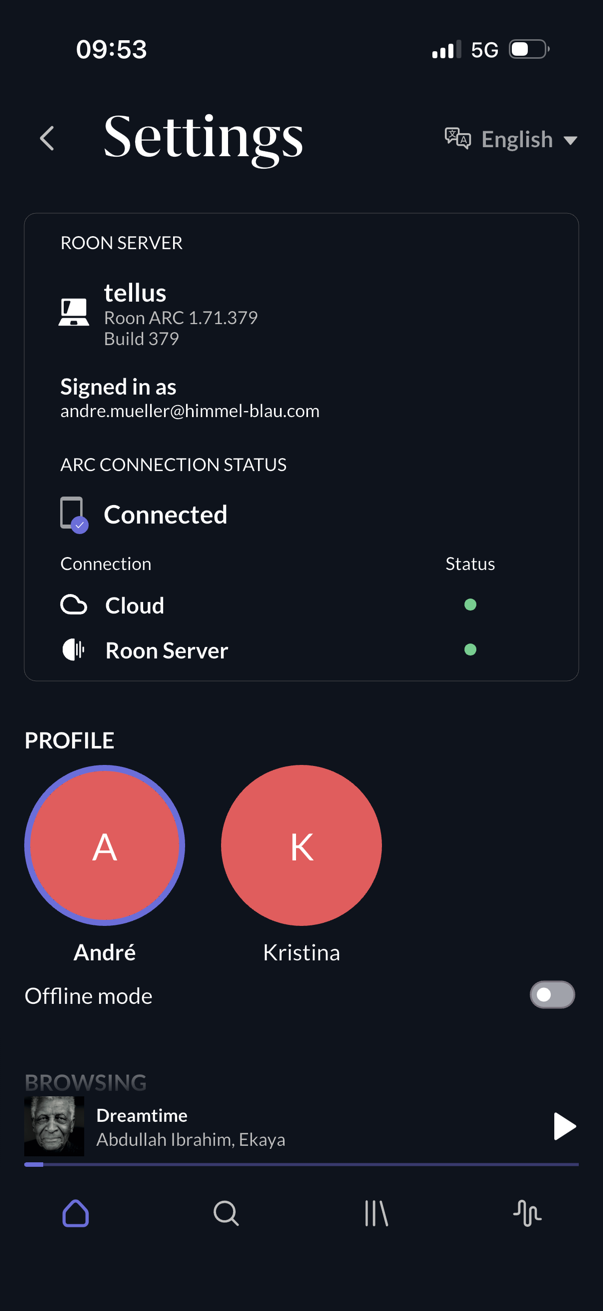
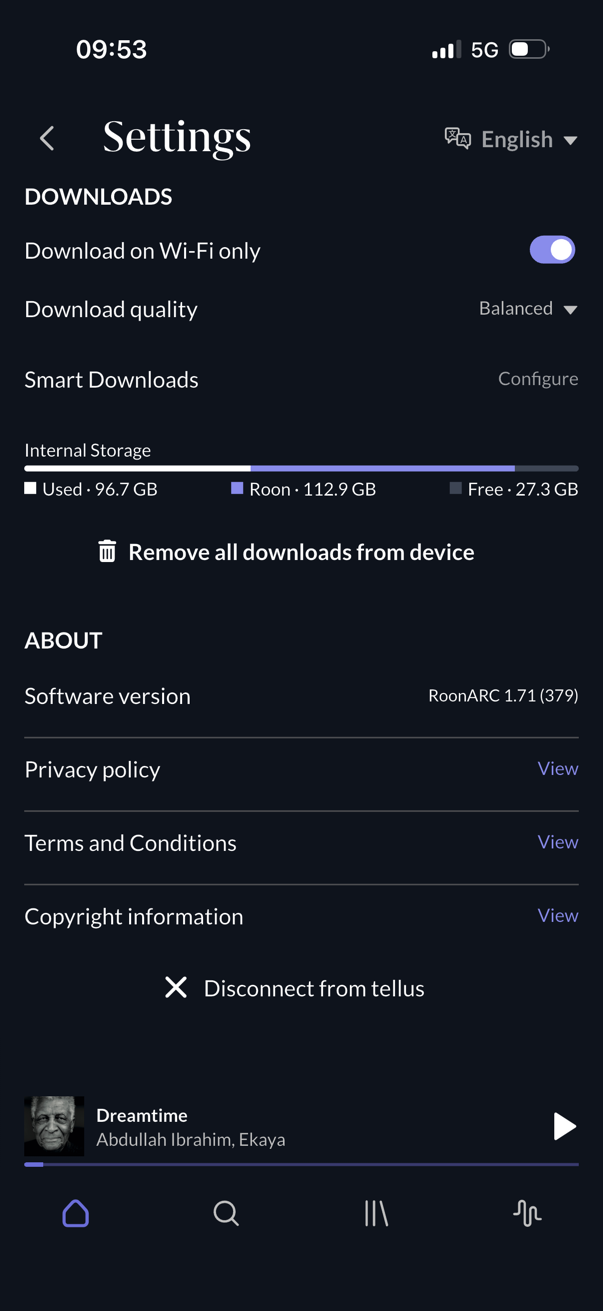
Please share a screenshot of the Status → Summary screen (including build number) in your ARC settings page. Development needs to confirm a few details we haven’t reviewed in this conversation so far and that will be the simplest way to do so.
I know you’re resistant to changing any Opnsense settings, but it really sounds like the persistent HTTPS connection between ARC and your server is become stale. Is Suricata enabled in your Opnsense settings? Have you tried creating an identical rule to your port forwarding rule there? Try setting any firewall optimization settings to conservative or similar, if those settings are available.
Thank you again - sorry my text message was deleted by uploading the images:
We do not use Suricata or any other DPI on the OPNsense router/firewall.
There is no firewall optimization active and/or enabled.
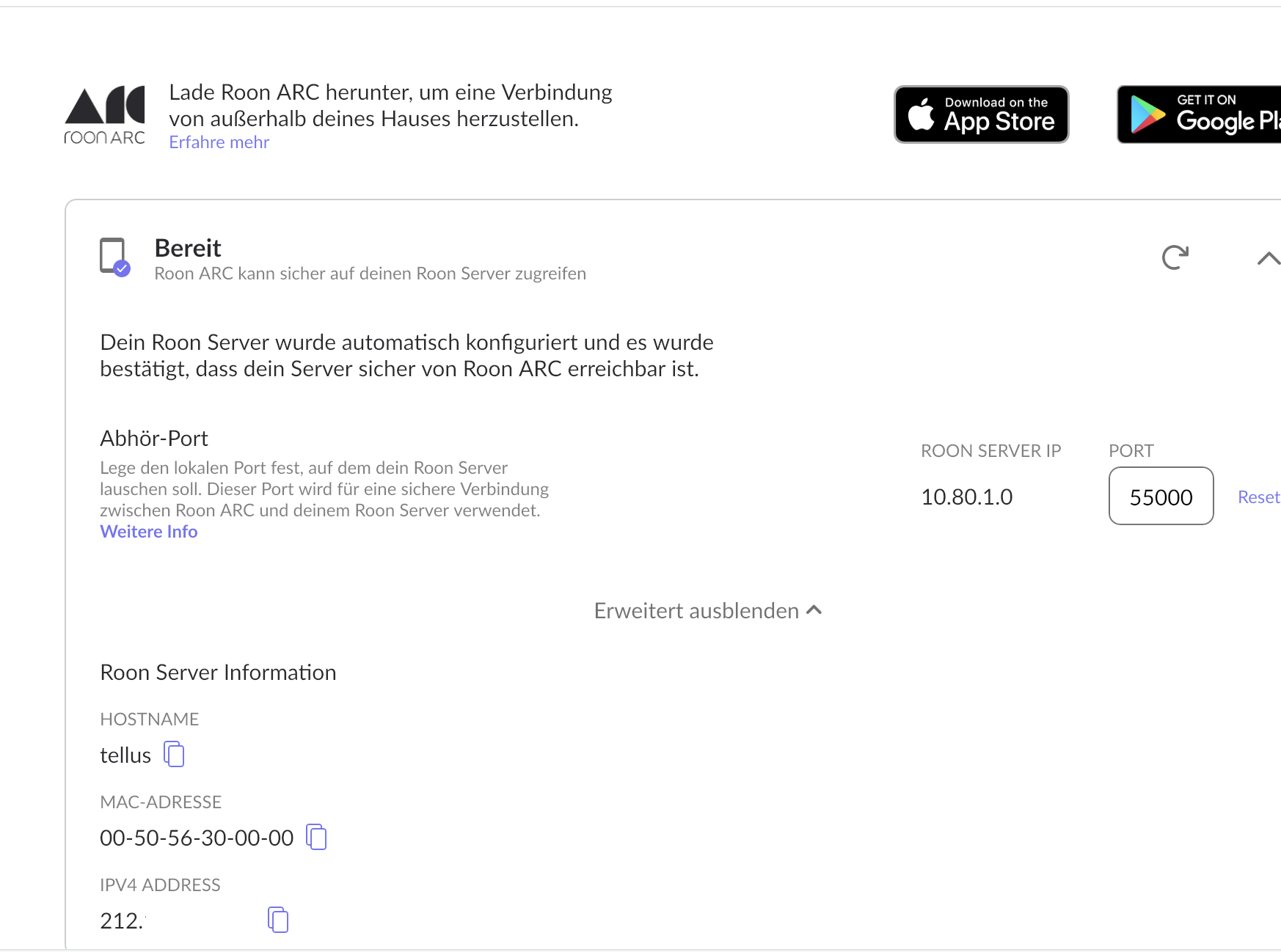
The firewall rule with port forwarding 55000 to the internal/local static IP of the server where the Roon Server is running is on the very top of other default firewall rules.
We update our OPNsense router/firewall base regularly when updates are available (1-2 times a month) and the ARC Roon issue has absolutely no correlation with OPNsense updates.
Just to make sure we fully understand the scope of this behavior, could you please clarify two points:
How often does this ARC issue occur in practice (for example: once every few months, once a year, etc.)?
When ARC enters the state where it reports
3.“Your Roon Server is online but there’s an issue that’s preventing access”*,
4.how long does it remain unable to connect to the server while you are back on the same local LAN/Wi-Fi as the Roon Server*?
Specifically, does it ever recover on its own after some time on the local network, or does it remain disconnected indefinitely until ARC is reinstalled?
Thanks — this will help us better characterize whether this is a transient connectivity failure or a persistent client-side state issue.
To 1) The issue occurs 1, 2, or 3 times a year. We have now used Roon for 2 years. I think in this time the issue occurred 5 times. Having to uninstall and reinstall Roon ARC is only the “smaller” aspect of this “cumbersome” issue, but the most “cumbersome” aspect is having to redownload all library music files again to all affected devices (thus for all devices connected to the same Roon Server), actually 200GB. For that reason, being on a journey (long or short) it is not an option to redownload the music library over a “weak” Mobile connection (mostly also with roaming data limitations).
To 2) In the state of the issue with Roon ARC by returning/being back to the same local LAN/WIFI where the Roon Server “lives” the issue persists, and the above message of Roon ARC remains for all devices the same. But at the same time, the Roon Server is (still) working correctly for all “normal” Roon Client Apps (iOS and macOS). And the “normal” Roon Client App for iOS is working correctly on the very same iOS devices, where Roon ARC has the issue and is not working also on the local WiFi. Thus the issue is not reversible by being on the local WiFi, even if the normal Roon Client iOS app on the same device is working correctly. In this issue, state it does not matter if the iOS device(s) are restarted (shutdown and startup); neither can the issue be resolved by restarting the Roon Server service or rebooting the Linux Server where Roon Server is installed. In this state on the Roon ARC app it is only possible to disconnect/forget the connection to our Roon Server, but that implies losing all already downloaded music library files too. As I mentioned before, there is some time correlation of issue occurrence with pending updates of the Roon Server (Linux) software; we had until now set to manual update process (switched now to automatic). Thus, returning from a journey and having the issue with Roon ARC, I suppose there’s often a pending update for the Roon Server software showing up in the local Roon Client App for macOS (the only way to make happen the software update on the Roon Server on Linux). Being remote and connected by VPN to the local network, where the Roon Server is in, there is no way to execute/start the update of the Roon Server software from within the remote Roon Client app (macOS), even though the Roon Client app knows the local IP and FQDN (resolvable globally). We apply all available iOS apps updates regularly - once or twice a week. Thus, installed Roon ARC iOS apps should always be up to date and potentially ahead of the Roon Server.
In the following I will post a Roon Server log extract from the last occurrence of the issue:
We noticed the Roon ARC issue as described remotely on two iOS devices.
Returning and connected with the local WiFi, both iOS devices had the same issue with Roon ARC as beeing remotly (even restarting the iOS devices). Also, all other iOS devices not being on remote had the same issue.
At the same time, Roon Clients on macOS worked correctly, and also on the iOS devices.
Roon Client app for macOS showed a pending update for the Roon Server software and also for the Roon Client macOS as the updates always show up at the same time.
This time for testing before updating, we restarted first the Roon Server service without any effect on the issue, then we also rebooted the Linux Server where Roon Server is installed (no change of IPs etc as there the IP is static) without any effect on the issue.
We installed the pending update for the Roon Server software, with no effect on the Roon ARC issue. We rebooted again the Linux Server with no effect on the Roon ARC issue.
We also tested before and after point 5 and point 6 in the Roon Client app (macOS) the Roon ARC reporting information at least twice, and it always reported that the Roon Server should be accessible remotely by Roon ARC.
Thereafter, we deinstalled and reinstalled the Roon ARC app on the first iOS device by having to relogin to the Roon account. Roon ARC immediately connected to our Roon Server and downloaded all information from our Roon Server (playlists, profiles, etc.) and also began to redownload library files after starting it.
On the second iOS device with the persistent issue, we switched off WiFi to be only on mobile connection. Checked that the issue still persists (even with a reboot of the iOS device). As the issue persisted, we deinstalled and reinstalled the Roon ARC app (obviously having to delete also all library downloads), and after the relogin to our Roon account, the Roon ARC app connected directly to our Roon Server.
The Roon Server log extract shows the moment after point 6 to 8. There were no peculiar entries until point 6 and unfortunately, Roon ARC connections are not shown explicitly, but there are log entries that show starting/ongoing library downloads from Roon ARC devices.
Thanks for sharing those details and apologies for the slow response here. We’ve forwarded your findings to the ARC team for review, once we’ve had a chance to discuss this with them, we will reach out once again, thank you!
This thread has obviously gone too long without a stated conclusion - please allow us a chance to sync behind the scenes with development and we’ll provide a more detailed update as soon as possible.
I wanted to report back, that actually with Roon-ARC (iOS 26.2.1, Roon-ARC 1.71.379) and Roon-Server (Linux, 2.58, updated just today) we did not have the issue “Your Roon Server is online but there’s an issue that’s preventing access” about “corrupted” downloads. Roon-ARC is working quit well.
But just want to report another strange thing with Roon-ARC in relation to our internal Roon-Server (Linux) I noticed today for the first time. Starting-up Roon-ARC on an iOS device from mobile (5G) connection (external network) works fine. Starting-up Roon-ARC on an iOS device connected by Wifi to the same local network where the Roon-Server is in (connected by Ethernet) tears down the Roon-Server twice in sequence of 5 seconds and also disconnects all local Roon-Clients (MacOS) while Roon-ARC seems to work by updating its list. After this event local Roon-Clients (MacOS) have to be restarted to get a new working connection to the Roon-Server.
Best regards
P.S. the same issue (tearing down the Roon-Server by starting up Roon-ARC on iOS in the same local network) also with Roon-ARC 1.72.384).