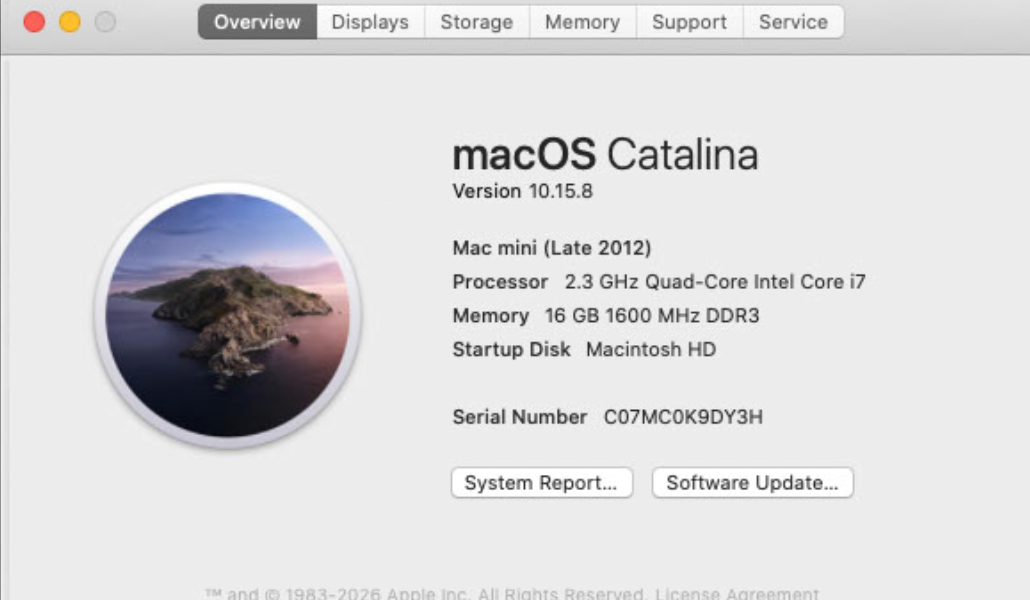
· I have been running Roon Core on a Mac Mini 2.3 Ghz Quad Core Mac Mini with 16GB of RAM. I can't upgrade the OS beyond Catalina (10.15.8).
Since the latest update roon server not only no longer works, but I can't even seem to find the server app on the computer.
I've downloaded and installed "Roon-pre-2.65.dmg" which I think is really designed for the client side. The roon app will no launch but there is no instance of roon core running.
Please advise. I'd prefer to not have to upgrade hardware for obvious reasons.
Tell us about your home network
· I have a 1GB fiber connection that connects to a Ubiquiti UDM-Pro (router) and there are 3 ubiquiti APs throughout the house. I also have a MoCA box that services my bedroom so connectivity to the roon client and smart TV is NOT over wireless (typically 300-400Mbs with low latency).
Unfortunately, You seem to have become a “victim” of the new Roon requirements for MacOS. What follows is a quotation form Roons release note of the new update.
“One important note: this release requires macOS 12 or later on Mac, and on Linux requires glibc 2.27 or later plus OpenSSL 1.1.1 or later. If you missed our earlier announcement and want to check whether your system is affected, more details are available in this post.
For Mac users who are not yet able to update to macOS 12 or later, we’re also making a pre-update installer available as a temporary option. This version will not receive future updates or security fixes, and may become incompatible with current Roon Remote or ARC versions over time. You can find the installer here.”
I am afraid that in the long run You will have to upddate Your hardware. The cheapest solution now might be too look for a second hand Mac mini with the new Apple chip.
I am sorry for not being able to give You better news.
Thanks for the response. I sincerely hope my situation is unique and that Roon hasn’t effectively bricked everyone running Core on an older version of macOS — but I suspect I’m not alone.
I spent 15 years as a programmer and ran a couple of small software companies. In all that time, I cannot imagine releasing an update that rendered existing, functioning systems completely unusable without screaming that fact from the mountaintops. This is completely unacceptable. At any of the companies I was involved with, something like this would have had serious consequences for the people responsible.
I understood that future releases would require updated hardware — that’s a reasonable enough roadblock. What I never anticipated was my existing, working installation being effectively bricked by an update. I expected to upgrade hardware eventually, not to lose functionality on the system I have today.
And if the auto-update was going to do this, a single conditional check — something like “if OS < macOS 12, abort upgrade” — would have been trivially simple to implement and would have saved a lot of people a lot of grief.
I was also aware that Roon had made a pre-update installer available as a temporary fallback, and I assumed that would at least keep me operational while I sorted out the hardware situation. At this point I’m wondering if my specific issue is actually with the pre-update installer itself rather than the main release.
On a related note, thanks to Anthropic and OpenClaw, even second-hand Mac Minis are getting hard to find at a reasonable price. When I first saw the compatibility notice, I figured I had a few months of runway before the next Mac Mini refresh (likely this summer), at which point I planned to pick up the new model and repurpose my current M4 Mac Mini which is currently serves as my HTPC. The current roon core Intel i7 mac mini lives as a dedicated roon core device on my equipment rack.
That timeline now feels a lot more urgent than I’d planned for. Hopefully my issue is an isolated one and look forward to a formal response from the Roon dev team.
BTW … I am aware that I could possibly try using OCLP to upgrade my Intel based Mac Mini to a later version of macOS, but given some of the issues I’ve heard about OCLP I’d prefer to make that a option of last resort.
I have been a Roon customer and you could say I’ve even been a bit of an evangelist for the product for the last decade. I’m hoping my issue is somewhat isolated. If not, I’ll likely be reconsidering my use of Roon.
Let us put it this way: sometimes you can see that Roon is a small niche software company.
Have you tried the download in my link to the relese note. If you open the linke (here) a download starts with a pre 2.65 system. I think at least this will help you out till the new Mac minis are released this summer or early fall.
BTW: I am waiting for the release too. I am visually disabled and my budget is not that big. Up to now I have been using a 2017 Intel iMac. However, MacOS 13 is the end of the line for it and some apps are soon to lose support (i.e. Amazon Kindle, which I use a lot). My main problem with the contemporary iMacs is that the cheapest model only offers 2 Thunderbolt connections (a joke IMHO), so I think about a Mac mini.
@Stefan_Kernen … They may be niche, but they are now owned by Samsung so it’s not like they couldn’t gather the resources. I ran far more “niche” companies with a handful of developers and we would have never done anything like this. There are some basic “best practices” that are exercised by even the smallest of software companies.
I believe the download you’re referring to is the pre-update installer which I have installed. It appears to address things on the client side (i.e. Roon Core still doesn’t appear to be working).
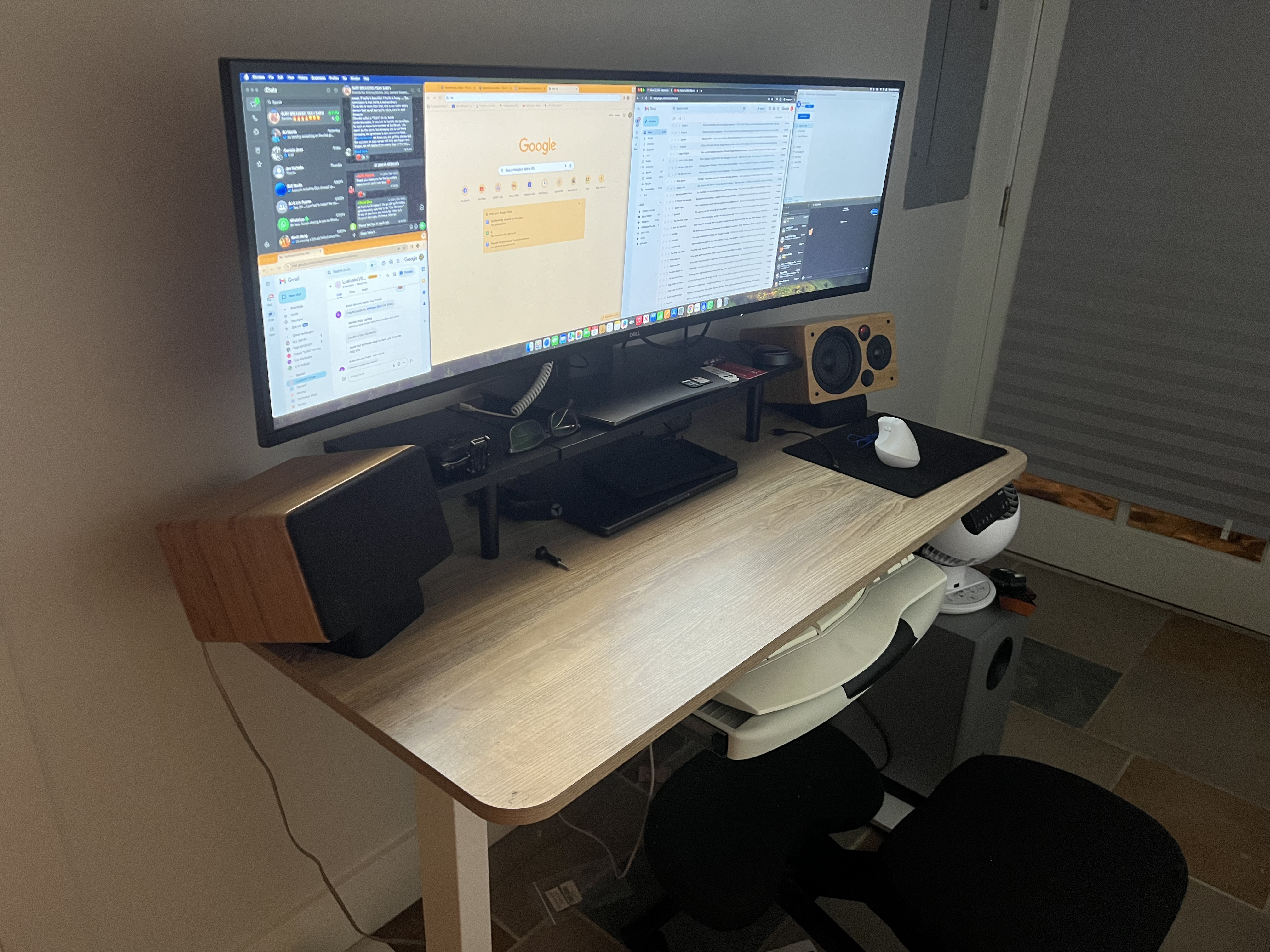
Appreciate the feedback. If the newer Mac Minis are still priced at USD$599 they are still an amazing bit of hardware for a very low price (provided you can get one). You can likely pick up a really good used monitor on FB Marketplace, etc. and save a some $$ (and have a cheaper upgrade path in the future). I picked up this 49” display for less than the cost of a new Mac Mini. Hope it serves me for years to come.
And IMO you certainly did not overstay your welcome! Appreciate the response/feedback. Have a good night!
Your frustration is understandable, and your point about the update rollout is fair. We’ve raised our minimum requirements to MacOS 12 for both security and stability reasons to keep pace with industry standards for background network applications.
The pre-2.65 installer is a client-side package and won’t restore a functioning Roon Server on your Intel Mac Mini. It’s a stopgap for Roon Remote on machines that can’t upgrade macOS, and we recognize that wasn’t communicated as clearly as it should have been.
If you already have a Silcon-based Mac in your setup, that device is fully supported and performs far better in our own internal testing as a Roon Server than the older Intel Macs.
@connor thanks for the response, though I have to admit I’m baffled this happened. If users couldn’t control Roon from a old mac, I can’t imagine 99% of users wouldn’t have another device (a tablet, a phone, a newer PC) to control Roon. Roon Core should have been prioritized over the client given the implications. This strikes me as an incredible oversight.
But that ship has sailed so moving on …
Unfortunately, since the prior Roon Core is no longer accessible, I can’t even follow the instructions in the link provided to “migrate your Roon Server … “. I can’t create a backup database, etc. before migration.
And yes, I do have another M4 on my network, but given that device is used by the family for video/photo editing etc., having Roon Core running in the background would affect both those efforts and Roon, so I’d like to avoid that for the time being.
I’m more inclined to pickup a used Nucleus (which I assume Roon won’t brick at any point) or a cheap NUC to install with ROCK if I continue to use Roon.
If I do find suitable hardware to migrate Roon Core to, please advise what files/directories I should save so I don’t lose my playlists/internet radio stations/etc. On that note, if I migrate to another OS (ROCK, debian, etc) can I do so without losing my data (playlists, internet radio, equalizations, etc.)?
I had some issues with my backups (they weren’t current) so I really wanted to do my best to get the Mac Mini back up and running first, then convert it to DietPi.
I bit the bullet and installed OCLP which wasn’t difficult but horribly time consuming (it took nearly 4 hours total). Brought it back to life and all configuration info was intact. I started playing music with the revived core, but for some reason I was getting horrible drops and network errors. Didn’t matter whether I was streaming from Tidal, or using local files on my SAN (which is connected by 10GB fiber to the router which is connected to the Mini by 1GB ethernet). Some of my endpoints (I have about a half dozen ranging from microRendu, rPI, and 3 different Wiims). The endpoints on both of my main systems are also on 1GB ethernet. I’ve got some pretty decent network tools and everything on the network appeared to work great … it was just the mini having issues.
After a few restarts (a result of taking the mini to a physical desktop to configure initially with keyboard/mouse/monitor before placing it back on the rack) the problems seem to have disappeared. Today I was able to stream to all my endpoints flawlessly so I’m assuming there may have been an issue with the ethernet driver/etc. on the mini that is now resolved.
So far I’m back in business. I did download and prepare everything for the DietPI install but I’m thinking “if it ain’t broke, don’t fix it”.
Glad to hear you’re fixed. It sounds like the Mac Mini is back in business, and if everything is now streaming cleanly to all of your endpoints, there’s no need to rush the DietPi move unless you want to. Enjoy the music, and we’ll go ahead and close this one out.