There is a new version 0.8.0-0 available on GitHub and Docker for testing.
Main new feature 2-way control of AVR zones
Multiple other performance and stability enhancements and refinement of the AVR interface
I realize this has taken longer than anticipated but I am really pleased with the result - I hope it works for you.
Update instructions are as normal. You may want to let this overwrite your existing config file and reset or try the instruction for loading to docker.
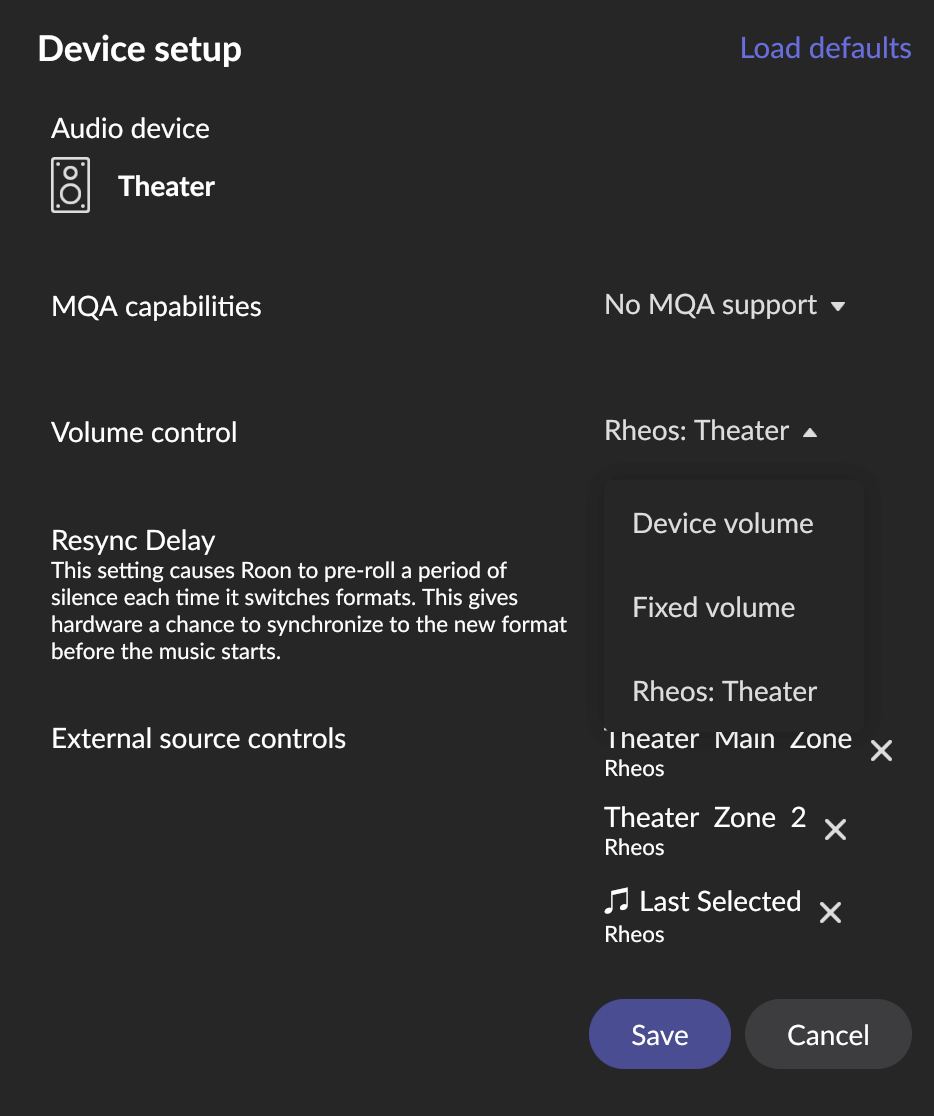
Please update the source controls on your AVRs - “load defaults” and select the new controls that will be available if things work on your system as planned - Main Zone, Zone 2 and Sound Mode should be available for each of your AVRs.
In addition a control “Show Fixed Group Loading Status” is available. Do NOT add this to an AVR but it is helpful with fixed groups to give feedback that the device is about to play - but may take a moment as it is forming the pre-specified group.
I have only tested the AVR functionality with my SR6013 so will be happy to receive information on other models and how it worked with multiple receivers on the network.
I am hoping that we should be able to upload this to extension manager with minor bug fixing only.
Thanks to those of you that are willing to beta test and help me further improve this. Over 3,500 downloads to date …
installed last night and have been using it since.
I did follow your advise and use the RESET in your settings
no crashes, works very well
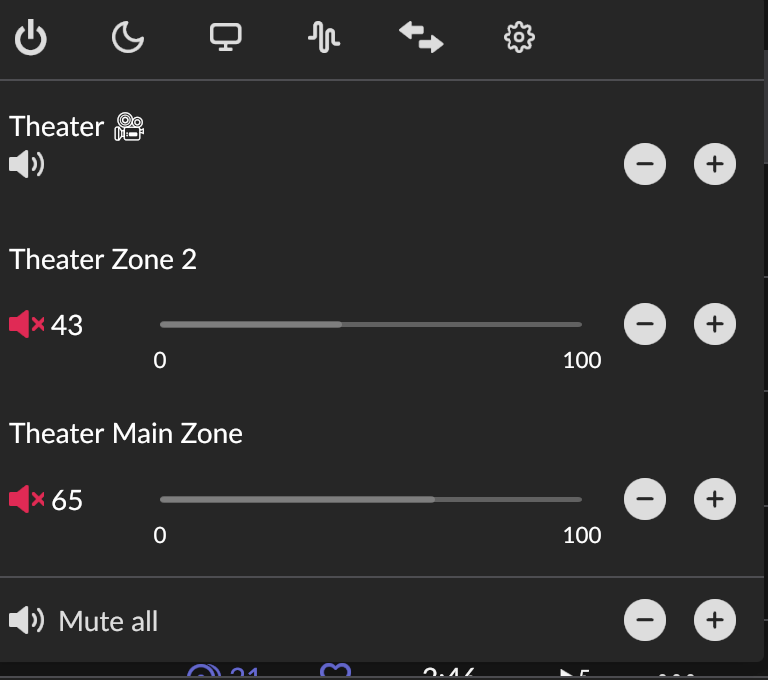
I see one issue - I cannot MUTE a device in the volume control. I can adjust volume but MUTE does nothing [in the past vol/mute controls not working would mean i have two versions of your extension enabled in roon and/or I need to reboot your docker – in this case, I have not rebooted since installing your container and vol works]
I have tested grouping etc - no issue other than mute to date…
I started testing the Zone feature - upon activating the feature, it did turn off my AVR (no biggie) - I have some testing information I will send on the other thread to not clog up this one - nothing is broken, just a bit clunky for me.
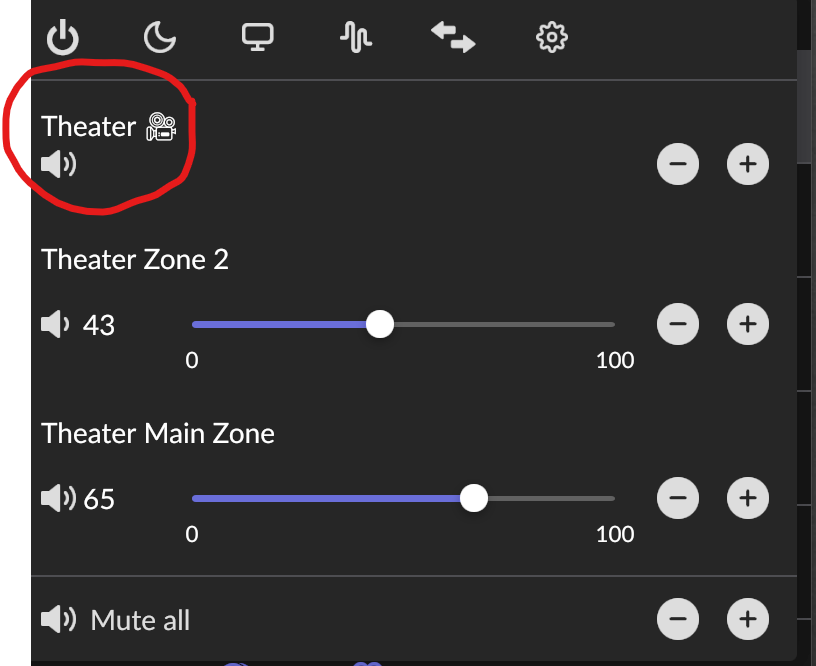
Selecting the top “loudspeaker” (circled) will toggle mute on both receiver zones (Main and Zone 2). Selecting an individual zone will toggle only that zone. The “Mute all” at the bottom turns mute on for all zones in the house. They then need to be turned back on individually (default ROON behavior).
Let me start off by saying that I am windows literate. However, when it comes to anything else I am totally illiterate. I don’t even know how to extract items from github let alone understand why it’s used. It makes no sense to me. All it does is open up links to other links. To me a lot of the information in some of the tutorials I have read assumes you know something about python/coding/ and some advanced command prompt knowledge. I know this is a longshot but is there a video tutorial for doing what needs to be done in order to make it work. I had installed node/git/SDK add on, but it is greek to me.
Worked on stability and simplification of key code. Seems to be a further improvement - particularly in Zone control, two way volume and muting.
I am waiting to see if the occasional “network failure” will be fixed by a firmware refresh of my Marantz 6013. I noticed that the Marantz remote app also failed when this occurred and it seems there is a known bug.
Please report any failures or if the app appears to lock up. I see this occasionally when switching between controllers and moving around the house to different access points with my iphones - but hard to pin down. May be specific to my set up. Holding off full release until I can establish cause.
Also tested using the AVR remote directly for volume and muting as well as play and pause. on my SR6013 Full feedback to the ROON app with no issues - so I would expect this to work for the 40N - I will need to hard code this if there is still interest in anyone testing it on this as a stereo amplifier?
Meanwhile I’ll continue to refine this and think about how to bring what is now working quite nicely on the AVRs to this type of player. I think the codes will be the same, but will try and investigate.
It’s not looking good, they replace the part they thought was the problem and still has same fault. If they can’t fix it within next 3 weeks I can get a replacement unit which is looking more likely. Not impressed with Marantz replacement policy as after 30 days they only repair and mine was just two months old.
Version 0,8.2-2 is now uploaded to Docker, GitHub and NPM.
I squashed this bug amongst others I found on testing. Now running stable on my systems.
Multiple small enhancements to fixed groups, fixed group volume control and the reliability of the AVR zone controls.
This looks stable enough for me to release as the next Beta version for general use including on the extension manager. Ill update the read me and will move ahead if I don’t hear from the “alpha testers” that there are unanticipated issues.
Thanks to each of you that have given feedback. Greatly appreciated.
update:
I separated my stereo 150 pair (for a different reason). I can adjust the volume on the heos 150 device.
also note: when I update the docker image and re-setup your extension, I always set the default device to my Marantz AVR. (just trying to give you information that is different in my config from your testing) and I set the roon extension host IP.
all devices are set to PASS THRU and i turn on:‘send metadata’, ‘send cover art’ and ‘flow mode’