When I go to Device Setup this is what I get:
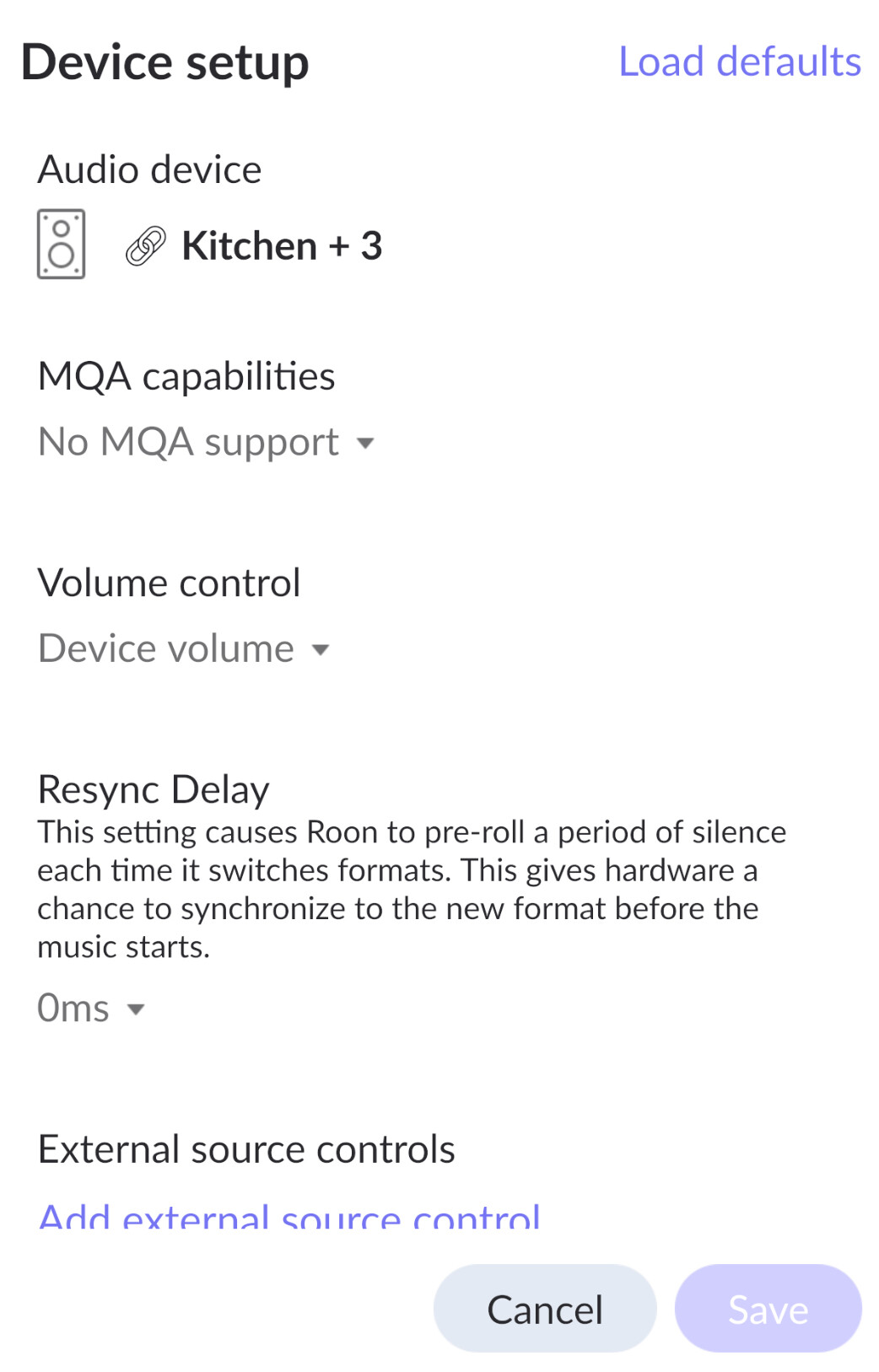
Ok - that looks like you have a group of players.
Ungroup them (Id start with using the HEOS app to do this) and you should get the individual ones.
I assume you have a player named kitchen.
I have nothing named “Kitchen”. Not sure why that shows up?
I would go into fixed groups and delete what is there first, save, edit, turn off fixed groups, turn off zones…
lets start with basic seteup
also, screenshot of the player section expanded if possible?
a few other things:
-
under extensions - authorizations… what is there?
-
in upnp settings… scoll to the bottom and screenshot what is there…
1 Like
Go to the settings → audio and under the squeeze devices section show me what’s there. please.
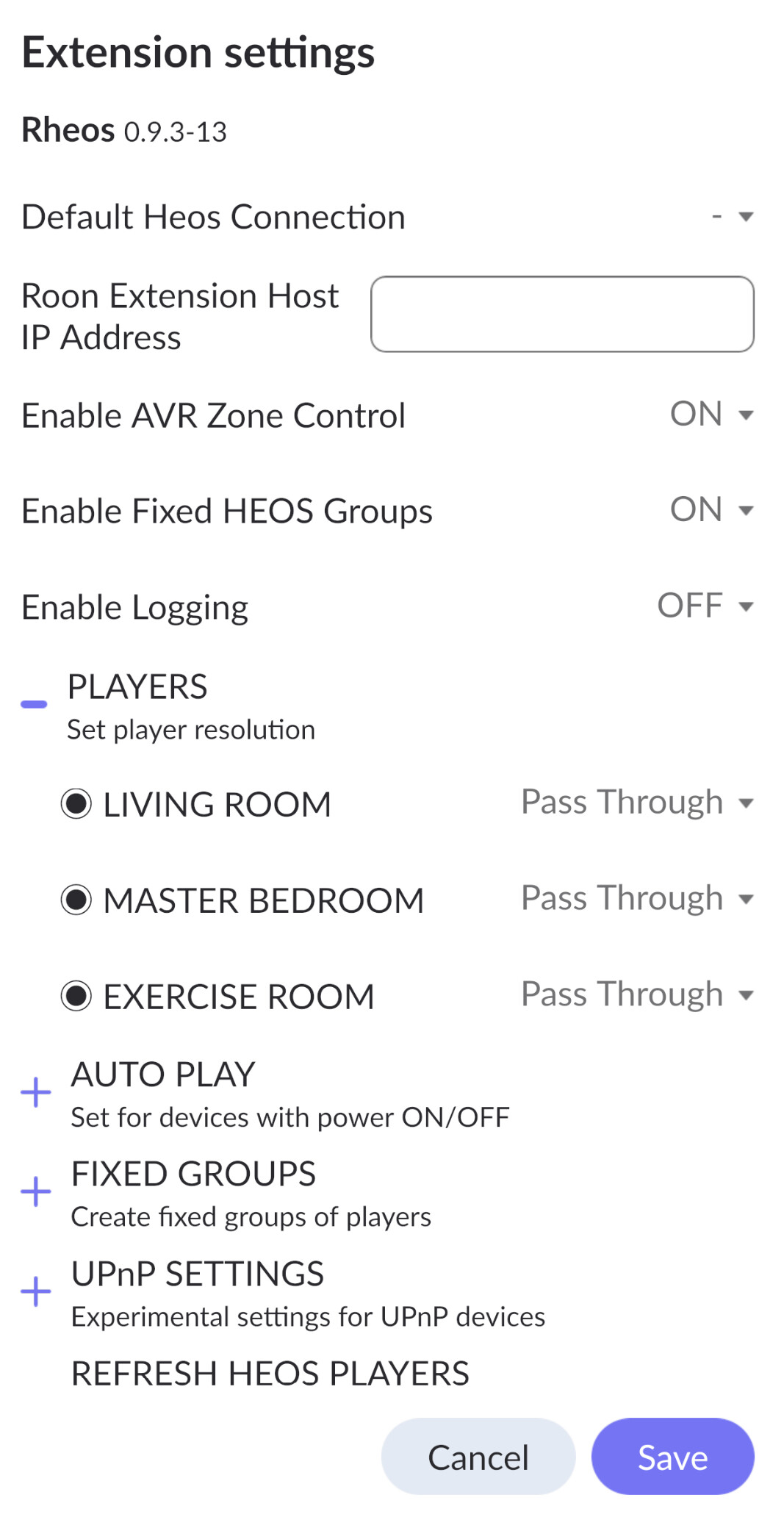
@peter - curious, in the coding for roon extensions, you can obviously create a popup - is there a way, while the settings is open, one could click a button and you grab the working data and write to a popup… then we could copy/paste it… and use it here…
I wish. What’s possible there is extremely limited and fragile to code!
This looks fine. Are you able to play to these devices? You may need to enable them in settings → audio …
And sorry I may not be clear this is ROON settings. Click on the cog at the top of the roon page …
Out of interest, can you also look what happens when you look under fixed groups…
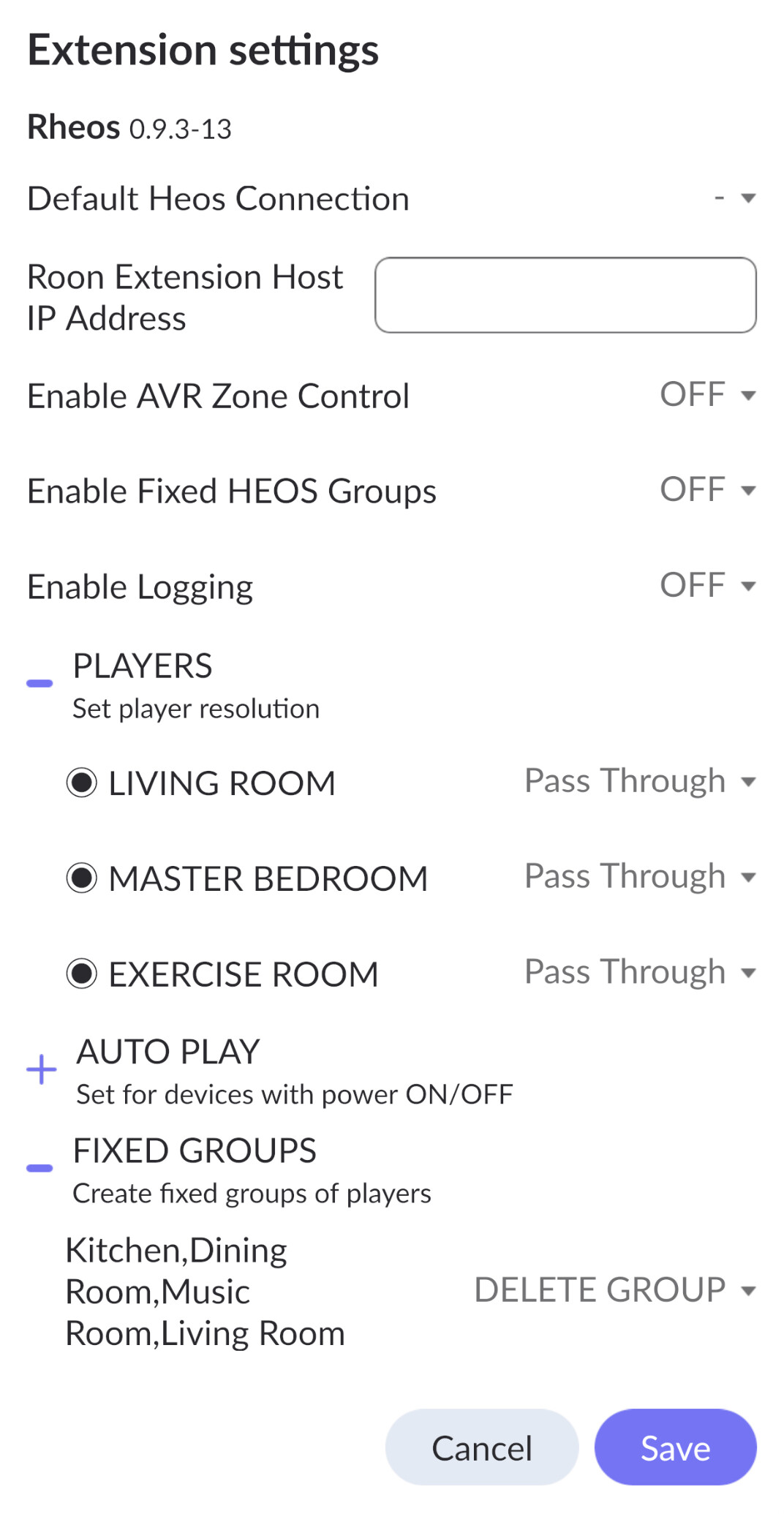
Select delete group and save.
You must be picking up an old configuration file and this has a fixed group.
What command line are you using or are you using Patrick’s xml docker config file?
1 Like
I think I you may have got me across the finish line!
My wife is ready to for dinner. I will report back later.
Thanks to everyone for your help!
1 Like
I will be flying home tonight so let me know how you get on.
By the way, I got the exact same Kitchen+3 showing up on the new version. I don’t have a speaker named “kitchen”… I tried a reinstall, cleared cache, etc, and nothing killed it. I didn’t ever see a DELETE option but it also didn’t hurt anything.
Here is what happened to me… I installed the 0.9.3-13 version yesterday afternoon and I saw the Kichen+3 under audio as my only speaker. I cleared the roon cache and may have rebooted, and the kitchen+3 stayed but the rest of my speakers appeared. Everything is working but this phantom speaker group hung around until about an hour ago.
That’s helpful.
I must have something in the docker image,
I will look when I am back.
Otherwise working?
It seems ROON caches some of the devices. I create a virtual squeezeplayer for each fixed group and store the info in the config file. The info on this remains even if deleted - so it is easy to restore and you don’t need to reenable the fixed group. Keep a watch on this and I will see if I can make it can be destroyed on a clean install.
1 Like
Crap… may have spoken too soon. My Ubuntu server is now at 99.3% memory utilization and rising. 94% is roon server. Anyone else see this?
Is it indexing your library? This can really increase usage…
No indexing. I have 4700 tracks and it indexed this in about 5 minutes after the initial install. I just want to cry… It used all ram now and the swap file is growing like crazy.