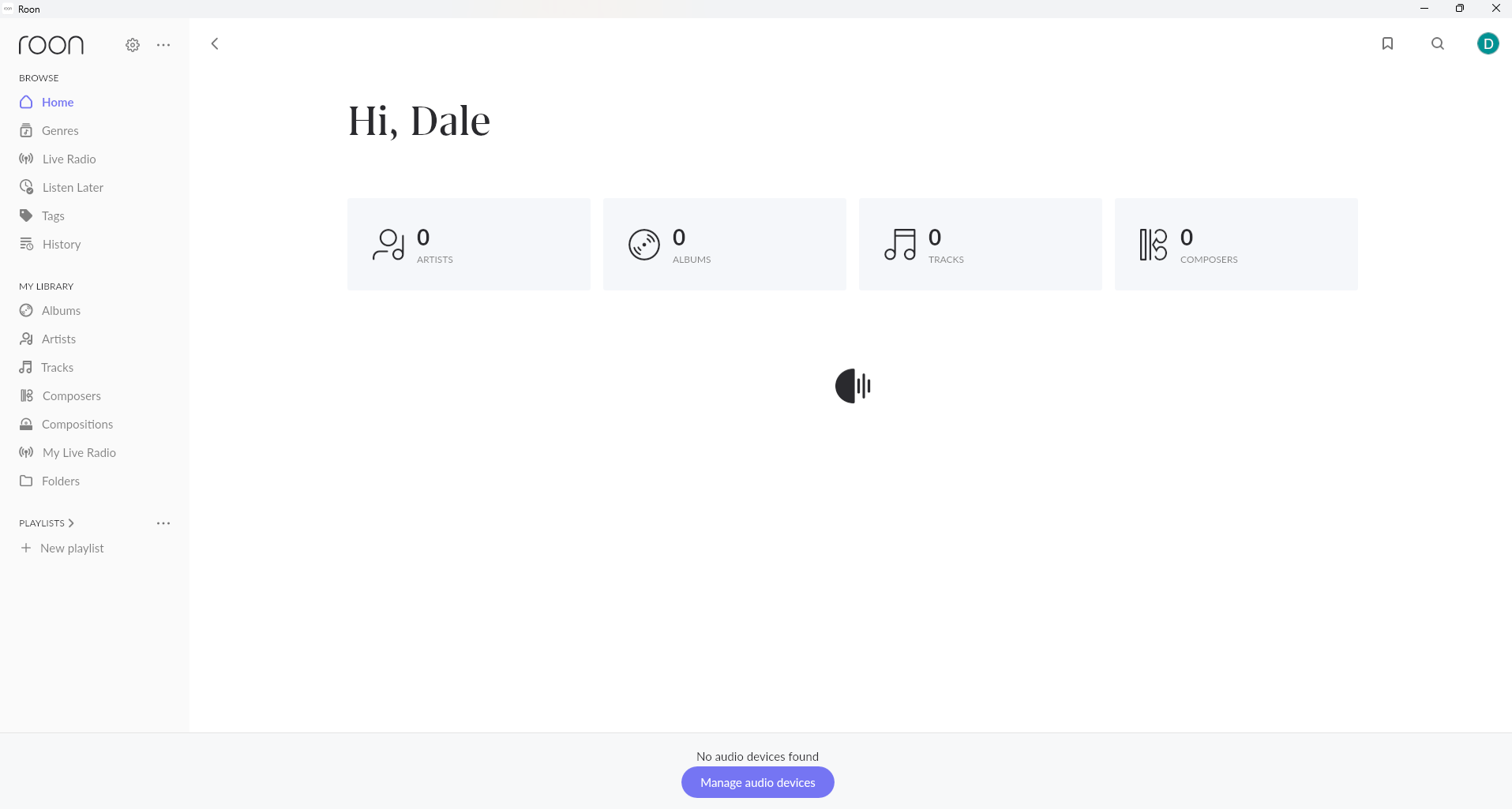
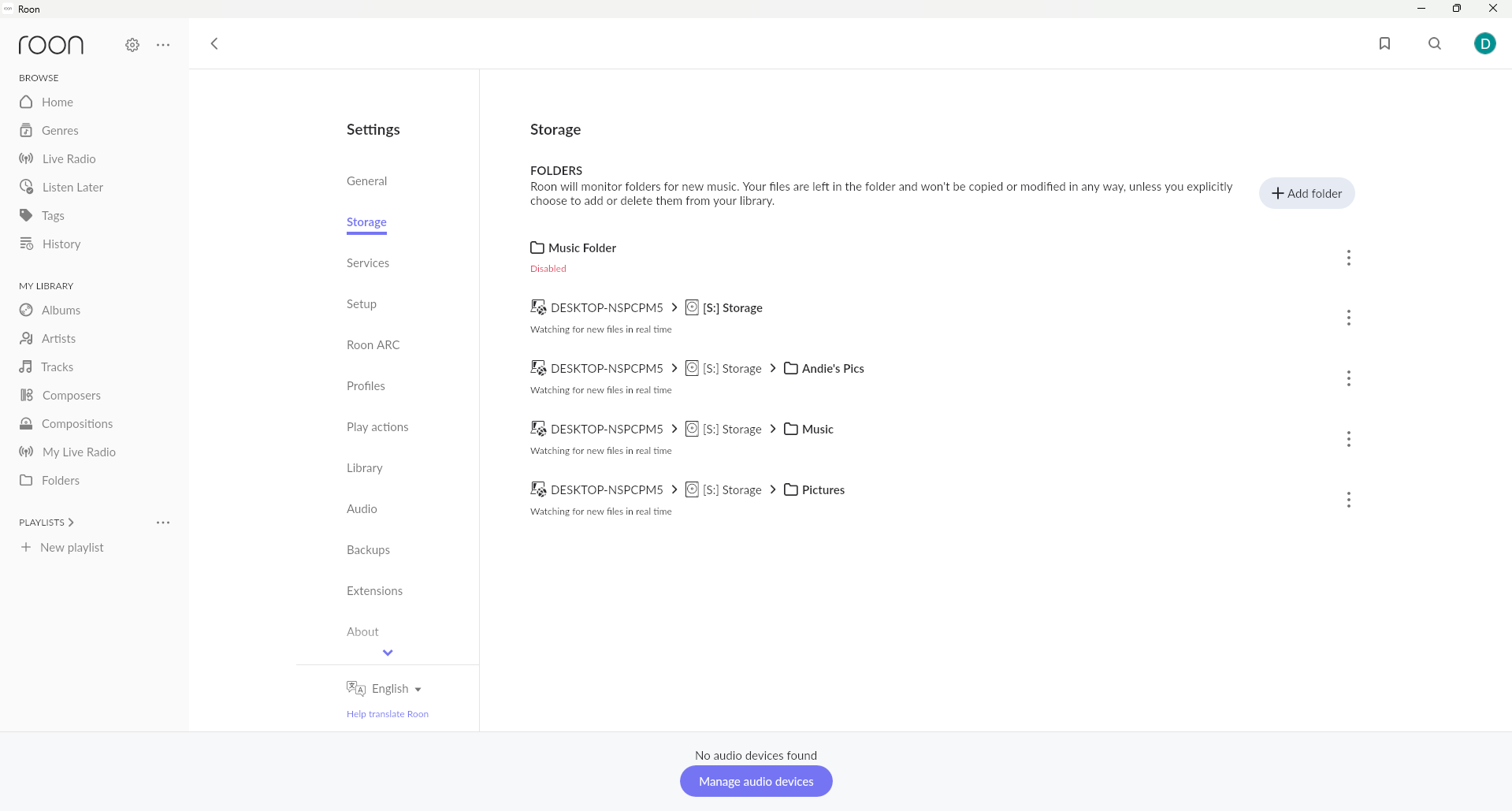
I'm running Windows 11 on local computer with Rune and Rune server Running. Music is located on local hard drive. After running Rune for a couple of Days Rune can't find music or audio devices. The only way i have been able to resolve is to uninstall Rune and Rune settings. Reinstall and setup everything works for a couple of days before failing again.
Thanks for sharing the details. A couple of clarifying questions:
Do you put your computer into sleep/hibernate or power it off between sessions?
Does the issue appear after resuming from sleep/power on, or even while the machine stays running continuously?
We’ve seen similar symptoms when Roon Server starts up before the network interface is fully ready. In those cases Roon may fail to see audio devices or local/streaming content. The good news is that you don’t need to reinstall Roon each time — simply restart Roon Server from the tray icon and it should recover correctly.
We’ve already reported this behavior to our R&D team for further review, but in the meantime restarting from the tray is the best workaround.
We would recommend you to remove the entire disk S from watched folders first.
Also, please remove folders with pics if you don’t store music there.
Please let us know whether it works with only “S:/music” enabled (please hit “Force rescan” if music does not reappear automatically after you change watched folders topology)
Hi, i have remove all locations except s:/music i have used force rescan and re started the computer with no change. There is about 5tb of music could that cause an issue.
It has been some time since our last correspondence, we wanted to check in with you here, are you still experiencing this issue on the latest version of Roon? Please let us know when possible, thanks!
Thanks for replying
No it is still happening.
For context,I’m an old man (65) with very limited computer skills.
My local computer store has been trying to help me out.
Every two weeks or so they have to uninstall and then reinstall Roon for it to fully function,very annoying as it’s been happening for over a year now,not to mention the cost to me.
I’m a life time member having signed up over 5 years now.
At first everything was great,loved everything about Roon.
Then roughly 12 months ago it started to skip songs halfway through,initially I thought it was a dud file,but it played through fine next time.Things got progressively worse,it would miss multiple songs then freeze and stop.
Then next day there would be nothing at all,telling me I had nothing in my library.
Every time I update as per Roon update requests it disappears again.Also when Microsoft updates I lose it.
Just so you know it’s not my gear.
I upgraded my modem hoping that helped,but nope.
I also spent $4000 on brand new top line equipment,3 months ago kind of hoping that would fix the problem.
The most telling part is I’ve spent the last 5 years cataloguing my files,all 9 terabytes,(yes I have a pretty big collection)
I can’t lose all that work,I love my music and since retiring I listen to it every day for hours.
We have tried delaying updates but that doesn’t help either.
After 10 days I can’t use my keyboard for “next song” or pause, I need to actually point the mouse on a specific song to work.
Then 2 to 3 weeks it’s all gone again.Back to uninstall and reinstall.
So frustrating,I can’t do what I planned on doing in my retirement.
I’m desperately hoping you geniuses can sort this out.
Sorry for the long winded reply,hope it helps.
Thanks again for the reply
Dale
Thanks for your reply,
Just so you know I updated as per Roon request but again lost everything again.
Had to get it uninstalled and reinstalled again.
Sooooo frustrating
We’ve recently identified an issue related to devices disappearing, which should be resolved in the latest Roon production build. If you’re still experiencing this behavior, please reboot your system several times and share the exact timestamp of the next occurrence. This will allow us to collect additional diagnostics from your account and better understand what’s happening.
Regarding selecting the next track via the keyboard — this behavior is typically controlled by the Windows system itself. It’s possible that another application is intercepting the media key signals first. Please make sure all other music players are fully closed, then try again.
Thanks for your reply,
Yes still having problems,with new ones popping up.
This time the length of song bar on the bottom of the page no longer works.
Also I used to use my ipad to control roon,but that doesn’t even show up the ipad screen.
Just before your last email I had the computer store uninstall and reinstall roon which cost me $50,so I’ll keep it going until it totally freezes.They actually reinstalled the newest version but still problems persist.
Can’t afford $50 every couple of weeks.
Now you asked me to advise the timestamp of the next occurence.exactly what do you mean ?
The first time somethjing unusual happens ?
Please keep me updated,this is very frustrating,
Thank you
dale
Thanks for the update! You shouldn’t need to reinstall Roon every time you experience the issues you’ve described so far. Based on what you’ve mentioned, upon a fresh reinstall, everything works as planned - but eventually you lose connection to everything.
I’m curious if you’ve investigated your Windows 11 firewall (Defender) rules at all. Let’s see if we can get Roon manually added as an exclusion - this is something you can do from home:
Click the Start button (Windows icon, lower-left corner).
Type Windows Security and click the Windows Security app when it appears.
Click Virus & threat protection (it’s the shield icon).
Scroll down and click Manage settings under Virus & threat protection settings.
Scroll down to Exclusions and click Add or remove exclusions.
Click Add an exclusion → select Roon and add/save.
Close the Windows Security window.
Then, reboot your Windows machine and open Roon, and let me know how things perform.
Another easy way to test if Windows Defender is potentially blocking access to your library and endpoints is to temporarily disable it. Note that we won’t want to do this long term, but it’d be great to see if you’re able to maintain a connection under these conditions.
You can follow the same steps above to access your Windows Defender firewall and temporarily disable it to see if the disconnects still occur. Note that this is just a temporary test and you should re-enable Windows Defender after you have time to test.
We’ll be on standby for your reply and results, Dale, thank you!
Thanks for reply,
One of the first things the computer store guys tried was removing the firewall,which didn’t work.
I tried what you mentioned,another dud,still get the “there was an issue loading your library” message.
Another trip to the computer store,this is becoming very expensive.
Last time they reinstalled Roon I couldn’t use my Ipad as I had previously done and I lost all album covers,which made searching impoosible.
Please keep searching for a solution,as I previously said,I have 5 1/2 years of work put into my database and I can’t lose it.
Thanks again
Look forward to your reply.
dale
This is a critical piece of information, thank you for sharing it! We’re not seeing any direct signs of database corruption from a recent diagnostic report, but if you’re seeing this error message then there is very likely some form of database corruption occurring on your current database.
No matter how many times you reinstall Roon, if you restore from the same backup, you’ll eventually land on the same issue.
Do you have any other saved backups? If so, that will be your next troubleshooting steps - test out an older backup to see if you run into the same database error message.
If you have a saved backup that predates the issues you’re having, that would likely rid you of your issues.
Hi Benjamin,
I am not reinstalling from a backup.
A new install each time,(via computer store technician).
Also,not even 2 hours into the latest reinstall I had the message of “an audio file is loading slowly this may indicate a performance or hardware problem.”
Halfway through a track it skipped to the next one.So goddamn frustrating.
This is first problem that started my woes over 12 months ago,which is progressively getting worse.
And I still can’t use my iPad with the software,another new problem.
Thanks for your help,hoping you can sort this mess out.
Dale
Thank you for your tremendous demonstration of patience with this issue.
RoonServer logs that have reached our servers in the last few days tell a more complete story than we’d so far been able to ascertain.
Diagnostics show a bulk storage stack (Intel Raid) hosting some or most of your library collection.
Try copying a few local files from the drive to your PC’s Desktop or another local location. Add these files to Roon via drag-and-drop, or set up a Watched Folder in Roon Settings → Storage that is watching your Desktop. We see RoonServer churning nearly continuously to identify and associate artwork with this album:
Warren Haynes & The Midnight Blues Band - (1991)(26-9-1991) Wetlands,New York City,New York]
This would be a great candidate to try moving to the new Watched Folder locally.
Do you have any skips or issues playing the files when they are not stored on the Intel Raid?
If not, then it’s likely this storage drive is either pausing, sleeping, or otherwise not feeding audio files to Roon fast enough for them to play back on your speakers.
If you’re in touch with your computer technician, they can likely assist with checking the health of this Intel drive and ensuring it has the latest available driver updates, etc.
We’re eager to assist from here. Please let us know if we can clarify anything further.
We’re reaching back to you since you did not respond from the last. time.
Can you please try to check if you have access to Qobuz ? We assume that you should have access to the streaming even if local library fails.
Can you please also delete or temporarily remove from your library the file “Warren Haynes - Wetlands,New York City,New York 26-9-1991” and restart roon server and check if it works afterwards ?