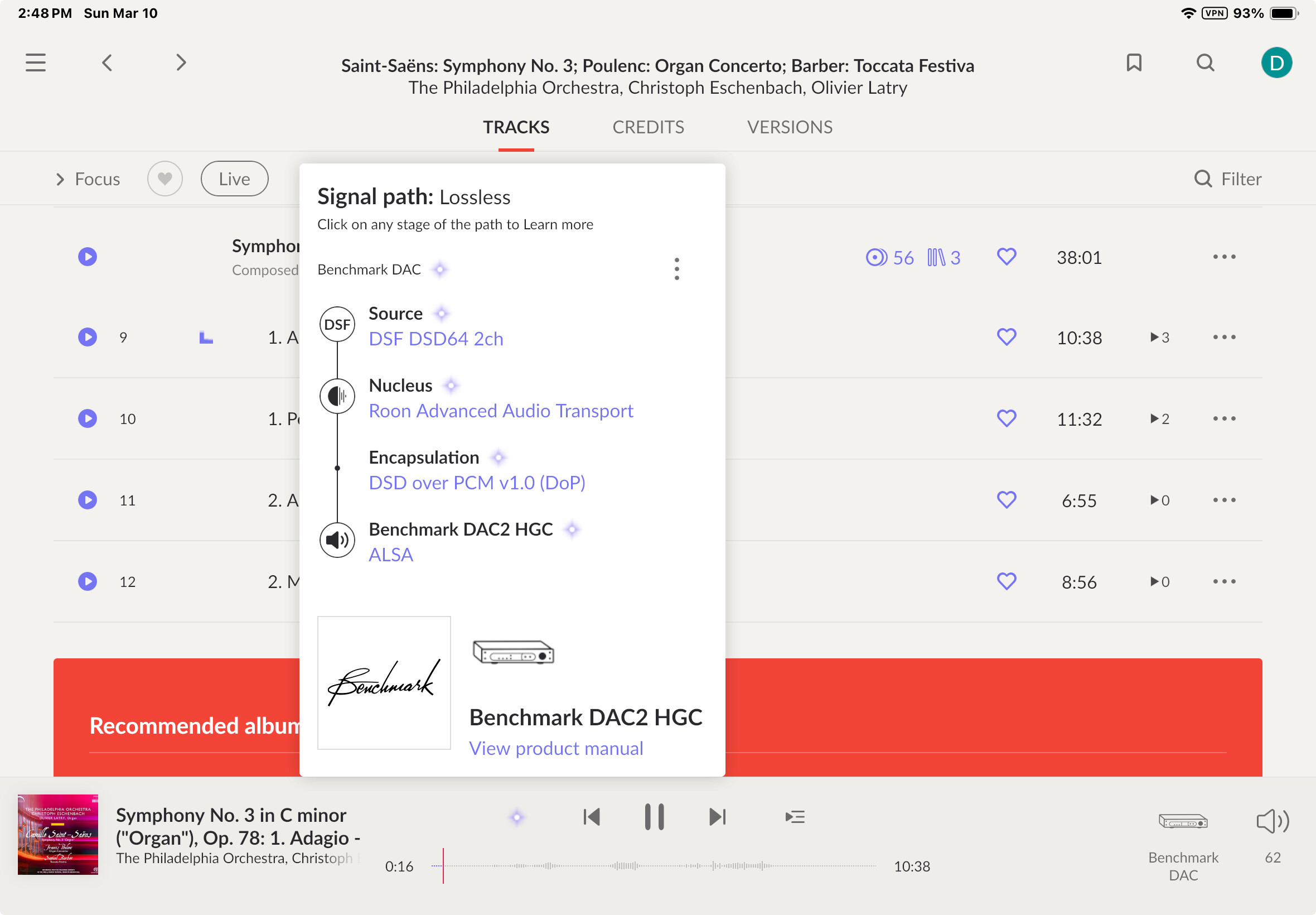
Here is a screen shot of that, when playing a hi-res DSD file loaded onto my Nucleus
Does it happen with DSD content only or is it the same (no sound) for PCM and compressed (internet radio AAC or mp3 streams)?
AND . . . . now for the first time in nearly a month, the system is PLAYING SOUND for that track!! BUT ALAS, the volume is extremely low. I have to turn up the volume on my DAC almost as high as it will go (not a good idea) to hear even softly. Any thoughts on that? Note: the unduly soft sound is there using either of the USB ports on the Nucleus.
I have NO idea why sound suddenly started working. Nothing in my system is different than it was during the many previous attempts when no sound at all was there
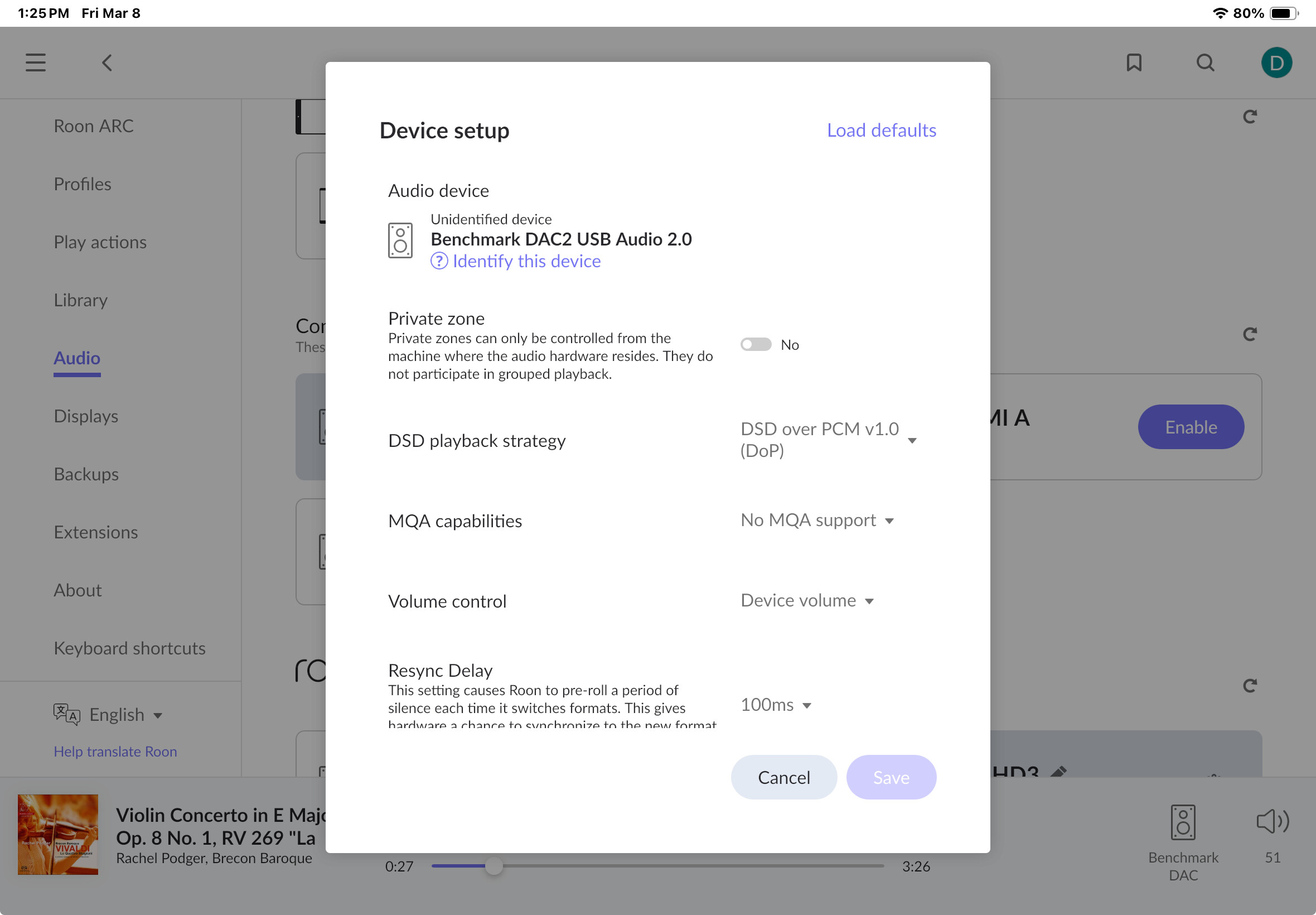
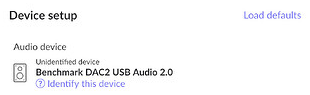
Here on a previous screenshot the DAC is shown as unidentified:
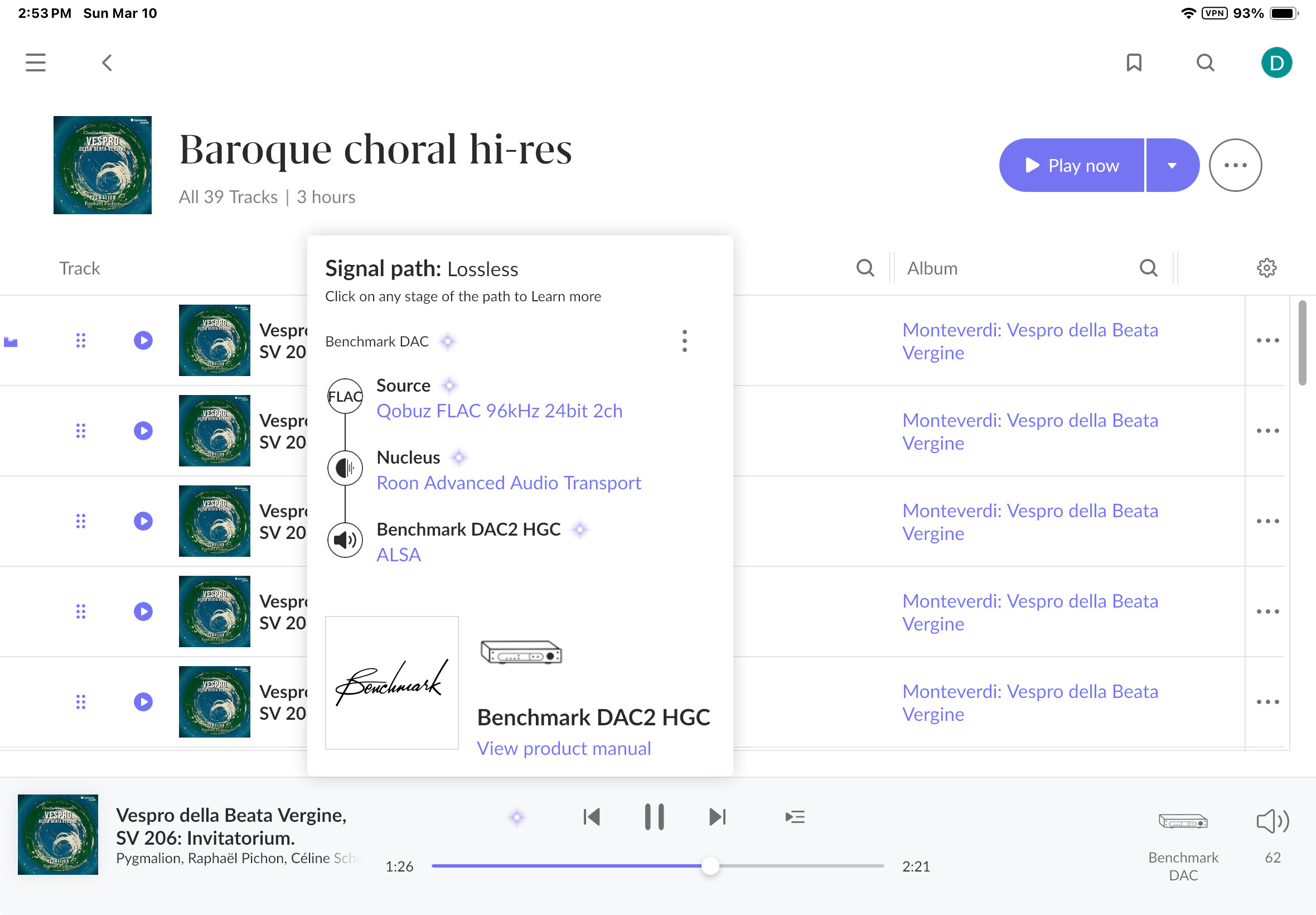
But the pictures of your signal path show an identified device instead:
Which is not the device you own. Roon may simply load incompatible default settings. I would revert this change you made (Load defaults).
Also volume control is set to device volume but Roon’s signal path shows no volume control in your DAC or that it is performing any volume adjustment on its own. So your volume issue might be related to potentially wrong presets loaded for your DAC or something else inside your DAC might be in place here. Try and use the volume controls in Roon. If it works, set the volume in Roon to max (usually 100) and then set the volume control in the device settings to fixed. Fixed volume (unaltered bit-perfect playback) is what is usually required for DSD material as most no device can handle volume control for DSD material – a potential explanation why there is no sound when you try to play DSD material.
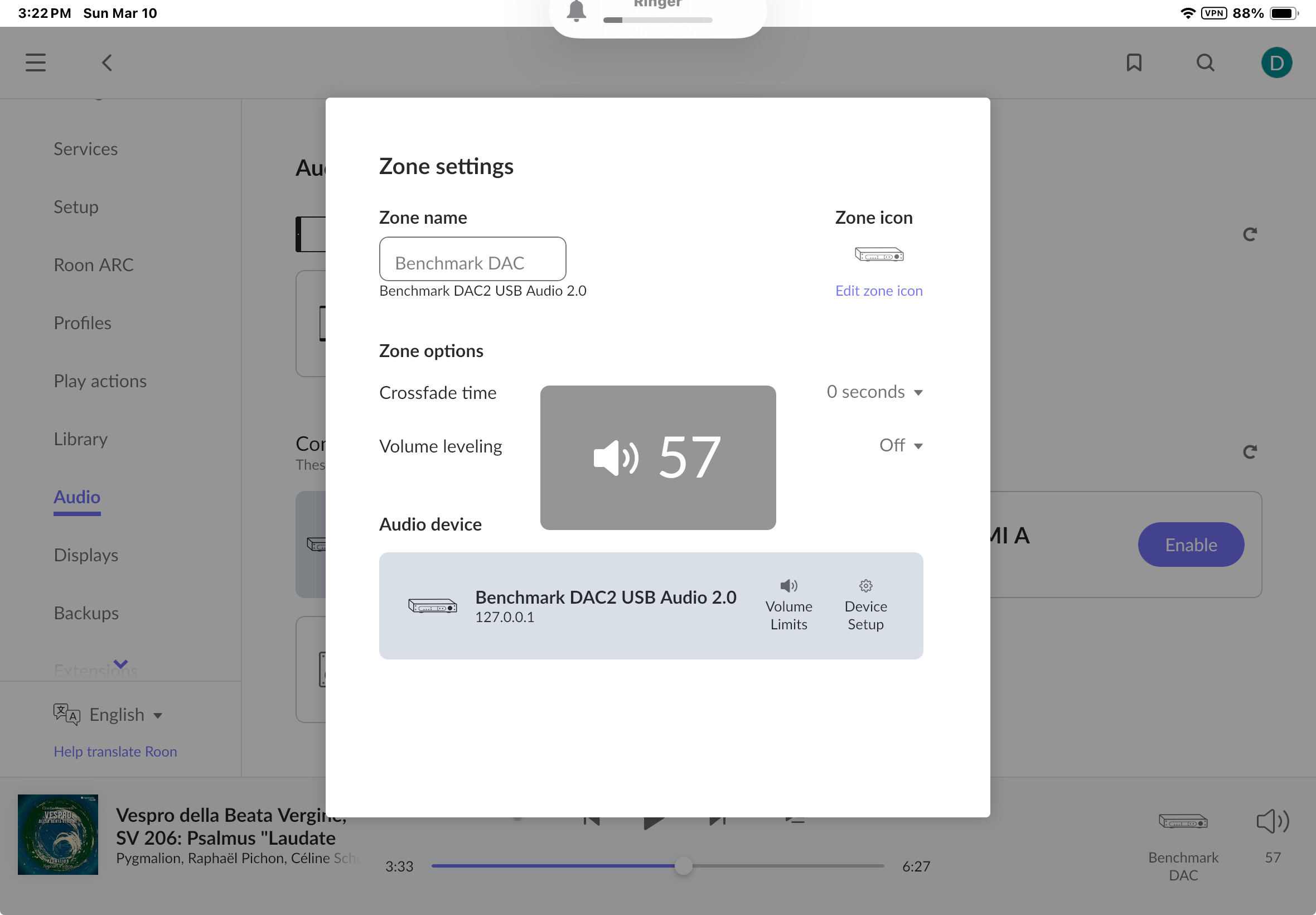

I’ve forgotten where to go to set volume to fixed - where is that?
See the screenshot I reposted above in my last reply (where you loaded the default settings).
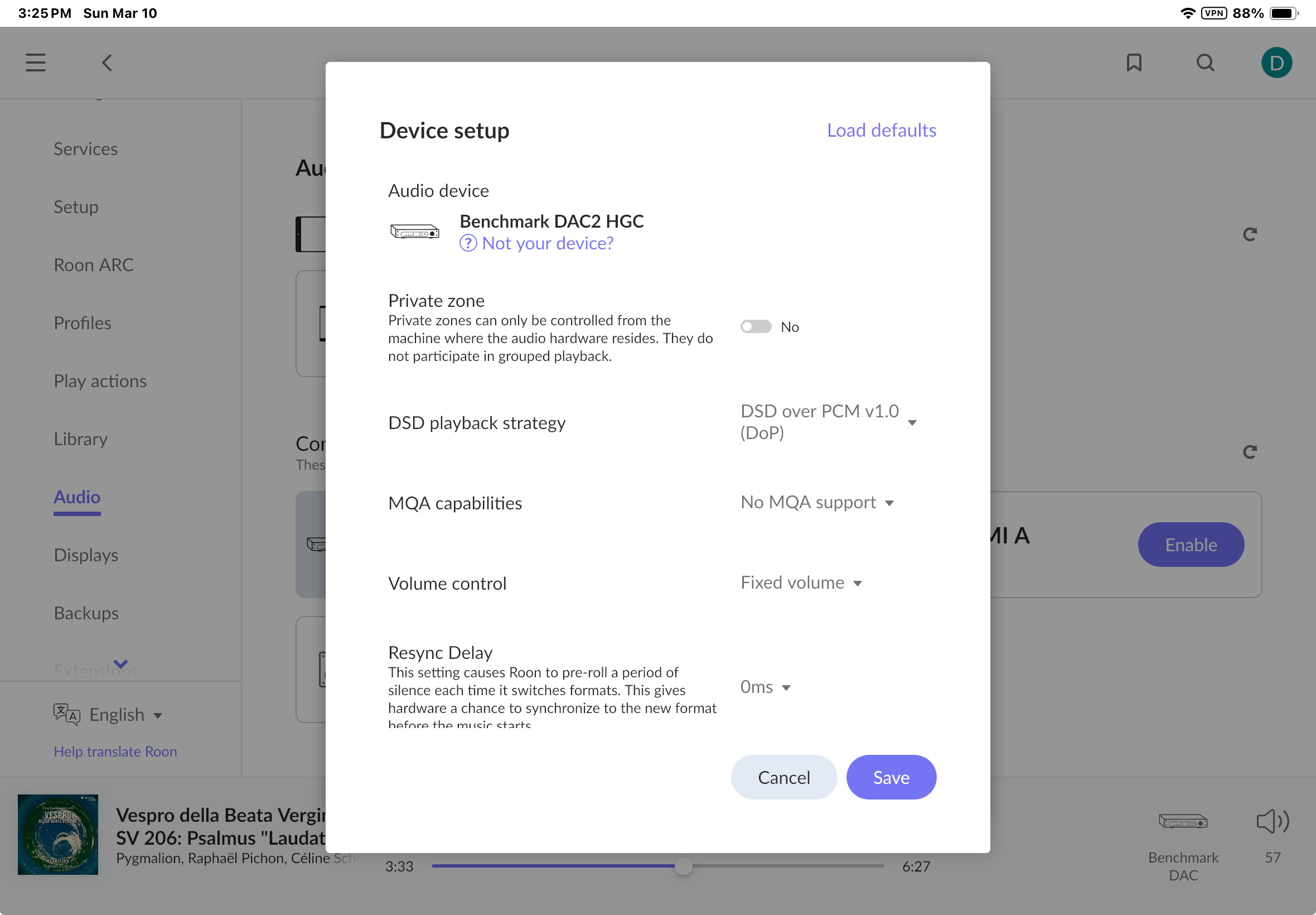
Just make sure to set the Volume in Roon to 100 before doings so (not 57).

Roon no longer allows to change that if set to “fixed” and it is unclear to me if this in sync to the DAC’s main volume control exposed to the user.
Result same as before. No sound from DSD track. Only very soft sound from Qobuz streamed track
I just saw your last post - will address that and try again
Did Roon volume to 100, then device volume to fixed
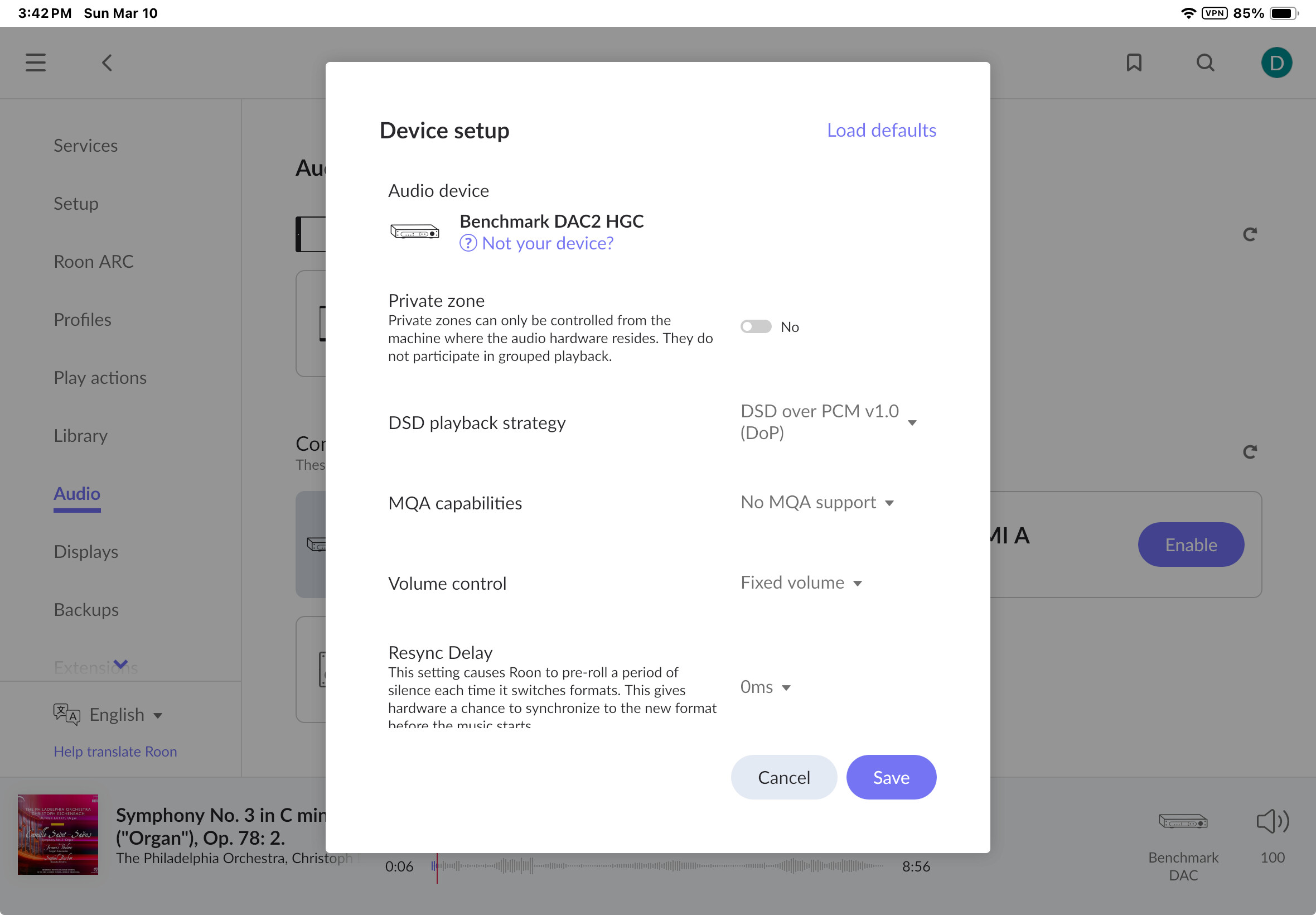
YOU ARE A LIFESAVER! That fixed it! I have to leave Roon volume at 100 (sound stops if I lower it in Roon), but I can control volume with the DAC remote. This works for both a DSD track on the Nucleus, and for a Qobuz streamed track played over the Nucleus.
The weird part is, I never had volume set to fixed befor3, and the system worked until recently. I’m not sure what to report as the way to solve this mess. But it’s working - hallelujah! Many many thanks
It worked until you (inadvertently?) changed the volume in Roon (which is now prevented from happening again with the “fixed” setting).
If you have any thoughts about how all this (see the whole thread) could have started, and what I can do to prevent a recurrence or solve it again if it happens again, I’d be very interested. FWIW, we did have a momentary power outage here not long before the problem started, though not immediately before. I was playing tracks normally on the day this began, and then with no warning tracks started skipping, etc. etc. plus my whole house is on a house surge protector, and my sound electronics are all plugged into a local surge protector
An inadvertent volume change in Roon is possible, I guess. That might be as good a theory on causation as can be had 
My thoughts and explanation given apply to the “play but can’t hear” part. The “Too many failures …” that seemed to have popped up out of the blue and disappeared as it came, I leave to others to explain (or try to). 
The solution, at least the one that worked here, for “too many failures, stopping playback” appears to be ensuring that the DAC is set to USB 2.0.
The solution to no sound (or only extremely low sound), at least the one that worked here, appears to be first setting Roon volume to maximum 100, and then setting the DAC volume to fixed.
Many thanks, BlackJack. You beat Roon Support to figuring this out.