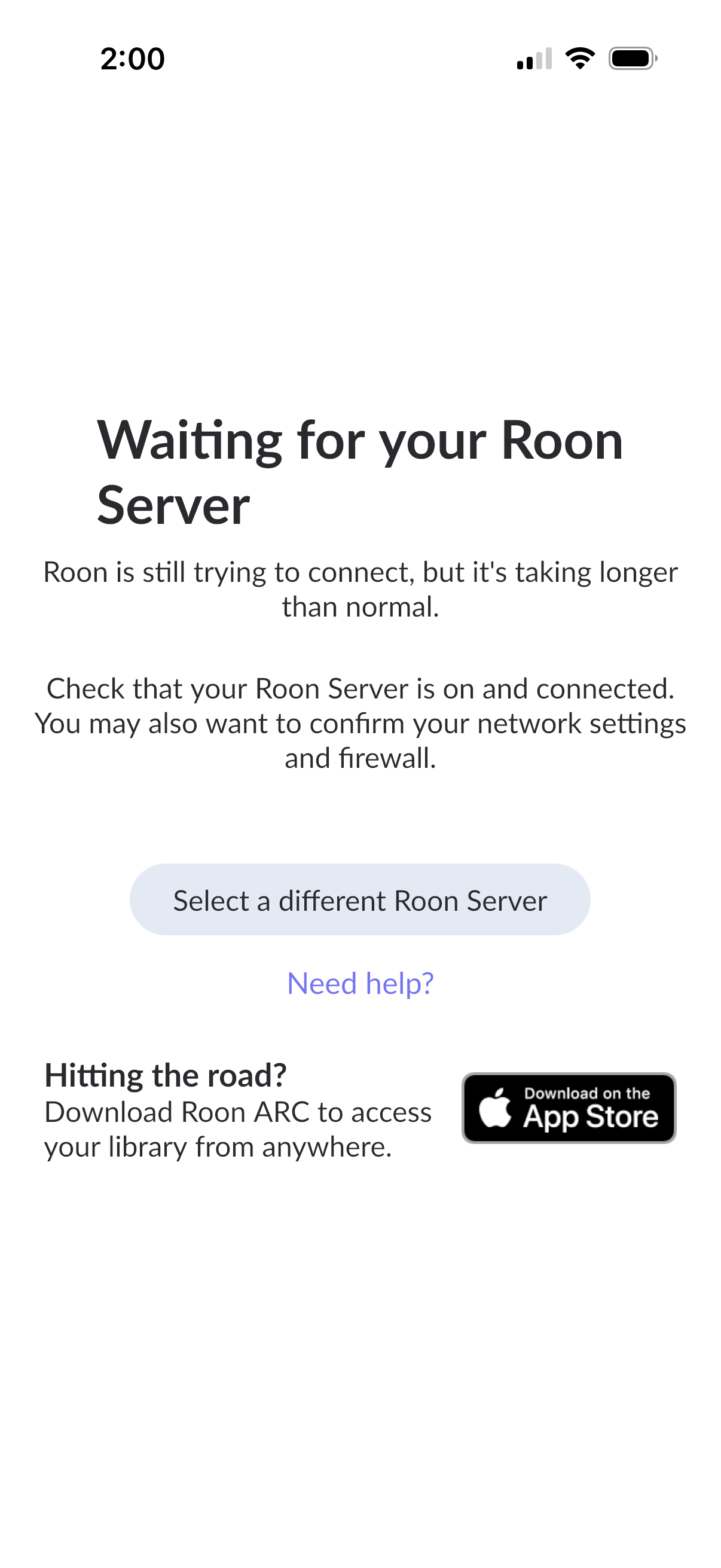
For Roon connectivity to work properly, both Roon Server and Roon Remote need to be turned on.
· I can't turn on Roon Server, I need help.
Describe the issue
I upgraded my cable modem and wifi router (former and current gear is Netgear). My iPad found my Roon server, which is a NUC set up and assembled by Andrew Papanikolas several years ago. The iPad app said an update to the server was available. I told it to update and the iPad Roon app has not been able to find the server since. I’ve restarted my IPad and my dac, a dCS Rossini Apex connected to the Roon via ethernet, andeverything is the same except the Roon update. I’ve tried to reboot the NUC several times by removing power. The dCS Mosaic app works as does the Qobuz app. It just won’t find my server. I was going to redo the NUC with ROCK but those instructions were WAY over my head! I think I am going to eventually go to an Innuos because it also supports Roon and I hear the sound is a significant upgrade from a NUC. Please, help me get my NUC running in the mean time! ☹️. Thank you, Mike Miller
Describe your network setup
I have a Netgear CM 3000 cable modem and Netgear RS500 WiFi router. The router Is connected to the switch (? One port in and several out…like a splitter)…also a Netgear and not a “managed” device. The NUC is also attached to the switch. A nether net cable runs through the wall and into the dac.
What happens if you click the Select a different Roon Server button? Ignore the warning that it will show. It will then search for all available servers on your network and most likely it will find your usual one.
You should never do that because it can lead to Roon database corruption. Either do a short press on the NUC‘s power button, which will shut it down cleanly, or go the ROCK web admin interface in a browser and click the shutdown button there.
It is also possible to hear people say that the earth is flat. People say a lot of things. There is no known technical mechanism for how this could happen over Ethernet.
Our diagnostic systems indicate that your NUC has not connected to our cloud services for the past 5 days. This points to a failure at the operating system or hardware level, rather than a simple communication error with your iPad.
As the community member noted above, please avoid removing the power cable to force a reboot, as this frequently causes irreversible database corruption.
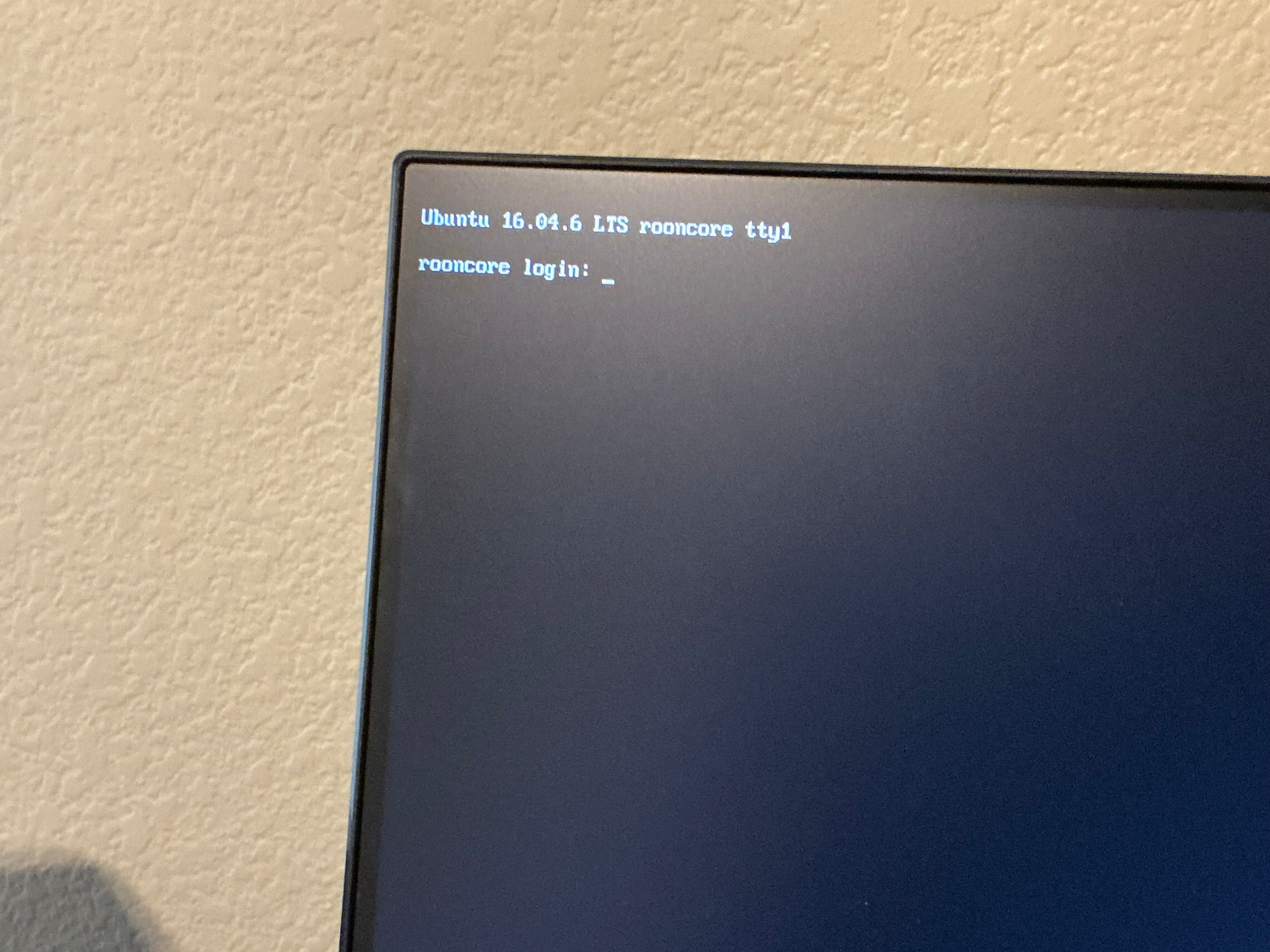
To determine why the system is failing to boot or connect to the network, you need to perform an HDMI test.
Perform the following steps:
Connect the NUC directly to a monitor or TV using an HDMI cable.
Power on the NUC.
Take a clear photograph of whatever text or error messages are displayed on the screen.
Share the photograph here so we can evaluate the exact state of the device and determine the required next steps.
Everyone assumed you are running ROCK already but this isn’t, it’s an Ubuntu Linux installation. (And it’s not very responsible to set it up without telling you basics of how to login etc)
@Suedkiez I know but I no longer get the computer part of the NUC and no one expected my friend to die so young. Stuff happens.
I followed the video and looked at several others. What I see is not close enough to what they see for me to make it work. Thanks all for the help, butt I believe I’m going to get a plug and play Roon compatible streamer…I’m eyeing a nice Innuos.
Hm, I see in your screenshot that your Ubuntu version is very old, being 16.04 (April 2016), so it’s possible that it was different back then.
Sorry about your friend
Note that you don’t need a streamer but a device that works as a Roon Server. Some Innuous devices can act as both, but be aware of this (I think this is still accurate):
A Roon Nucleus would fit the bill, depending on the number of tracks in your library. (Nucleus One works up to 100,000 tracks. The Titan for larger libraries is very expensive for what it is)
I heard a the newest baddest Innuos streamer a few weeks ago and was blown away at how it sounded streaming Qobuz. I have a dCS Rossini Apex I currently stream into with great results, but the Innuos was far superior
…as it should be for the price. Innuos came out with a new line with more oomph and meets Roon’s requirements. If the server sounds awesome but struggles with Roon, I’ll get a nucleus for the Roon duties. I use Roon for the UI and almost no dsp functions.
I’m sure it’s fine if you stay within what it can do, in case there are limitations - perhaps new devices are faster now. I just wanted you to be aware and make an informed choice. Good luck.
@Suedkiez , I appreciate your input! It made me look harder into the requirements and compatibility of Roon and Innuos. It’s going to take a few listening/learning sessions at the audio shop to make sure it’s right for me and my system. I have come to realize I’m not able to fix computer issues so I need to go for plug and play computer appliances…
Thanks for taking a closer look at the requirements and compatibility before making a move. For your setup, the safest path is to stick with a plug and play appliance, which is exactly what a Nucleus is designed to be.
If the new streamer sounds great but is not a good fit for Roon duties, you can keep using it for playback and let a Nucleus handle Roon Server. Let us know if you need any input from our end.
 . There is a lot in audio that can be heard that makes no sense.