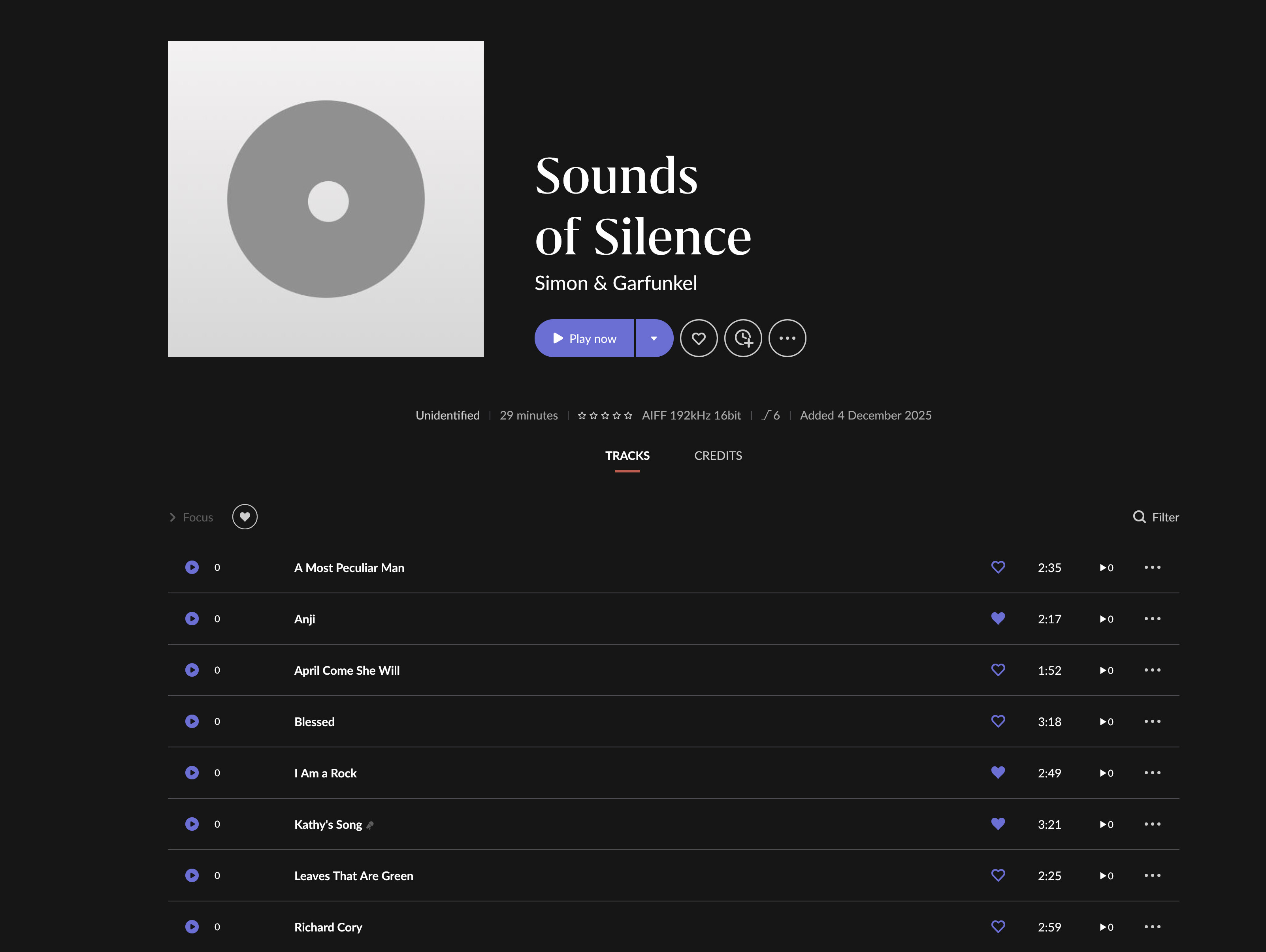
Been using Roon for many years, and this problem is ongoing for me.
Perhaps 1/10th of my albums are not automatically identified by Roon after scanning a directory tree configured under settings→storage.
I fix them as I see them / they bother me. The database gets corrupted, I start from scratch, and again albums go unidentifed. If I only had to fix it once that would be less annoying, but repeatedly is more annoying.
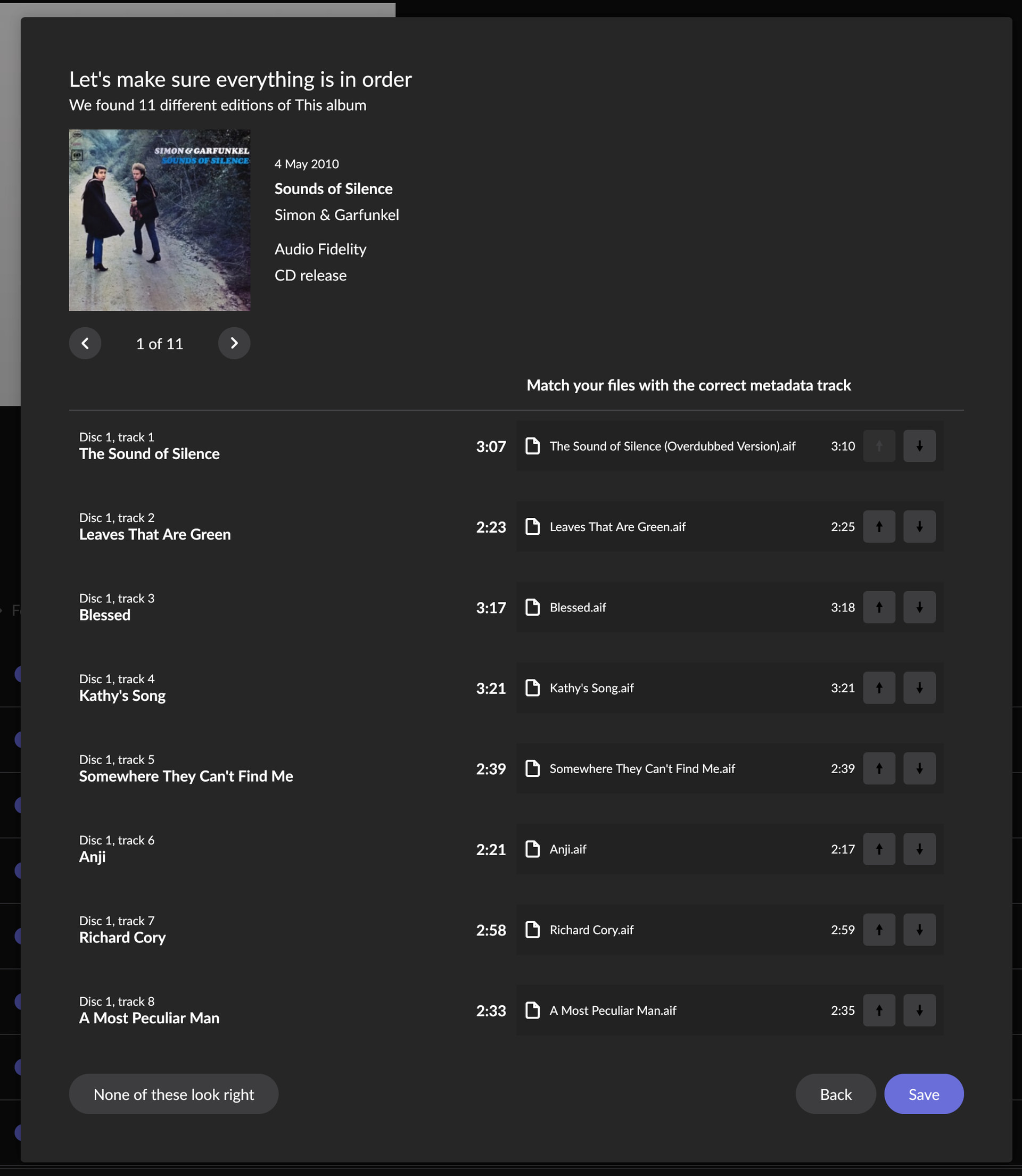
Sometimes the tracks aren’t a perfect match to the Roon database (usually a couple of tracks have time differences of a couple of seconds), but sometimes when I do edit → identify Roon finds a perfect match. Why doesn’t it then match automatically instead of having the album unidentified?
Perhaps it’s down to the lack of track numbers in your metadata. Maybe it would survive that if the track numbers were in the filenames, but they also aren’t in the filenames. It possibly means it has too many assumptions to make to match it to anything automatically.
This usually means there are issues with your metadata or something else that means Roon may have found the correct album but isn’t confident enough to auto identify the album, however when you do Edit:Identify Album Roon is giving you potential matches and you are explicitly giving Roon the go ahead to match to that album.
The problem with backups is, you don’t know when the corruption happened / which backup to go back to. They always suggest just starting again (and won’t discuss what database they are using to store roon data). And so it goes….
Not really sure how what database Roon uses is relevant.
Roon can be configured to keep multiple backup copies over a period of time. I’d restore the most recent and see if the corruption is there and if so restore one prior to that. Repeat.
It has to be better than restarting and redoing your meta data changes.
Because I want to know what database is so bad it causes corruption, and why they chose that one. My company’s product uses postgres and never has corruption for example.
Yes I’ve gone back through time with backups only to find they were all corrupt.
Anyway, trying adding track numbers (via tag editor 2) such that perhaps all albums will be identified and it won’t matter if the database corrupts. I won’t lose anything….
I think we have been talking on cross purposes; my head was with “failing to identify albums” the subject of this topic and also the title of your support request.
Reading more carefully, I can now see the discussion of DB corruption as well in both topics.