I'm running Roon Server on Dell PC running latest Ubuntu 24.04.x LTS and Roon app on my MacBook.
MacBook is connected with USB cable (no hubs or similar) to Rotel Michi P5 pre-amp with DAC. Mac is running macOS 26.1.
I'm a little bit surprised that Roon plays everyhing with the bit rate as setup with Audio MIDI Setup. I mostly play from Tidal, only about 500 local albums.
So basically Roon is in many cases either upsampling or downsampling the track I play. Michi P5 shows on it's display the bitrate/bits it gets from mac.
I was waiting Roon plays tracks as they are on Tidal (or as is flac). So if the track is 44,1kHz/16bit, Roon send the track that way to my DAC. Or if the track is 44,1kHz/24bit, Roon sends the track as it is to my dac. Or similarly if the track is 96kHz/24bit, Roon sends it that way. All this because I have exclusive audio mode enabled.
That's the way exclusive audio mode works for example on Audirvana.
Downsampling or upsampling always decreases the audio quality.
So please, explain me why Roon modifies the track in exclusive mode.
Thanks,
Describe your network setup
Netgate 6100 max as router and firewall, Zyxel NR7102 for 5G, Extreme Networks X430-24t switch, Cisco Aironet AP. Partially wired, partially wireless LAN
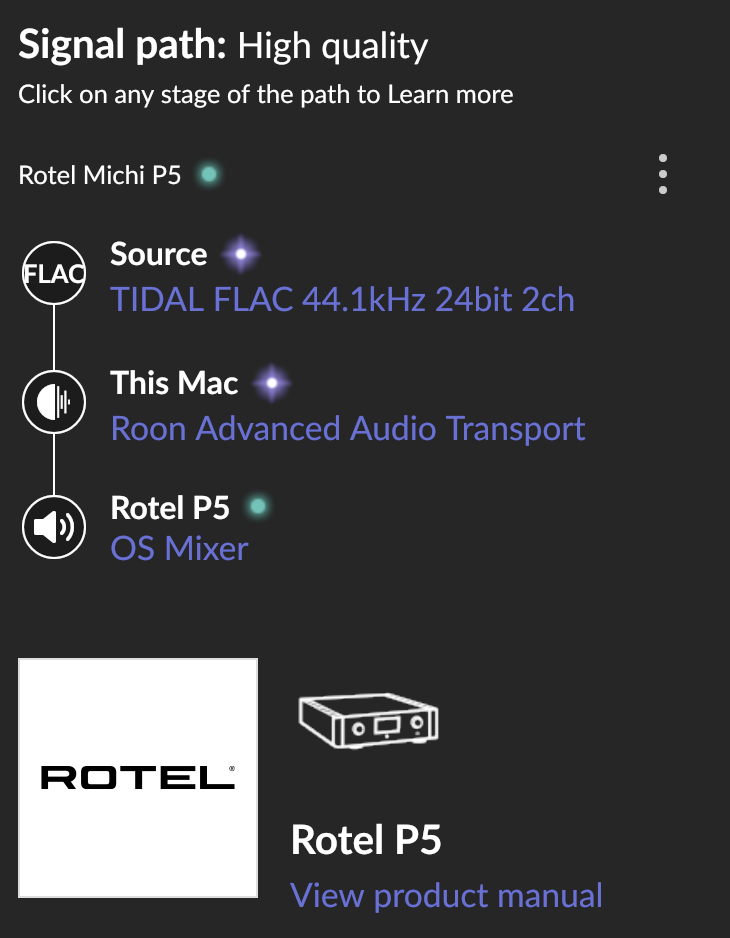
So? Not lossless. Why? Rotel Michi P5 is Certified Roon Tested. Should be lossless.
Exclusive mode works well with Audirvana. macOS Tahoe broke exclusive mode in Tidal, Qobuz and other Elektron/Chromium based players. Did macOS Tahoe also broke Roon or do you have practical solutions / advices how to get exclusive / lossless mode working?
Roon is not resampling anything in this signal path
You seem to be using the OS Mixer output. This means that the operating system will/can still do things at the stage after Roon can control it. Therefore, the OS Mixer output is always classified as “high quality”. See here:
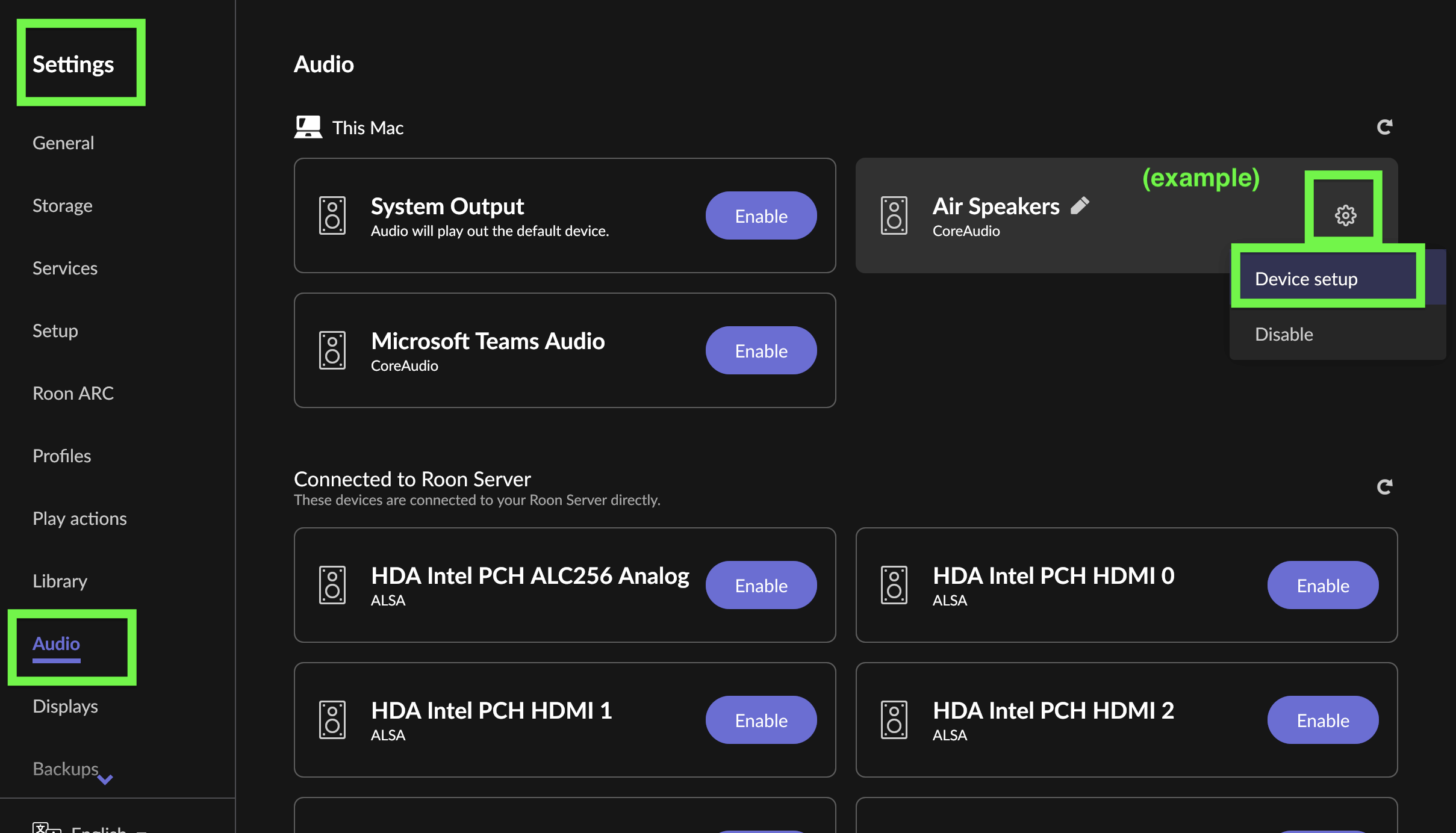
I think you need to enable Exclusive Mode for the output device. Go to Settings > Audio, click the gear icon for the device, enable Exclusive Mode:
In addition, Tahoe, did break exclusive mode in certain ways, in particular the device is lost when the sample rate changes. This is fixed in Roon’s Early Access version. You can switch to this for now or wait a bit until it is released in production.
Thanks for taking the time to write in and for sharing your report! The above response from @Suedkiez is spot on - we do have a fix in Early Access that may help.
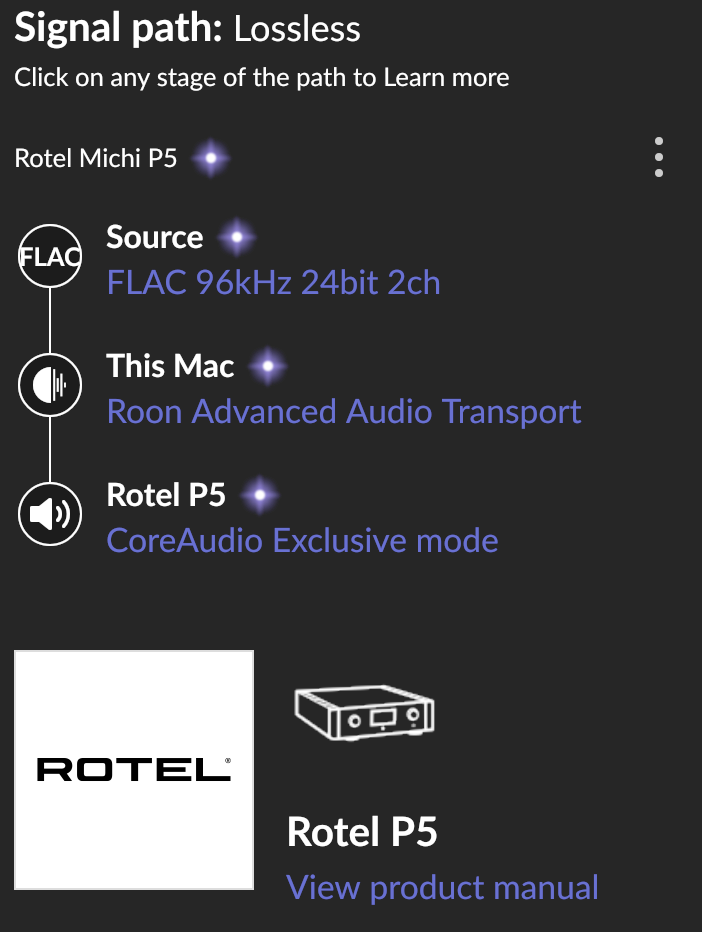
So many thanks! Exclusive / lossless audio is working now!
I had been misunderstand the exclusive mode switch in settings. I throught if I put that switch on, the exclusive mode will be off as there was a text ‘No’.
With Tidal, after macOS Tahoe upgrade, I started to get the error ‘Unknow error when trying to select device (NPD00)’ and the playback stopped. That’s the reason I started testing Roon in the first place.
I have been opened a bug report of this with Tidal almost two month ago, but no fix so far. I’ll wait but it looks like my Roon trial is going to turn to full subscription soon…
I listened about 8 hours last night, no problems and the audio was in exclusive mode. So currently no need for the Roon’s Early Access version. Let’s see if it is needed or no, thanks for the info anyway.
I have 11680 albums and 89470 tracks on Roon currently, and Roon is working smoothly and well, so far everything is well.