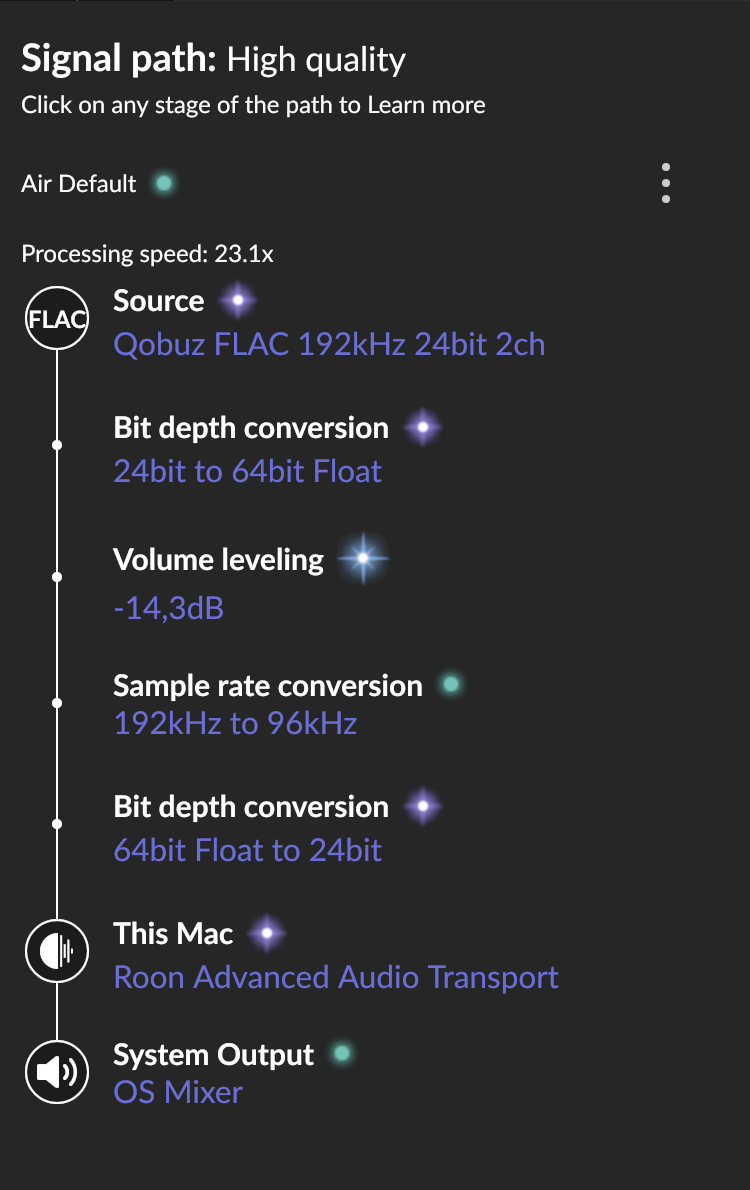
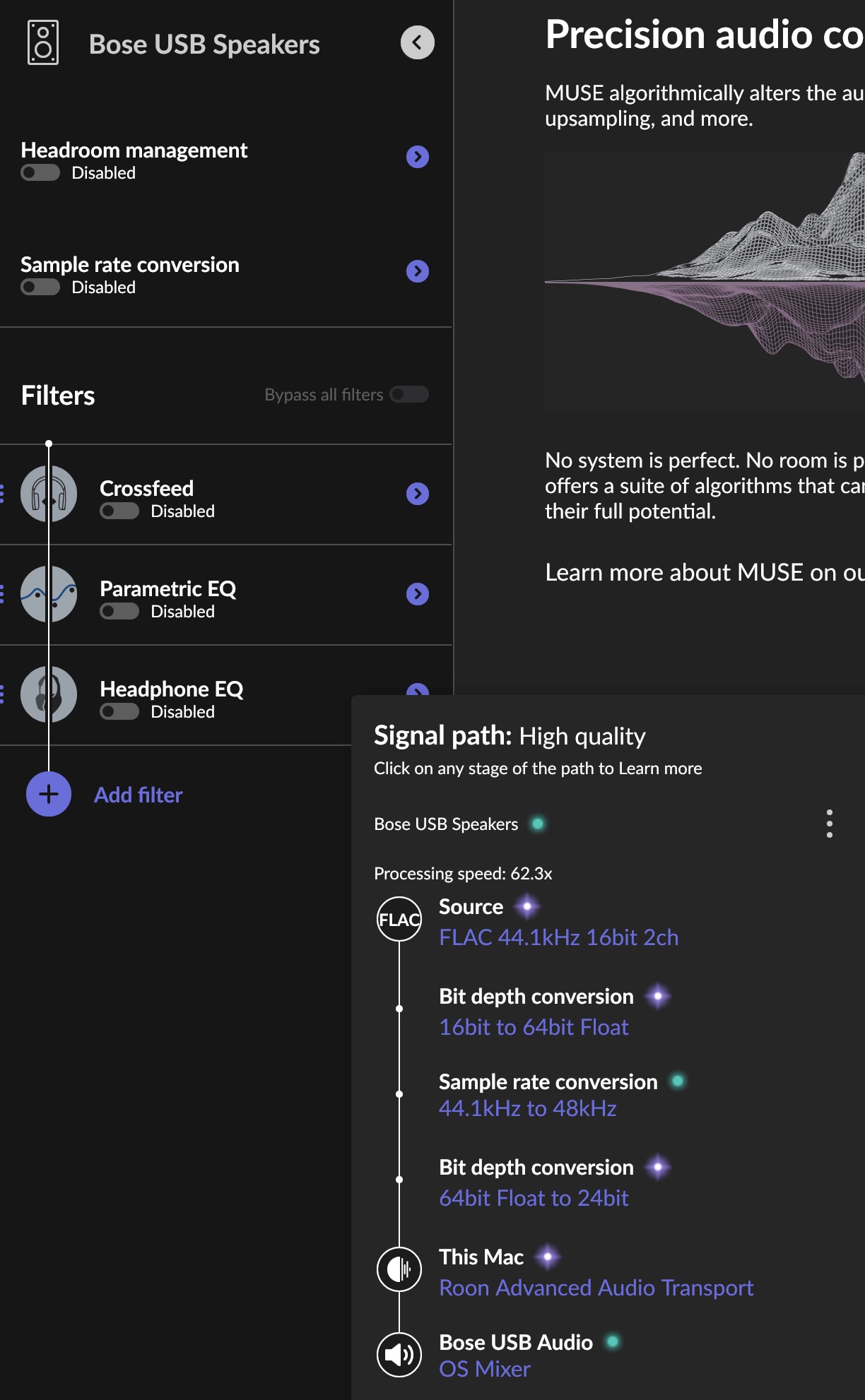
Note that all extra processing is disabled, including sample rate conversion, yet Signal Path is showing bit-depth and sample-rate conversion taking place.
I’m running Roon client on macOS Tahoe, the server is on Synology DSM 7.2.2
CoreAudio should be all the devices labeled as CoreAudio, I suppose. But I think the post I linked to may be inapplicable or old or something. Sorry, not a big direct output guy myself, I relied on @mjw who is nearly always right
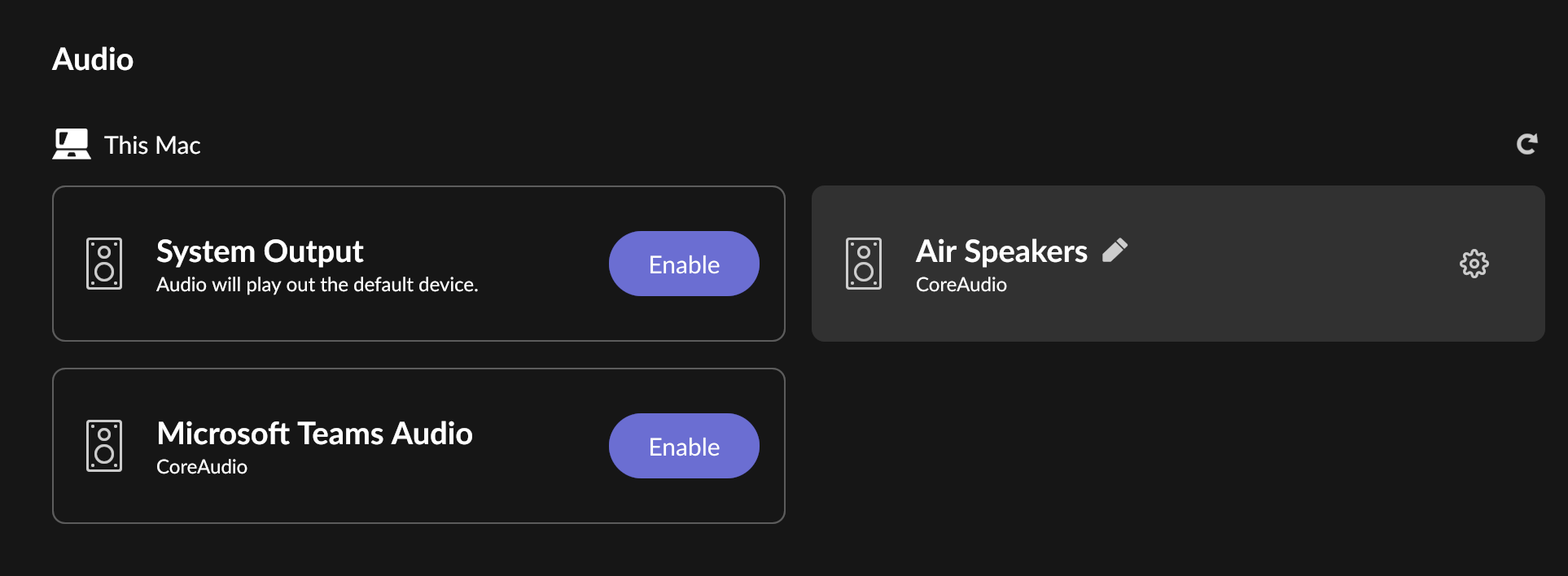
I checked now on my Mac and my device, just the MacBook Air Speakers, is labelled CoreAudio, too.
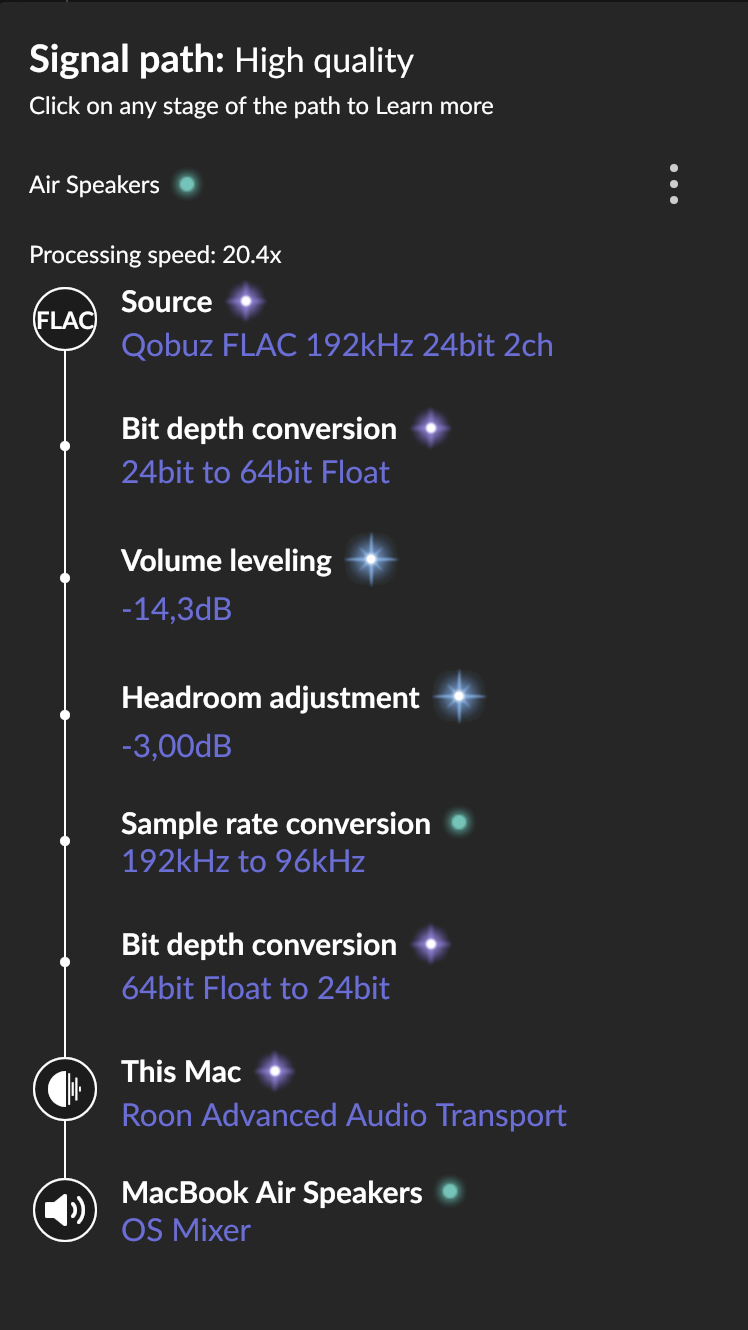
But when I play to it, it also shows OS Mixer in the Signal Path. However, it does play fine at 96 kHz, which is the maximum (default value) configured in the Device Setup for this device:
Source sampling rate doesn’t seem to matter. I used a simple CD Audio 44/16, and it’s being upsampled from 16-bit to 64 (then back to 24), and 44.1kHz to 48 (as presented on the original pic). I need to figure out how to disable all that processing.
That’s normal before any other DSP conversion is made. By expanding to 64 bits first, the mathematical conversion errors are minimized and pushed out of the audible range.
However, if starting, e.g., with a 192/24 file, this 64 bit expansion will always happen unless the output device also accepts 192/24. (It will also happen with any other DSP. This is not a problem).
In your case, it is done because the 48 kHz conversion happens, you need to look at that.
Try the things I suggested? The 48 kHz conversion doesn’t happen for me as you can see. It converts to 96 for me, which is the max. that the internal MacBook DAC can do, so you should be able to do that with your Macbook speaker output, too.
If you attach a device by USB, this device’s input capability will limit the maximum sample rate, so verify, e.g., what your Bose can accept.
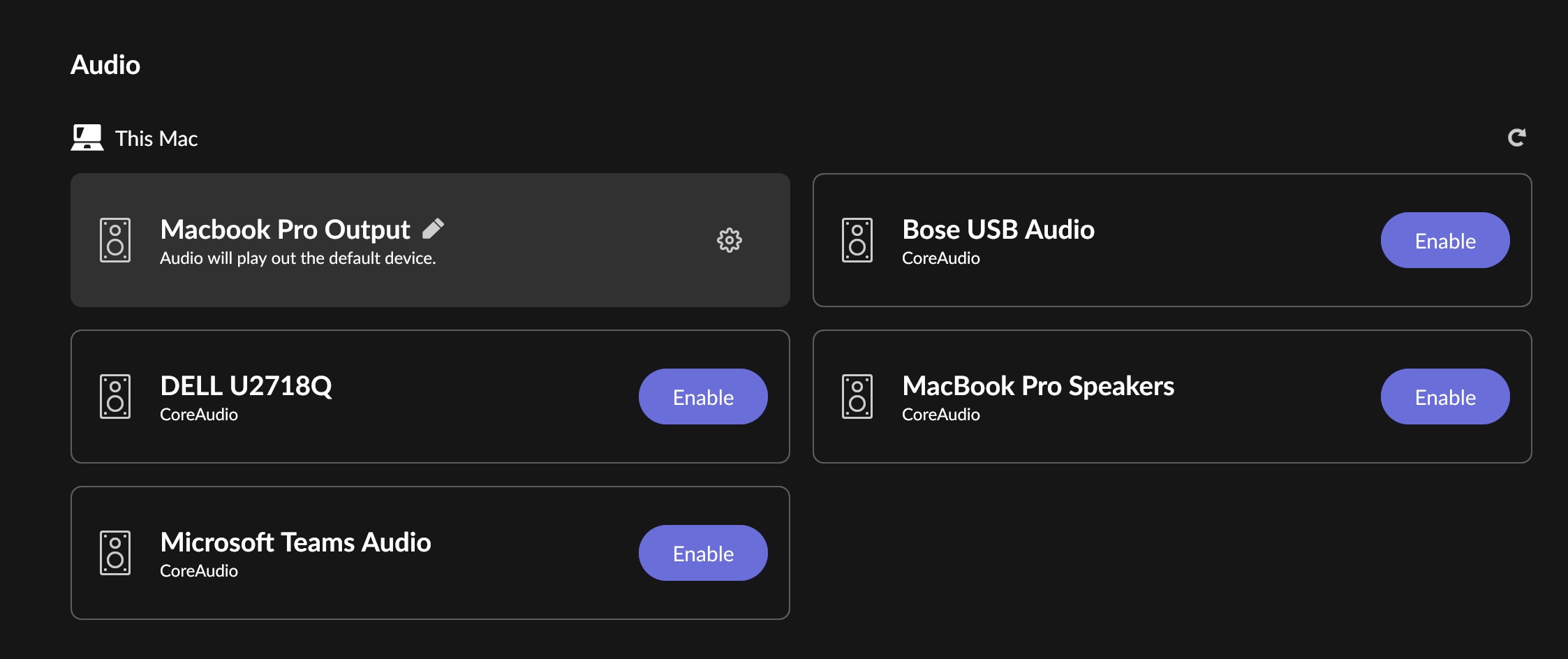
ok, I tried enabling “Macbook Pro Speakers” and sure enough no conversion. But… Internal MacBook speakers aren’t very good to play music, as we all know, so I don’t want to use them for that purpose. Can I use my Bose speakers and play FLAC as it is with no conversion?
It would be so much easier if you just stated the model and we could look up its capabilities in the spec.
If the device can only accept 48 kHz, then the 44.1 needs to be upsampled.
It’s quite likely that - like many other streaming speakers - it converts everything internally to 48/24 anyway, even if it can accept nominally different inputs. That’s quite normal, as DACs typically have a single sample rate and sample size they accept, so everything gets converted to that. In this case, the only question is where it is done, in Roon or in the device, and Roon typically does a better job.
Before Roon does any kind of DSP, it converts to 64 bit to preserve quality (some DSP would otherwise lose quality if done on 16 bit samples).
After being done, it converts back to the maximum sample size that the device accepts - why not, converting 64 bit to 24 is fundamentally also better than to 16.
In this particular case of upsampling, most likely all it does is adding and deleting a bunch of zeros to the samples. Your Bose may be “old but good”, but it definitely is not affected by anything in the 16-24 bit range.
I see, thanks. I can’t find any specific specs or ways to make adjustments either, but given the age and what type of device it is I‘d wager that it simply has a 48 kHz input and this capability is what it communicates over the USB port, so this is what Roon has to use.
And given that Roon uses sophisticated sound processing algorithms to make these conversions, as described, there is absolutely no possibility that the conversion is even close to being audible, so just enjoy.
My experience is a little different but may be relevant to somebody. I have an Audiolab MDAC+ connected to a Mac Mini.
I have enabled the MDAC+ device using CoreAudio. After reading this thread, I looked at the signal quality and it was green (high quality)! The source was 48/24 but the DAC showed 44.1. The signal path showed OS Mixer but no rate conversion.
Then I looked at the device setup: Eclusive Mode was not enabled. I enabled it and now signal path showed Lossless and CoreAudio Exclusive Mode. The DAC showed 48 kHz.
Then I experimented with a 96/24 recording. The signal quality behaved as above, but the rate changes were puzzling. When I disabled Eclusive mode, the sampling rate stayed at 96 kHz!
I looked also at the Audio Midi Setup. It show the lock sign when exclusive mode is enabled and playing. However, the system output is always to the display speakers (in this case).
It seems that the behavior is quite complicated and depends on the device. It seems that the OS Mixer uses whatever sampling rate the device is currently using (in case it knows the device sampling rate).