What app are you having the slowness issue with?
· Roon
What kind of performance/speed issue are you experiencing?
· Tracks take a long time to play
Please try to reboot your Roon Server
· No, the issue is still the same even immediately after a reboot
Please try to reboot your networking gear (Router/Switches/etc.)
· No, the issue is still the same even after a reboot
Is there any change in behavior if you try to navigate to Roon Settings -> Library and set both Background and On-Demand Audio Analysis to Throttled or Off?
· No, the issue is still the same
Does the issue happen on multiple Roon Remotes (controllers) or just one?
· Issue happens on multiple remotes
Router Domain Name System (DNS) change
· I was able to change my router's DNS servers but it did not help
What is the operating system of your Roon Server host machine?
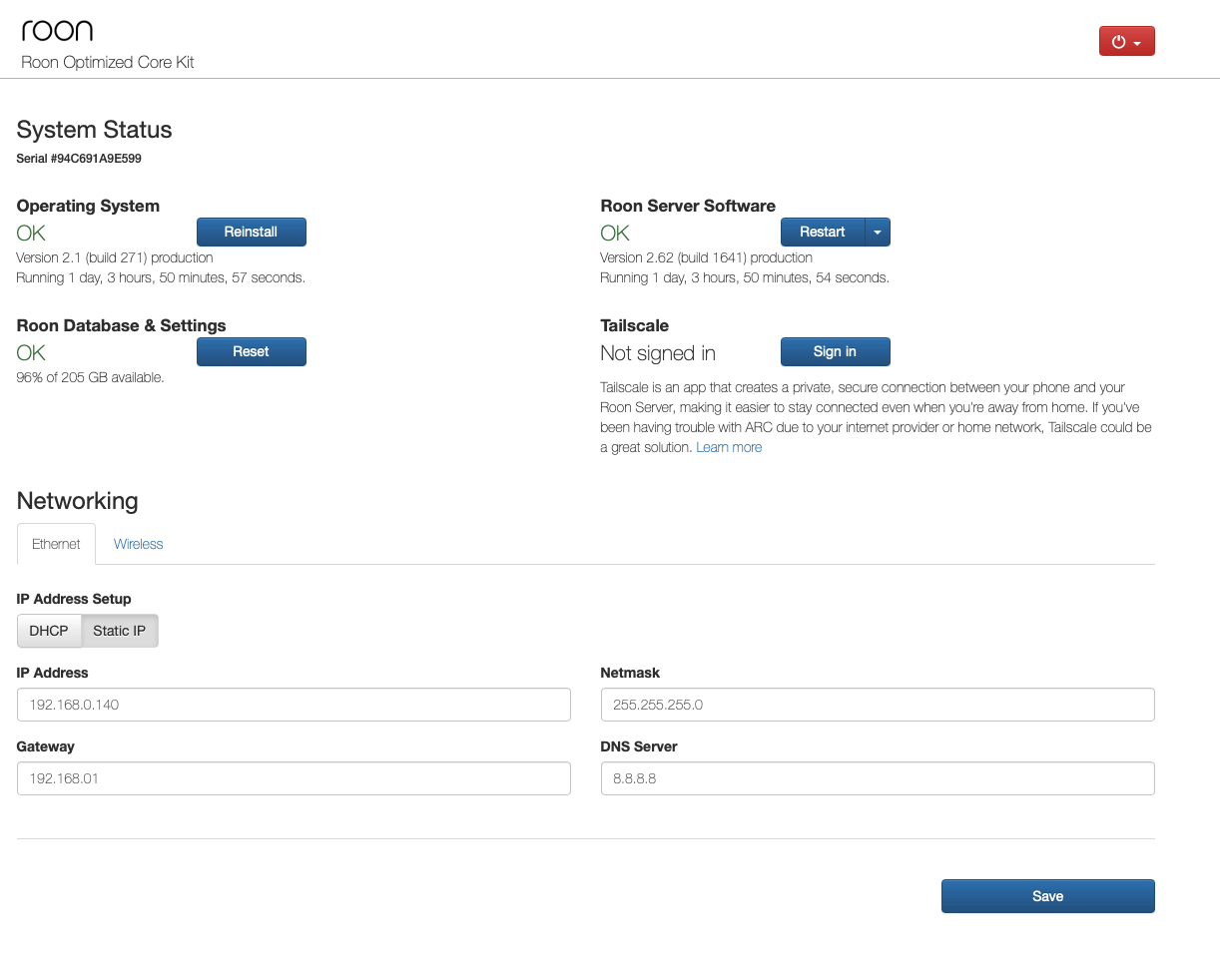
· Roon Optimized Core Kit (ROCK)
Timestamp of issue occurrences
· I just logged three events, all on Sunday, March 15: 4:18:07PM; 4:23:30PM; 4:28:40PM, all in Central Time Zone.
Describe the issue
During playback, the load times for a new track can be several minutes long. For example, I just watched as a track took from 4:18:07 to 4:19:41 to load on Sunday, March 15(Central Time, track was Jon Hiatt Native Son). Initial app loading is also slow, taking what seems to be a very long time to load the home screen.
I am using a ROCK server which is connected via ethernet to a TPLink AX3000 router. The machine I am using at the moment is also connected to the router via ethernet without wifi. The controlling machine is a Mac Mini M2 (2023) with 16GB RAM.
Note that I am using local files only for this test, no Qobuz. The problem happens with Qobuz, too.
Describe your network setup
Xfinity ISP, TP LINK AX3000 router, a TP LINK Switch (TL105). The problem also happens with controllers on iPad, iPhone, and Android tablets using wifi.