Sluggish playback on Roon with Qobuz playlists and connectivity issues (ref#DI4HVB)

What’s happening?

· I'm having trouble connecting to Roon

What type of connection issue?

· Something else

How can we help?

· None of the above

Other options

· Other

Describe the issue

Hi,
I have a recurring issue when I am attempting to start playback on Roon. Most of my playlists have been put together on Qobuz, and many of these contain the 2,000 track limit set by Qobuz. I have a Nucleus downstairs, controlled by either iPhone or iPad remotes, and I also play Roon upstairs on my Mac, and quite often when I select 'Shuffle' on a playlist it will take a long time to commence playback, sometimes a couple of minutes, during which time a purple light flashes from left to right along the track time progress bar, as it seemingly tries to locate the track.

I have no network issues, and speeds are commonly 300mbs, but this sluggish response to playback is obviously very frustrating. I recently upgraded my Linn Selekt DSM from Katalyst DAC to Organik DAC, and when the guys from the shop were out making the change, they could not understand why I am experiencing this lag in playback commencing. It never used to be like this, even when I had much more limited broadband speeds.

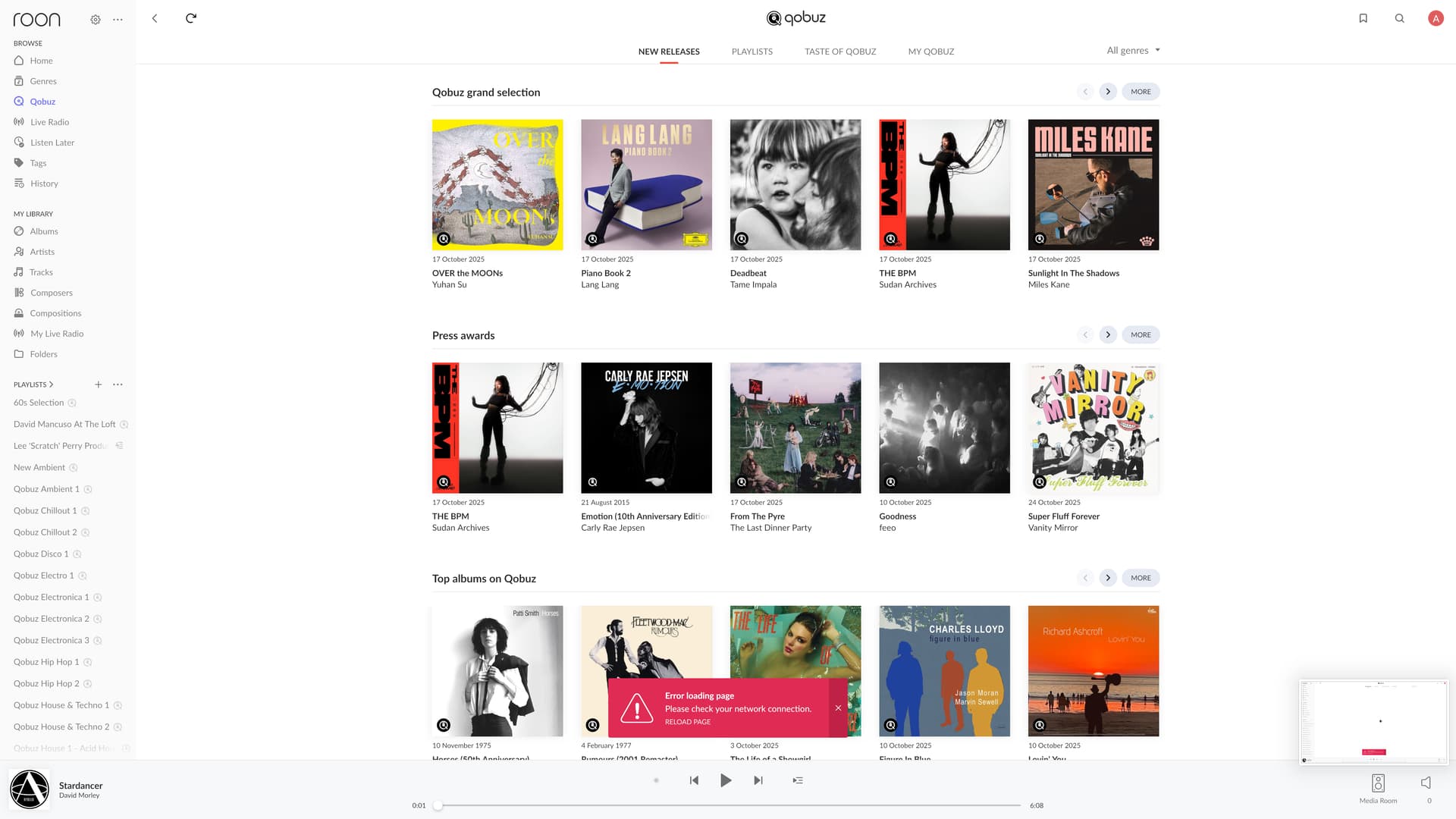
Also, I have noticed that there seems to be some issue with connectivity between Roon and Qobuz, as a playlist I put together a couple of days ago on Qobuz cannot be detected by Roon, and when I refresh Qobuz on Roon I am getting an error message.

Could you advise on both issues please?

Best regards

Alan

Describe your network setup

Roon Nucleus
Asus RT-AC86U Router (ethernet connection to Nucleus)
Mac OS Monterey Version 12.7.6
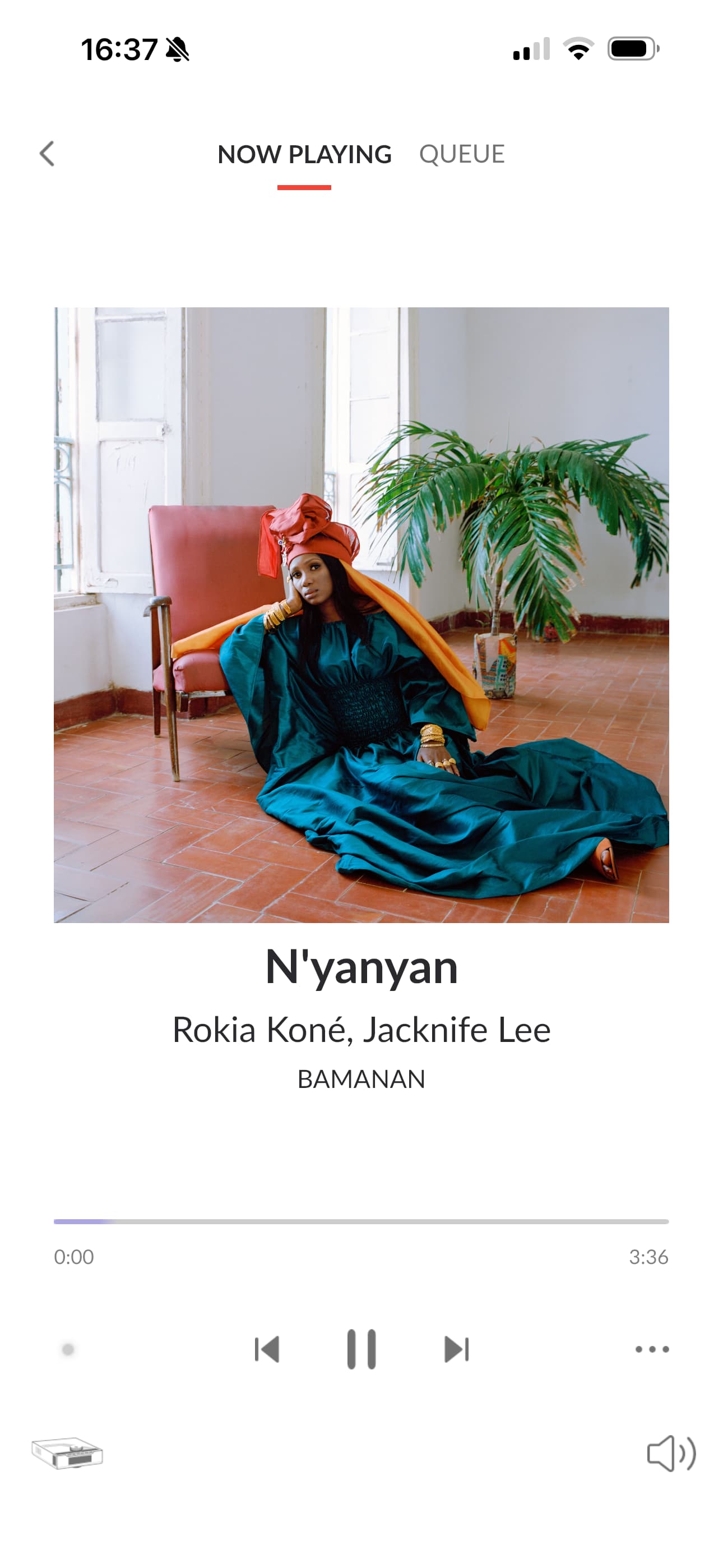
The above iPhone screenshot shows the track having been set to play by me, but the purple flash is going from side to side along the progress bar at the bottom of the page. On this occasion it took over a minute to commence playback.

Above is the error message I am getting after refreshing Qobuz on Roon. After creating this post I noticed that there is a bug you are currently trying to fix, which seems to be causing this problem, so I will let you get on with trying to fix that.

I would however appreciate any help you can provide with the main issue I am experiencing, which is the delay in commencing playback of tracks on Roon. I look forward to hearing from you.

Best regards

Alan

Hello @Alan_Meldrum ,

Thanks for reaching out. Can you please confirm if there is any change in behavior if you log out and back into Qobuz? Does this issue affect more than just the Linn zone, for example if you try to play to the Nucleus HDMI zone (even if there is nothing connected) or to your iOS zones, does playback start quicker?

Hi @noris

I have logged in and out of Qobuz, but it had no effect.

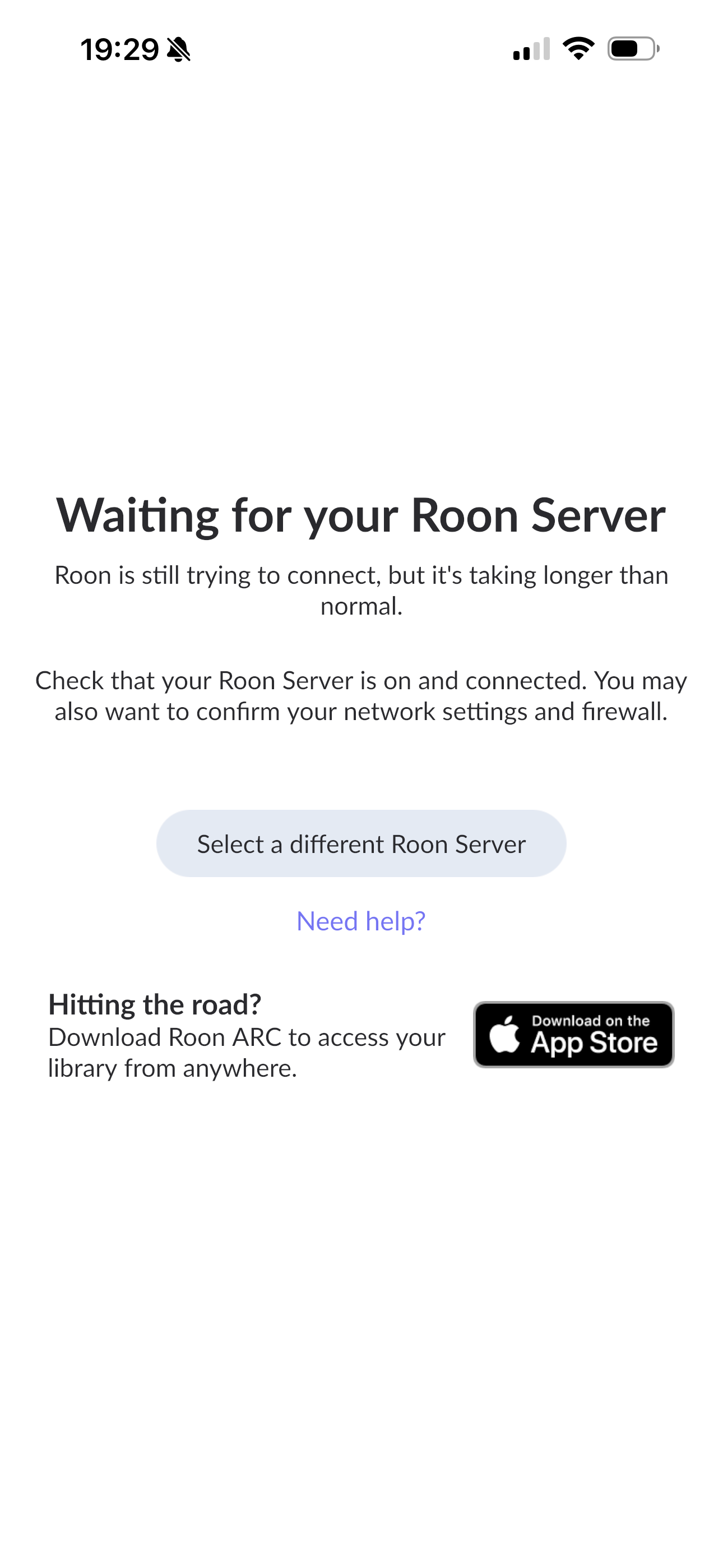
Opened up Roon on my iPhone there (which I usually use as a remote, for the sake of convenience) in my main listening area downstairs, which is where the Nucleus and the Linn DAC are. First of all I get the image below:

Then when the server kicks in after about a minute or so, and I press Play on the current track in the queue, I get the flashing purple flashing from side to side in the track progress bar, which lasts for anything between a minute to two/three minutes, then the track will begin to play. It is incredibly frustrating. Usually after this sluggish start it will proceed through the play queue without any difficulty, but occasionally tracks will stall, flashing purple kicks in again, and I’m left twiddling my thumbs once more.

I was playing Roon on my Mac upstairs this afternoon, where I have the Mac streaming to a couple of Sonos speakers. Once again, I selected a playlist and hit Shuffle, and the track took about two minutes to start, then it stalled half way through it, and I got no response from the app. Forwarded to the next track in the queue, and it started playing without interruption after that.

As I said previously, never used to have this problem at all, just hit play and off you go, so it is really annoying to find myself in this situation. I’m not really sure what you mean by the Nucleus HDMI zone, but wherever I try and play Roon, whether it is downstairs on the Nucleus/Linn setup, or upstairs on my Mac, the problem is the same. Any advice you have would be welcome.

Best regards

Alan

Hi @noris

Any information you could share with me? That’s been three days now.

Best regards

Alan

Hello @Alan_Meldrum,

Thank you for the detailed description and for your patience while we reviewed your case.

Based on your report, there are two symptoms worth investigating:

  1. Playback delay (purple progress bar flashing) — This typically indicates that Roon is attempting to fetch the track’s stream URL from the service (in this case, Qobuz). If this handshake between Roon and Qobuz takes too long or times out, you’ll see the purple flashing before playback starts.
  2. Qobuz refresh error — This confirms that the communication between Roon and Qobuz is not stable at the moment, which could also explain the playback delay.

To help us pinpoint the cause, could you please check and confirm the following:

  1. When did this issue approximately start? Please reproduce the issue again and share the exact timestamp with the date to take a closer look at the diagnostic data.
  • This will help us look into diagnostics from that time frame to see if Roon was retrying connections or receiving slow responses from the Qobuz API.
  1. Does the same delay happen when you play local files (not Qobuz)?
  • If local playback is instant, the issue is likely related to Qobuz connectivity rather than the Nucleus or your network.
  1. Are the delays consistent across all zones (Iphone → Linn and Mac → Sonos)?
  • If yes, the issue likely occurs before the audio leaves the Roon Core (i.e., at the streaming stage).
  1. Backup availability:
  • Would you kindly follow the directions here and share the Roon database backup with us to check the issue internally? Please upload your files here and let us know when it’s done.

Additionally, we noticed that your playlists contain up to 2,000 tracks. When Roon attempts to shuffle or initialize such large playlists, it has to prefetch metadata and streaming URLs for each track, which can cause noticeable delays — especially if the response from Qobuz is slow or interrupted.

Once you confirm the above points, we can check your diagnostic data for the exact cause (e.g., repeated API timeouts, slow responses, or failed authentication attempts to Qobuz).

To respond to your points above:

1 - This issue has been happening for weeks, if not months. I am afraid I cannot pinpoint exactly when it began, but it has been going on for a long time.

I set the playlist Qobuz Chillout 1 (2,000 tracks) to shuffle at 18.50 tonight GMT, it did not start playing the first track until nearly 18.52, so pretty much a ninety second wait for playback,

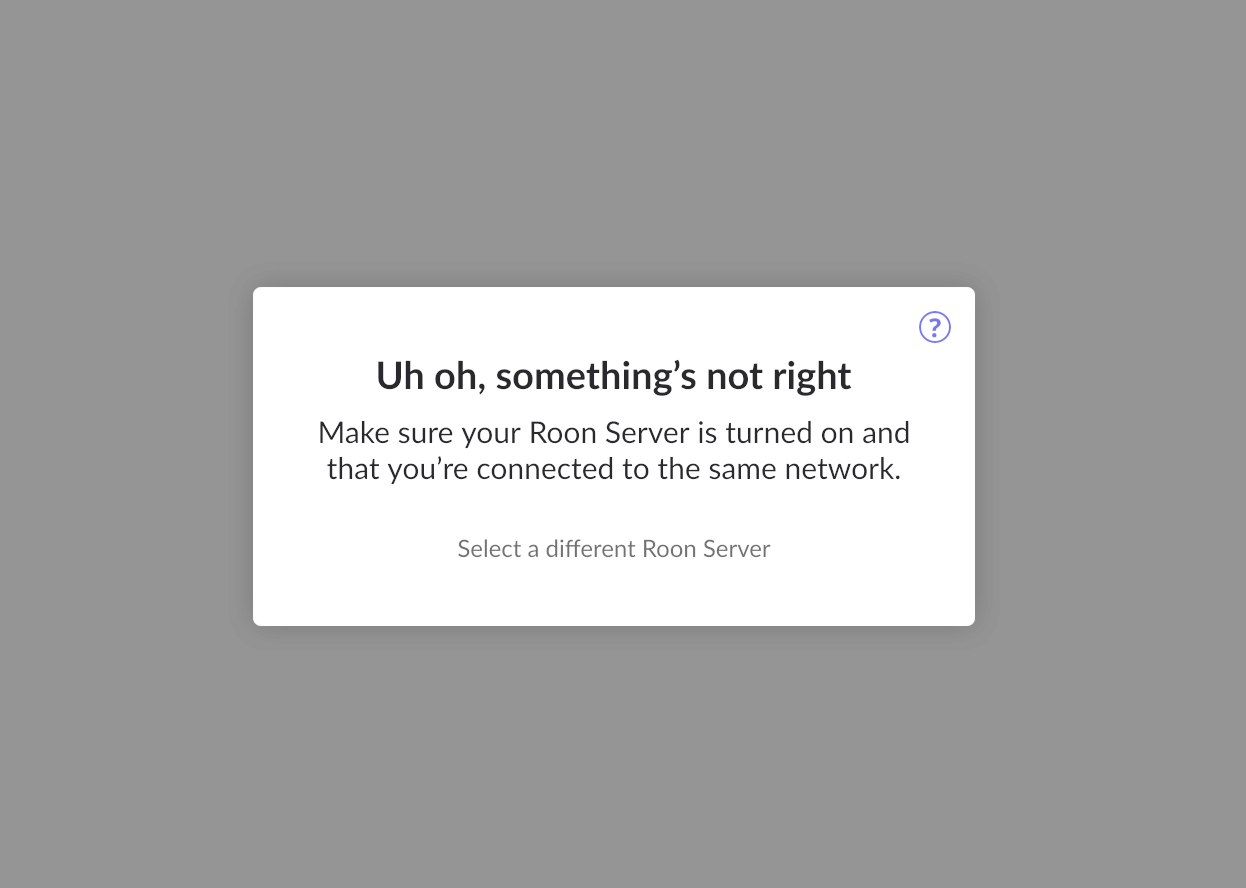
I was playing Roon on the Mac upstairs as I started typing this, and the track just stopped dead, and the window below appeared. It seemed to get disconnected from the Roon Server, and is now restarting. This happens a lot too, and the incident tonight happened tonight at around 20.37 GMT.

2 - Local file playback is delayed. I tested this on one local track earlier, just a single track, play now. It took several seconds before the track started to play. Not as long a wait as when shuffling a large playlist, but still annoying.

3 - Cleared the play queue in Roon, then opened up the Linn app. Opened up Qobuz Chillout 1 again, playback started immediately. I much prefer the interface on Roon, which is why I tend not to use the Linn app, but it obviously does what it’s meant to do, and unlike Roon, I didn’t pay anything for it.

4 - The link you provide here just takes me to the Roon Help Centre page about Backups. What exactly do you want me to do here? There are no instructions for sharing the backup on that page that I can see. have you sent the right link?

As for the 2,000 track playlists, I have always had playlists of this size on Qobuz, and in the past Roon has not had any difficulty starting playback immediately with these playlists, and tracks did not stop playing for no apparent reason, none of the problems I am encountering now, and as I have said, this was when my broadband speeds were not as good as they are now.

Once more I find myself frustrated at the poor performance of Roon, and experiencing buyer’s remorse yet again. I am also annoyed at the length of time it takes you to get back to me, and I’ll no doubt have to wait until after the weekend before I hear from you again, which compounds my misery. I look forward - with binoculars - to hearing from you.

Alan

1 Like

Hi @Alan_Meldrum,

Thanks for the update - our team is attempting to reproduce the behavior in-house.

Just to confirm - rather than using the Sonos devices with your Mac or the Linn via your iOS device, what if you only test playback from the system output of the remote device? Does that change any behavior?

We can see from a fresh diagnostic report that it’s taking about a minute for Roon to sync with the Chillout 1 playlist, do you see similar issues if you attempt shuffled playback from a smaller-sized Qobuz playlist?

What are your DNS settings set to?

Thank you!

Hi @benjamin

On the Mac just now I set the playlists below to shuffle, all of which contain 2000 tracks, and in brackets afterward is the time it took to commence playback when streaming to the Sonos bluetooth speakers (Media Room audio zone on Roon):

Chillout 1 (10 seconds)
Electronica 1 (12 seconds)
Motherlode 1 (18 seconds)

A lot better than usual, when it has sometimes taken a couple of minutes for playback to commence, but still a bit of a lag.

The same playlists are shown below, but this time streaming to the Mac itself (Mac audio zone on Roon):

Chillout 1 (31 seconds)
Electronica 1 (21 seconds)
Motherlode 1 (33 seconds)

I then repeated the exercise with the playlist 1970s Underrated Songs, which only contains 78 tracks, and the timings are shown below.

To Media Room audio zone (2 seconds)
To Mac audio zone (2 seconds)

A casual analysis would seem to suggest that an increase in playlist size is leading to a longer delay in playback, but unfortunately my listening preference is to shuffle large numbers of tracks, and Roon itself is supposedly capable of handling playlists of up to 5000 tracks, but it would seem that doing so comes at a cost.

I am not sure what these are (hint: if you are talking to me about anything technical, put it in language that a five year old could understand), but if it is to do with re-configuring router or internet settings, then I would be reluctant to do so, because every single app on all of my devices, my computer, my video streaming services, etc are all working perfectly, so I do not want to mess around with anything unless I can get some sort of guarantee that it will not have a negative effect on everything connected to my network. As I said previously, I used to get instant playback on my big playlists before this, and that was when my internet speeds were a lot slower than they are now.

I hope the above information is helpful to you.

You make no further mention of @vadim 's request to share a copy of my backup, which I had asked for clarification on in my last message. Do you still require this? If so, I will need further guidance on how to do so. You offer no opinions about why the disconnect from the Roon Server, causing the current track to stop dead, as described above, might be happening. I had issues a few months ago with frequent disconnections from the Roon Server, but subsequent upgrades seemed to remove the problem. I hope that this is not going to become an issue again, so if you could advise I would be grateful.

I look forward to hearing from you.

Best regards

Alan

Hello @Alan_Meldrum

Thank you for the update.

In the logs, we found the trace of the unmanaged crashes due to the OOM.

We’ve discussed this with our senior QA and development teams. The team is investigating some possibilities here and, as soon as that investigation is complete, we’ll be sure to follow up ASAP.

You have our apologies for the trouble here, and we’ve greatly appreciated your patience as we continue investigating this tricky issue. We’ll be in touch as soon as we can.

Hi @vadim

I refer to the quote below from my last post:

Could you bear in mind that my technical knowledge is extremely limited. Having said that, I would like to develop as good an understanding of the hardware and software I use as possible. With that in mind, could you elaborate on what the OOM is? Could you also bear in mind the limitations of my knowledge in future exchanges? Many thanks.

Alan

Hello @Alan_Meldrum,

Of course — thank you for pointing that out, and I really appreciate your willingness to learn more about what’s happening.

When I mentioned “OOM”, it stands for Out Of Memory.
In very simple terms, it means that your Roon Server tried to use more memory (RAM) than your system had available. When that happens, the system stops Roon temporarily, and that’s what causes the crashes or restarts you’ve been seeing.

This doesn’t necessarily mean that something is broken — it can happen if the database, playlists, or music library grow large enough that Roon needs more memory than usual.

Our team is looking into what exactly is causing this and how to prevent it in your case.
Once we know more, we’ll reach out right away with next steps or possible adjustments.

Thank you again for your patience and for staying curious — that really helps us help you better.

Hi @vadim

I’ve had issues with the Roon Server before, as documented in this thread:

Frequent Disconnection and Reboot Issues with Roon Nucleus (ref#C6JQD4) - #67 by benjamin

If I recall, there was speculation that additional RAM might be required for the Nucleus, but latterly you arrived at the conclusion that it was a software issue, and that planned updates to the software would get rid of the problem. That seemed to be the case, as the frequent disconnections to the server ceased when the updates were completed. Are you perhaps thinking that more RAM might be required now? You had led me to believe that (lack of) RAM was ultimately not the issue with the last problem, and that the RAM I have at the moment is capable of dealing with my library size. I’m keen to find out what your thoughts are on this occasion.

Best regards

Alan

Hello @Alan_Meldrum,

The software update I mentioned has already been released and resolves the known OOM issues for most users who reported similar behavior.

Your case appears to be a bit different, so I’ll discuss the details with our R&D team and follow up here once I have more information.

It’s also worth noting that increasing the available RAM is always a good idea and can help improve overall system stability and performance.

Hi @vadim , @noris , @benjamin

Some more information regarding this issue would be appreciated. I would be keen to know if and when a fix will be available.

Best regards

Alan

Hi @vadim

It’s been seven days now. I really would appreciate some more information on this issue.

Best regards

Alan

Hello @Alan_Meldrum ,

Thanks for reaching out. The team is still looking into this issue and have discussed it today, but they have noted that having your database in-house to try to reproduce the issue would be a great next step. To send the database over, please kindly archive (create a .zip/.7z file) of your current RoonServer directory, and upload it to the link below:

https://workdrive.zohoexternal.com/collection/gnhz54df9ddffa33d49a3be8619bd6376a5de/external

For a clearer guide on how to upload the database, please see this Knowledge Base article:

Once uploaded, please let us know so that we can check and forward the database to the team for the investigation, thank you!

The above is from eight days ago. Can you guess what I’m thinking?

A

Hi @Alan_Meldrum,

Thank you for your patience, and thank you as well for the detailed timing tests with your playlists. The comparison you provided between the 2,000-track playlists and the smaller 78-track playlist is very helpful — and it does support what we are seeing in diagnostics: the delay is occurring before playback reaches any device, during the stage where Roon retrieves and prepares the playlist for playback.

To address your previous questions:

• The disconnects you experienced earlier were resolved by software changes, and those fixes remain in place. What we are seeing now is a different issue, where the system is occasionally running out of available memory when processing very large playlists. This results in the temporary restarts that pause playback.

• Regarding DNS: No need to change anything yet. We only asked about DNS because in some environments it can affect the speed of communication with Qobuz. We won’t ask you to change network settings without clear guidance and a safe rollback. So for now, please leave your network as-is.

• About uploading your database — yes, this step is now important. Having your database will allow us to reproduce the behavior on our test systems and confirm whether the memory pressure is coming from playlist handling, library size, or something else.

Here is how to send the database:

  1. On your Nucleus, open the Web Administration page.
  2. Under Roon Server Software, click the “Stop” button.
  3. Then follow this guide to find your RoonServer folder:
    https://help.roonlabs.com/articles/where-do-i-find-my-roon-data
  4. Zip the entire RoonServer folder.
  5. Upload it using this link:
    https://workdrive.zohoexternal.com/collection/gnhz54df9ddffa33d49a3be8619bd6376a5de/external

Once the upload completes, just let us know here and we will move it directly to our QA and development team.

We truly appreciate your patience, and we understand how frustrating playback delays can be — especially when everything used to work smoothly. We are actively investigating this, and your database upload is the key piece that will allow us to move forward with a targeted fix.

Thank you again, and we’ll be here as soon as you confirm the upload.