Storage Changes Not Recognized

Content you’re reporting an issue with

I added two albums to Roon Storage which Roon handles incorrectly (In my opinion)

Have you made any edits to this content in Roon?

I changed one 8-Disc album to 8 seperate albums at the storage location monitored by Roon

Is the album identified in Roon?

Wrongly or No

Is this content from local files, TIDAL, or Qobuz?

Local Files (FLAC with extension .flac)

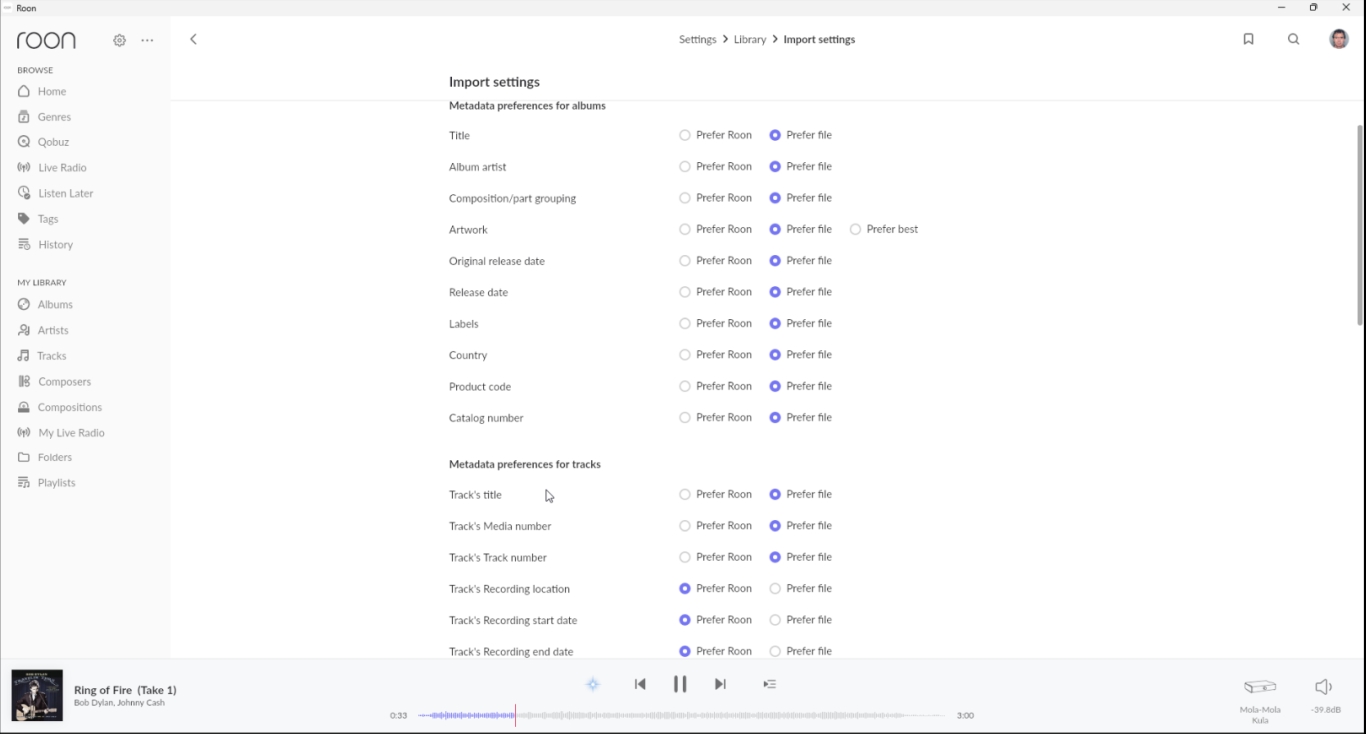
Screenshot of import settings

Description of the issue

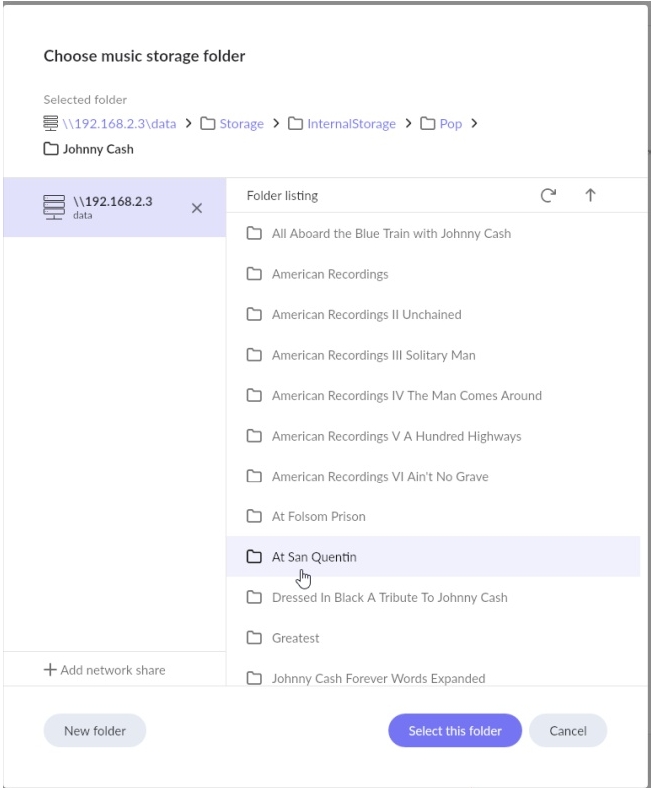
I copied two albums to by Roon monitored storage:

After doing so the “Greatest!” album doesn’t appear at all in the “Artist Overview” panel and the “All Aboard the Blue Train with Johnny Cash” album is incorrectly named “Greatest”. I tried a “Force Rescan” and a Shutdown/Startup both without success.

Did you perform a “force rescan” after this?

Yes (as I stated)

My bad, did not see that.
I guess a Roon Server reboot?
Or did you try that as well already.
I have found personally that changes made directly in the storage location can take a while to be seen at Roon sometimes.
And I mean sometimes days…
Not making any excuses just saying.

I’ve tried the reboot already (also stated)

I’ve moved folders to non-monitored destinations and back (no result).

I’ll do as suggested (very much against my nature) and wait for a couple of days.

Not a suggestion at all, just a comment on my experience.
Just a fellow member here.
Hopefully Roon @support may have some further words to assist.

Delete all traces of these 8 albums from your file storage.

Perform a force rescan.

Then perform a library cleanup.

Finally, put your 8 albums back in your file storage.

Perform one final force rescan. This should do the trick.

1 Like

“Delete all traces” is some multi-interpretable so I give the steps I’ve performed:

  • Moved all folders to a non-monitored storage location
  • Setting / Storage / “Force rescan”
  • Had to delete the album from the “Artist Page” resulting in a pop-up tell me that the tracks/files didn’t exsist (No surprise here)
  • Setting / Storage / “Force rescan”
  • Settings / Library / Library maintenance / “Clean up library”
  • Moved all folders back to a monitored storage location

Success!

1 Like

Sorry for that multi-interpretable language! But you did the right thing :slight_smile:

Roon has a very hard time when decoupling albums from sets into individual albums because the “fingerprint” of the music still remains associated with its set. The key step is the Library Cleanup, as it removes that association completely.

The disadvantage of that is you lose playback history. If that matters, then I realize I had also written this up a few years ago:

But that is really a complicated, delicate operation, and it isn’t worth it if you are willing to lose some play history, so I don’t find myself recommending it all that often.
That said, I am glad you are all set!

This topic was automatically closed 36 hours after the last reply. New replies are no longer allowed.