Thank you for your analysis.
Only on my QNAP I installed the Roon Core. Non of the other devices has a Roon Core installed. Also client and server version matches. Also I installed the Core on the 42.42 completely new …
Thank you for your analysis.
Only on my QNAP I installed the Roon Core. Non of the other devices has a Roon Core installed. Also client and server version matches. Also I installed the Core on the 42.42 completely new …
Are you using crieke’s RoonOnNAS package the QNAP (which is presumably 42.42)?
Good morning, yes I’m using the RoonOnNAS package since years now without problems. But now I have this problem …
And yes, 42.42 is my QNAP with the Roon server.
where do you see that?
I only see this:
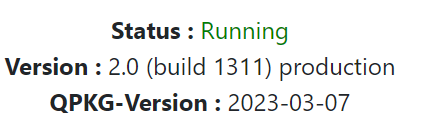
QTS 5.1.2.2533
42.42 is the second part of the IP address of my room server. It‘s from the logs …
Ohh, ok
note to self: don’t reply before the 1st coffee 
When or how does the Roon support step in? I want to get a solution.
Thinking about the “unexpected broker id” message a bit…
Back in the 90’s, there was this idea of object request brokers, basically clearing houses programs could send requests to in order to have other services carry them out. Roon Core seems to set up a broker, with a UUID (universally unique ID, usually auto-generated, which is typically a 256-bit number expressed as a series of hexidecimal digits, e.g. 0b68bf2e-db31-4a76-8513-e2edfe6f3665). You can see this at the beginning of a log during Core start-up:
Info: [broker] starting [some UUID]
Now there are lots of UUIDs flying around, they’re handy as identifiers, but the “unexpected” message might mean that there’s a cached UUID that doesn’t match the real one (somehow). I’ve seen a few messages on the forum where a staff member advises a user to delete some cache file in order to fix a problem. Unfortunately, I’m not sure where or which cache file might be involved.
The server cache folder in my qnap is at:
\192.168.x.x\RoonServer\RoonOnNAS\RoonServer\Cache
Where RoonServer is the folder I used too install Roon on the Qnap.
Not sure if clearing this folder (after stopping the server) can do anything, but you can always try (you can copy the folder to another location just in case) 
Yesterday I deleted/uninstalled the complete Roon Server: all Roon directories, all Backups and uninstalled it from the QNAP. I emptied the bin and re-booted the complete server. Also I deleted the client and also RoonARC.
After that I installed Roon server again, Roon client, ARC … and configured it again. In the night all of my titles were imported.
Also I changed the router to a new Netgear one.
A few minutes ago I tried it again with the same result. No success „Too many failures…“
I‘m frustrated 
… and Roon support is also not interested in helping their clients … 
Please, the Roon Support crew is understaffed, and do very well considering their load. But they are to few.
To me it is obvious that the issue is within your Core environment, as in the QNAP setup/firewalls. I suggest you install roon Core on your lappy/workstation (WIRED!) to see whether you can replicate. At this stage, please only add a handful of tracks from internal storage.
My bets are you will not see any issues at all. And, then it’s back to configuring your QNAP…
Do you have any firewalls or security measures in either firewall, client or server? Such as QuFirewall on the NAS?
Thank you for your reply.
I’m completely with you and I think that the problem is based on the QNAP configuration. But I will install the core on my MacBook Pro with only a few music file in the next hours. I will report my experiences …
Yes I have the QuFirewall installed on the QNAP. But I have already tried to switch it completely off and also to open the ports for 9003/UDP and 9100-9200/TCP without any change in the result (always error “Too many failures …”). But the strange thing is that RoonARC is working fine …
I com back with my experiences regarding the installation of the core on my MacBook Pro …
Now I tried it: I downloaded and installed the Roon Server on my MacBook Pro and it worked perfectly. I imported about 20 music files/2CDs and it run smoothly.
I switched back to the QNAP Roon Server and have - as always - the same problem. If I would know since when the problem appeared … because before some month it worked fine with the configuration. I don’t know if I changed anything to cause this “side effect” or if there was an update on QNAP side …
@Mikael_Ollars : How can I proceed to isolate the problem?
Hello Michael, i wish i could be of more assistance, but my QNAP is too old to allow QTS 5.*. (I run an old 4.3 based TS-470 Pro which has never been an issue through the years, and has been running Roon Server up until a couple of years ago)
One suggestion is to uninstall QuFirewall, but that night be a risk if you cannot secure your LAN. To me, internal firewallss, subnets and VLANS are spawns of the devil!  But then again, i have a small, and easily managed local network.
However, let’s ping @crieke to see if he has got any ideas?
He has got a lot more skills when it comes to NAS devices than me!
@Mikael_Ollars Thank you! Hope that @crieke has an idea … I’m completely frustrated … it run since years now fine and perfect, but now I cannot fix this problem …
Hi Michael_Mahrlein,
Have you tried downgrading the NAS firmware to version 4.5.4.xxxx? If you say you’ve had the problem for a few months, it could be due to a QNAP firmware update.
I talked to a QNAP guy and he means that it is not so easy to do a downgrade from 5 → 4. I don’t dare to do that …
Now I uninstalled the QuFirewall, rebooted the whole QNAP server and tried it again - same result: "Too many failures … " 
@Mikael_Ollars Thanks for the idea … but now I know that it is no firewall issue …
Does the firmware update date correspond to the start of the problem?
Have you installed a flow control service or software such as antivirus, EDR, … on the qnap?