And another question, are you using myQNAPCloud? It should not affect your LAN access, but still.
I think that a conceptual sketch of your network, core and audio devices really could help also?
And another question, are you using myQNAPCloud? It should not affect your LAN access, but still.
I think that a conceptual sketch of your network, core and audio devices really could help also?
Yes, I’m using myQNAPCloud.
In the network I have:
Do you (@Mikael_Ollars ) need any other information?
@Michael_Mahrlein you uninstalled QuFirewall, but what are your settings here?
I don’t know the exact date when the problem appeared. I think I updated to firmware version 5 earlier …
Yes I’m using McAfee Antivirus since years now.
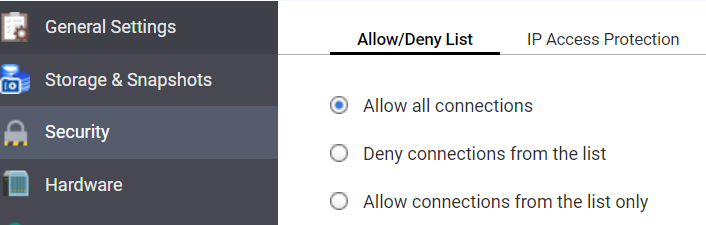
Yes, I checked this page and it was set to “allow all connections”.
Ah - can you disable/stop it and try to see if that has any difference?
McAfee realtime check switched off and also no other scan job was running.
Roon server stopped and started again. Check with Roon client without success - same error as before “Too many failures …”
nope - not McAfee
Do you use Port Trunking or Jumbo frame (other than 1500)?
It would be interesting to know if you can reach your LAN devices through a simple PING-command from the SSH shell of your QNAP? Since i don’t know how familiar you are with computers i apologize if this is too complex, or a walk in the park for that matter!
And a couple of suggestions for router settings:
IGMP Snooping should be Enabled
Multicast routing should be Enabled
I don’t recognize your symptoms in relation to these settings though, so they might be without effect-
No, I do not using Port Trunking and also I do not use Jumbo frame (<> 1500).
You had a very good idea to check with a ping from the QNAP the other devices.
I opened a terminal and connected to the QNAP via SSH. On the server I checked various IP4 addresses of my network and from non of them I got a reply. I don’t know why. But I got a reply for example for “ping 8.8.8.8” … Do you have an idea what the hell is blocking this ping in my home network?
Other topic - “router setting”:
ok, this is getting nowhere. I suggest you simplify the problem:
Stop (or remove) any not Qnap/Roon related app and AV/firewall etc on your Qnap, and reboot the Qnap.
If you still have the same issue, check all the configuration settings (like permissions, security, network etc). It’s can be something really stupid like a simple checkbox in one of the settings, like this for example:
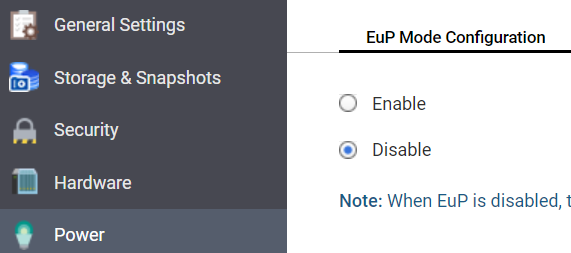
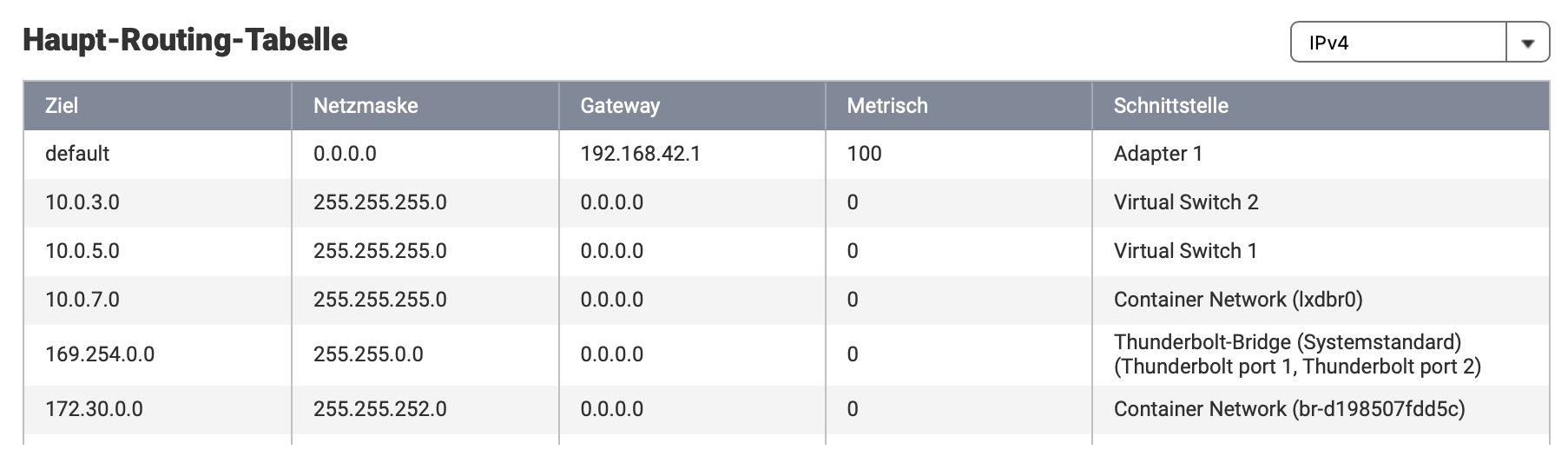
I played with the virtualization tool a few month ago and I think that these virtual switches were created … Do you know how I can delete these switches?
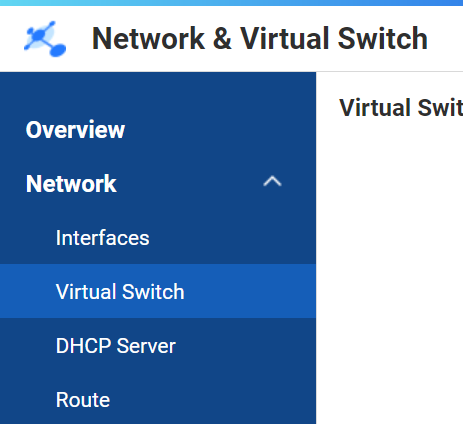
go to the network+virual switch
This is very confusing.
Your QNAP is communicating with the Internet
Your QNAP does NOT communicate with other devices on your LAN
You CAN communicate with the QNAP via SSH/Telnet
Do you have any other service which is depending on network on your LAN, media streaming of video, pictures etc? I suppose you do not, but still…
Please check basic network settings on your NAS, and i mean:
Make sure your IP address is on the same subnet as your MacBook.
Make sure your routers LAN IP is both gateway and primary DNS (secondary might be Googles 8.8.8.8 though) and that you have a subnet mask to match, preferably C-class.
Then rinse/repeat for your router and your MacBook but also your Uniti Nova audio device.
“IGMP Proxy Deactivated”? that seems contradictory to my reccy. But i don’t know NetGear’s dialect though.
Edit: It seems you have found the culprit. Thise virtual switches and routers needs to be uninstalled/disabled and go back to basics. (Assuming you don’t run any containers/dockers etc)
Might be an idea to go through and reversa all config based on this guide:
I’ve already had problems with firmware updates on QNAP servers. In particular on the SMB service (I’ve never used the QNAP firewall). One thing I’ve learned and confirmed by QNAP after-sales service is NEVER jump FIRMWARE versions. It is possible that the firewall configuration file was not updated correctly when FIRMWARE was updated. In the case of my SMB service, I had to downgrade the firmware to the version that worked, then upgrade from version to version.
Did you have a lot of version delay before upgrading?
YEAH, YEAH, YEAH - I found the SOLUTION!!!
Based on your, @Mikael_Ollars, comment regarding the ping to another device and the screenshot from @kc1, I searched for resetting the network and found this page: How to reset network & virtual switch setting via command line | QNAP
I have done all like described on the page and voila - everything is running like it should … also Roon.
Great - thank you very, very much to all of you!!!
Super 
Enjoy the music now