Hello @Alister_Sibbald,
Thank you for these thoughtful questions — your reasoning is absolutely valid, and it’s clear you’ve invested a lot of time into understanding the behavior. Let me clarify a few key points so you know exactly why we’re asking for a simplified network test and what it can (and can’t) tell us.
We have already reviewed your ROCK logs for CPU, I/O, and memory pressure
From the diagnostic bundle:
- no CPU saturation,
- no memory exhaustion,
- no signs of I/O bottlenecks on either NVMe drive,
- no RAAT-server internal stalls.
In other words, from everything we can see inside ROCK, the system is not overloading itself and not falling behind in its processing pipeline.
The fact that the buffer was at 100% immediately before the dropouts is consistent with this — the Core was delivering audio perfectly fine right up until the data left the ROCK.
So at this point, the evidence points to the transport layer between the Core and endpoints, not internal ROCK performance.
- Why we ask for a simplified network topology
This is not because we assume your Unifi network is “slow” — it’s the opposite.
When troubleshooting RAAT behavior, we try to reduce the number of variables to as close to a lab-controlled setup as possible. Even in extremely capable networks, there can be:
- multicast filtering behaviour on managed switches
- IGMP snooping edge-cases
- per-port buffering strategies
- chipset firmware quirks
- AP → switch → router route asymmetry
- WiFi → wired bridging differences
- internal steering / band balancing events
- handoff behavior between APs
- queue management (FQ-CoDel, Smart Queue, SQM)
- rate-limiting bursts on high-traffic connections
- DPI/traffic-classification logic on Unifi gateways
- topology loops temporarily handled by STP
- WiFi airtime interference (even on WiFi 7)
- Walls
None of these require a “weak” network — they are simply characteristics of managed, enterprise-style hardware.
So the purpose of the test is not to suggest your network is inadequate — it is to remove all possible external variables and isolate whether the dropout originates before or after the data leaves ROCK.
If the issue still happens on a direct Core → router → endpoint chain, then we know the root cause must be inside ROCK or the endpoint.
If it stops happening, then something in the larger topology is interacting with RAAT.
Either outcome moves the investigation forward.
- This is not about saying “WiFi cannot be used with Roon”
Roon supports WiFi — many thousands of users run stable setups over wireless. However, we are still recommending using a wired connection for the best performance.
When diagnosing timing-sensitive RAAT behavior, WiFi adds layers that are, by nature:
- non-deterministic,
- shared medium,
- subject to interference even on empty channels,
- harder to reason about in micro-timing terms.
We are not moving toward a conclusion that your WiFi is unfit for Roon.
We are simply trying to get a clean data point that tells us whether WiFi is even a relevant factor.
- What exactly to test
To answer your question:
“Are you asking me to eliminate the switches?”
For this one test: yes, exactly.
Please temporarily arrange:
ROCK → (Ethernet) → Router → (Ethernet) → One endpoint
No intermediate switches, no APs, no mesh hops.
Any endpoint is fine — whichever is physically easiest.
This is not meant as a permanent solution.
It is purely a diagnostic step, so we can say confidently:
- “this is definitely inside ROCK/RAAT” or
- “this originates somewhere in the extended network path”.
Both answers are actionable for us.
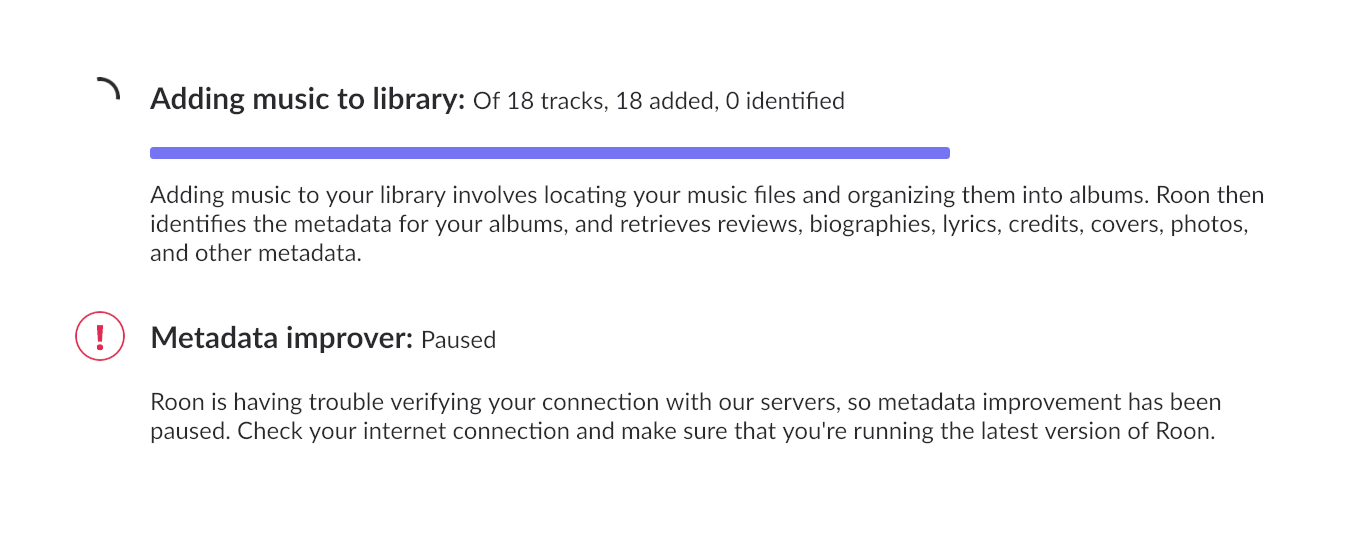
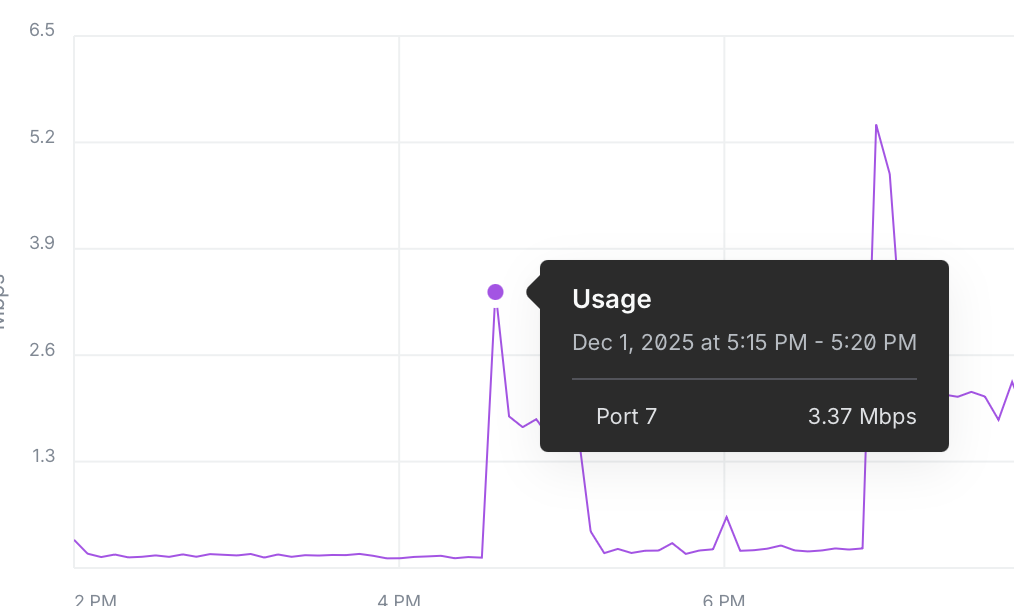
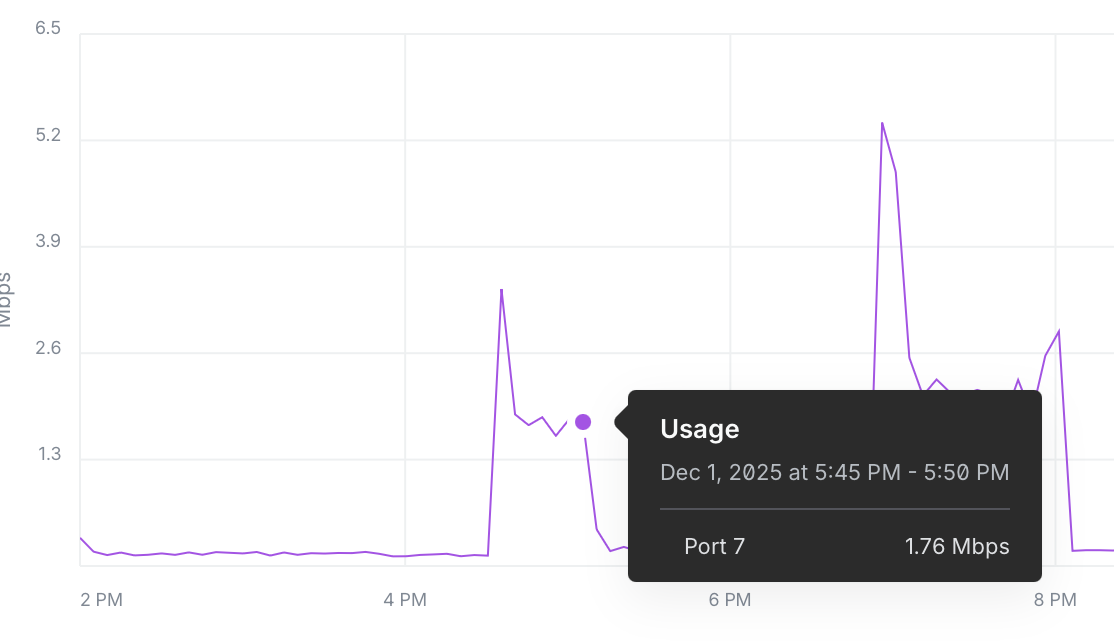
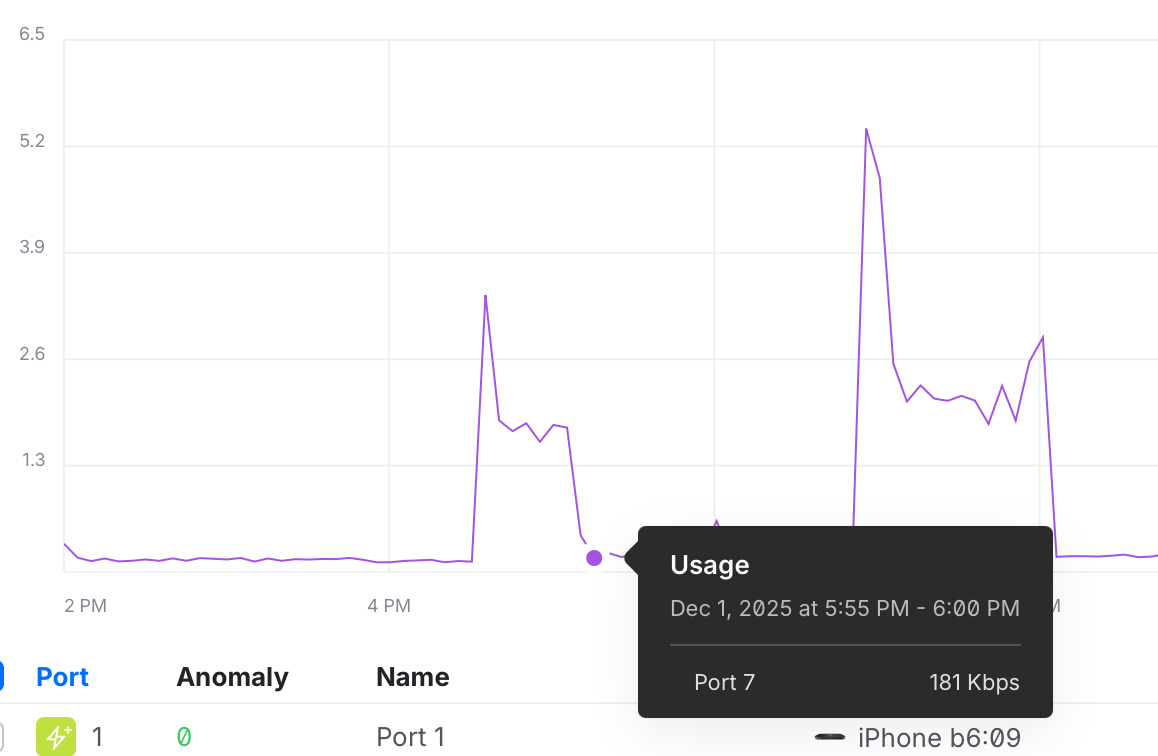
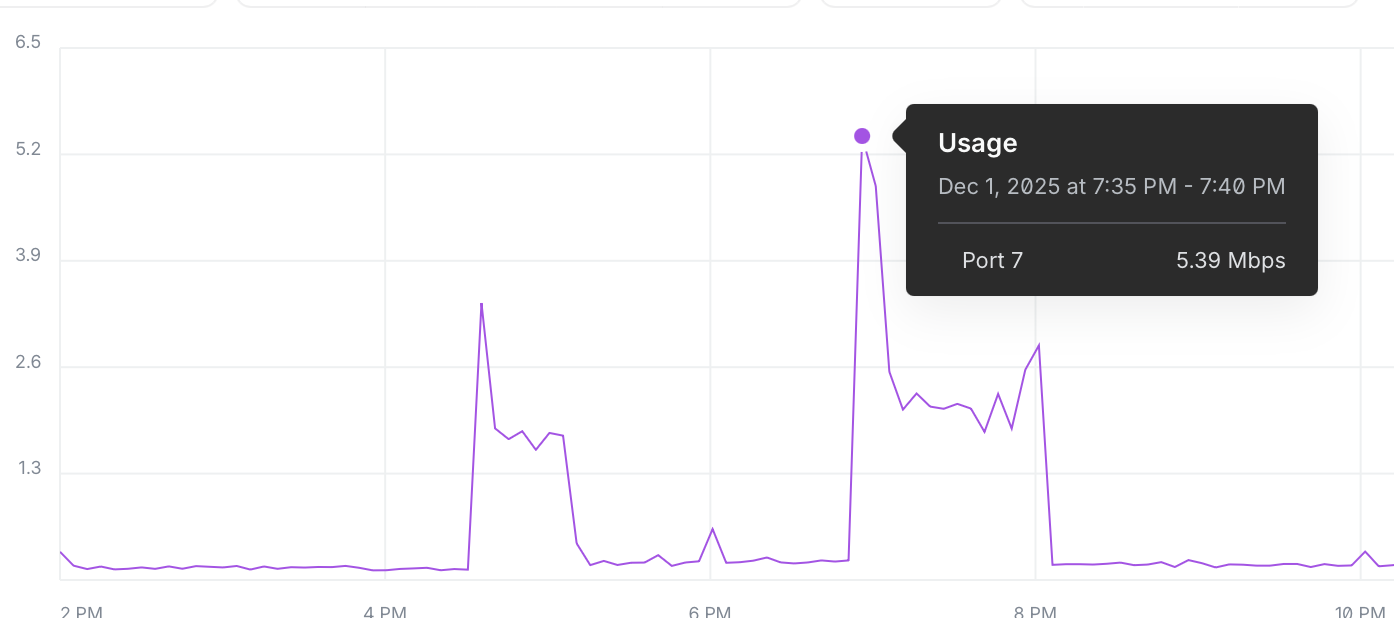
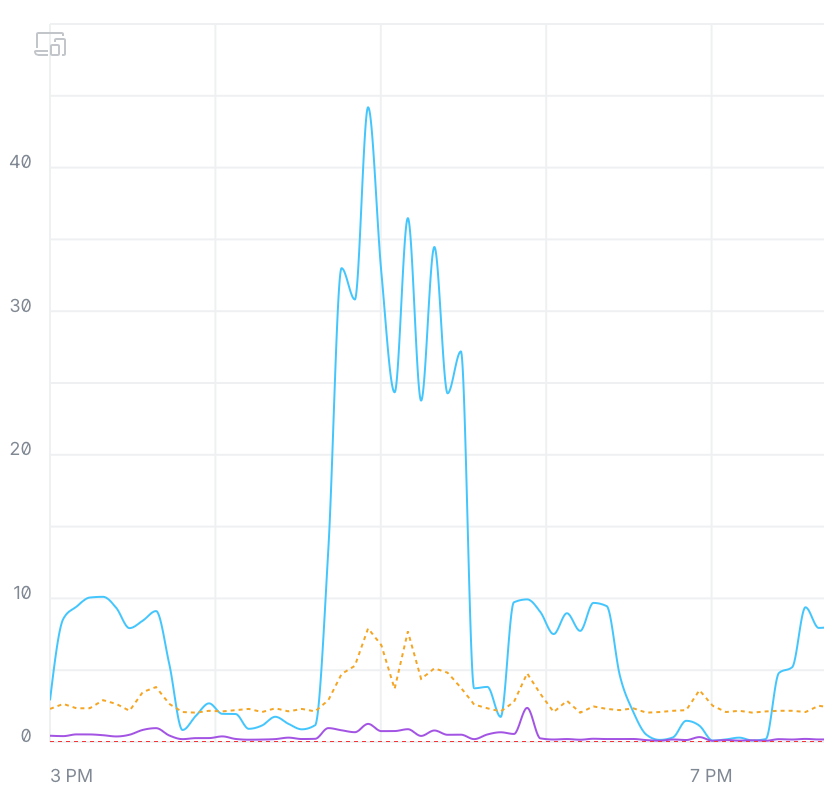
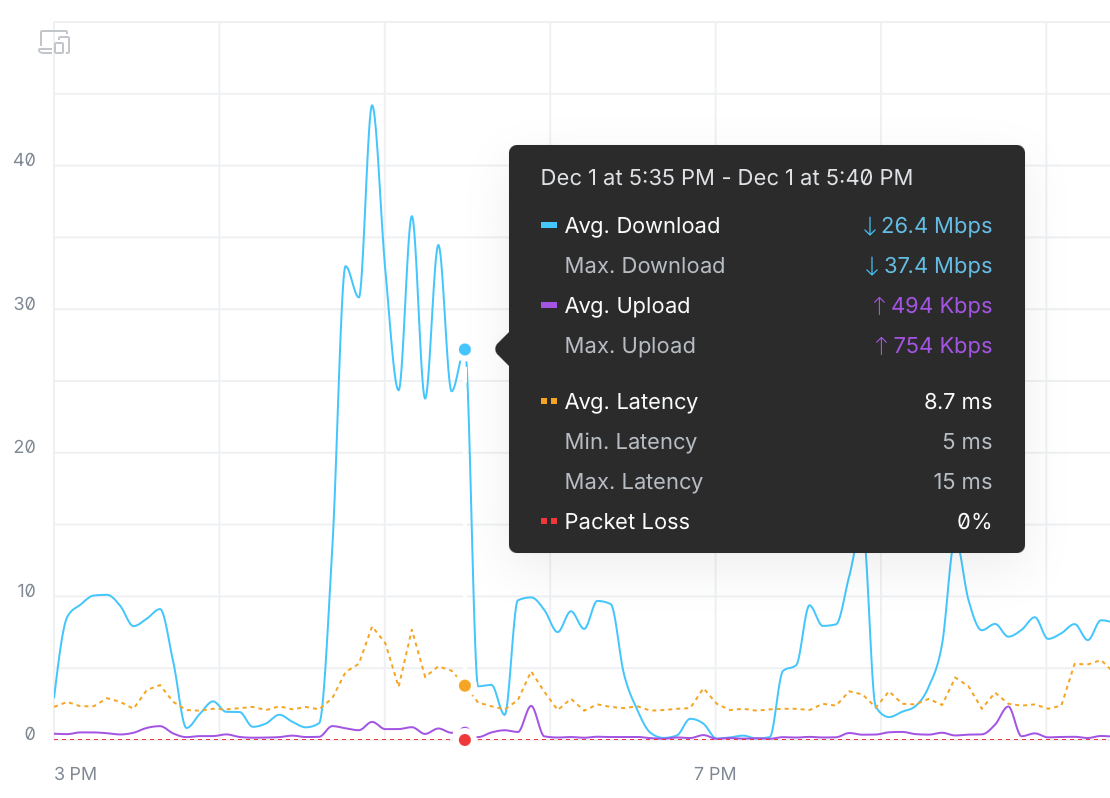
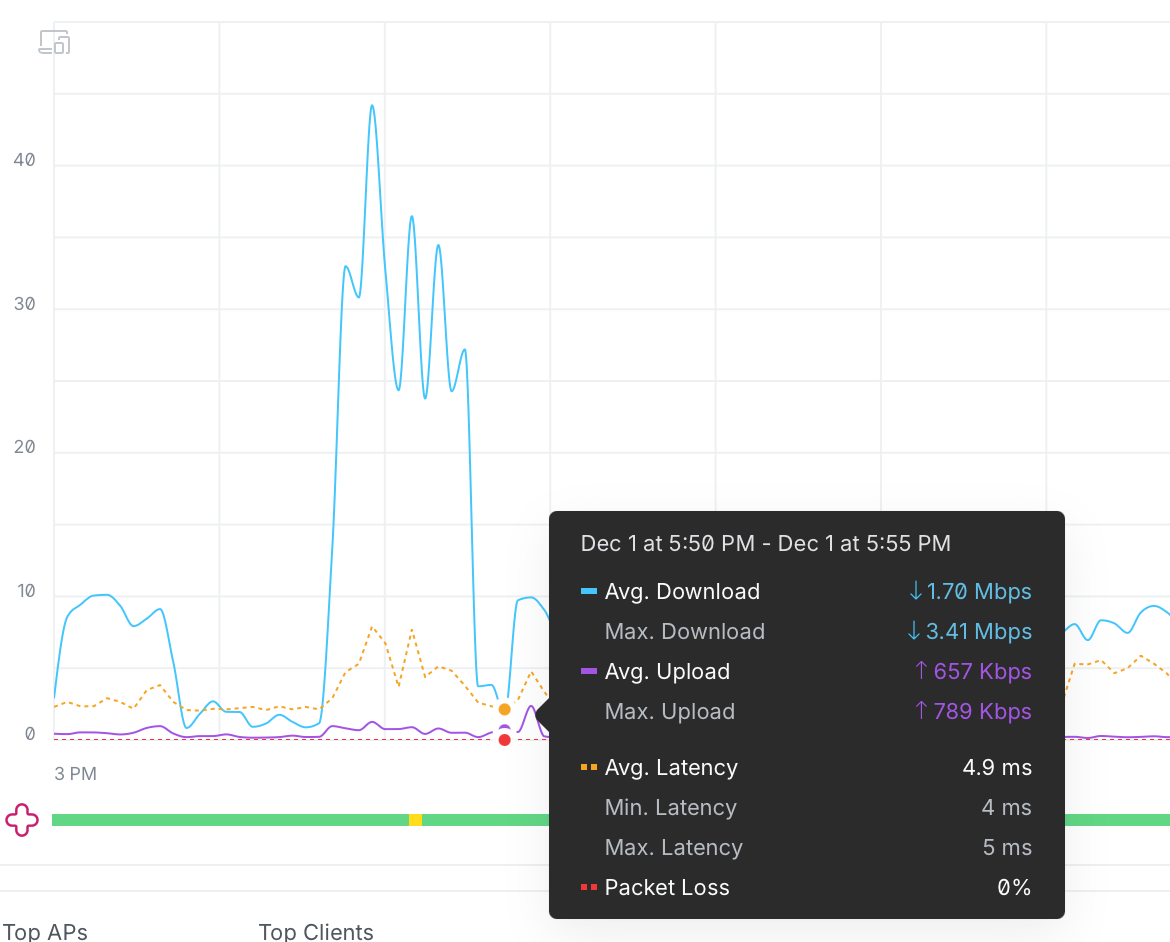
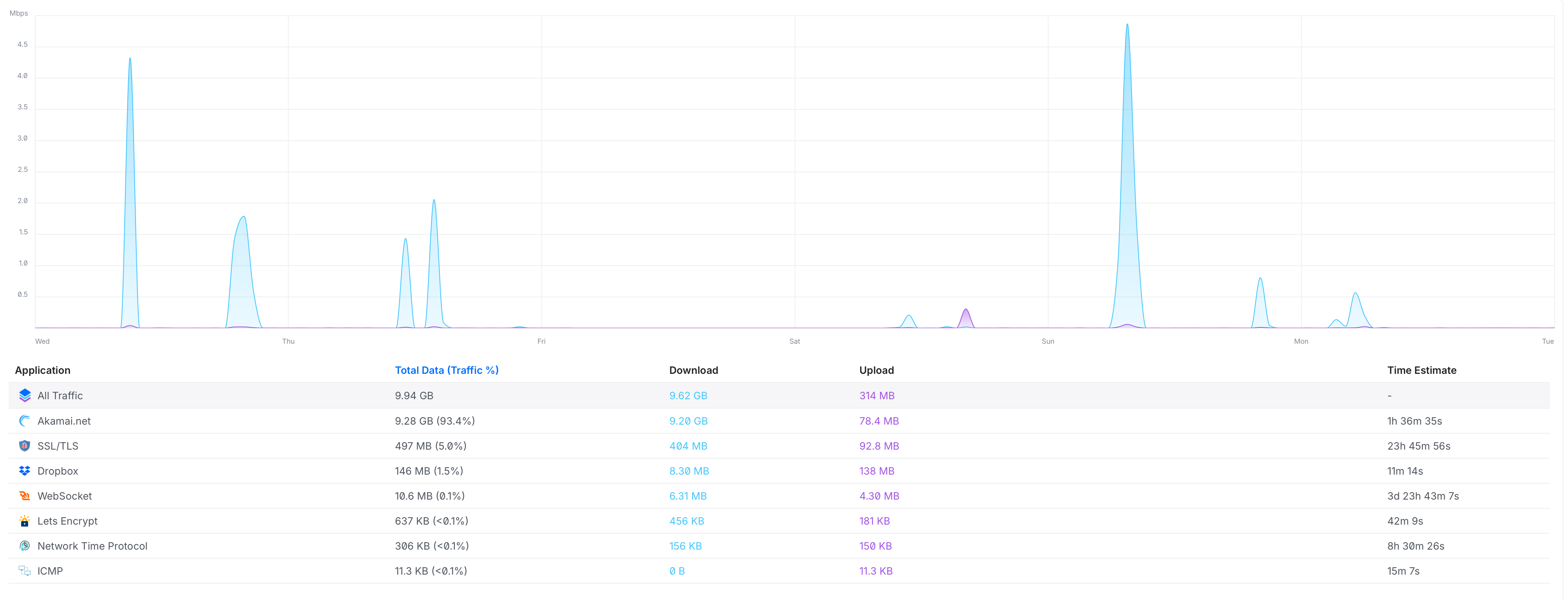
- About the bandwidth spikes you observed
Those are normal background activity:
- metadata refresh,
- image caching,
- library scans,
- Qobuz/Tidal sync,
- Roon cloud services.
They can look “big” on a graph, but they neither saturate the CPU nor interfere with the audio pipeline — which is strictly prioritized.
The logs also show no RAAT starvation during those spikes, so they are not the cause of the skip.
Once you have the simplified wired test results, we can correlate them with the internal logs that will be collected and continue the investigation with R&D.
Thank you again for the level of detail and the care you’re putting into this — it genuinely helps us move faster.