Familiar with the proper procedure, I’ve tried everything I can think of both to get my existing Share to work again (have just moved from an iMac Pro to an M4 Studio) and connect with backups. It won’t .
The same Share worked at first on my new machine a few weeks ago.
But I’ve been unable to connect (no errors - provided I get the syntax correct) since August 30.
Any ideas, please, where I can look to track down what I’m doing wrong?
FTR, I’ve:
toggled all the permissions I can think of on and off - and restarted
made sure the ‘Windows’ options etc are all set in Settings > General > Sharing > File Sharing etc
Thank you for your message. Can you please use the directions found here and send over a set of logs to our File Uploader? Once logs have been uploaded, please let us know so that we can check the server for your files, thanks!
Have done so. The log zip file was uploaded at 11:50 PDT with the name, Mark Sealey forum thread 305919 Roon_log. I zipped it and uploaded it immediately after trying to Back up etc.
Just to be clear: I bought my Mac Studio in July. Roon was one of the first applications I installed from scratch . My Nucleus Titan environment remained and remains unchanged,
For the first few weeks everything worked perfectly. Plenty of successful backups. Everything else still does work perfectly, although a little quicker with the M4 chip!
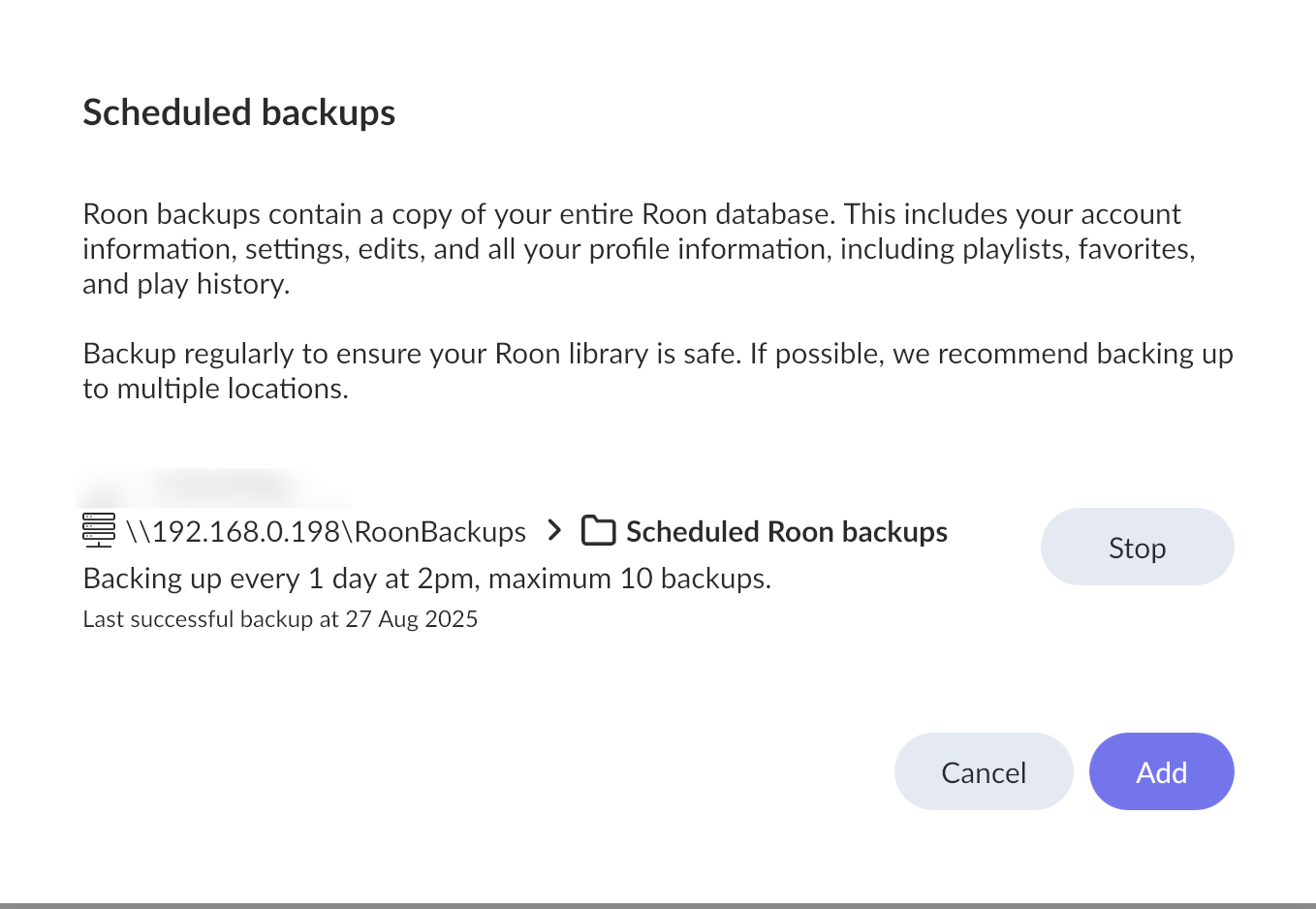
Could it be that either the macOS update (to 15.6.1) or any Roon new builds have broken something? They were before my last successful scheduled backup, which was 2025-08-27.
I have not made changes on my cabling etc., or Synology RT6600ax router - e.g. in anticipation of your upgrade to IPv6 etc.
Standing by to answer any questions etc which your examination of the logs may throw up.
Titan logs uploaded as directed at 9:45 with filename ‘Mark Sealey RoonServer logs.zip’…
But that’s not all: I stopped my Titan in order to copy its logs to my desktop.
Now I cannot connect Roon on my Mac to Titan. I have restarted everything. ‘Configure Roon OS devices’ sees it at 192.168.0.66. But clicking ‘Done’ doesn’t work. The web GUI now keeps showing Titan as ‘Not Running’
Thanks for re-sending! And I’m sorry to hear your Titan won’t come back online - it looks like it was active around an hour ago on our end.
If you manually start Roon Server from the webUI, is it able to boot up? Perhaps restarting the machine itself will help.
In regards to your network connection failure - we’re seeing quite a few general connectivity failures between your Titan and your Mac Studio, can you double-check the firewall settings on the Mac?
We’re seeing this specific error around the backup network connection:
Again (and as always), thanks so much for your swift and pro-active response, @Benjamin!
A bit odd this:
I couldn’t get Titan to reboot with either the GUI (top right red button): it lost connection completely in Safari between Titan and my Mac.
or a less than four seconds press on the bright blue on/off button on Titan’s left: unresponsive
I got ready to attach my monitor to the HDMI port for diagnosis.
But… I waited and unplugged the (12v?/low voltage) power connector; waited and re-plugged it in.
Back online and able to run the backup as well.
That makes me think that somehow the Nucleus Titan got ‘stuck’ in a semi-responsive state; responsive enough for Roon to find and play from its database until this morning - which it seems to be doing perfectly; unresponsive for an smb mount and backup.
May I ask you to check at your end whether the activity you see is as you would expect, please, Benjamin?
Is having to do effectively a ‘hardware’ reboot a known issue; or unheard of, please?
Yes. Roon in the Apple firewall settings is still as it has been in that respect since I built this machine: ‘Allow Incoming Connections’
Does ‘post windowsization’ mean after the stage in setting a Samba Sharepoint where we must go to ‘Options’ in the ‘File Sharing: On’ dialog and check ‘Windows File Sharing’, if necessary entering the machine’s user’s pwd? But actually for macOS smb they’re forward slashes?
Odd, also, because the settings I used when first installing Roon etc on this machine were those I always used(d):
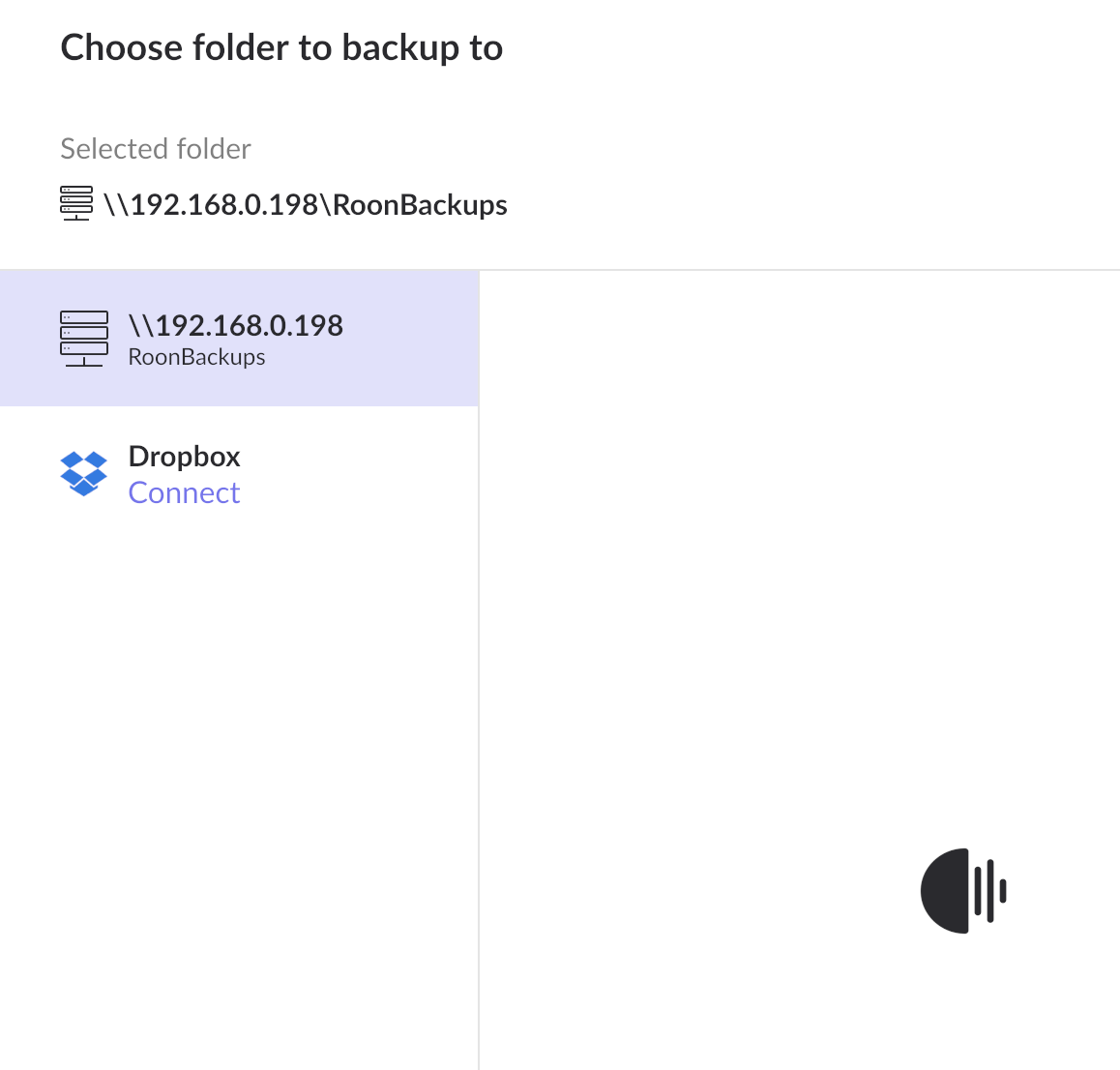
\192.168.0.198\RoonBackups
which I left as is this morning; and after that ‘hard’ boot for Titan seem to have started working again!
Yes, I do. I know it’s supposed to work without such that the Samba connection finds the folder, which is in ~/Music
Still - could it be that what I had to do to the Titan has fixed everything?
May we keep this open - after you’ve looked at my logs/activity at your end; and if it seems OK?
I’ll obviously keep an eye here for anything strange.
At the moment everything looks fine – we don’t see any issues in the current diagnostics. The diagnostic data has successfully reached our servers which is wasn’t happens before.
From what we can tell, it seems like there was a temporary network glitch that was resolved after the restart.
Please continue to monitor the behavior, and let us know if the problem reappears.
 .
.
 . My Nucleus Titan environment remained and remains unchanged,
