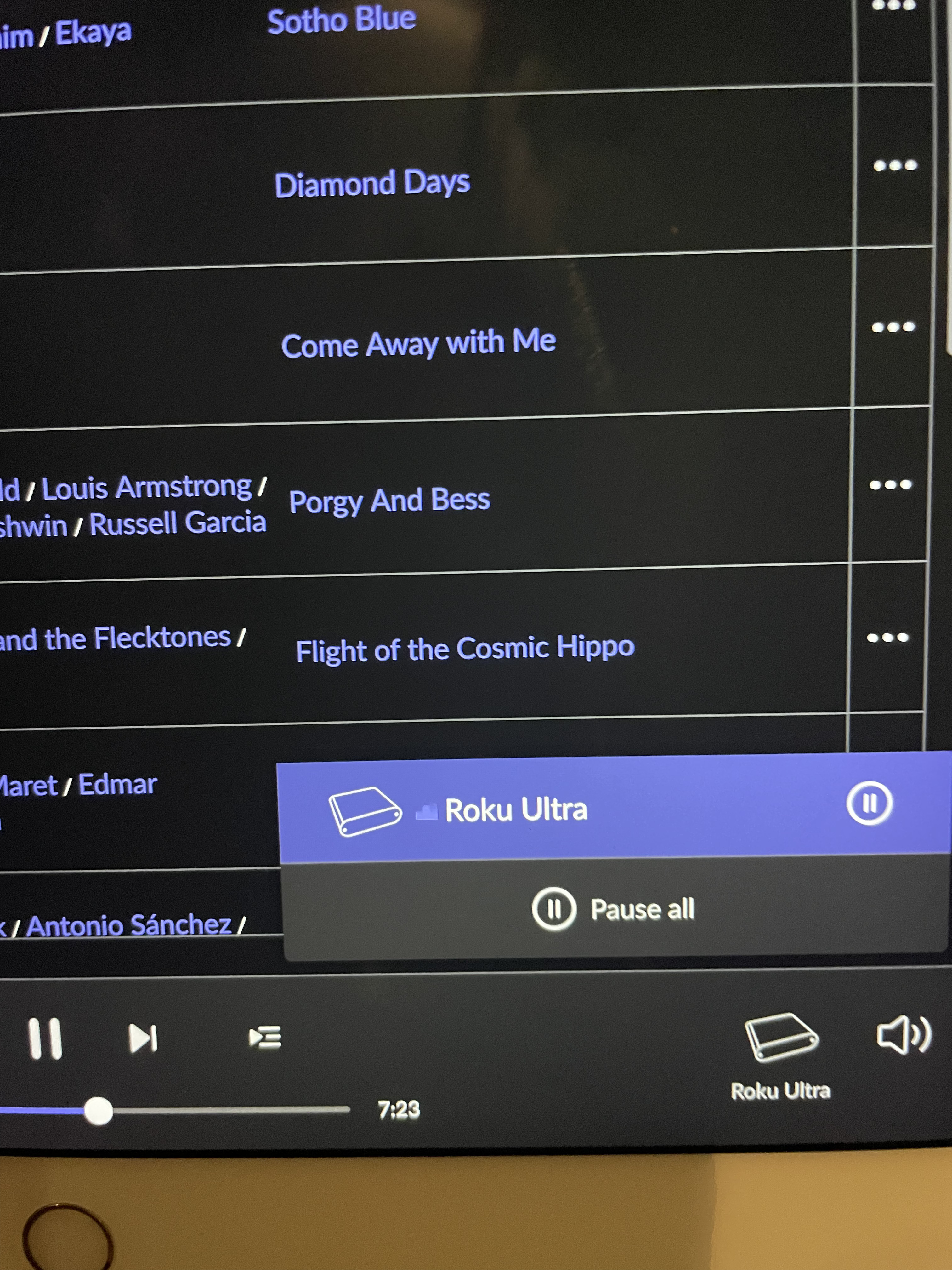
UltraRendu Misnamed as Roku Ultra in Roon (ref#3BH0EJ)

Hi! What’s not quite right with Roon?

· None of the above quite fits

None of the above quite fits

· None of these quite match

Tell us what's going on

· I use SonicTransporter i9 and UltraRendu for the delivery of the Roon service. When I am on the page that shows the choices for what is carrying the signal Roon has named my UltraRendu Roku Ultra. That is what shows up on the lower right corner of the normal operating page. Somehow this is because in our house we have 4 Roku Ultra devices. All 4 show up on that Roon Page also. I can live with the extra 4 Roku Ultra options but I would like to rename the actual unit that is related to Roon. That would be calling my option UltraRendu. If you could tell me how to rename it I would greatly appreciate it. I am not sure how I will receive a response so this is my email address. [moderated]@yahoo.com Thanks Brad Rockwood

Tell us about your home network

· everything operates I just need to change the name of the device.
Hey @Brad_Rockwood,

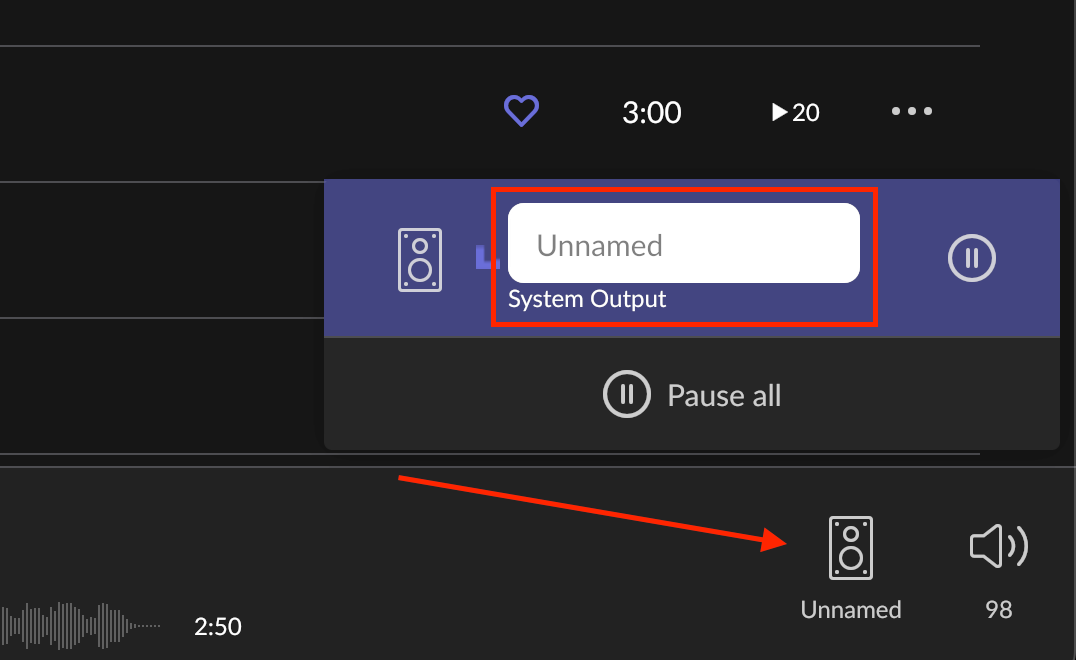
Thanks for writing in! If I understand your report correctly, all you’ll need to do here is first select your UltraRendu zone to make it active in Roon, then click the zone icon to change the zones name, for example:


Let me know if this helps!

You’ll get a direct email notification from this reply, in which you’ll want to log back into the Roon Community and reply on your thread directly.

Let me know if this helps! :raising_hands:

Hi Benjamin, this is what opens when I click on the icon that says Roku Ultra. If i click on the icon in the open window nothing happens.

You need to

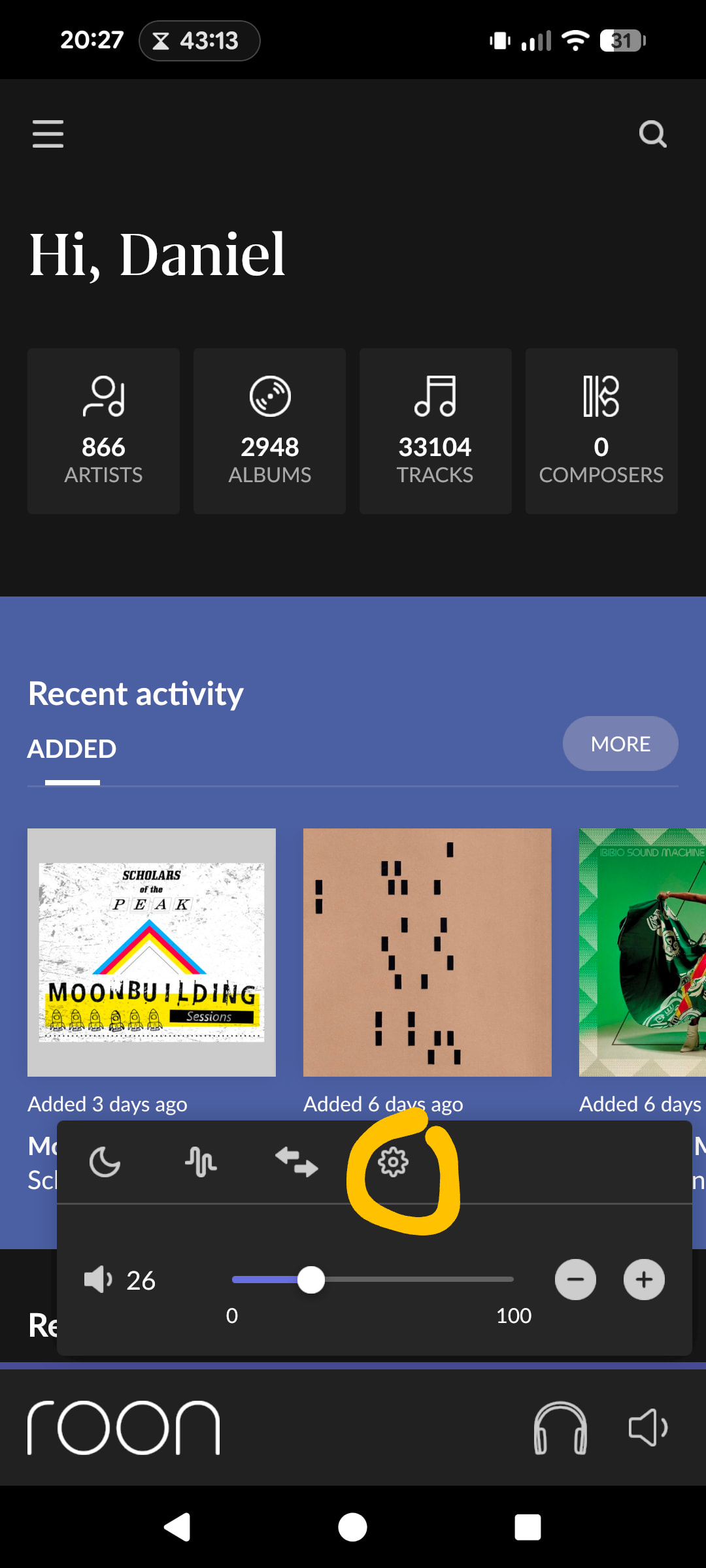
  1. Click on the volume icon
  2. Click on the gear icon
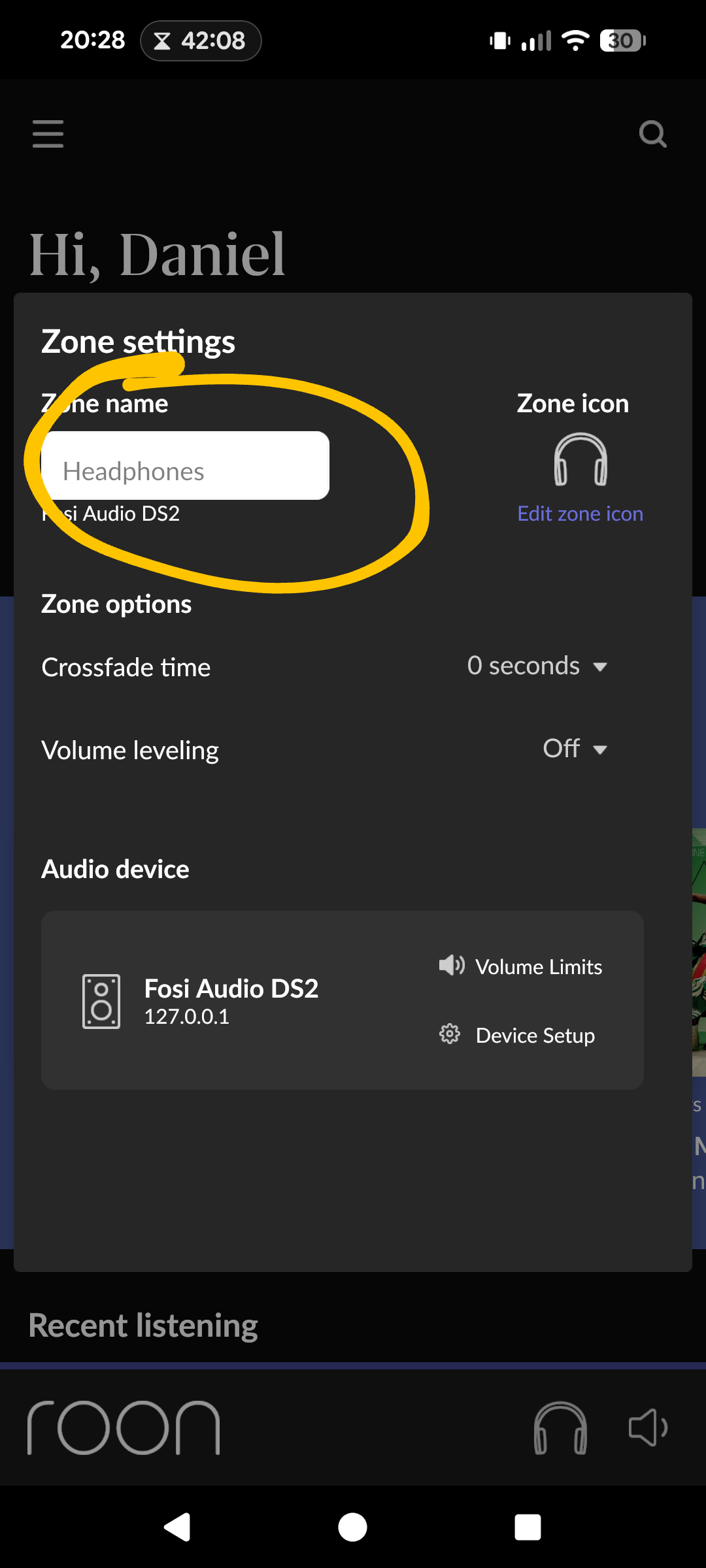
  3. Change the name of the zone

Screenshots to help


Hopefully that will work

Thanks, That was about as easy as I thought it would be but I had no idea how to find it.

Brad

Hey @Brad_Rockwood,

Glad to hear that worked. We’ll go ahead and close this one out. Enjoy your music!

Thanks for the help