· The Nucleus boots up and I can connect to it in the Roon app without issue, but I have a question about configuration/storage/attached devices
Describe the issue
I need specific help in how to add music files from a remote hard drive to my nucleus. I cannot seem to be able to figure out/load the web administrator interface.
You don’t add music through the web admin interface, but if you can’t load even the web admin interface, there’s something wrong and this is the first problem to solve.
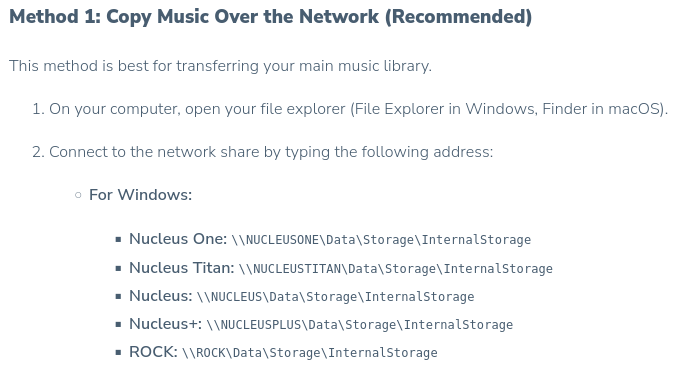
For adding music, you need a second hard drive in the Nucleus. The instructions for copying music to it are here:
OK, I verified that I have the first gen Nucleus with internal 2tb SSD. If I go to my Internet explorer tab and enter \NUCLEUS\Data\Storage\InternalStorage I see nothing. The other HD I am describing is a standalone HD that I use to temporarily store my music that I ripped from CDs and Vinyl, prior to loading it to the nucleus. It is not set up as a watched folder.
Well yeah, I was hoping for a more automated solution such as watched folders, but drag and drop will suffice. BTW, how do I delete duplicate albums from my Nucleus SSD?
Watched folders are not about copying data. You can use (automated) copy and/or sync tools if you like. You can use the Forum Search to look for existing threads about such software or commands.
Note: A real-time automated sync isn’t considered a backup (independent copy). Please make sure you also have a backup of your music files.
How do you delete files in general? Do you not know how to that in (file) explorer? You can also do that in Roon if you want to:
I must be doing something wrong…I select the album I want to delete, it brings it up on the main screen, but where is the selection menu with the delete option?