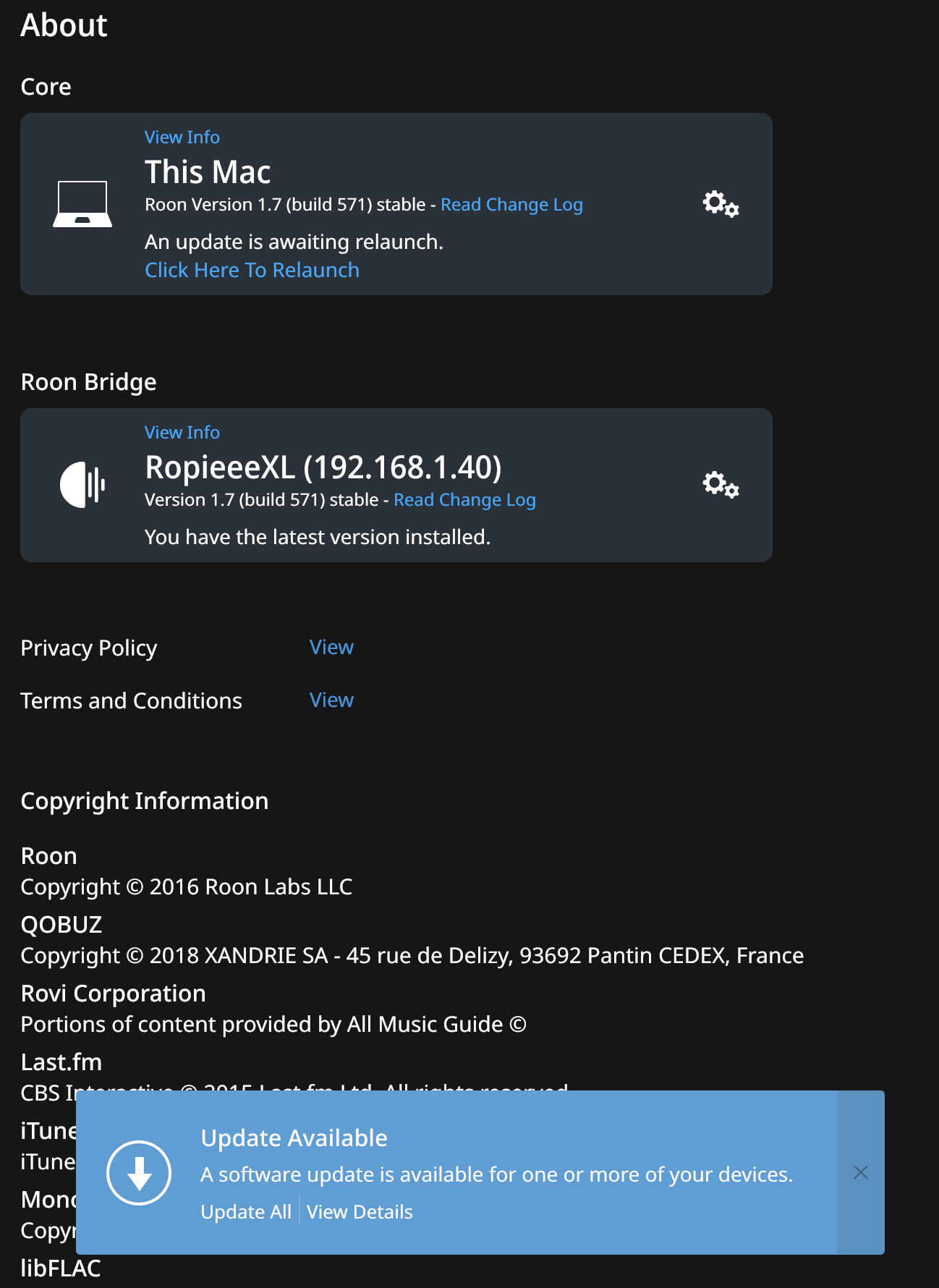
I have similar behavior with update 1.7 (571) on Mac OS Catalina on Mac mini. An update is available under Settings > About. Downloading occurs, then Installing, and now Relaunch, but “Click Here to Relaunch” just kills Roon and it never comes back. Starting Core again just brings me back to same.
Hello @ExUnoPlura, thanks for your report! Could you please reboot this device and see if you can get the update? Please let me know!
So we can better assist you, please provide a brief description of your current setup using this link as a guide.
Make sure to describe your network configuration/topology, including any networking hardware currently in use, so we can have a clear understanding of how your devices are communicating.
No joy on reboot. Same issue: Repeating attempts to download and install. Here are the details, though this is a very generic setup:
(1) 2018 Mac mini, 32Gb RAM, 512Gb SSD
(2) macOS Catalina 10.15.6 up-to-date
(3) Connected via WiFi to Netgear Orbi router system with two satellites. This Mac mini is on Satellite 1 on 5G network
(4) RopieeeXL endpoint per screenshot and a bunch of Airplay, Sonos, and a few Google Chromecast devices
(5) Streaming via Qobuz. A small library (20-30 tracks) on local disk
Note: I think I saw this same behavior on previous update but then it corrected after a few tries. Not this time.
Thanks,
Mark
FYI, I did some further investigation, shutting down different apps and services like Dropbox, then rerunning update. No joy there either.
I finally downloaded and installed the Roon package again after trashing the app. Interestingly, it didn’t require a login or restore from backup, but appears up-to-date now.
All around strange behavior, but seems to be working now. Will see what happens with next update.
Hello @ExUnoPlura, well done! Please let me know if this happens again.
This topic was automatically closed 365 days after the last reply. New replies are no longer allowed.