I don’t understand something.
I have been using Roon from the beginning and have always learned that when the green “led” lights up, the sound is degraded.
I have always found that a nice warning.
One of my Roon streamers is an Aurender N20 connected to a dCS Vivaldi Apex DAC (AES/EBU input)
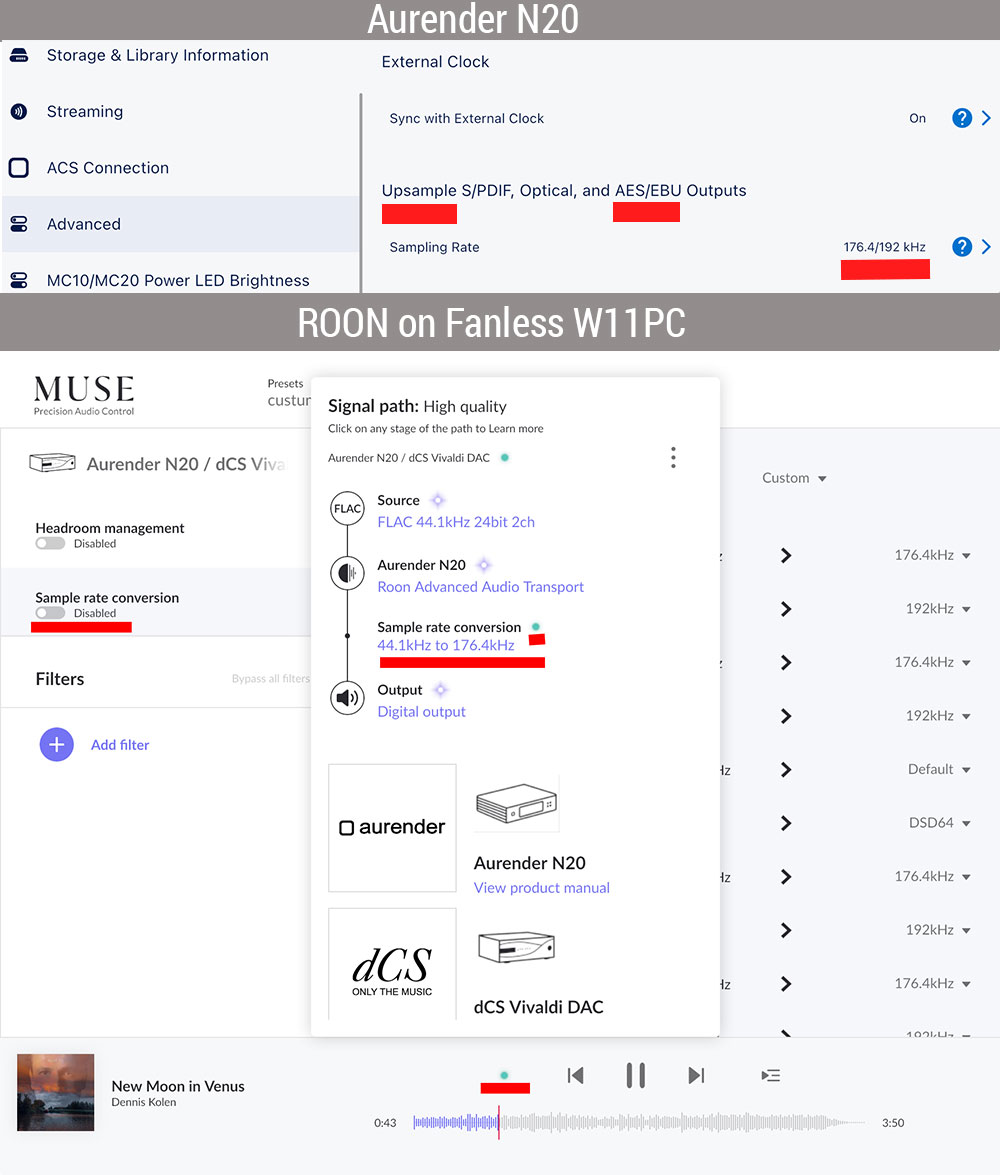
I turn off upsampling in Roon and turn on upsampling in the Aurender menu to 176.4kHz and 192kHz.
The upsampling works fine, it also sounds fine, but the green “led” is on?
Why?
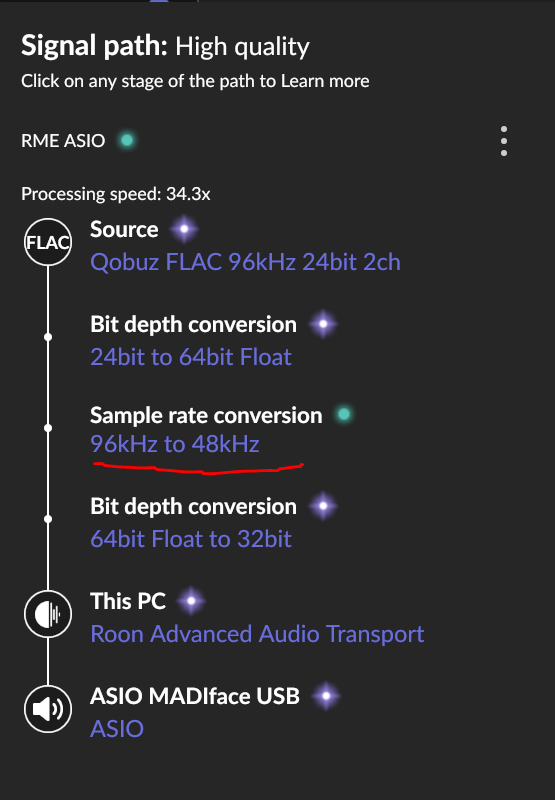
First off, the green light doesn’t mean “degraded” sound; it means that there is some DSP applied to the signal, and DSP is supposed to enhance the sound, one way or another, not degrade it. Then, whether the DSP is done before the DAC or inside it, it’s still DSP, hence the green light. If you look at the signal path, the light is coming from the up-sampling in the Aurender.
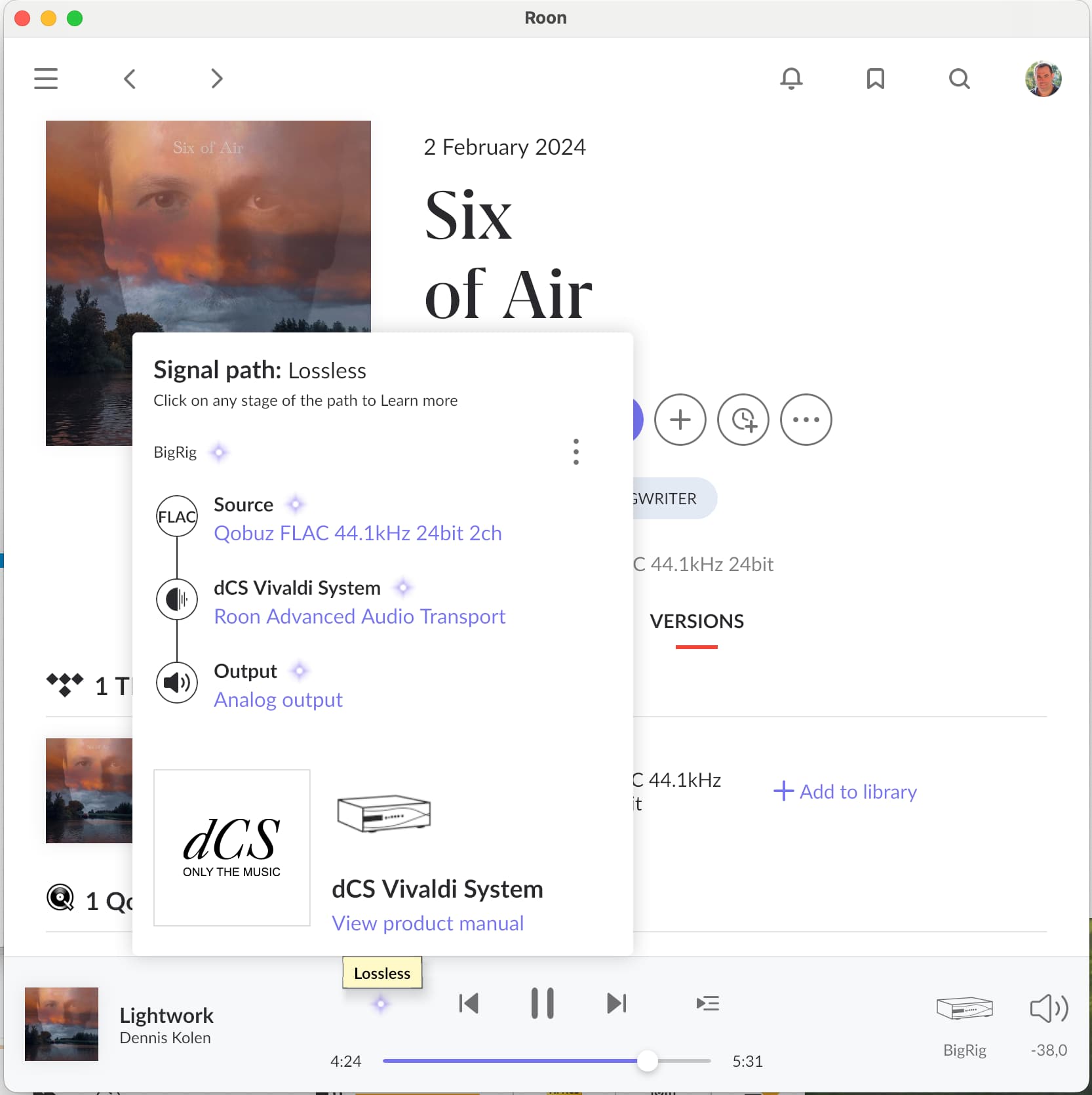
So why does Roon consider the SRC in the Aurender as green (“High Quality”) but the SRC in the Vivaldi as purple (“Lossless”)? No idea, you would have to ask them.
In cases where something other than Roon is applying DSP and reporting to Roon it is doing so, like the Aurender example, I think the default is green because Roon cannot know how the device is doing the DSP.
And as Blackjack mentioned if the device doesn’t report anything back to Roon, then the Signal Path will only show what Roon knows. Which is the case in Struts dCS example.
I think the point is that to roon it’s unknown how the audio chain continues after a roon endpoint.
The signal path always starts with an initial input signal as stream or file, passing through optional roon processing steps which are shown in the path, until the very last step the output from the roon server.
From there even more processing may happen in connected devices that are out of roon’s control, esp. beyond sampling rate bit depth and DSD/PCM encoding.
So, why demanding roon to know what devices after the roon server’s output are doing not controlled by roon? And for pure display in the signal path what should it show as a next device?
It’s not a separate device; it’s the Aurender N20 that does the upsampling. The Aurender is more powerful, making it better suited for upsampling. And… I dislike the green light; I prefer blue. I’ll ask Aurender themselves. Many types were made RoonReady-capable later on.
It depends on the machine you run Roon server on, but in general, a computer is more powerful than a streamer or DAC. Not that it matters that much; the DAC up-samples internally during the D/A process anyway.
Maybe Roon should have a feature to allow users to change the color scheme.
Seriously now, I said on several occasions that the light is a gimmick and a source of audiophile angst. Don’t look into it too much. If the system does what you want, it’s all good.
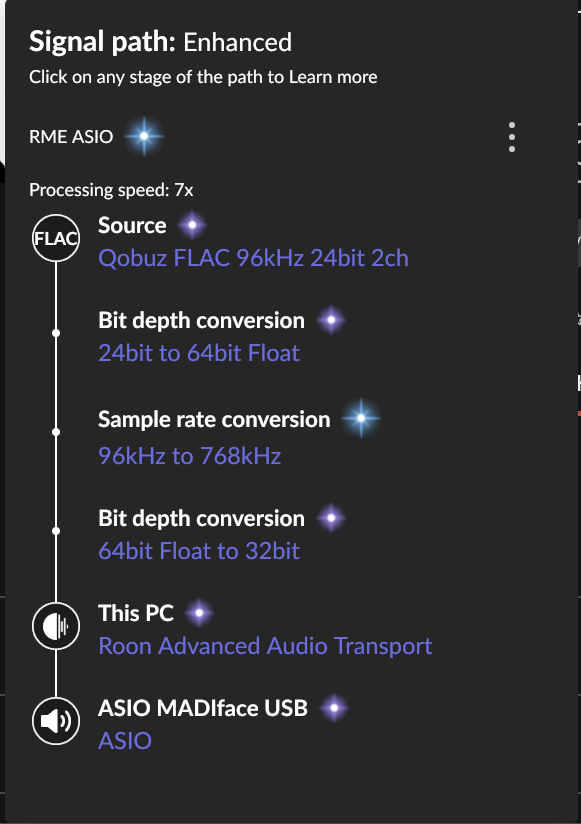
The red box indicates what Roon is doing. If it’s up sampling within Roon then it is Enhanced.
The green box is what the endpoint is doing and tells Roon it is doing. As this is not controlled by Roon, Roon will report it as High Quality.
Some Roon Ready endpoints, I own a good number, and they don’t all report back to Roon what they are doing. The signal path will show lossless when one of the endpoints is performing DSP duties.
My point here, and as @Marian mentions, the light is a gimmick and in some circumstances the signal path is meaningless with some endpoints.
Your N20 is reporting back to Roon that its upsampling, but Roon was designed that it knows best and is better to handle the upsampling. I don’t necessarily agree with this, but I think that’s the belief of the Roon gods.
I’d ignore the signal path altogether and just listen to music.
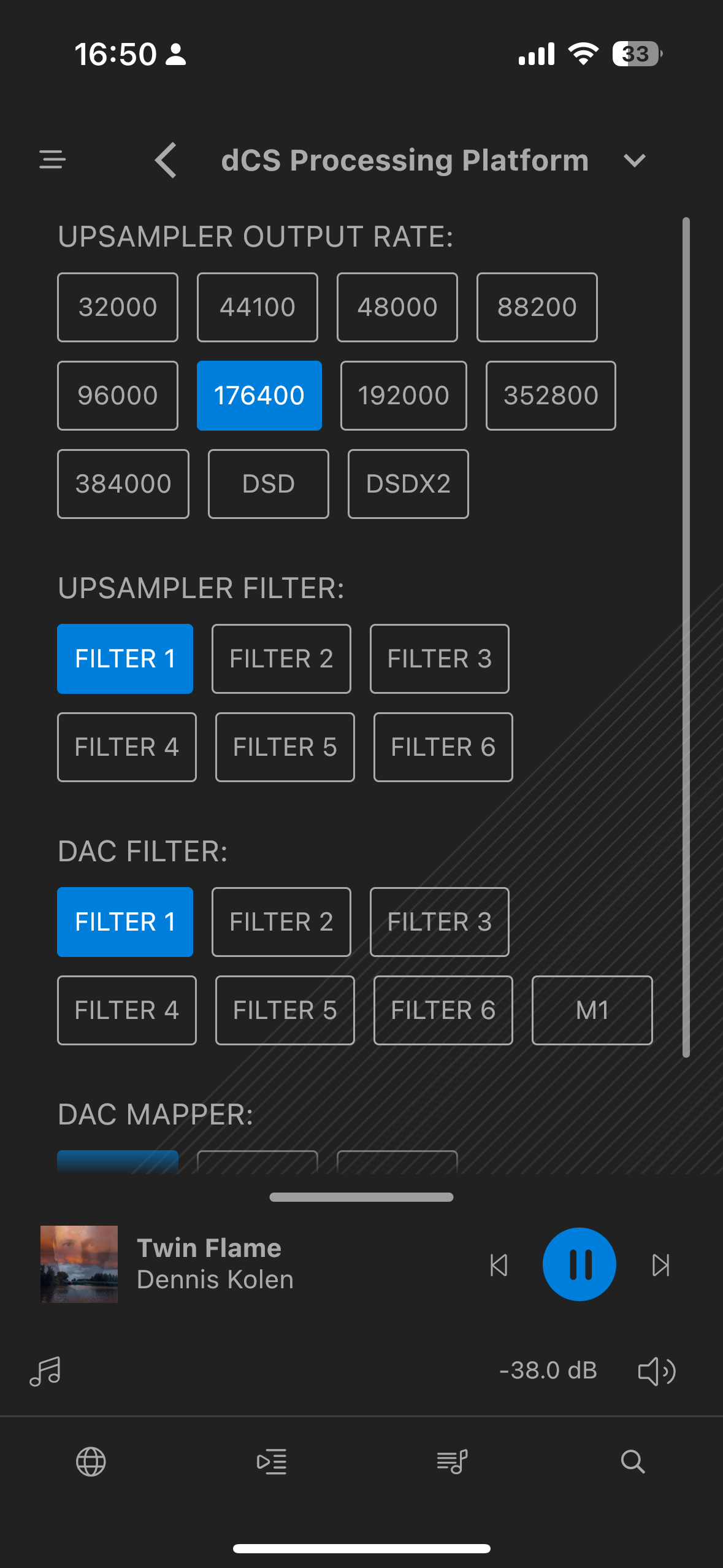
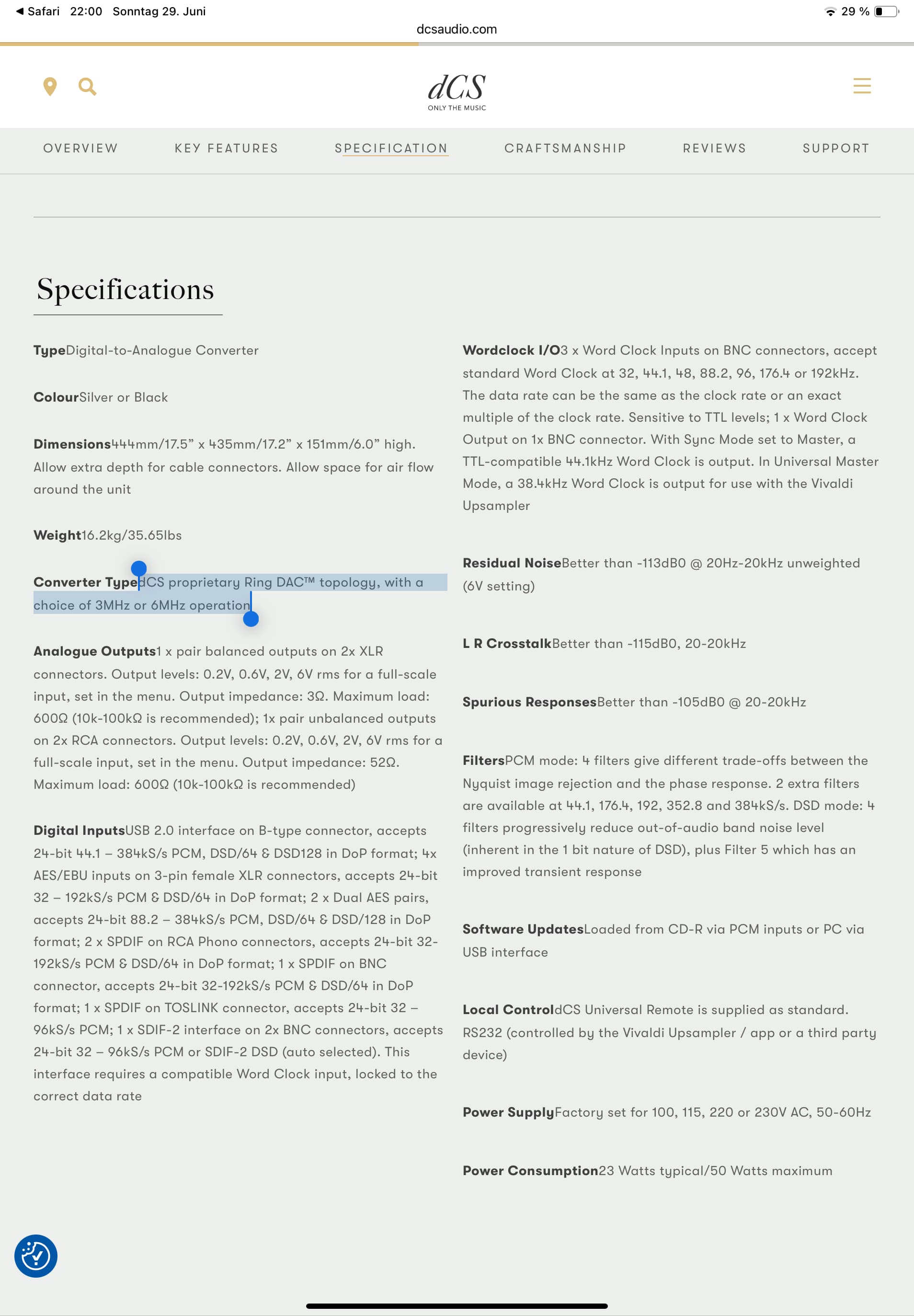
How do you know? I see that it offers some choice of filters, which suggests it does use oversampling:
PCM mode: 4 filters give different trade-offs between the Nyquist image rejection and the phase response. 2 extra filters are available at 44.1, 176.4, 192, 352.8 and 384kS/s. DSD mode: 4 filters progressively reduce out-of-audio band noise level (inherent in the 1 bit nature of DSD), plus Filter 5 which has an improved transient response
dCS:
The dCS Vivaldi DAC does not perform upsampling; it operates as a Network DAC, accepting high-resolution PCM and DSD data streams without altering them. Upsampling is handled by other components in the Vivaldi stack, such as the Vivaldi Upsampler, or by external devices connected via USB or AES/EBU.
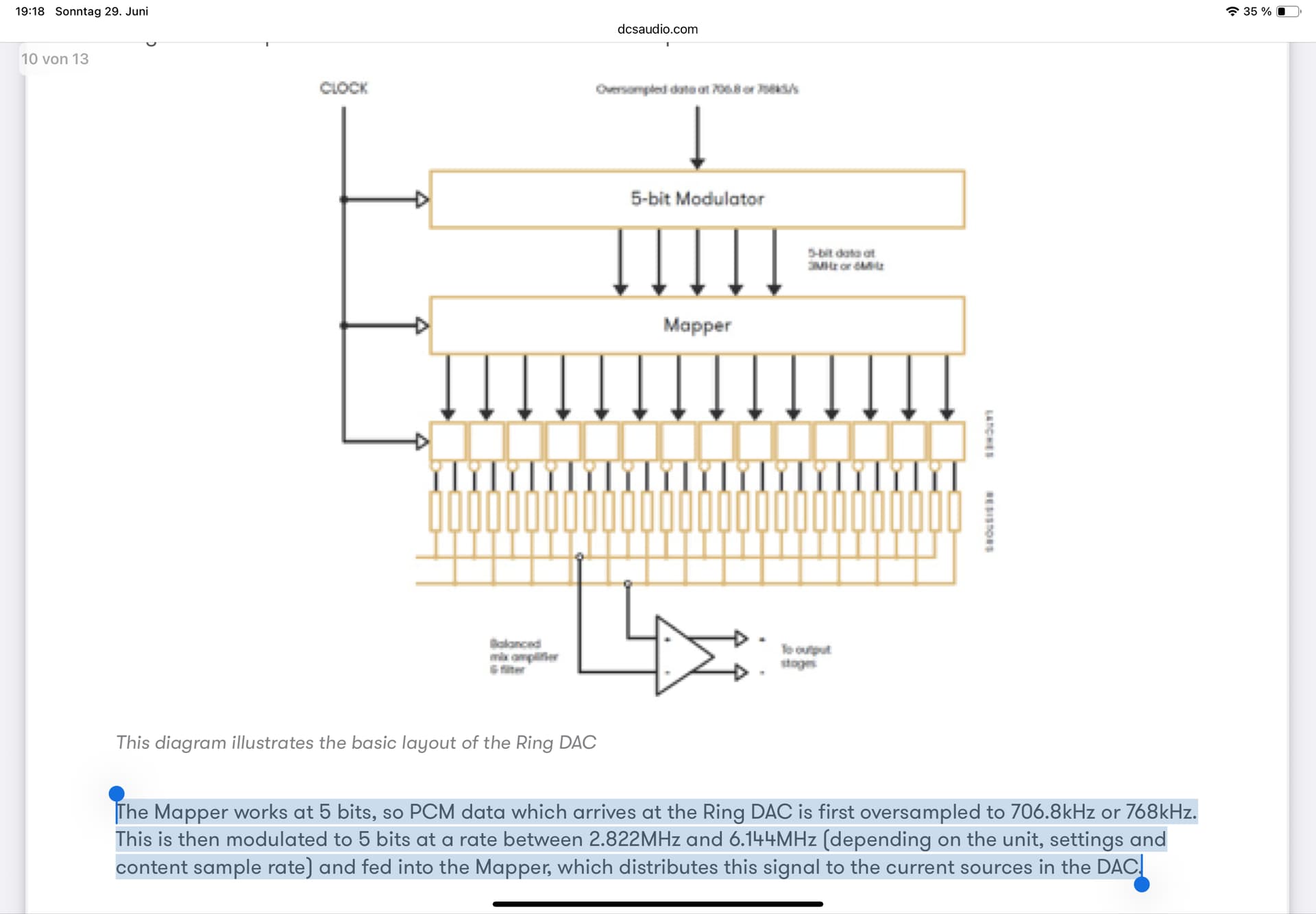
Is that their answer? They probably refer to external upsampling, since they also sell up-samplers. (They also sell clocks, which doesn’t mean the DAC doesn’t have a clock.) Can you ask them what kind of DAC is it internally? Is it NOS? It seems to me it’s the delta-sigma type, implemented in an FPGA, with a choice of interpolation filters, so there is internal upsampling.
No problem that you don’t know dCS that well, but they have designed their own Ring DAC™ chip and recently improved it with the Apex version. Just look at this video. This DAC also has its own clock and in the Master mode it is connected to the Aurender N20 with a separate clock cable. Which also gives an improvement in the sound.