Not in realtime, offline it is doable just like DSD1024 too with HQPlayer Pro.
But I’m curiously waiting if Apple will bring chip that can do DSD512 with EC modulators first, or if AMD or Intel will manage to reduce their cross-core communication penalty as low as Apple has in their M1.
This is going to sound messed up, I honestly don’t believe it myself…
I have a high end Z390 board with a i9 9900k set to run at 4.9 all the time, 32GB RAM, an old GTX780 card, and 1TB 970evo NVMe (should’ve gotten the 980Pro).
The machine is running OS X using opencore bootloader. It houses my plex server, roon server, and some business apps, and spamsieve for all my email accounts.
The business apps run specifically on windows, so i use parallels, I have a separate user for that. I like mac os for daily use, but I don’t like mac hardware.
So… for what ever stupid reason, this machine does NOT like HQPlayer at all. Using the xtr-2s filters with ASDM7EC it only utilizes under 15% of what’s available for processing and the clock is at a constant 4.9 while it’s doing it.
There are drop outs.
I messed around with bios settings alot with no success on eliminating the dropouts. The setup is very solid and stable right now. I realize benchmarks don’t relate to how the machine will do with hqplayer but it gets over 9000 on Geekbench 5. Stable on Prime95 too.
So for sh!ts and giggles.
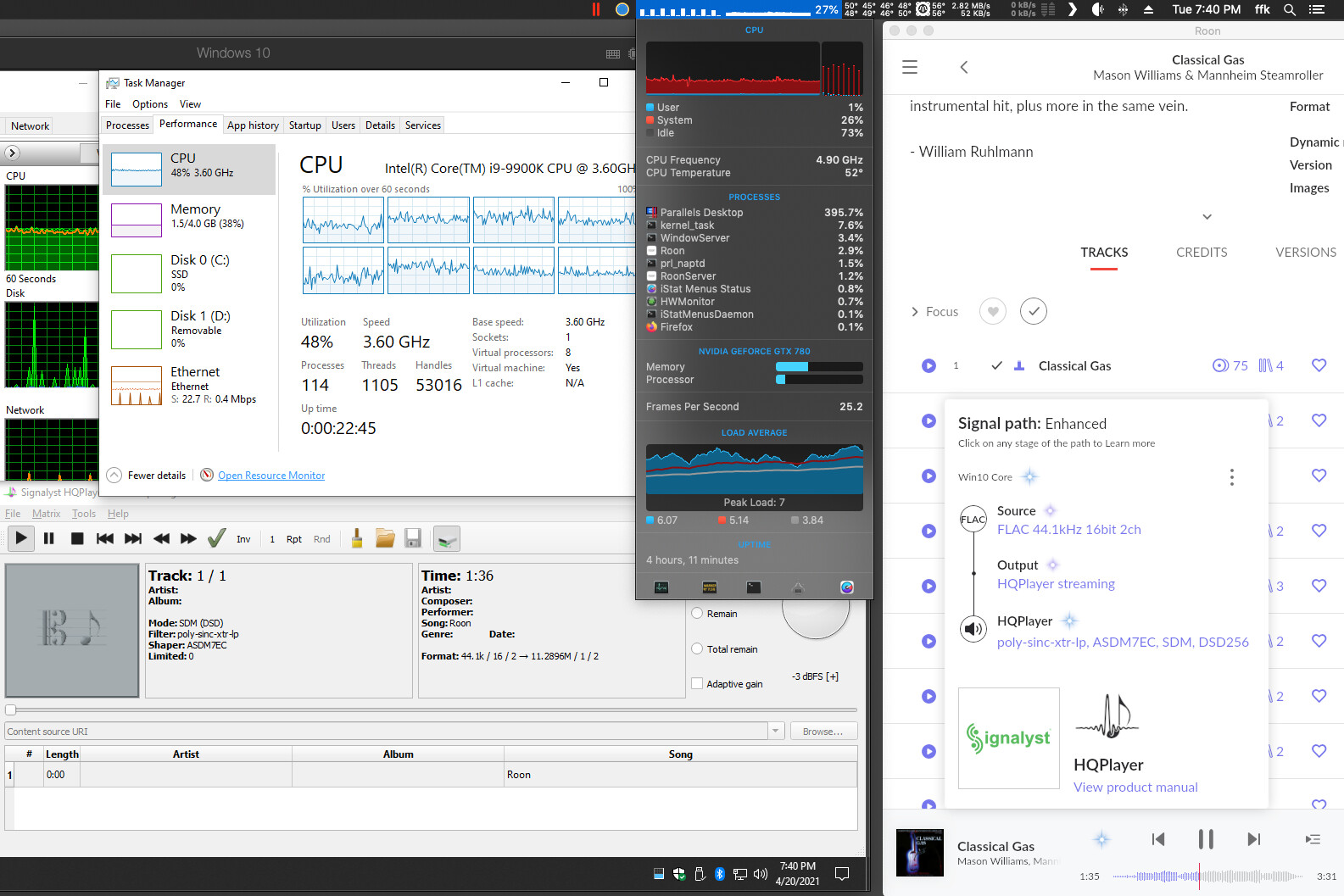
I created a new virtual machine in parallels with Windows 10 and when through the 500 restarts and updates, then ran windows 10 debloater and got rid of all the crap.
Installed HQPlayer 4 and pointed it to the NAA.
Selected xtr (non 2s!!!) and ASDM7EC
Got IP address of the VM and added HQPlayer endpoint to roon.
Went into Roon on mac side, found a track I know I had issues with and hit play.
I got to listen to the entire track without dropouts!
idk, but it works…
I’ll run down to the server and give it a go with the OS X version of hqplayer in a few and post back.
It’s funny cause I’ve been listening to all sorts of stuff for almost an hour with no dropout using hqplayer via parallels. I even started streaming a Plex movie in 4K at the same time and no drop outs. I even used remote desktop from the iPad to get this screenshot. Rock solid!
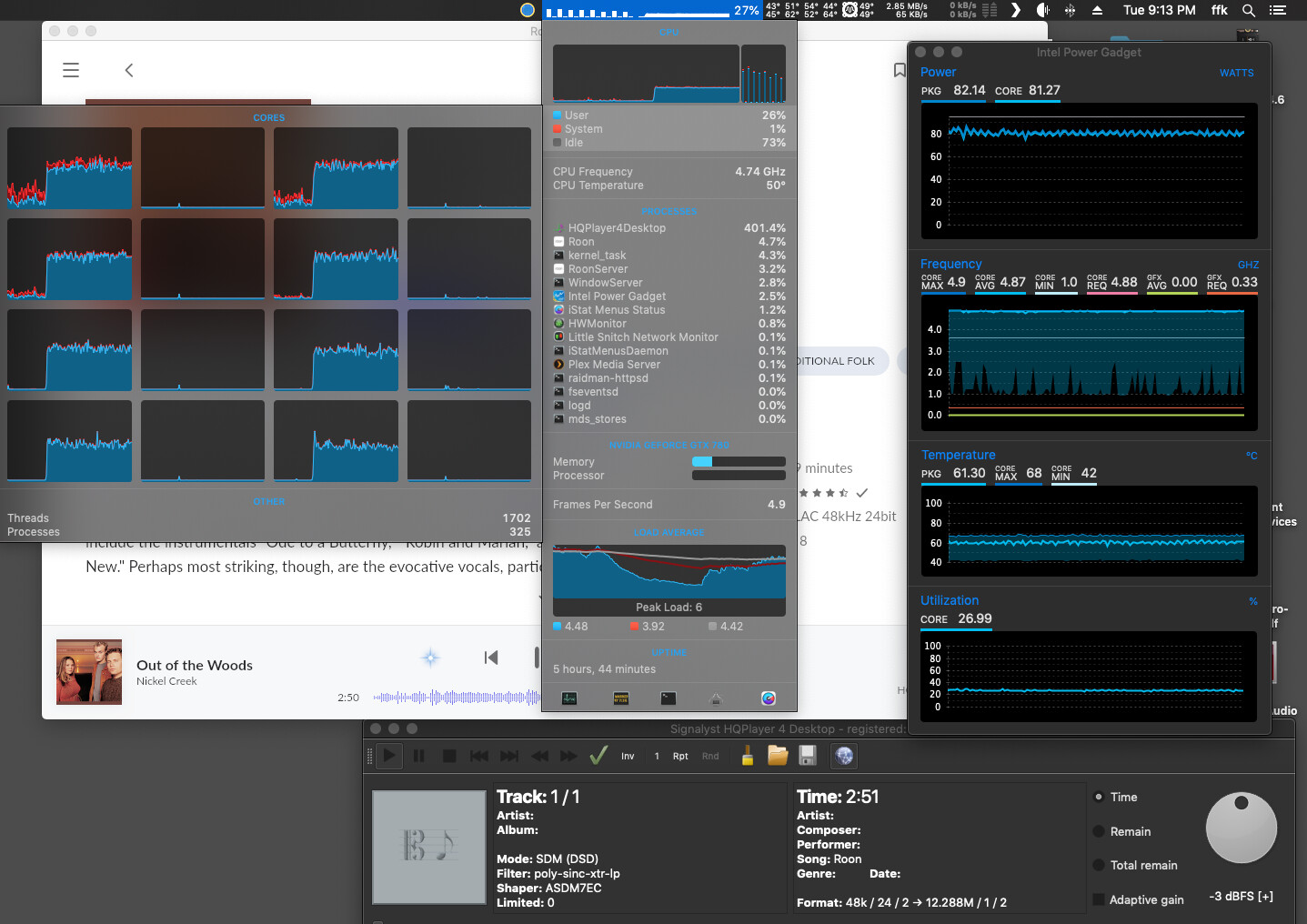
Ok, so I quit parallels and used the OS X version of hqplayer. Appears the workload is split somewhat evenly over the cores. Several drops outs during this session. Almost every 10 seconds there was a dropout.
Hi again, sorry for pushing… Have you ever asked for a new license key, when updating hardware? Usually Jussi is answering very fast, but I have not received any mail and starting to be worried that new hardware setup is not authorizing me for a new license key? But common sense tells me I should not worry, 'cuz I have paid for the entire 4.xx issue and there is nowhere as far as I can find anything written that says I will void my rights to a license when building a new computer, hence changing the fingerprint.
What is your opinion? Sorry for a silly question … getting so silent at home …
But Jussi is cool with transferring Embedded license to new hardware once every couple of years (as long as license is not tied to the hardware like some sonicTransporter purchases, for example). You won’t have to pay again.
Just gotta be patient. While you’re waiting you can still listen with Roon’s upsampling !
You are not accidentally trying to do CUDA offload with that one? Because that would explain…
By any chance, you didn’t try this same with HQPlayer outside of the VM in the environment where you have dropouts? Because when comparing these kind of changes it is advantage to minimize number of variables/differences.
Sometimes Windows behavior is a total mystery though…
If you don’t get response in 48 hours, send me reminder. I receive massive amounts of email and with bad luck also sometimes mails end up in spam folder or something (which I occasionally check). I’m trying to context switch between developing software, doing testing, answering to emails. And answering to these forum posts (which I usually do while waiting for compiler to finish compiling yet another test build).
One is running on the natively on 10.14.6. - has dropouts.
The other is running in Parallels Desktop (lastest version of Windows10) - no dropouts.
OSX monitor utilities show almost the exact same processor utilization and wattage drawn in either situation.
Isn’t that the truth. I’ve choked it down to run dropout free with any filter using ASDM7EC in Parallels VM set to utilize 6 cores and 2GB of ram.
Something tells me there is either a bad setting or os x is just not letting HQPlayer utiilize enough of a core to keep the 7EC filter happy.
I just thought I’d share my findings with the group as I am always curious and I know many are always asking how much processor is really needed to get HQPlayer to work well. I really haven’t found an good answer yet thought. I’ve gotten xtr-lp with ASDM7EC to work on a i5-7600k with no problems in win 10, but can’t get it to work in OSX with a i9 9900k. lol it’s all good.
I have 27" iMac with i9-9900K CPU and latest macOS, and it runs HQPlayer perfectly fine with ASDM7EC to DSD256. Just like the same os on Mac Mini with M1 does too… So somehow the “Hackingtosh” is misbehaving… Usually it is Windows scheduler acting up while macOS scheduler usually does perfect job.
Yeah, it is not always straightforward. I have HQPlayer Embedded running poly-sinc-ext2 + ASDM7EC to DSD256 just fine on i5-7600T which is a low TDP CPU model!
Now I sent you the second reminder by email. It is headlined as follows for quick identification; VB: *** NEW license key please *** , check also spam/junk folder
I really could do with the key now please. It is silent without music and it is not as entertaining without the HQP, som I am impatiently waiting.
Looks like my inbox got full again and thus not all emails arrived. Solved now, but it takes some time to catch up. I’ll respond right away when your email arrives.
Still has not arrived? Got to be something wrong? info@signalyst.com? That is the address I have used for every mail. You seem to get information quicker from this community …
Now HQPlayer is running, with Sinc-M, and I am so happy again. **** it sounds good. I accept the latency/delay of the start up. For what is worth, Jussi, this is probably the most important investment I made in my chain of playback. Music is fluent, almost liquid, huge sound stage, no harschness, exceptionally detailed and rythmic with ease audible phrasing from singer and musicians. Like being there, IRL, when it took place.
But perhaps someone could describe to me why some tracks, but not all, suddenly shut-off the final part with this filter, but no other filter behaves the same. I mean the start-up latency is constant for all tracks. But once started, HQP usually continue tapping the next track in the play list or album and no latency occur switching to next track. But some tracks, and I would say the same tracks in a playlist always shut-off at a certain point towards the track end. Then followed by the start-up latency. Strange, isn’t it?
Now, I have got some idea about the drop out. I use software choice of best upsample depending on source sample rate. 44.1 → 88.2 and 48 → 96. This is done by using “auto” sample rate, option “auto rate family” and max sample rate “96 kHz”. When there is a shift between tracks source rate, it sems it will cut the playback, when the ahead filter tapping detect and decide there is a new sample rate to put out. Is there a way to fix? Either re-program or some optional setting I do not know about?


 Rock solid!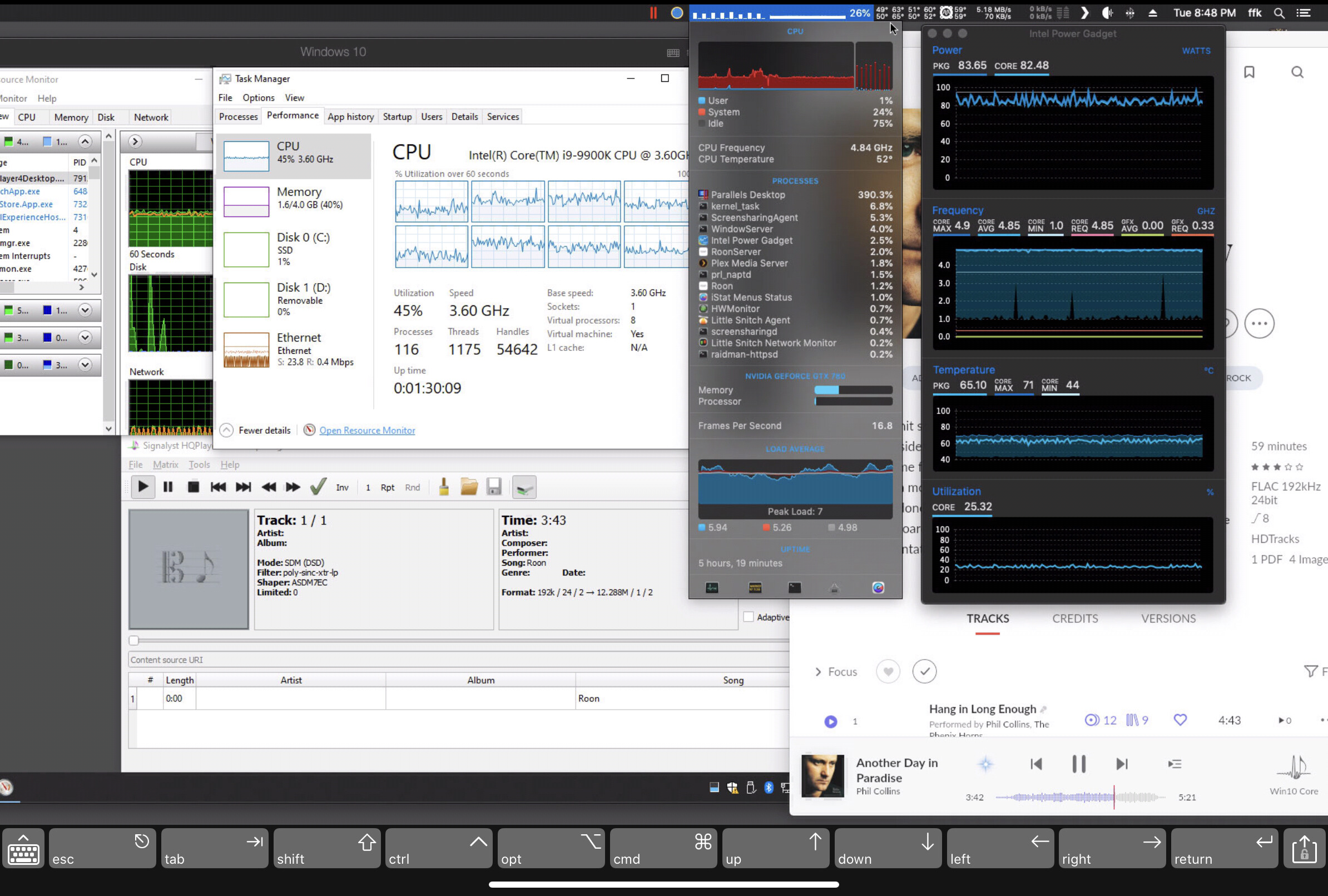


 it’s all good.

