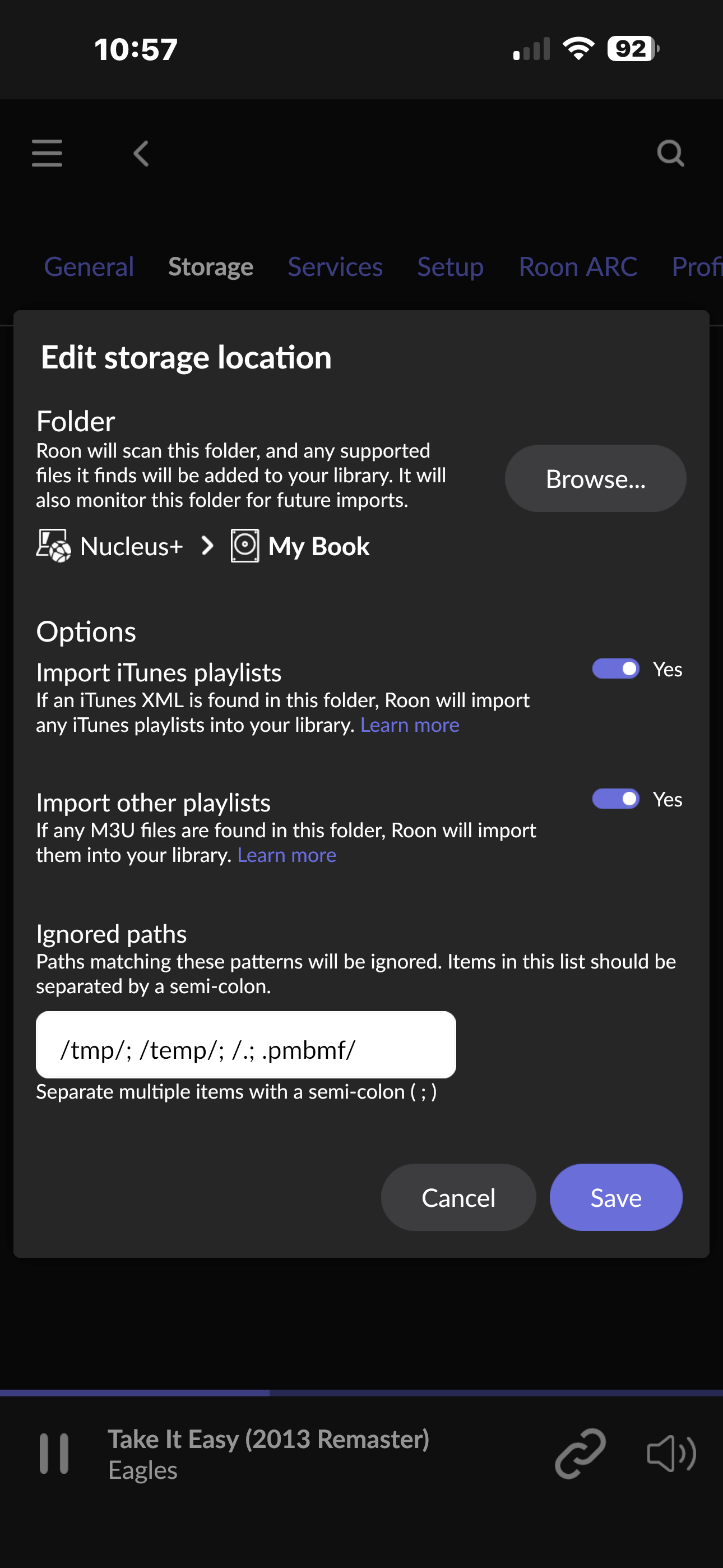
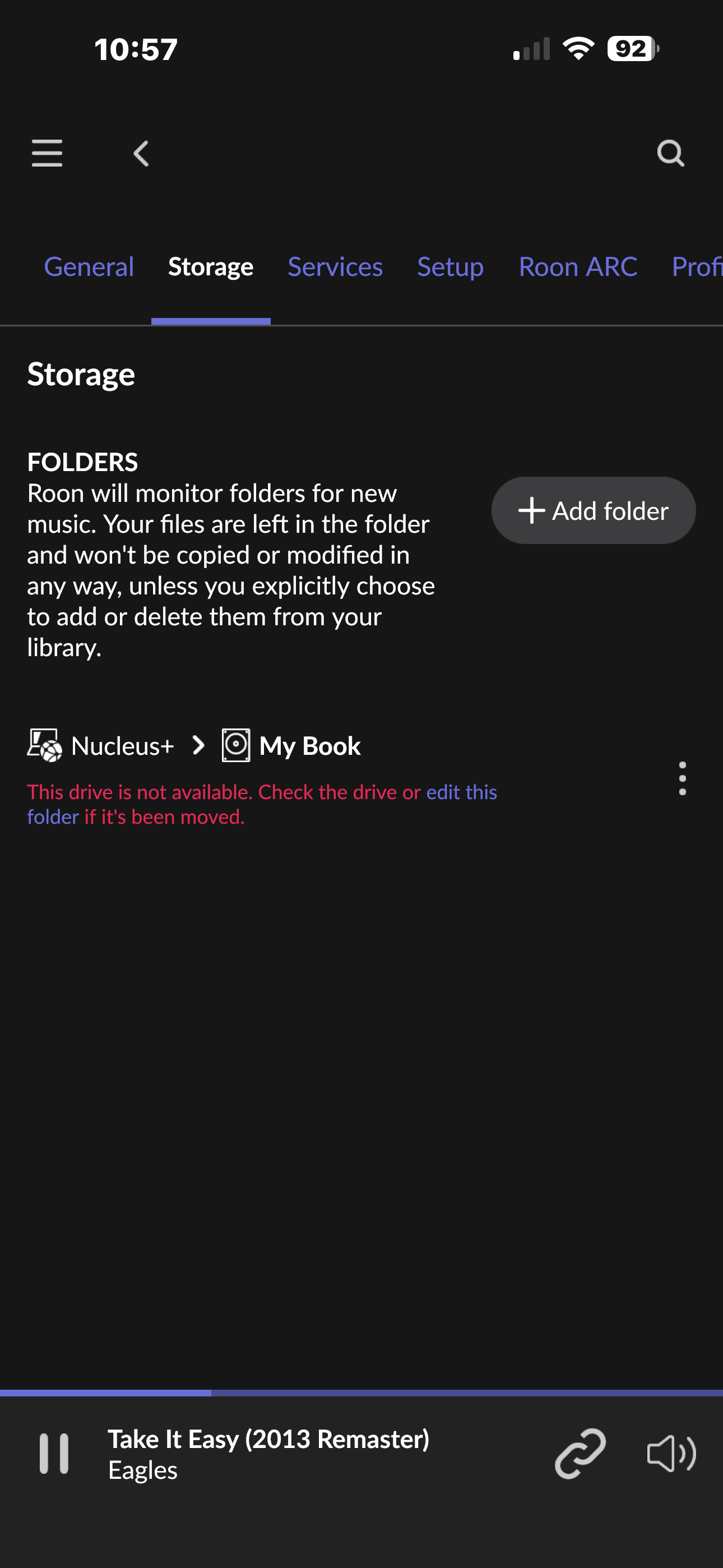
I recently moved from SC to Minnesota. I set up my Roon Nucleus+ the same as it was , but it will not load up. Shows as “unrecognized” folder. All my playlists work except any songs that are on my HD. Songs on playlists show as “unavailable.”
My system is mostly Meridian Audio, but the only part of this is my Meridian 218 end point.
So, it’s my Roon Nucleus+ / External HD / Meridian 218 end point. I have 2 screenshots that show my issue:
The WD MyBook is likely NTFS formatted. Roon OS doesn’t like to read NTFS storage that is flagged as “unsafely removed”. You may have to fix that on a Windows PC. See also:
Roon OS has been reading this HD for over 3 years? So I disconnect it for about a week and then set back up and it will not work? I do have a back up for this 20 Terabyte external – about 28k CDs on it!
Did you first shutdown your Nucleus+ or did you just unplug (unsafely remove) the external drive?
Anyway, from your screenshot it is clear that the drive gets recognized but can’t be accessed. The usual reason for that I already told you as well as the fix for it. If that doesn’t work for you and you need more help please create a support ticket:
PS: If my guess about the cause of your issue is true, you might want to think about if you want to reformat the drive to exFAT that does not suffer from “unsafe removal”.
Yes – I did just unplug it. I was not clear on the “fix.” I do not have any Windows access? Could I try just adding my back up HD? I can see that your are supposed to shut down the Nucleus+ before disconnecting the HD, but what’s done is done?
Guess I should automatically know how to reformat the drive to exFat, but I do not. I’ll try using Perplexity App – which BTW, is the best AI App out there – Apple may buy it for $30b+
Is that question meant as a statement perhaps? If you do not have access to a Windows PC then I don’t not know of a way to fix the issue. You may have to reformat and start over. As you don’t have a Windows PC, question: Is the drive NTFS formatted at all?
Try does no harm, I guess. You then just happen to lose your backup - so you might still have to deal with the issue and make the other drive usable/working again (as then new backup drive). Question is, what format is the other drive. I don’t think that you should use NTFS formatted drives if you don’t have access to a Windows PC with maintenance software for NTFS.
Google search points me at:
Google may buy Apple for $100b+ so we’re done with it, sigh.
This is true. You would have to copy the data onto the disc again (from your backup).
It doesn’t and I didn’t claim that it would. To fix the issue I think might be the cause, you need a Windows computer to run the chkdsk program to fix it (remove the flag). Reformatting with another file format may prevent you from suffering from another NTFS “dirty” flag for unsafe removal in the future.
I disconnected my HD (the right way) and connected one of my back ups. Roon recognized it and scanned all the files. I do have a HD folder added again and I disabled the original one.
Only issue is that about 20% of the songs on my 100+ playlists still show as “unavailable.” I can do a search and reload this song, delete the unavailable one, but this is time consuming.
Nothing is ever simple, but I must say this is way better then managing a huge CD collection!