This is really cool!
DSP quick switching would be great. I have different settings for different listening positions, and also some settings for problematic recordings (hiss on reissues of old recordings, excessive bass, badly engineered reverb, etc).
Maybe if Preset names could be marked as Favorite there could be a simple pull-up menu of those in addition to the Zone and Volume icons.
Fascinating! I have the HiFiMan Edition XS and have been using Resolve’s EQ since I found it.
I now have four new presets in OPRA to play with and to be honest they are quite difficult to tell apart - however, when I save them as a PEQ preset so I can see the actual PEQ values they are all very different, so many different approaches to EQ for just one headset!! It’s like watching a roller coaster ride with some of them!!
I do notice that although they all favour an uplift around the 2Khz mark, as does Resolve, his EQ doesn’t pull that down again around 3Khz. So for classical there’s more energy in that treble area which appears to offer multi-stranded mass string sounds for example… which I like. Yet all these other presets do pull that frequency down, some by quite a lot. And now I hear it without, well maybe that’s more natural, a bit less thin?
Well at least that’s a bit more fun for an hour or two!!! 
Just to add, is there any way we can see the rationale behind these presets from OPRA? In Resolve’s case I can see before and after graphs of the measurements ant the effect they had, I’ve been to GitHUB but its all double dutch on there to me! 
Breakthrough change
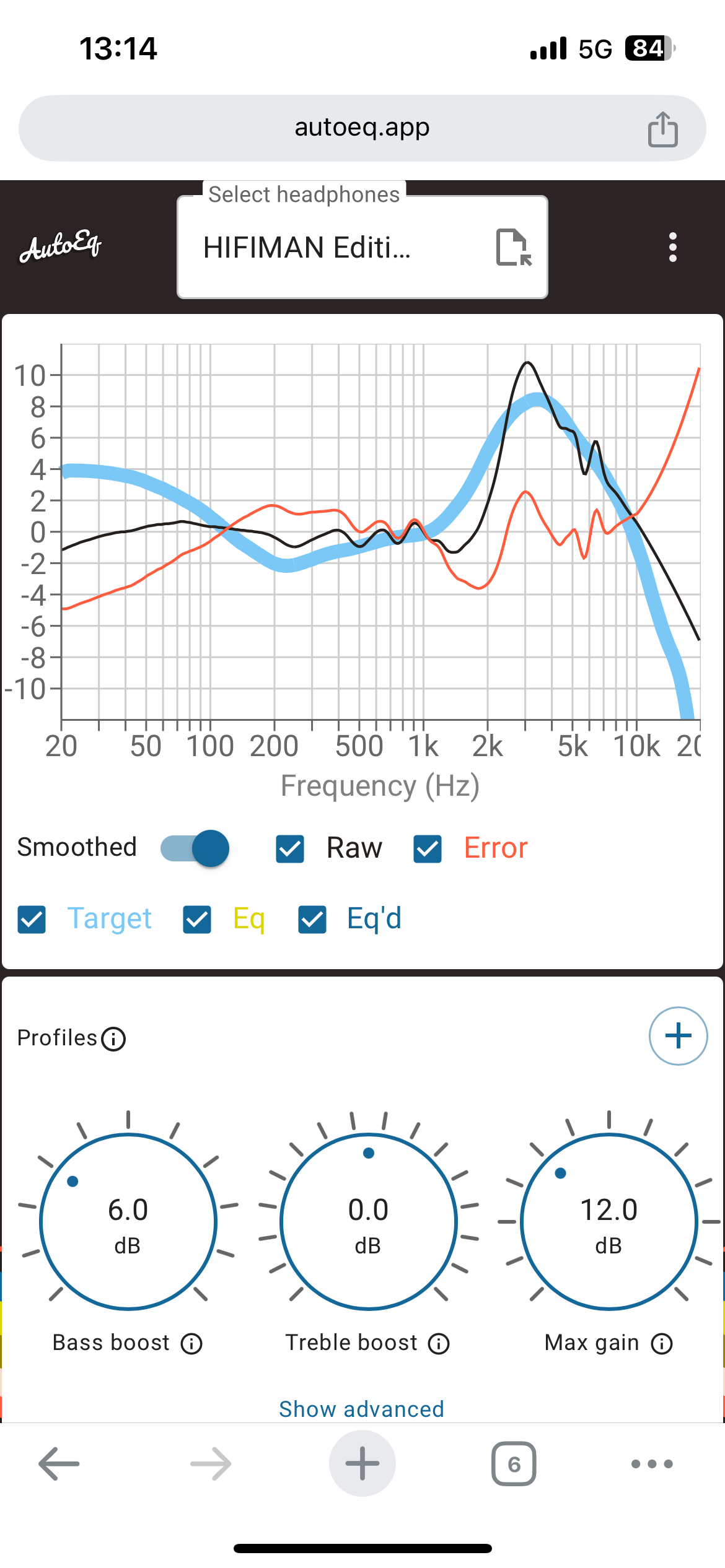
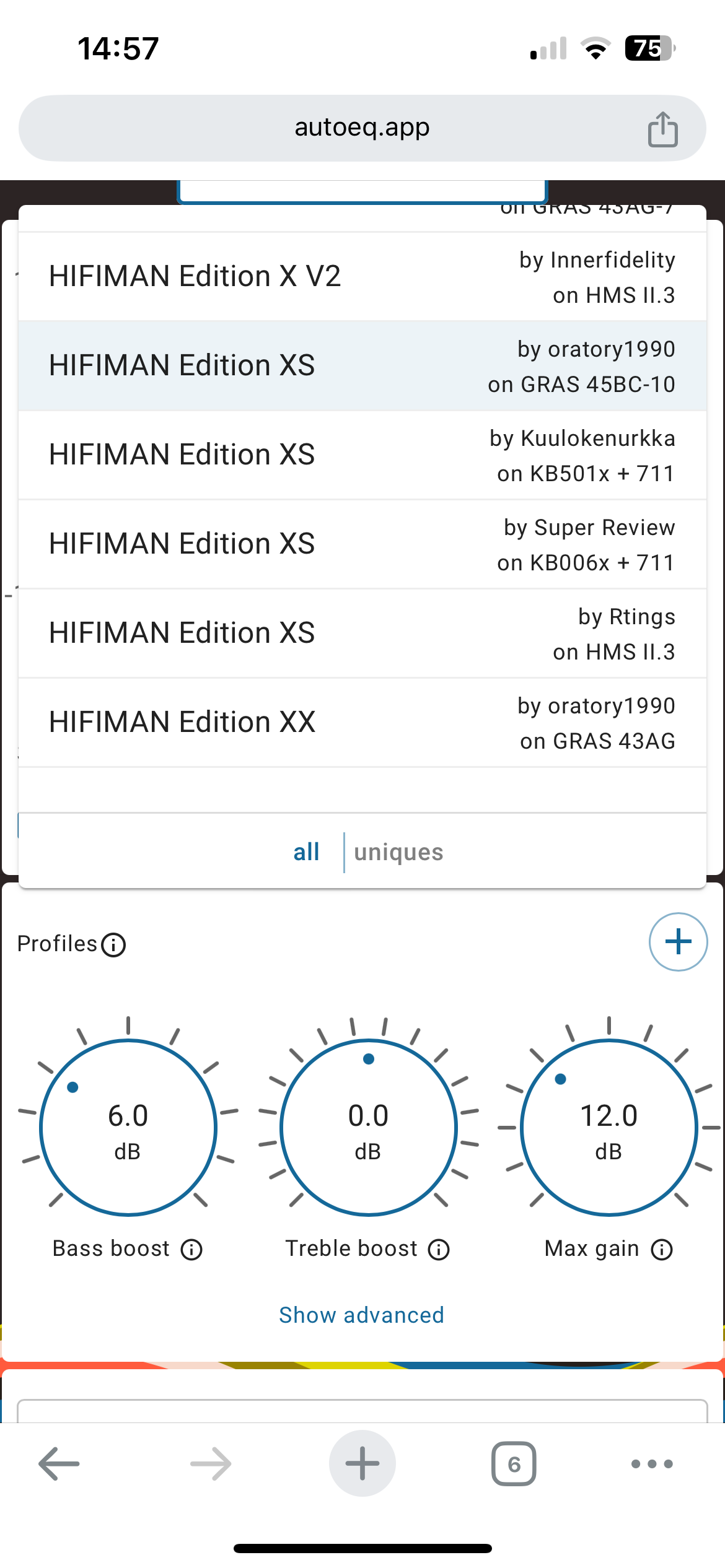
That’s interesting as the one shown on AutoEq doesn’t seems to be one of the presets I see in Roon for the XS, but it is one from Oratory1990 I’ve played with before, but no cut around the 2900Hz like the ones in Roon from OPRA show? I’m wondering if the ones shown in Roon are actually for the XS? Can’t check right now as on iPad and that hasn’t been updated… there are four presets in OPRA all with that cut and it completely changes the character of the headphones?
The timing of this update is interesting. Got my first headphone set last week. Specialty 2E1 units with both Koss Porta Pro drivers on one side for single sided hearing.
Going through the list for Koss I found numerous entries for Porta Pro, selected one with 5 presets. Using an exaSound S88 zone for headphone amplification and trying each of the 5 presets the one thing I noticed was they all lowered the overall volume considerably. Think someone mentioned the same experience in a post above.
Guess it will take me a while getting use to listening with the headphones to decide what adjustments I want to make. For now I’m leaving the filters off and enjoying this new experience.
Thanks Roon, nice feature to look forward to.
Oops, sorry @soulight, intended to reply to the post in general and not to you specifically.
The lowering of volume is known as negative pre-gain. It’s needed to prevent clipping of the signal where boosts are made in the frequency spectrum. Simply increase the volume to compensate but don’t change the pre-gain value as it’s there for a reason.
Yes, of course it’s possible to create another preset with only headroom, matching the overall reduction used in the OPRA preset. As I noted in my post, I’ve already done that.
But note that the OPRA preset view doesn’t show you the overall headroom gain reduction: you would have to download the OPRA database file, then find your headphone, and the preset in question, and parse it to find the gain reduction value. That’s what I did, but it’s not exactly simple. If you’re going to do that, you could almost as easily do the whole thing yourself.
If the point of OPRA is to make it trivial to compare, and select, a headphone profile, then it would be nice if it were equally easy to compare OPRA presets against “no EQ”, but at the same volume.
It would help a little if the OPRA view showed the overall gain reduction it’s applying, for a given preset. That would make it easier to create a matching “no EQ” preset but with the same headroom adjustment, for meaningful comparison.
But, strictly speaking, you’d need one of these “no EQ” presets for each headphone preset, since they don’t all have the same headroom adjustment. My headphone model has 6 presets in OPRA, so in theory I’d need to create up to 6 “no EQ” headroom presets. And that’s just for one headphone model. [The values are similar though, but still, if you’re going to do this, do it properly :)]
Better yet would be a toggle, that turns off the current-preset OPRA EQ, but leaves the headroom adjustment in place.
In summary: OPRA is intended (I think) to make it very easy for the non-expert to compare, choose, and apply EQ profiles, and at this I think it succeeds.
It just would be nice if it were equally easy to compare those EQ profiles with a “non EQ” profile, at the same volume (i.e. same headroom adjustment). That’s without having to download databases, manually work it out and create your own matching presets, rather against the “easy” spirit of OPRA, I think.
Same issues here and had the same thought - just a duplicate zone that I can set up for when I use headphones
Exactly! @enno And for many of us ARC doesn’t even work!
Hello,
I would like to try it with my Campfire Audio = Trifecta. In the past I have always listened with headphones without any changes.
Does anyone have an idea where I can get possible settings for the Trifecta. The trifecta is also not stored on r/oratory1990.
I have already found these for my Grados and Focal.
Thank you
Unlikely there is one currently, the AutoEQ repo is the biggest resource of this stuff, and OPRA uses it. So unless it’s on there currently you will need to scout the internet to see if someone else has done some measurements and posted them. Not all headphone iems get measured some likely never will be.
I’m kind of surprised this got implemented since Harman said roon was getting back to their core product and mentioned getting off track trying to appeal to headphone users. Even with that said I predicted roon would add something that would easily give Harman EQ to headphones and here we have it. I personally like the tuning of my ZMF Caldera open without it but it’s nice feature. Also like that shows headphones icon for output.
I requested it five years ago, sort of. 
Yes, we really need that. Have been asking since 2017!
Hi everyone. Do we know what target the AutoEQ is set? I assume Harmon Over-Ear 2018 but wondering if anyone knows for sure. I am not the most knowledgeable, but I have been EQing my headphones for some years. It would be great if the measurement rig for the measurement was stated, too. That accounts for the differences in the profiles. Are the in-ear measurements Harmon 2019? I understand that many in the community do not like that target.
The next implementation should be to choose your EQ target – like what you can find at Squig.link. I would have loved this some years ago when I was first diving into this complex topic.
I believe oratory use Harman in ear or over ear these are in OPRA from AutoEQ. 2018 it says here
https://www.reddit.com/r/headphones/comments/9o2f5n/psa_oratory1990s_list_of_eq_presets/