Thank you for the suggestion Carsten. Patience doesn’t seem to be the issue here but I apreciate your suggestion👍
I certainly won’t forget, but thanks for pointing it out 
The topic is on my long-term list. Of course, there are market events that we (@Klaus_Engel and me) need to react to as quickly as possible before someone else does. I hope you understand.
But by the end of the year, the IR issue will certainly be resolved.
Best DRCWO
1 Like
Thank you DrCWO,
That means a lot to me. I look forward to it.
1 Like
I haven’t been able to update to 3.4.3 with this method. I’m still on 3.4.2 after many attempts to reinstall with the link provided, both with upper case E and lower case e, just in case. When I restart the box and then attempt to find/apply software updates, the update log ends with
***** Nothing to do, release 3.4.2 is up to date
Which makes me think the fix isn’t being applied. Any suggestions?
Edit: The screenshot shows https and the link shows http, so I just tried https to see if that made a difference and it didn’t.
Edit 2: I’m wondering if the rooExtend-box doesn’t allow forced updates through the rooExtend settings page and I have to wait for the automated update between 2-4 a.m.?
This certainly looks like a must-buy!
Hi @JAM,
you run the rooExtend-Box and looking in your logs anything is OK with v3.4.2
Just a short explanation.
The small update I made from v3.4.2 to v3.4.3 was never released for the rooExtend-Box but for Raspberry-Pi implementation ONLY. The next release I’m currently working on will again also be available for the rooExtend-Box.
Nevertheless the fix you applied was important and is up and running.
There is no forces update button for the rooExtend-Box as you can force the update with the small rest button at the box. Please take a look at the rooExtend-Box Manual in my Download Area. Page 53 you can find how to force an update with the rooExtend-Box.
Best DrCWO
1 Like
Thank you for the explanation @DrCWO. I appreciate your help.
1 Like
Greetings Dr. CWO,
I applied the fix_debian.sh Emergency Fix to my rooExtend instance on a RPi4. It seems to have gone fine AFAICT, as the box shutdown after running the script, and then I was able to restart it without any issues. The rooExtend version remained as v3.4.3 after the application of the fix, as expected.
However, for verification, I’d like to do the ‘Force Update’ / Nothing to do test.
What is the proper way to Force Update on a RPi4? I don’t see a ‘Force Update’ button on the rooExtend Service Page.
BTW, my Update Log has a Cannot aquire timezone error after applying the fix:
 -- Journal begins at Thu 2025-08-21 14:49:46 PDT, ends at Thu 2025-08-21 14:58:34 PDT. --
    Aug 21 14:49:49 rooExtend systemd[1]: Started rooExtendUpdater service.
    Aug 21 14:49:49 rooExtend rooExtendUpdater[414]: Verifying archive integrity...
    Aug 21 14:49:49 rooExtend rooExtendUpdater[460]: [34B blob data]
    Aug 21 14:49:49 rooExtend rooExtendUpdater[414]:  MD5 checksums are OK. All good.
    Aug 21 14:49:49 rooExtend rooExtendUpdater[414]: Uncompressing rooExtendUpdater
    Aug 21 14:49:49 rooExtend rooExtendUpdater[496]: [34B blob data]
    Aug 21 14:49:51 rooExtend rooExtendUpdater[505]: --------------------------------------------------
    Aug 21 14:49:51 rooExtend rooExtendUpdater[505]: rooExtendUp:   v3.4.3
    Aug 21 14:49:51 rooExtend rooExtendUpdater[505]: production:    true
    Aug 21 14:49:51 rooExtend rooExtendUpdater[505]: testRep:       false
    Aug 21 14:49:51 rooExtend rooExtendUpdater[505]: Timesync:      started...
    Aug 21 14:49:51 rooExtend rooExtendUpdater[505]: Timesync:      ongoing...
    Aug 21 14:49:52 rooExtend rooExtendUpdater[505]: Timesync:      ongoing...
    Aug 21 14:49:53 rooExtend rooExtendUpdater[505]: Timesync:      ongoing...
    Aug 21 14:49:54 rooExtend rooExtendUpdater[505]: Timesync:      ongoing...
    Aug 21 14:49:55 rooExtend rooExtendUpdater[505]: Timesync:      ongoing...
    Aug 21 14:49:56 rooExtend rooExtendUpdater[505]: Timesync:      ongoing...
    Aug 21 14:49:57 rooExtend rooExtendUpdater[505]: Timesync:      ongoing...
    Aug 21 14:49:58 rooExtend rooExtendUpdater[505]: Timesync:      ongoing...
    Aug 21 14:49:59 rooExtend rooExtendUpdater[505]: Timesync:      ongoing...
    Aug 21 14:50:00 rooExtend rooExtendUpdater[505]: Timesync:      ongoing...
    Aug 21 14:50:01 rooExtend rooExtendUpdater[505]: Timesync:      ongoing...
    Aug 21 14:50:02 rooExtend rooExtendUpdater[505]: Timesync:      ongoing...
    Aug 21 14:50:03 rooExtend rooExtendUpdater[505]: Timesync:      ongoing...
    Aug 21 14:50:04 rooExtend rooExtendUpdater[505]: Timesync:      ongoing...
    Aug 21 14:50:05 rooExtend rooExtendUpdater[505]: Timesync:      ongoing...
    Aug 21 14:50:06 rooExtend rooExtendUpdater[505]: Timesync:      ongoing...
    Aug 21 14:50:07 rooExtend rooExtendUpdater[505]: Timesync:      ongoing...
    Aug 21 14:50:08 rooExtend rooExtendUpdater[505]: Timesync:      ongoing...
    Aug 21 14:50:09 rooExtend rooExtendUpdater[505]: Timesync:      ongoing...
    Aug 21 14:50:11 rooExtend rooExtendUpdater[505]: Timesync:      ongoing...
    Aug 21 14:50:12 rooExtend rooExtendUpdater[505]: Timesync:      ongoing...
    Aug 21 14:50:13 rooExtend rooExtendUpdater[505]: Timesync:      ongoing...
    Aug 21 14:50:14 rooExtend rooExtendUpdater[505]: Timesync:      ongoing...
    Aug 21 14:50:15 rooExtend rooExtendUpdater[505]: Timesync:      ongoing...
    Aug 21 14:50:16 rooExtend rooExtendUpdater[505]: Timesync:      ongoing...
    Aug 21 14:50:17 rooExtend rooExtendUpdater[505]: Timesync:      ongoing...
    Aug 21 14:50:18 rooExtend rooExtendUpdater[505]: Timesync:      ongoing...
    Aug 21 14:50:19 rooExtend rooExtendUpdater[505]: Timesync:      ongoing...
    Aug 21 14:50:20 rooExtend rooExtendUpdater[505]: Timesync:      ongoing...
    Aug 21 14:50:21 rooExtend rooExtendUpdater[505]: Timesync:      expired
    Aug 21 14:50:21 rooExtend rooExtendUpdater[505]: ***** Cannot aquire timezone:
    Aug 21 14:50:21 rooExtend rooExtendUpdater[505]: --------------------------------------------------
    Aug 21 14:50:21 rooExtend rooExtendUpdater[505]: {
    Aug 21 14:50:21 rooExtend rooExtendUpdater[505]:   "isR2S": false,
    Aug 21 14:50:21 rooExtend rooExtendUpdater[505]:   "ledPortPath": "/sys/class/leds/led0/brightness",
    Aug 21 14:50:21 rooExtend rooExtendUpdater[505]:   "processState": 5,
    Aug 21 14:50:21 rooExtend rooExtendUpdater[505]:   "timezone": "",
    Aug 21 14:50:21 rooExtend rooExtendUpdater[505]:   "dateTime": "",
    Aug 21 14:50:21 rooExtend rooExtendUpdater[505]:   "revisionCode": 12595477,
    Aug 21 14:50:21 rooExtend rooExtendUpdater[505]:   "hardware": "BCM2835",
    Aug 21 14:50:21 rooExtend rooExtendUpdater[505]:   "revision": "c03115",
    Aug 21 14:50:21 rooExtend rooExtendUpdater[505]:   "serial": "10000000f90c37ab",
    Aug 21 14:50:21 rooExtend rooExtendUpdater[505]:   "model": "Raspberry Pi 4 Model B Rev 1.5"
    Aug 21 14:50:21 rooExtend rooExtendUpdater[505]: }
    Aug 21 14:50:21 rooExtend rooExtendUpdater[505]: Apt local file:   /etc/apt/sources.list.d/rooextend.list
    Aug 21 14:50:21 rooExtend rooExtendUpdater[505]: Apt source:       deb https://rooextend.com/rooextend-prod-PI agnostic main
    Aug 21 14:50:21 rooExtend rooExtendUpdater[505]: --------------------------------------------------
    Aug 21 14:50:23 rooExtend rooExtendUpdater[505]: ***** First update: 2025/08/22 02:29:00
I assume it’s unrelated to the fix, but in either case, is it harmless?
Looks good so far 
The missing timezone will disappear next release but has no impact at the moment.
Best DrCWO
Much obliged, Dr.
Just out of curiousity, is there a way to force an update on a RPi instance?
You can
Open the service page of rooExtend by opening a browser to its IP address by http://[IP Adress of rooExtend]
You find the IP address in the settings of the license Manager at the end if the dialog.
On The servie page there is a button to force the update.
Best DrCWO
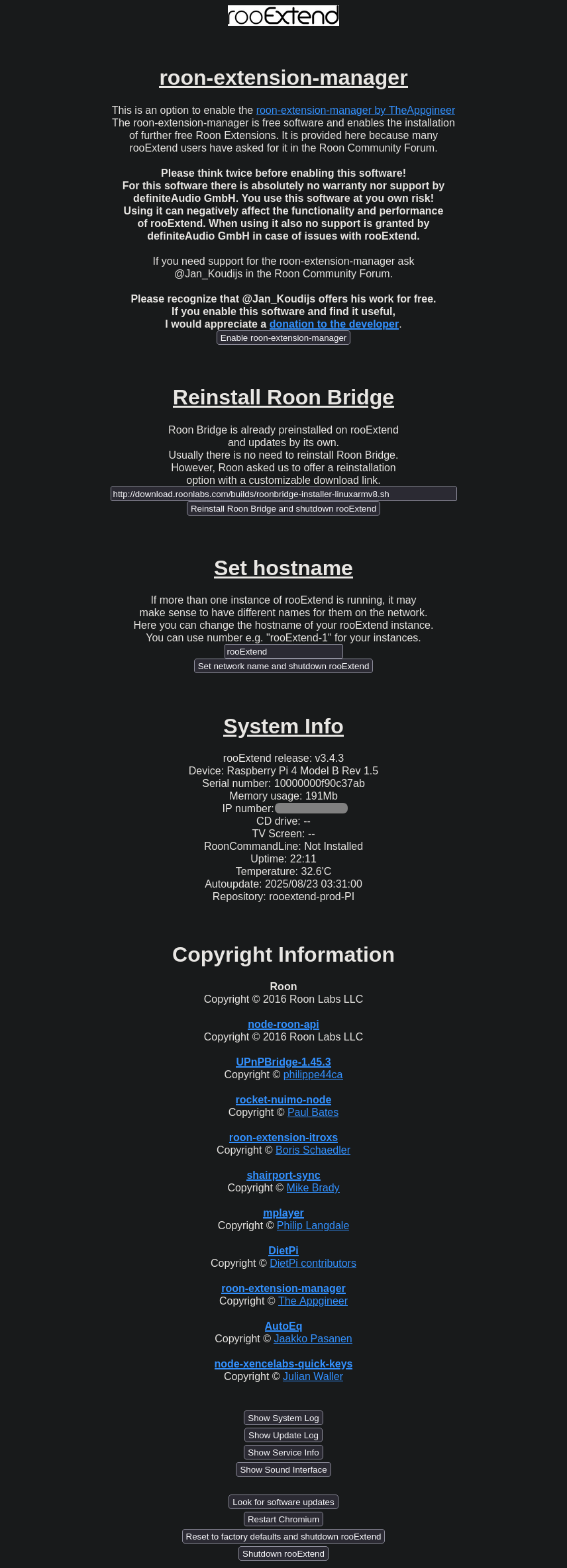
nvm! Per the update log, I confirmed that “Look for software updates” does the trick.
    Aug 22 13:14:02 rooExtend rooExtendUpdater[140818]: ***** Manual update request from /tmp/updateRequest.txt
    Aug 22 13:14:02 rooExtend rooExtendUpdater[140818]: Apt local file:   /etc/apt/sources.list.d/rooextend.list
    Aug 22 13:14:02 rooExtend rooExtendUpdater[140818]: Apt source:       deb https://rooextend.com/rooextend-prod-PI agnostic main
    Aug 22 13:14:02 rooExtend rooExtendUpdater[140818]: --------------------------------------------------
    Aug 22 13:14:04 rooExtend rooExtendUpdater[140818]: ***** Starting update...
    Aug 22 13:14:04 rooExtend rooExtendUpdater[140818]: ***** First update: 2025/08/23 03:26:00
    Aug 22 13:14:15 rooExtend rooExtendUpdater[140818]: ***** Get list of releases...
    Aug 22 13:14:22 rooExtend rooExtendUpdater[140818]: [
    Aug 22 13:14:22 rooExtend rooExtendUpdater[140818]:   { release: '3.4.3', current: true, update: false },
    Aug 22 13:14:22 rooExtend rooExtendUpdater[140818]:   { release: '3.4.2', current: false, update: false },
    Aug 22 13:14:22 rooExtend rooExtendUpdater[140818]:   { release: '3.3.3', current: false, update: false },
    Aug 22 13:14:22 rooExtend rooExtendUpdater[140818]:   { release: '3.3.1', current: false, update: false }
    Aug 22 13:14:22 rooExtend rooExtendUpdater[140818]: ]
    Aug 22 13:14:22 rooExtend rooExtendUpdater[140818]: ***** Nothing to do, release 3.4.3 is up to date
    Aug 22 13:14:22 rooExtend rooExtendUpdater[140818]: ***** Next update: 2025/08/23 03:05:00
    Aug 22 13:14:22 rooExtend rooExtendUpdater[140818]: ***** Successfully started rooExtend
Thank you!
1 Like
Hi @DrCWO
Just wondered what your latest target timeframes are for next releases across your roo… portfolio of Extensions.
Just being reminded of what’s coming in the next version of rooMax prompted.
Thanks
Hi @Neil_Box,
I’m sorry that things don’t go a head as quickly as I wished 
So many other tasks preventing me from faster developing rooExtend. Some time ago I released a some Betas but there are still some open topics including rooSpot (for Spotify integration) so I kindly ask for some more patience. My plan is to have the next BIG release ready end of October.
Best DrCWO
1 Like

My Rooextend just stopped working. First, my extensions disappeared from Roon (Titan). I noticed the RooExtend was unplugged. I plugged it back in and the green light is on and red is flashing – sequence of 2 flashes, pause two flashes, etc. No lights are on the lan port with a cable plugged in. I used a new cable, still no go. I plugged it into the WAN port and see data transmission. I do not see my asus router giving it an IP.
Rooextend SN is 2203535 (as best I can read)
 New offer for rooMax
It seems that the Microsoft Surface Dial is slowly coming to the end of its lifespan as it’s no longer available to order from Amazon.
I have therefore decided to also offer an annually recurring license for rooMAX, which is a much more feature-rich alternative to rooDial.
It can now be ordered for $15 annually. 
Best regards,
DrCWO
2 Likes
I just cancelled mine ending later this year…my lifetime on still will live on till my 3 dials all dead n buried.
Roomax rocks lasts seemingly for ever on a charge and just wish there was a clone settings to a new setup on a different screen
Seriously considering another one
What ever happened to the other round device with the colour display?
What did this mean?
@Klaus_Engel is still working on the firmware, but there’s been a lot of progress. Crashes are rare, and the connection to the router is reliable. It was quite an effort to implement power saving but he made it! He recently implemented WiFi roaming, so the button automatically connects to another router (with same SSID and password) if you carry the device around in the house.
I’m still missing the implementation of the advanced features we also have in rooMax, but that will all happen this year. Maybe a nice X-Mas present 
It’s not yet entirely clear how we’ll market this device. like the Dial, so you must buy and flash by yourself (for the DIY community), or as a finished device directly from us. But that will all work itself out.
Best DrCWO
1 Like