Hello Noris,
I checked this morning and saw version 4.5.0. (6644). I have now updated all three Cube Gen.2 again and will provide the exact designation with initial feedback this evening.
In the last few days, it was mostly out of sync from the first sound.
Hi @Thorsten_Heinrich,
Thanks for the update on your Cube devices. We’ll keep an eye out for your next report after the firmware update; hopefully it brings some improvements. Let us know what you find!
The above update has been installed: 4.5.0 (6644).
This morning, after about 20 minutes of multiroom, two Naim Cube Gen. 2 devices were no longer synchronized. I paused the stream in Roon by pressing “Stop” and then resumed playback by pressing “Play.” When I resumed playback, it was synchronized, but after about 20 minutes, it became unsynchronized again.
Hello, I listen almost exclusively to multiroom and internet radio on my two Naim Cube Gen. 2 speakers. I have two Naims in multiroom, one Naim on its own, and one Meitner on its own. I’ve had this setup and configuration for years. I only listen to certain tracks or albums (no streaming services) on my main system.
It doesn’t matter which radio station. I mostly listen to Beats Radio, WDR, or Jazz Groove or Jazz Radio.
Thanks for the timestamp. While examining your logs I noticed it’s been a while since RoonServer restarted. Can you please try power cycling your Roon server? At the timestamp you gave us we see an unauthorized response from the radio stream you were listening to. We have seen users have a better experience in the past if they change their Router’s DNS servers from the ISP provided ones to Cloudflare DNS, Quad9 or Google DNS. Can you please give this a try and let me know if it helps?
Today at 6:45 a.m. I unplugged the ROON server and Router and restarted both.
At 3:43 p.m. I stopped the radio stream because it was no longer synchronized. Then I immediately pressed “Play,” and it was synchronized. The stream ran continuously until 7:45 p.m., but over time it lost synchronization again.
Regarding the DNS server in the Fritzbox, I first need to find out how to do this.
Hello, I changed the DNS on my Fritzbox to Google yesterday.
This morning at 8:45 and 8:50, the radio stream was out of sync. I paused it and then immediately resumed playing. The first time, it improved but was out of sync; the second time at 8:50, it was synced.
I have limited knowledge here. The radio stream arrives in ROON, which is distributed across two or similar devices. What does the incoming stream (DNS) have to do with synchronizing the devices?
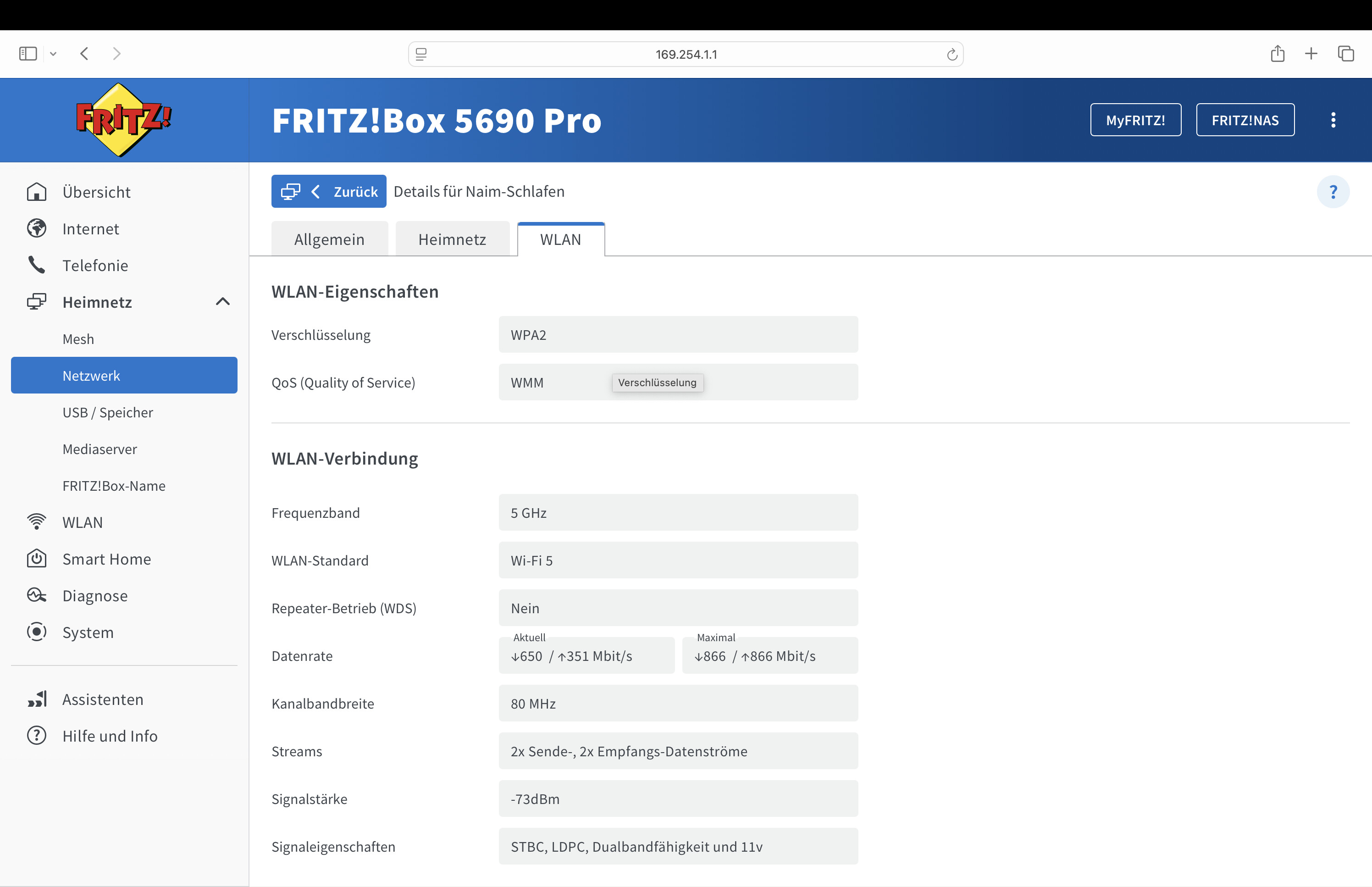
Perhaps another addition to the network is needed. I’ve separated the 2.4 GHz and 5.0 GHz Wi-Fi, and the endpoints are all on the 5 GHz Wi-Fi.
I’ve also tried switching to 2.4 GHz and/or combining the 2.4 GHz and 5 GHz bands. The problem is always the same; it rarely happens from the beginning; usually, after a certain amount of time, it’s no longer synced.
Thanks for letting us know that timestamp. We were able to review diagnostics and it looks like there was a network event during the timestamp you provided where all devices appeared to have dropped from the network and then came back up. Your Roon Server is connected directly into the router, or is it using a range extender / switch in between? If you try to sync your Naim zones one a time to System Output, do you notice the issue happen there as well?
The ROON server is connected directly to the router via cable (Audioquest Vodka 0.75 m). There are no switches or extenders in the entire apartment. I have a good network in all the rooms around the router, and all of them are within range.
The stream sometimes starts out of sync at the timestamps mentioned. If this occurs because the devices briefly lose their network connection, why does it start out of sync and then, after a brief stop and start, is synchronized again indefinitely?
If by “system output” you mean the Naim app, then no, the problem doesn’t occur.
If the Naims lose their network connection during the stream, shouldn’t I experience dropouts? When I restart the Naims, it always takes a short time for them to reconnect?! I don’t hear any dropouts.
Thanks for confirming where the Roon Server is connected. By “System Output”, this is the default sound output on the Roon Server, e.g. the internal speakers, I was curious to know if these zones stayed in sync while only the Naim is impacted, and which of the Naim devices it happens to, if one in particular. Are the Naim devices located far away from your router?
The Roon server is connected to the router via a cable, has no speakers, and the system output is not connected. I have all endpoints connected via Wi-Fi (5 in total, 2 Naims in multi-room).
The Naim devices are not far from the router and have 100% signal. They are arranged in a semicircle around the router.
Although the Wi-Fi was stable, I replaced the Fritzbox with a newer one (5690 Pro) on Saturday. I got even stronger Wi-Fi, turned off Wi-Fi 6, used two different SSIDs, and used Google DNS. I copied the settings from the old one. However, it didn’t help the Naims or the synchronization.
Thanks for letting us know. Can you let us know the exact local time + date + track when you next observe this behavior? We’ll then look over diagnostics once more to see if there are further clues. Also, it might be helpful to try a factory reset on the affected Naim devices, if you have not yet done so.
Hello,
I noticed it was out of sync today at 8:24, and it played out of sync until 10:51 (I had to leave and let it run) > Stop and Play = sync.
Radio streaming WDR 2.