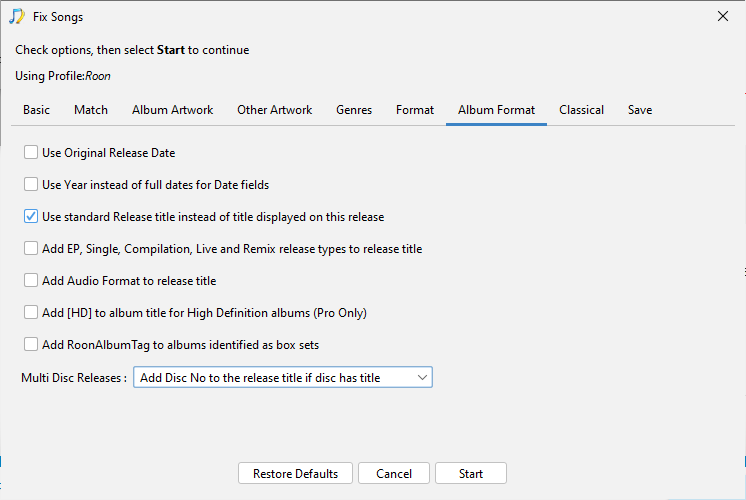
I would disable Roon AlbumTags option so it doesnt add them back in.
Regarding Mozart boxset if we set as Rematch then it is possible that SongKong could change things.Now with normal albums I would say almost zero chance it would match to something different. But boxsets are difficult and actually have been working on some box set matching bugs only this week. (Expect new release with these fixes at the end of next week)
So maybe better to just run against YZ sub directory and see how that goes.
Did that a couple days ago. Did you receive the support files? I think I’ll do the same thing with the _UV directory too. (Roon is still slogging through the _T directory.) So you’ll receive a second set of support files. Hope that’s helpful.
Okay so I noticed one significant issue, Multi Disc Releases is currently set to Add Disc No to the release title if disc has title, but it should be set to Never add Disc No information to the release title
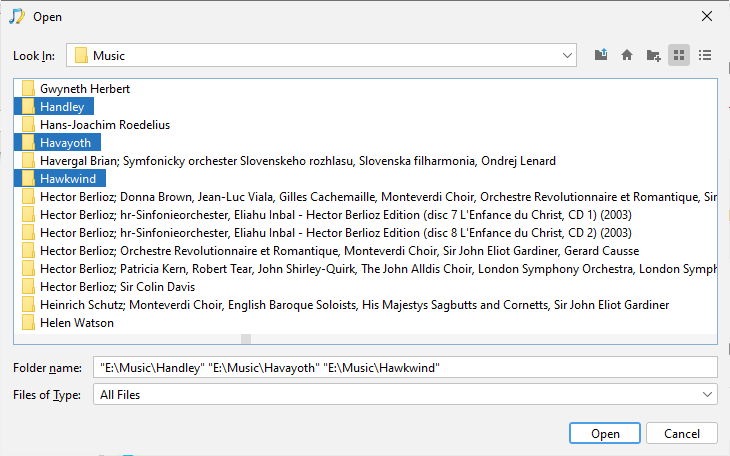
So this isn’t going to help because it means discs in multi disc albums may have different titles. So I would, re-run against UV, WX and YZ folders (you can select multiple folders to process in one go as long as using regular desktop UI rather than Web UI
This also should be done against the others folder really, but I can see that may not be a good idea as already added to Roon, but you could do in Preview Only to see what it would change without changing anything.
I didn’t know how to combine more than one folder in Song Kong, so I ran _UV as you suggested. Seems that Uploading Support Files has stalled, however. Let me try again.
Ahh… Thanks! Now to get the support files created and uploaded… Very slow today. I stopped Roon server to see if that would improve things. So far, it hasn’t.
Yes, but all of these have been done on three sub-directories that have been disabled in Roon. Up until I got to the _S and _T subdirectories Roon had completed its adding and analyzing of files. These two subdirectories seem to have bogged down terribly (even worse that before).
Imho, You should turn off Background Audio Analysis speed in settings / library, as well as ON Demand to OFF. This analysis is only used to create the waveform and volume leveling information. It has nothing to do with the identification process.
After you have loaded the content, you can turn On Demand to FAST which will perform the Audio Analysis task for the content right before playing it. If the content has already had audio analysis it will not do it. That way you are only doing audio analysis on content you are actively listening to.
Received, okay it has fixed some of the multi disc album names so now have one consistent name.
The Browse sections of the report make it easy enough to filter folders by all matched to MusicBrainz/Discogs or not. However, it doesn’t make it that easy to identify when all songs matched to MusicBrainz/Discogs release, but not the same release which is the issue you have. So considering how i can improve that.
After having everything on as fast as possible (to see how that might help or hinder my problem), I’ve found no help at all - and perhaps a hinderance. So I am taking your advice and shutting this stuff “off” until the adding and analyzing is over (if that day ever comes).
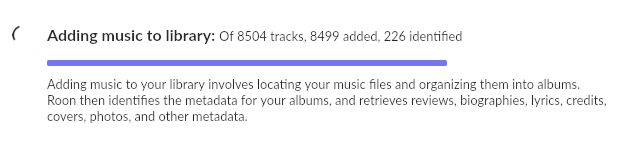
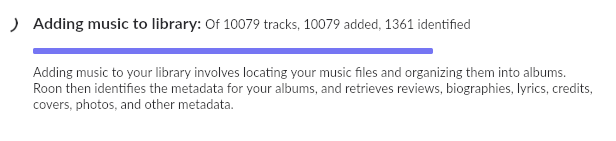
Is there a way to determine what exact files are being analyzed at any given time? Is there a way to stop the analyzing? Is there any form of log to determine what is causing the problem? Is there a way to determine just how many files will be analyzed? I just stopped and restarted Roon server, thereby resetting some of the numbers. Before the reset over 15,000 tracks had been analyzed - have no idea how many more might be lined up for analysis. Now, after the restart, here’s what I have:
By the way, that “of 8504 tracks” number changes all the time, adding on more and more as the days, and weeks, and months grind on and on and on.
@Ronald_Lyster I don’t know exact cause of Roon slowness but I have made some improvements to SongKong with you in mind to make it easier to detect badly matched albums, and also imporovements to Box Set matching.