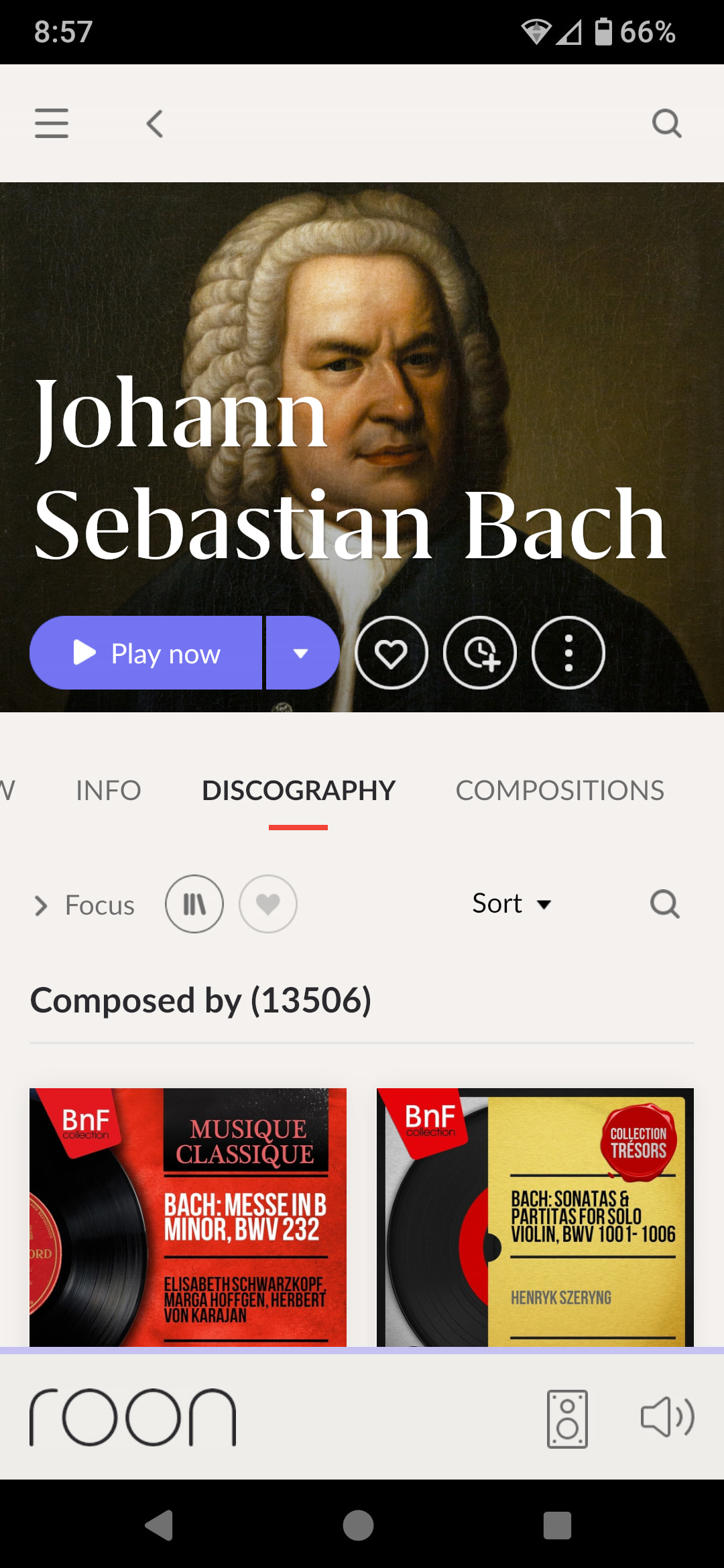
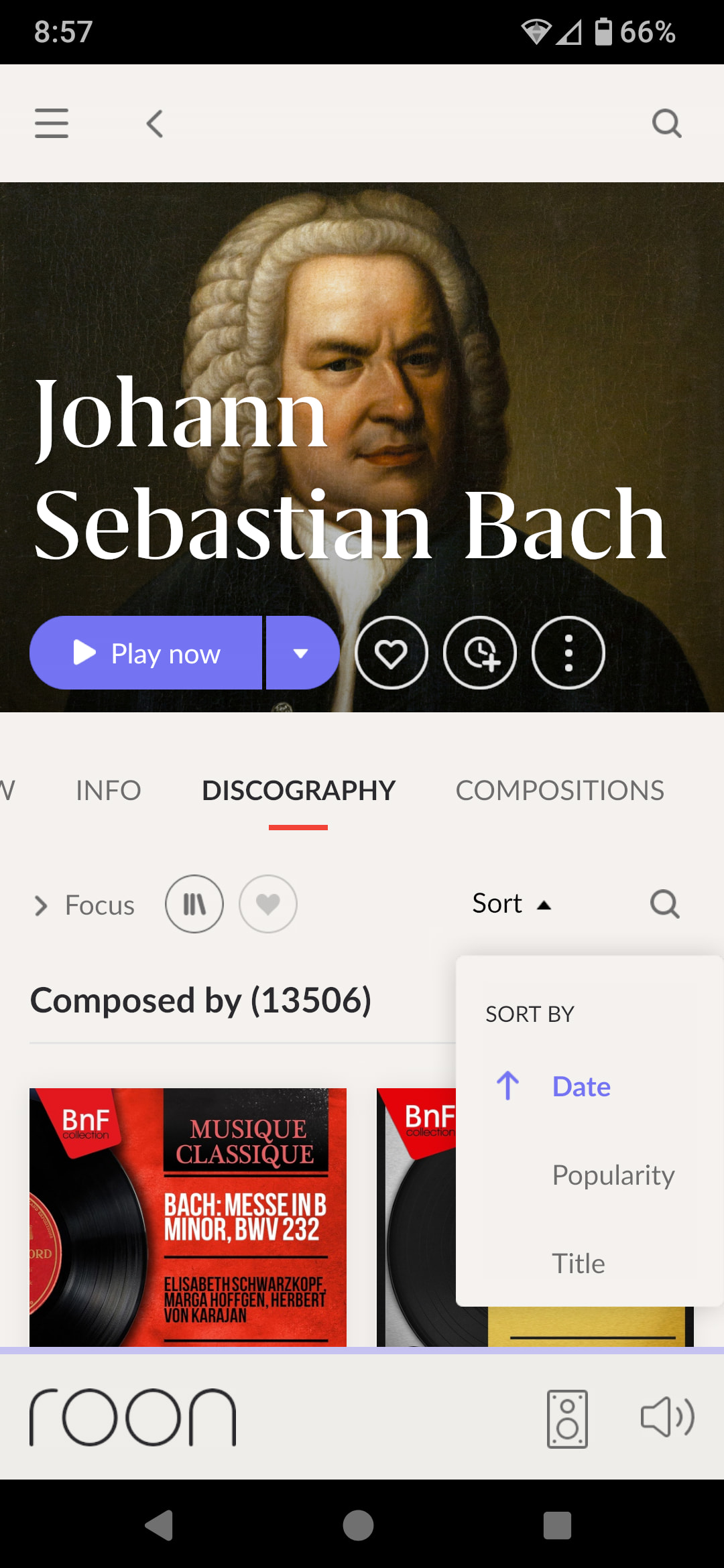
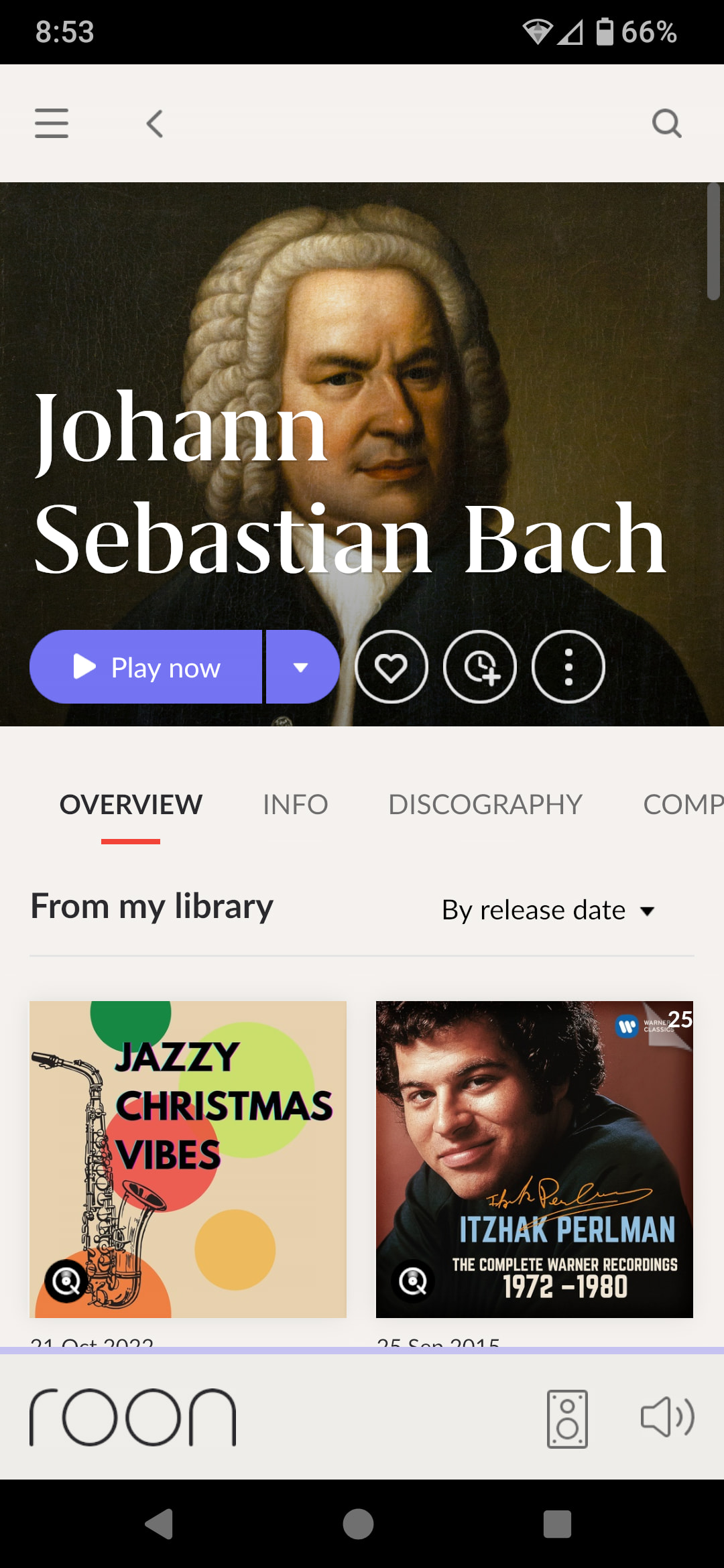
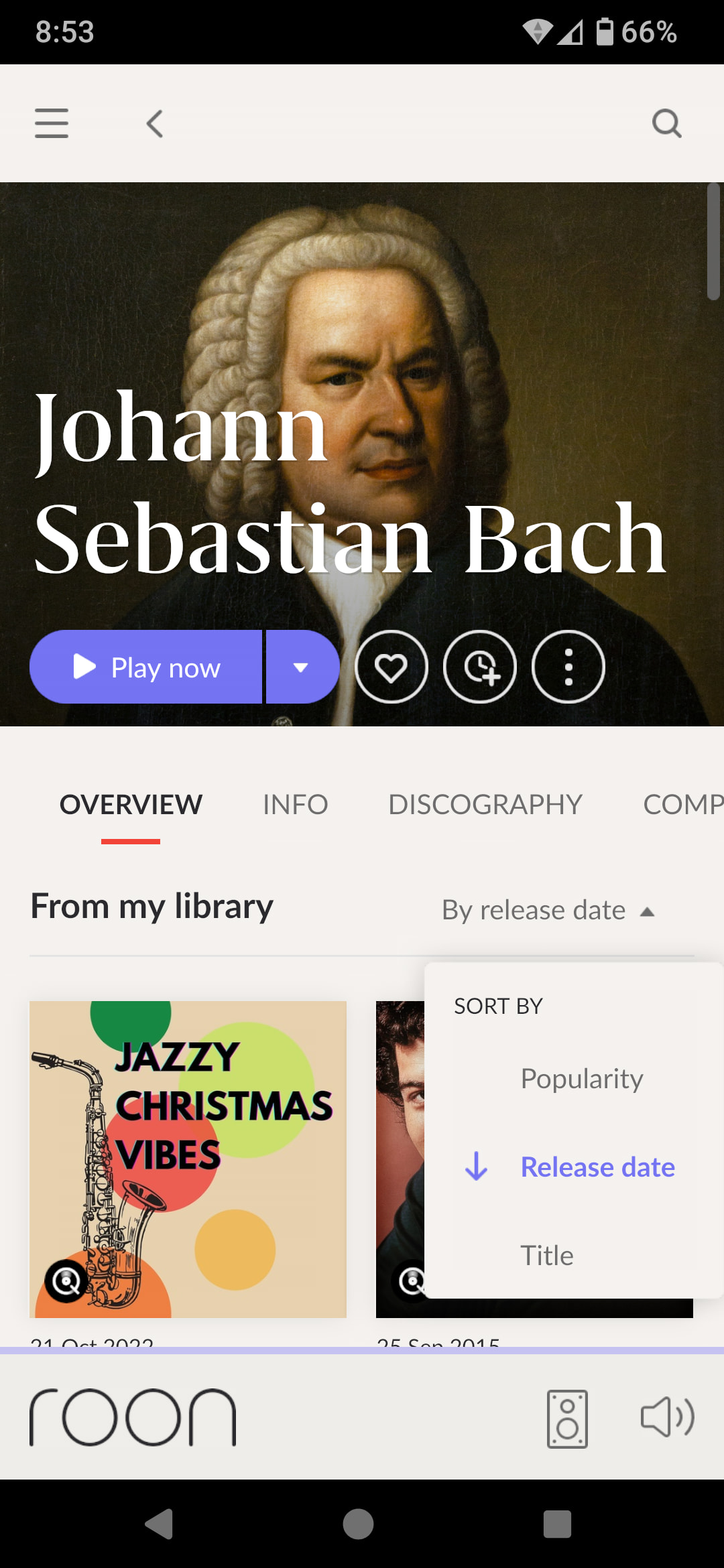
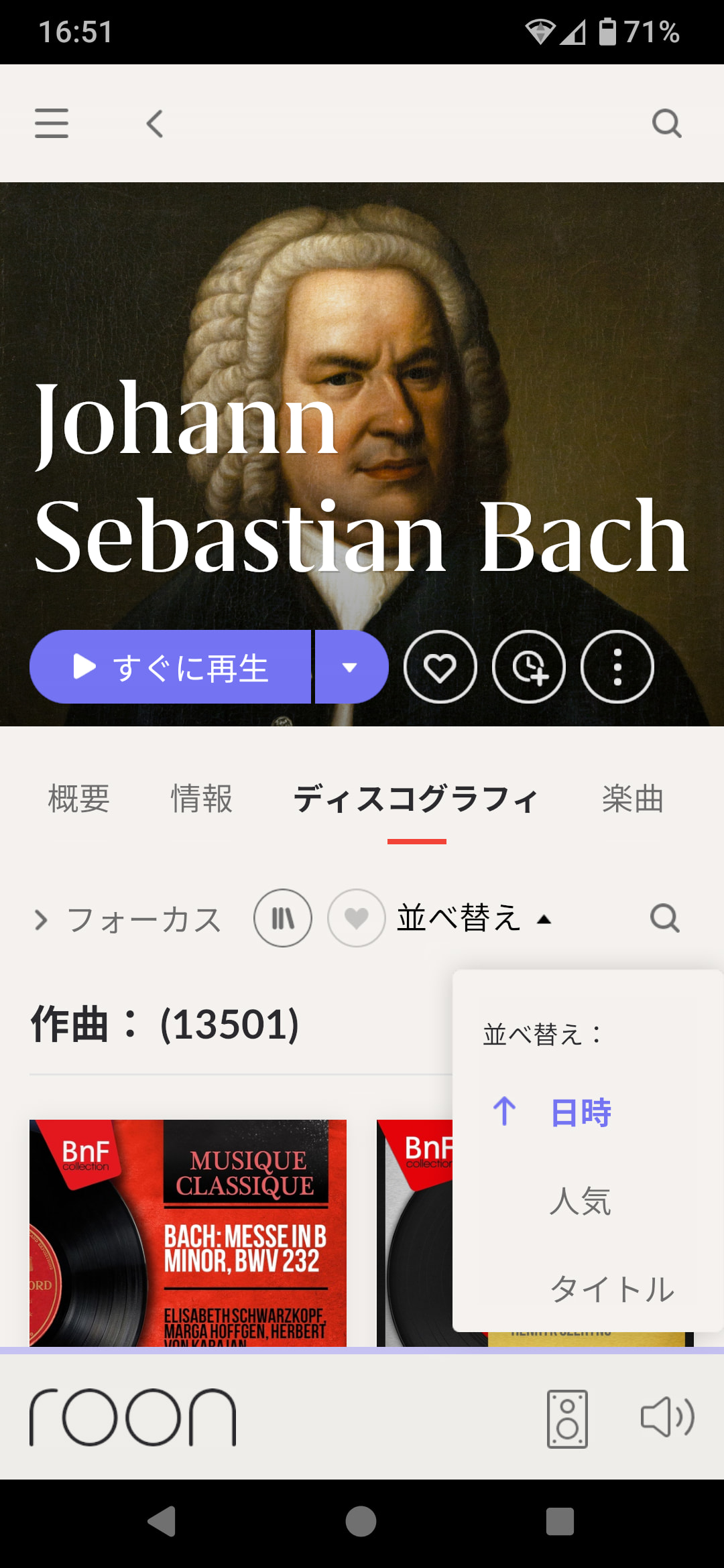
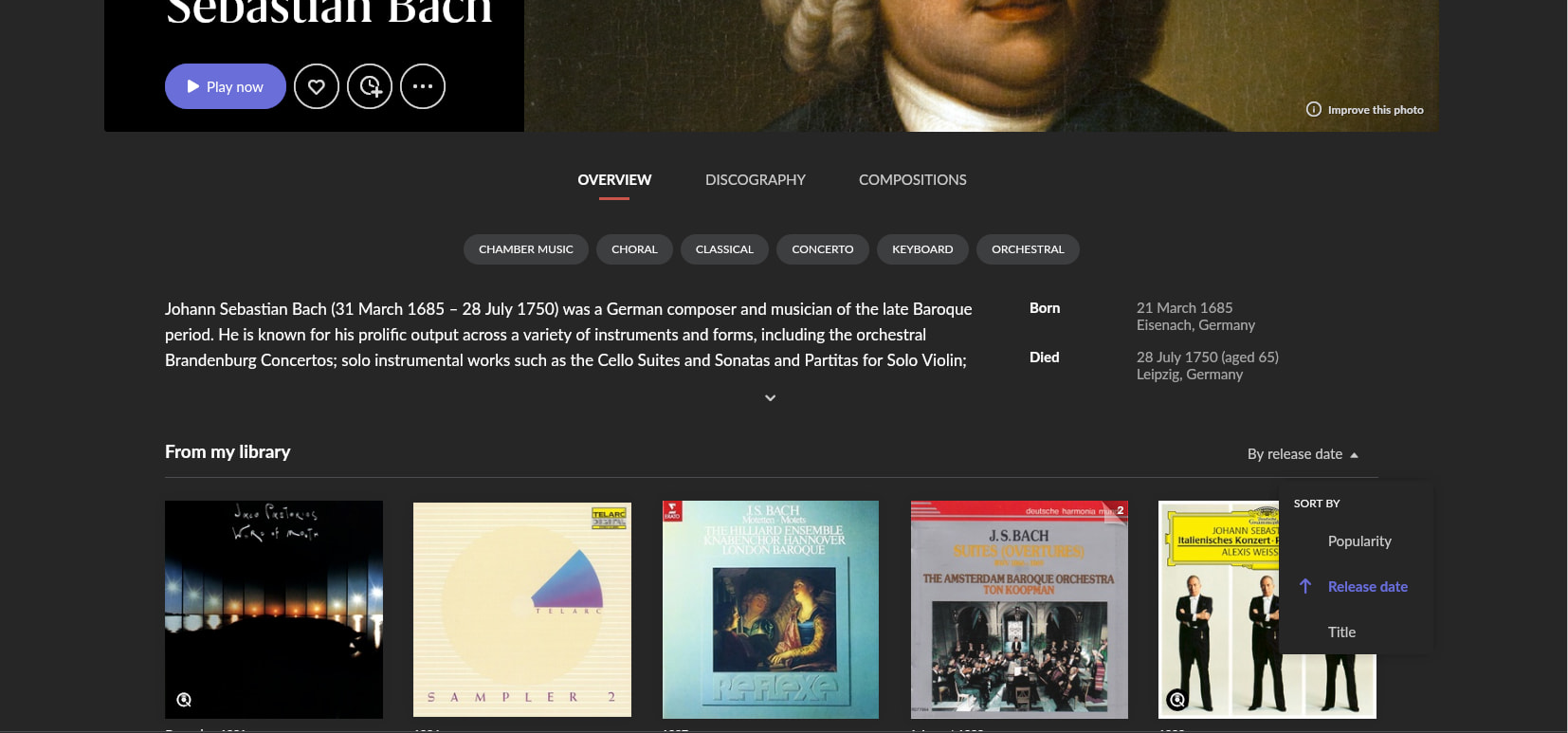
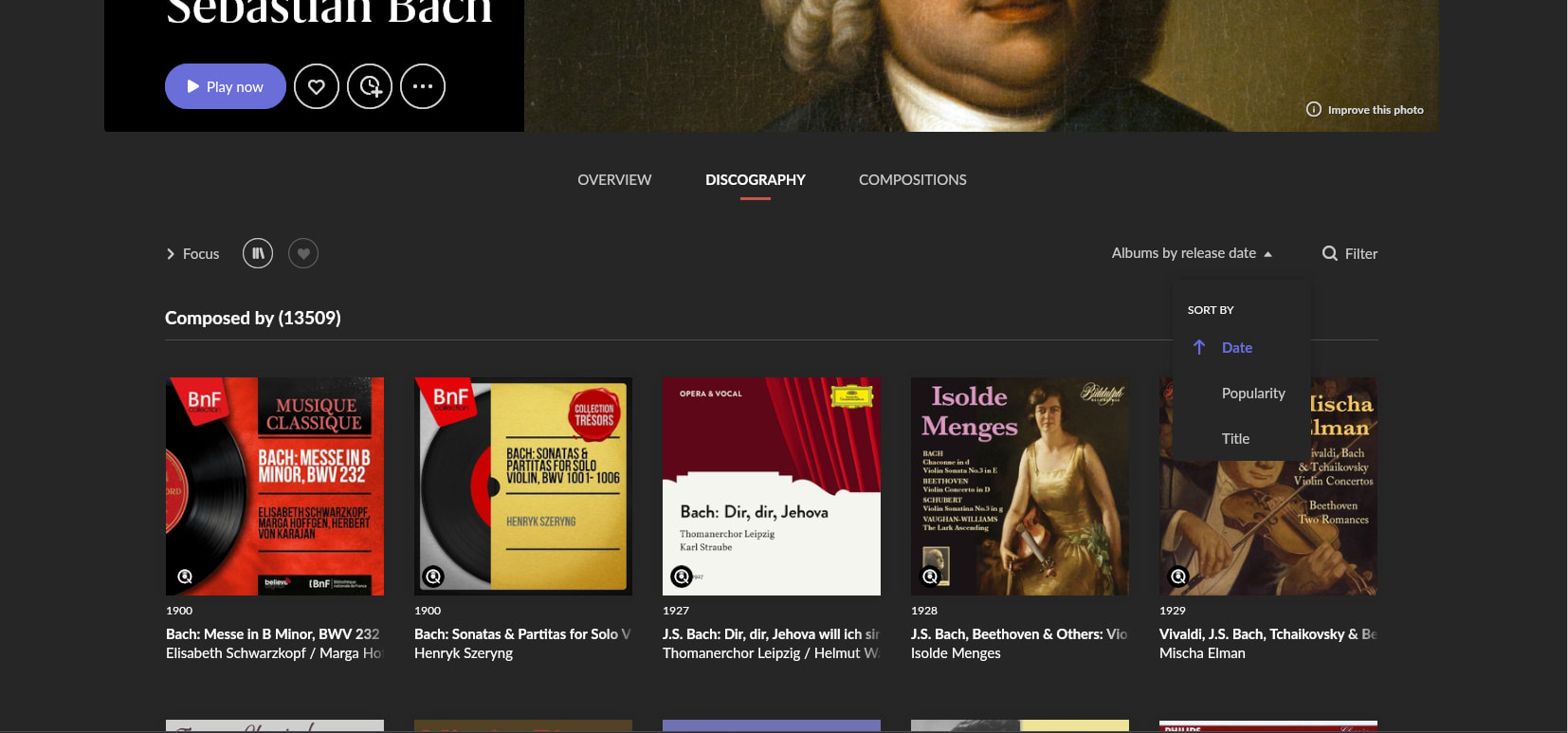
· Sorting displays differ between the Artist Overview and Discography sections in the Android version of Roon.
Tell us about your home network
· Wifi Network
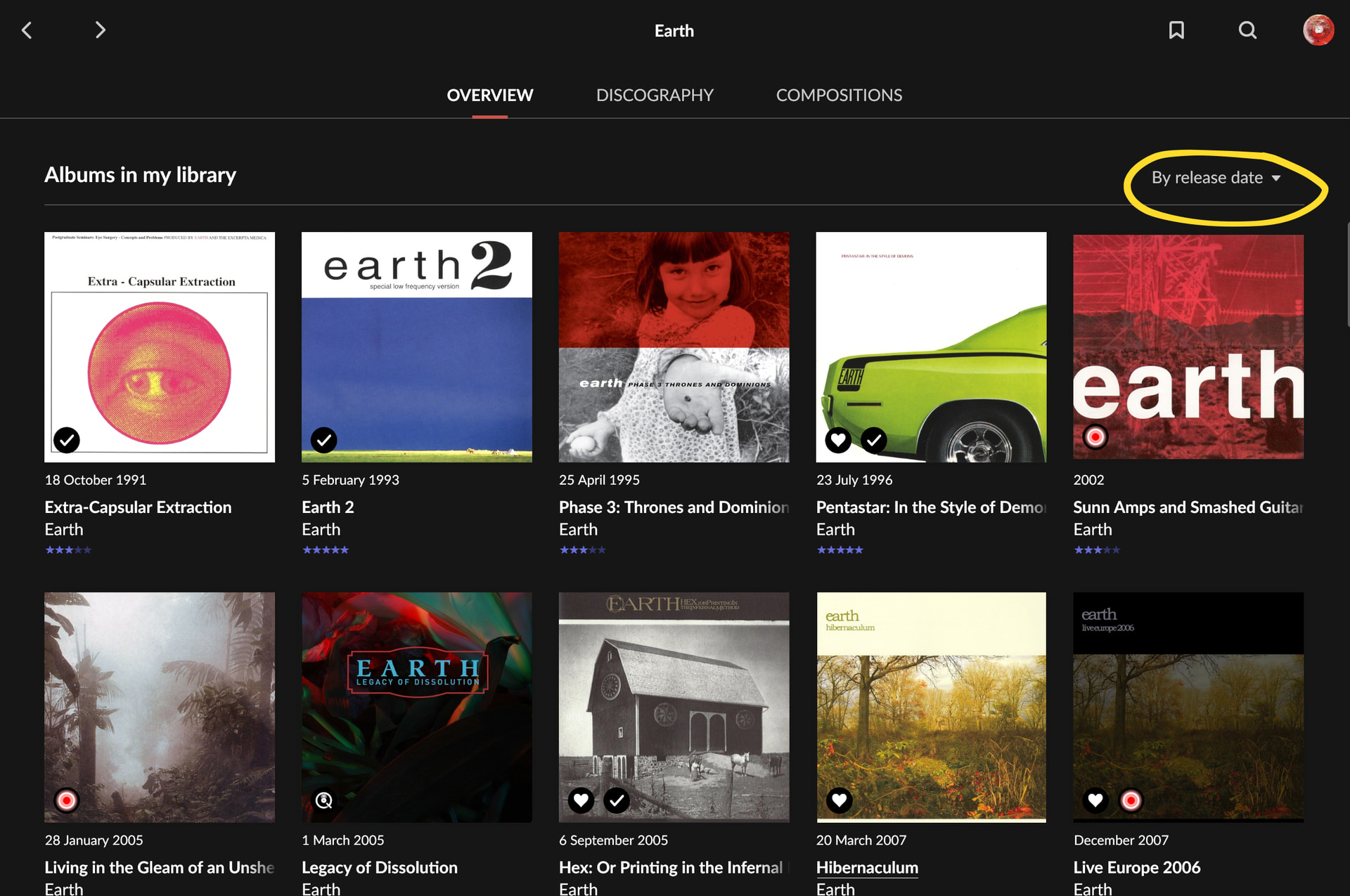
The sorting displays differ as follows (this applies to the Japanese interface as well). Is this a bug, or is the display intentionally different for a specific reason? 1. Overview: Displays “By release date,” etc.; options are Popularity, Release date, and Title. 2. Discography: Displays only “Sort,” so it is unclear what the current sort criteria are; options are Date, Popularity, and Title. I believe the Discography section should be aligned with the Overview: the “Date” option should be changed to “Release date,” and the sort criteria (e.g., “By release date”) should be displayed.
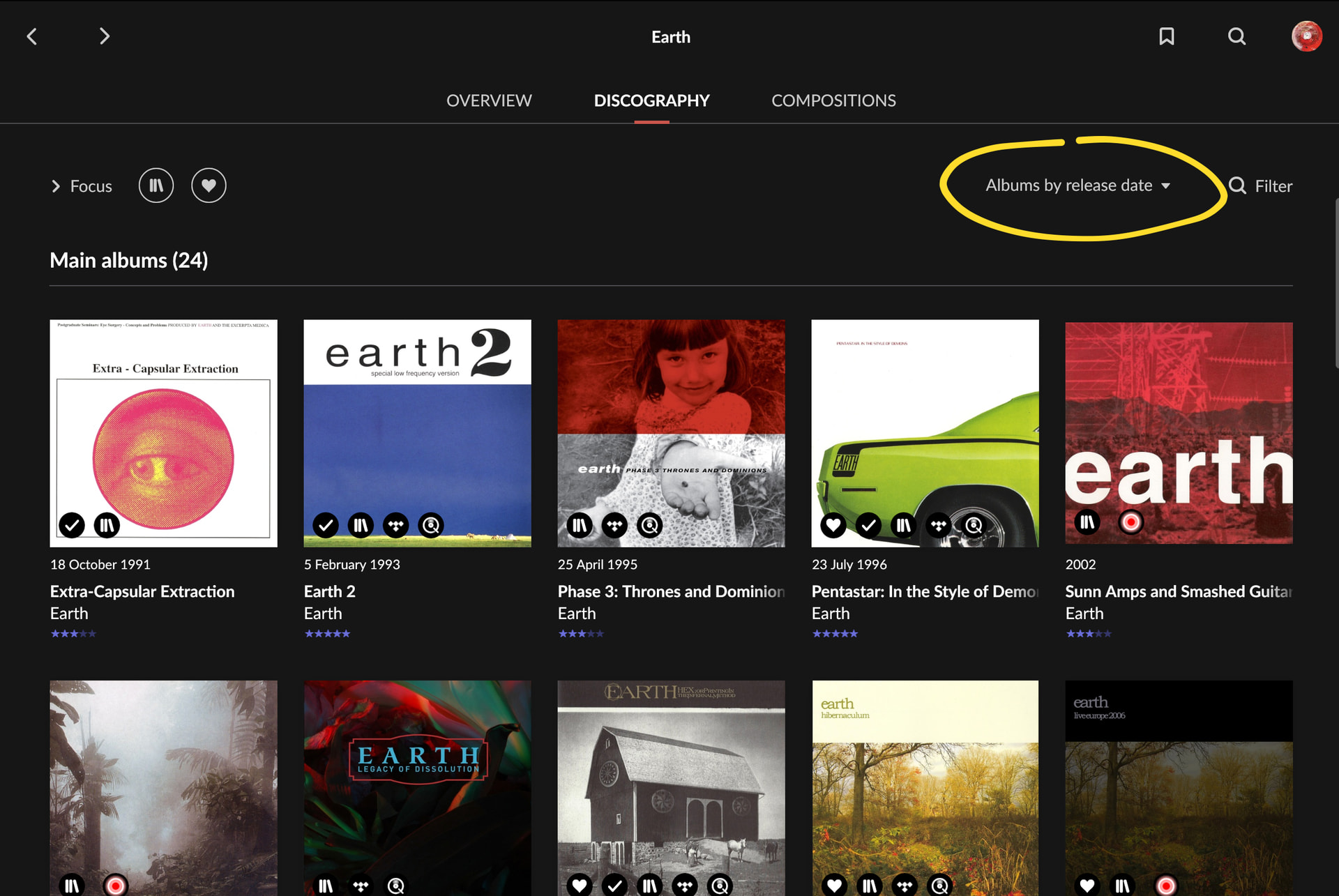
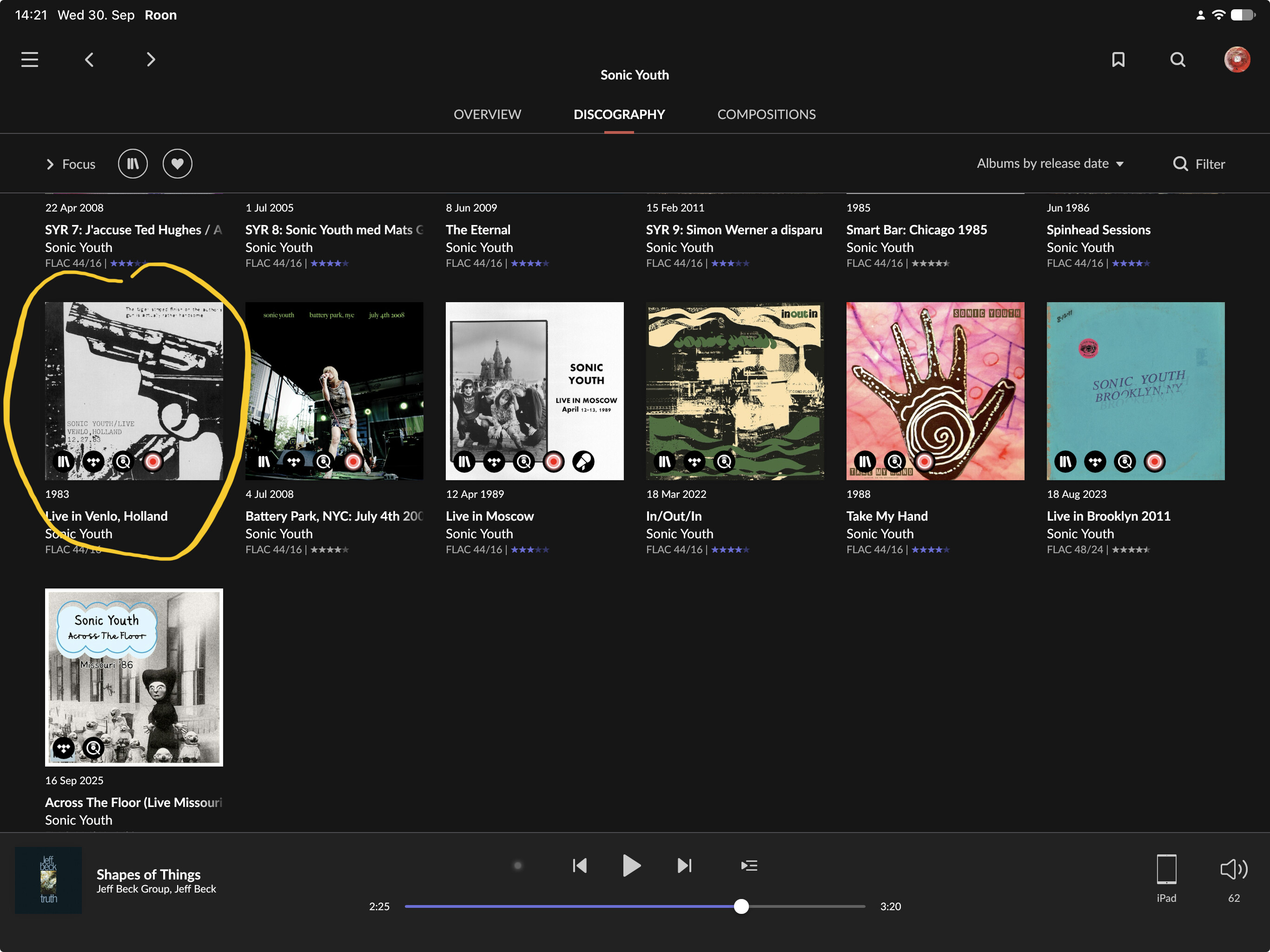
On the “Sort” question: on phone-sized screens the Discography control collapses its label to just “Sort” by design. On a tablet or desktop the same control reads “Albums by release date”, “Albums by title” or “Albums by popularity”. The Overview control has no such collapse, so it keeps the full label at every screen size. That is the difference you are seeing.
On “Date” versus “Release date”: those are not the same sort, so renaming one to match the other would hide a real difference rather than fix it.
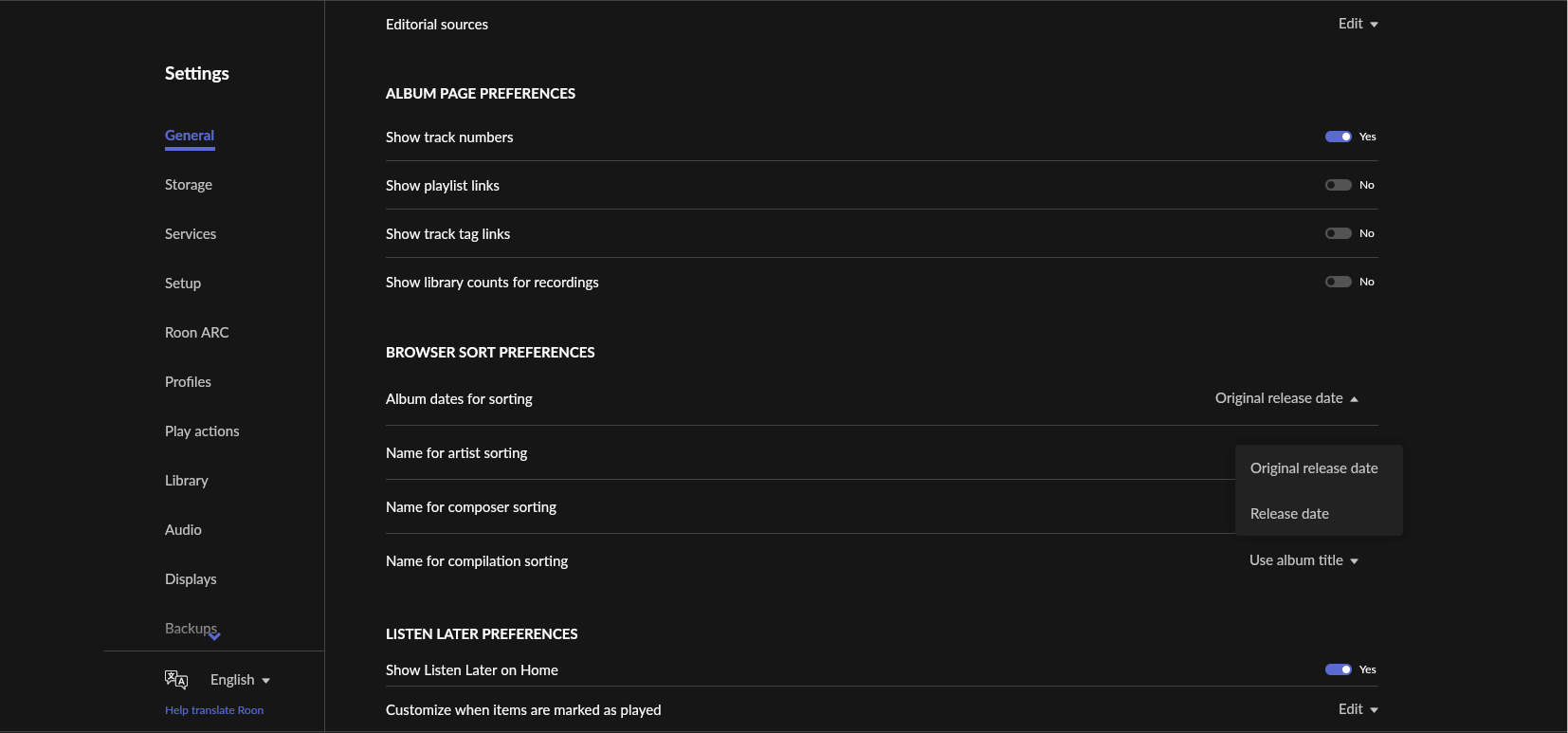
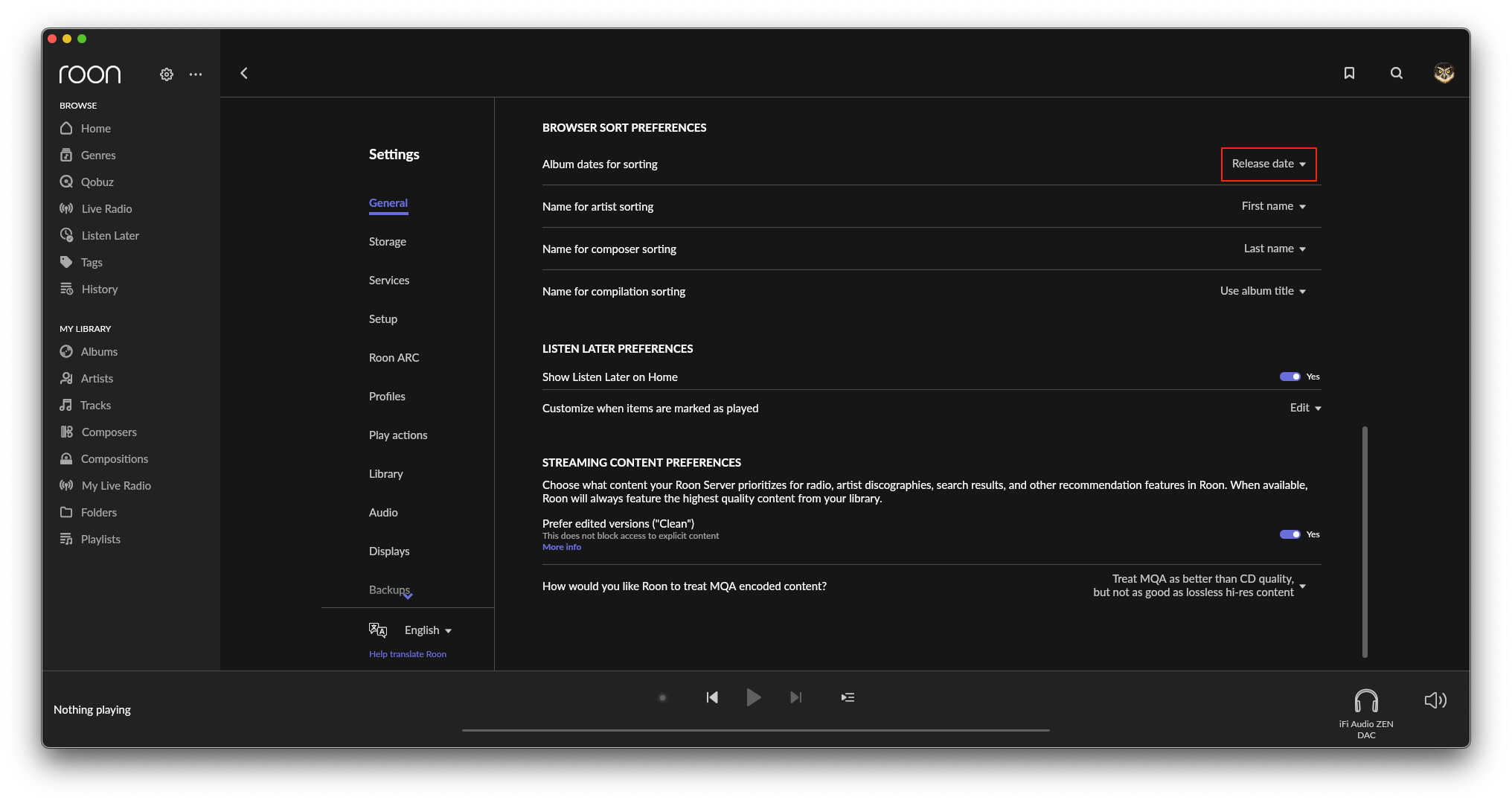
Overview’s “Release date” follows your album date preference, the one that decides whether album dates mean the release date or the original release date. Discography’s “Date” always sorts by original release date and ignores that preference.
So if that preference is set to release date, the two tabs will order the same artist’s albums differently. That is the more useful half of what you have found.
We are filing both parts: the label that disappears on phones, and the two sorts that are presented as one.
Hi @vadim, thanks for the reply; I understand the situation now.
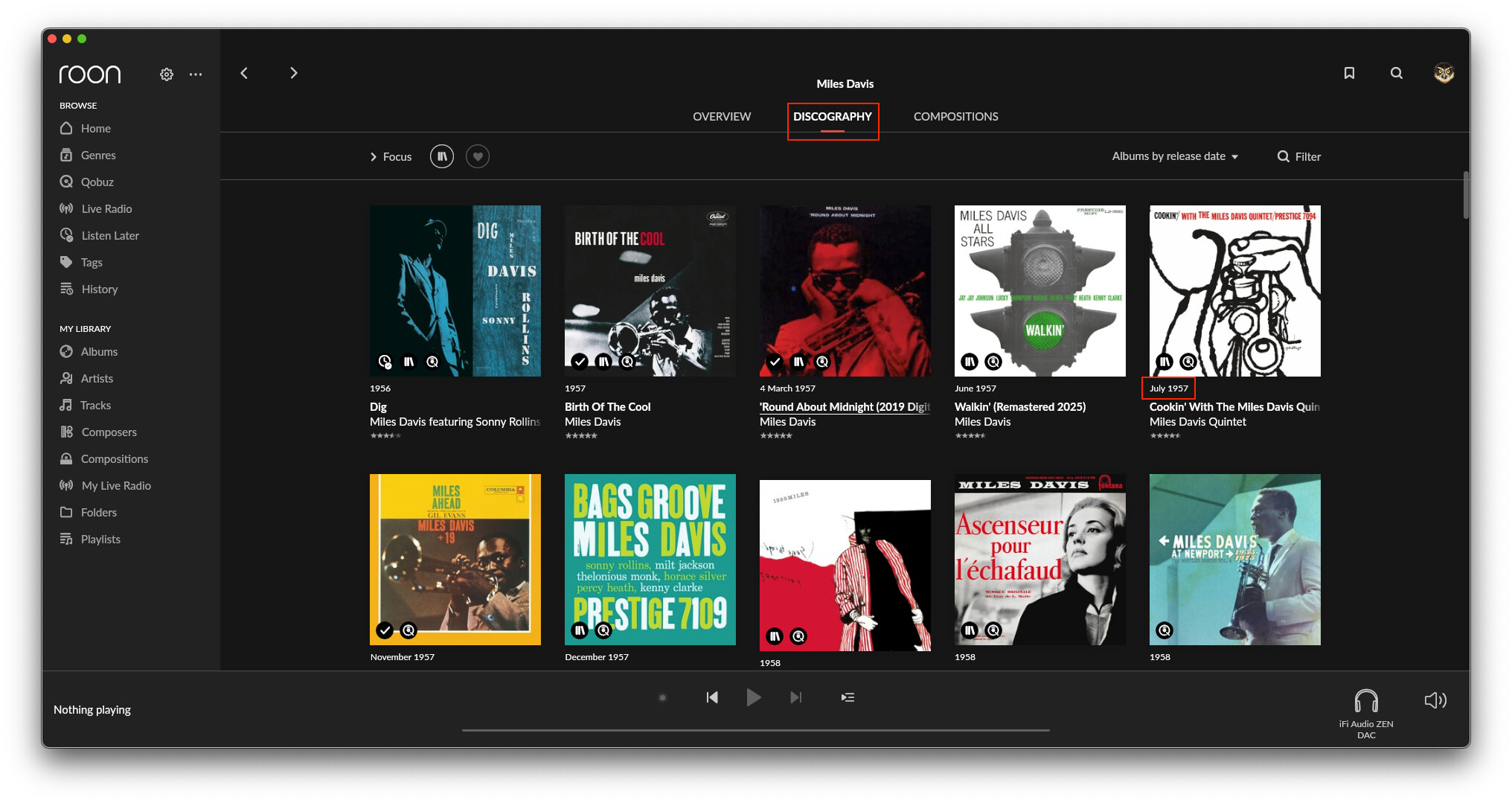
Regarding the sorting display in the macOS version, both the Overview (“By release date”) and the Discography (“Albums by release date”) are labeled simply as “release date,” which is very confusing.
Ideally, wouldn’t it be better to adjust the settings so that the Overview is labeled “By original release date” (or “By release date”) and the Discography is labeled “By original release date”?
Hi @vadim,
Is the fact that the Discography screen only offers sorting by “original release date” due to the limitation that only the “original release date” can be retrieved from streaming services like Qobuz? Or is it a performance-related issue?
Since the sorting specifications for the Overview and Discography screens cannot be aligned, it might be best to conceptually define a broader “Release date” that encompasses both “Release date” and “original release date,” and then unify the sort display tag and selection options under simply “Release date.”
Alternatively, users would likely understand it if it were just labeled “Date.” Users generally assume that sorting albums by date refers to this broader definition of “Release date.”
Using options like Date, Popularity, and Title would also result in a cleaner, simpler interface.
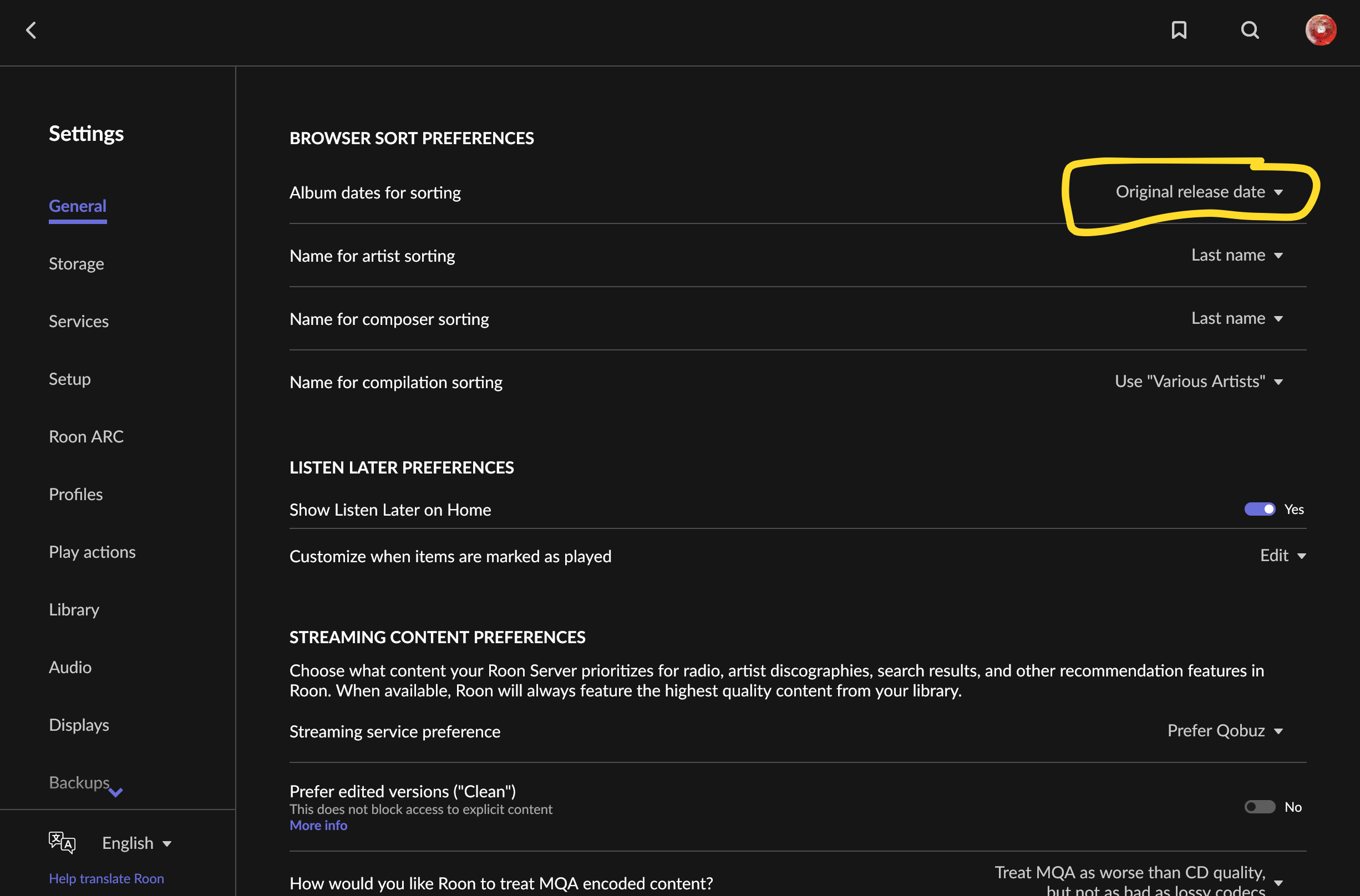
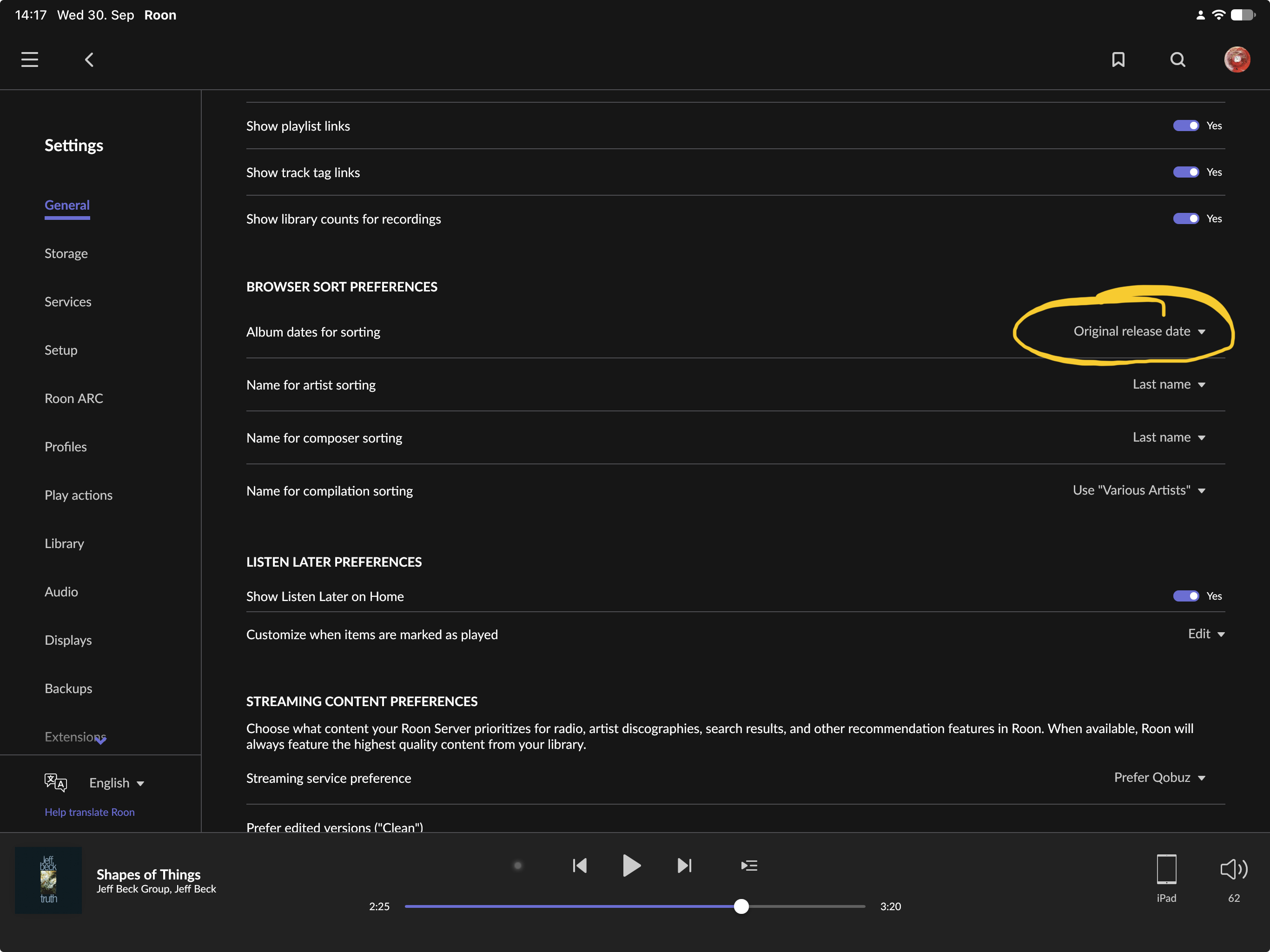
However, they do the same thing (with one exception, see further down in this post), and whether they mean sorting by the Original Release Date or by the specific version’s Release Date is controlled by Settings > Browser Sort Preferences > Album Dates for Sorting:
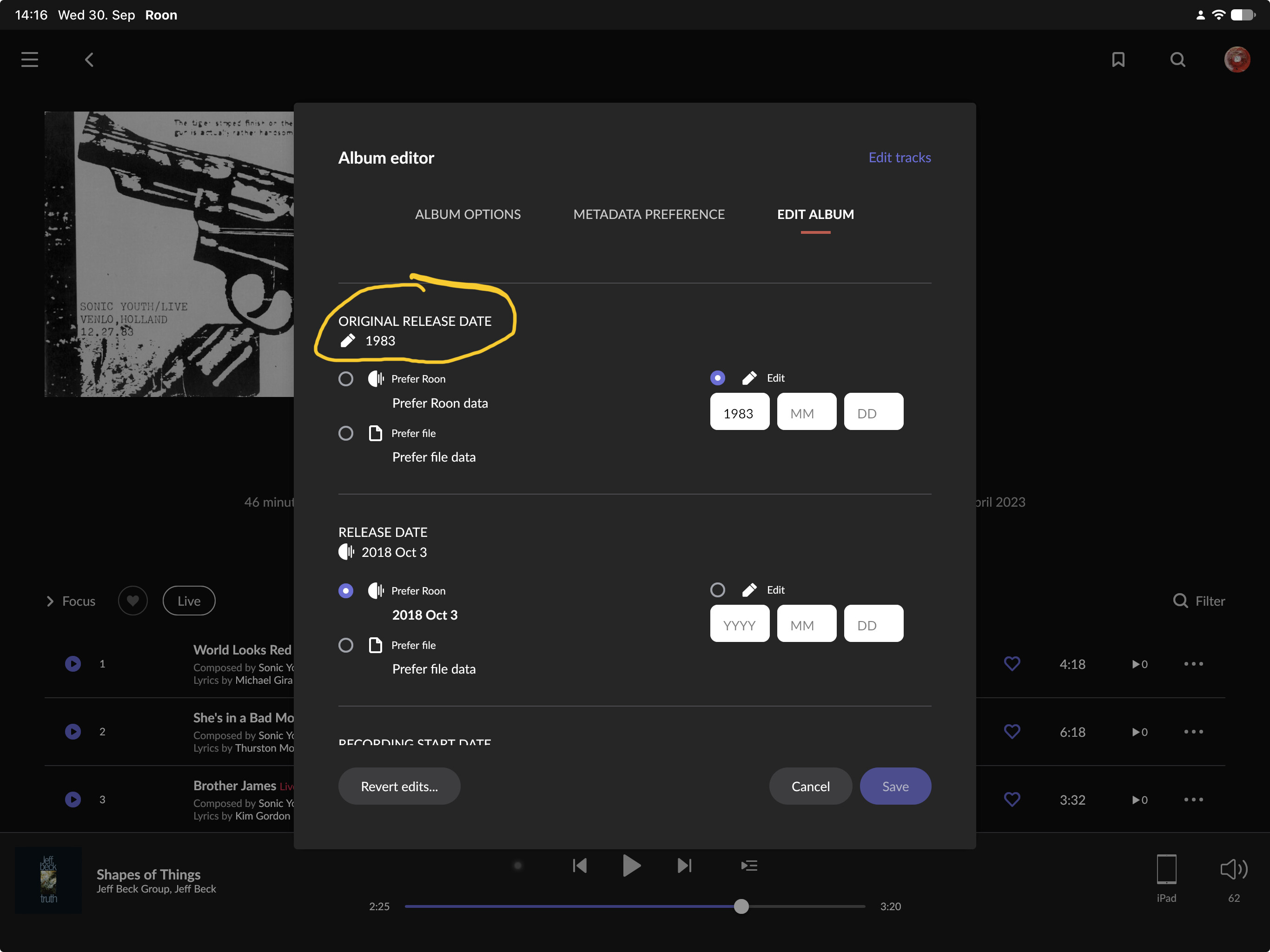
The fields are populated by Roon, and Qobuz albums can have an original release date, too. However, where they have content is not consistent in the available automatic metadata: Some albums have both, some albums have one of them, and sometimes they are wrong (e.g., the original release date might be later than the release date). You can always edit them if the album is in your Roon library (including Qobuz albums).
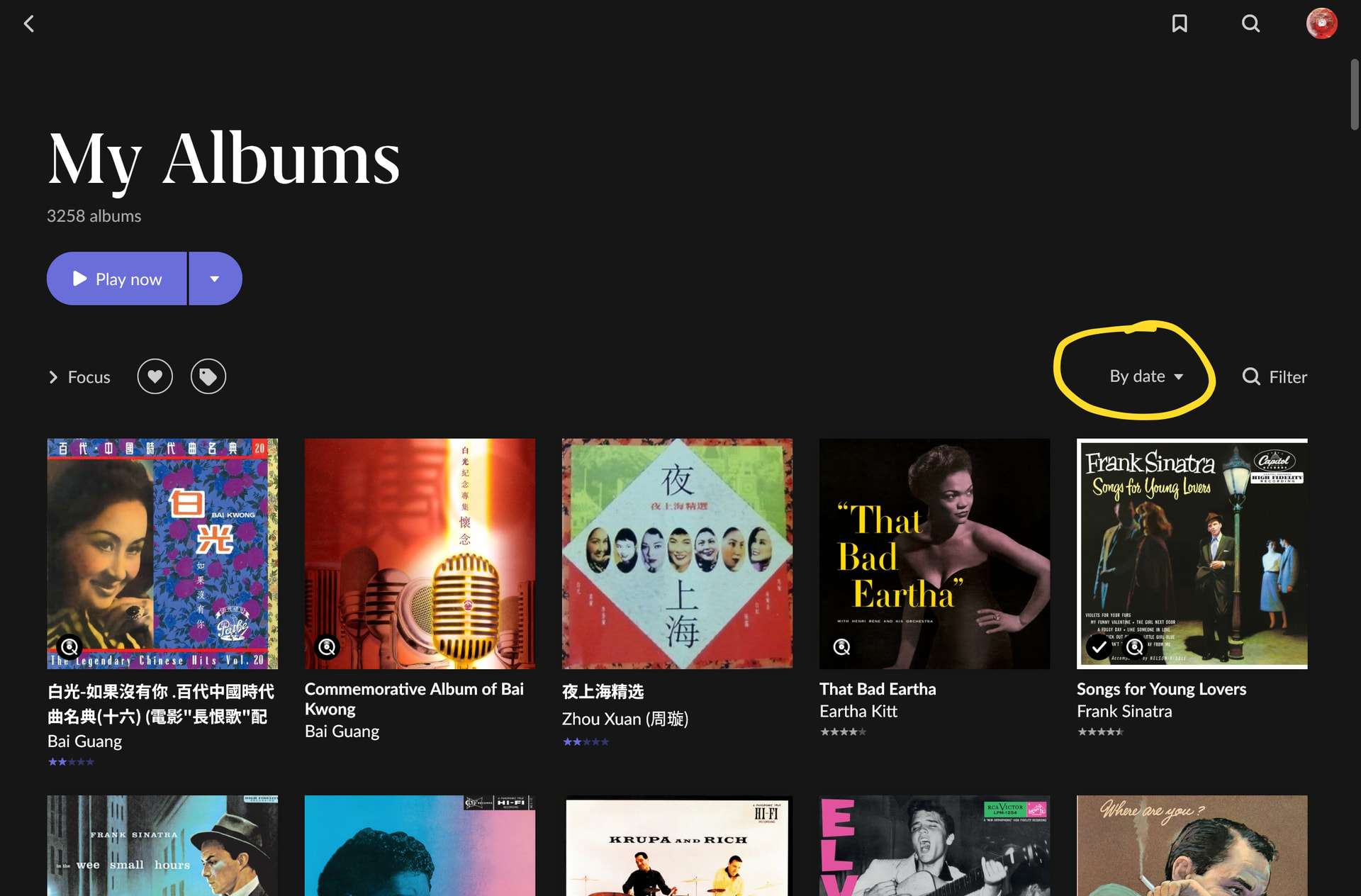
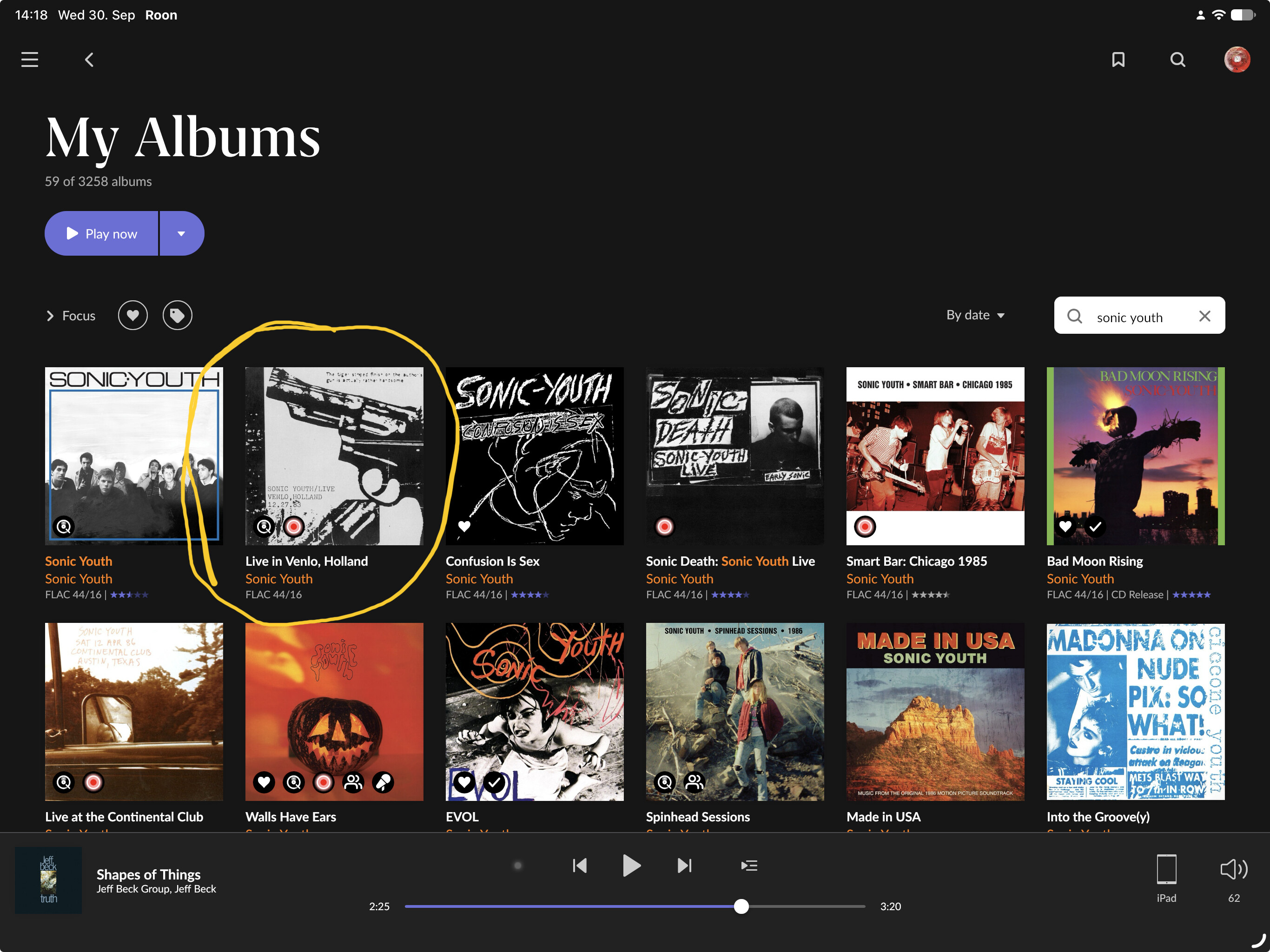
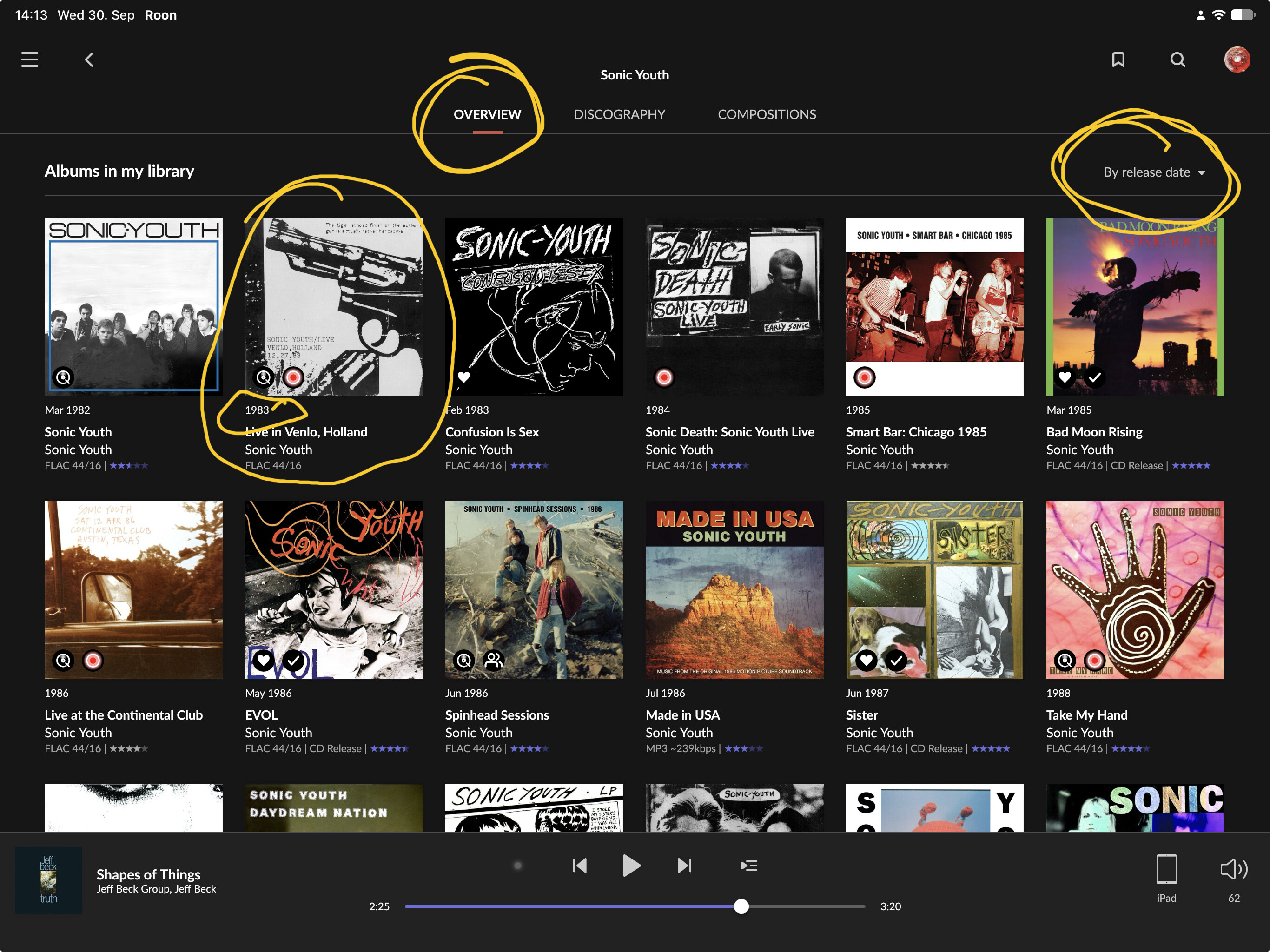
What adds to the confusion is that sorting by Original Release Date works in My Albums and in the artist’s Overview tab, but for some reason not in the artist’s Discography tab:
There is a ticket for this. Note that this linked topic is a bit confusing because there were several other date sort issues, too, and some of them were fixed, but the Discography issue still exists. One of the answers that were given in the topic was that the Original Release Date option is in Settings > Browser Sort Preferences, and therefore applies to My Albums but not Discography. However, this doesn’t explain why it works in Overview, but just not in Discography. I consider this a bug and unfortunately it wasn’t fixed yet.
Hi @Suedkiez, thanks for the comment.
Your feedback is very helpful.
Hi @vadim, should this be treated as a bug?
By the way, since the “Original release date” or “Release Date” fields are sometimes missing or incorrect, I manually correct the metadata for albums by my favorite artists.
Should I report this as a metadata issue?
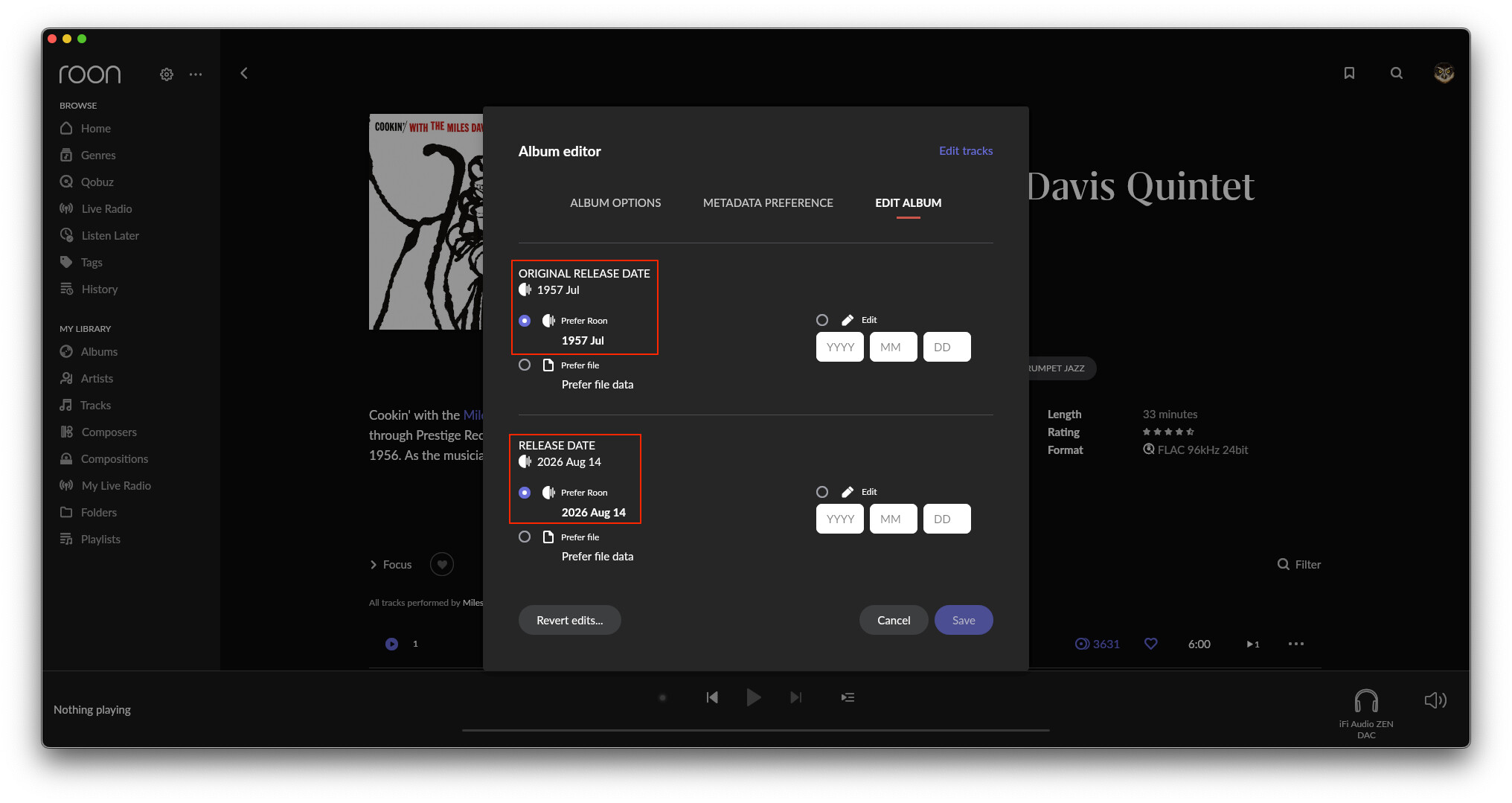
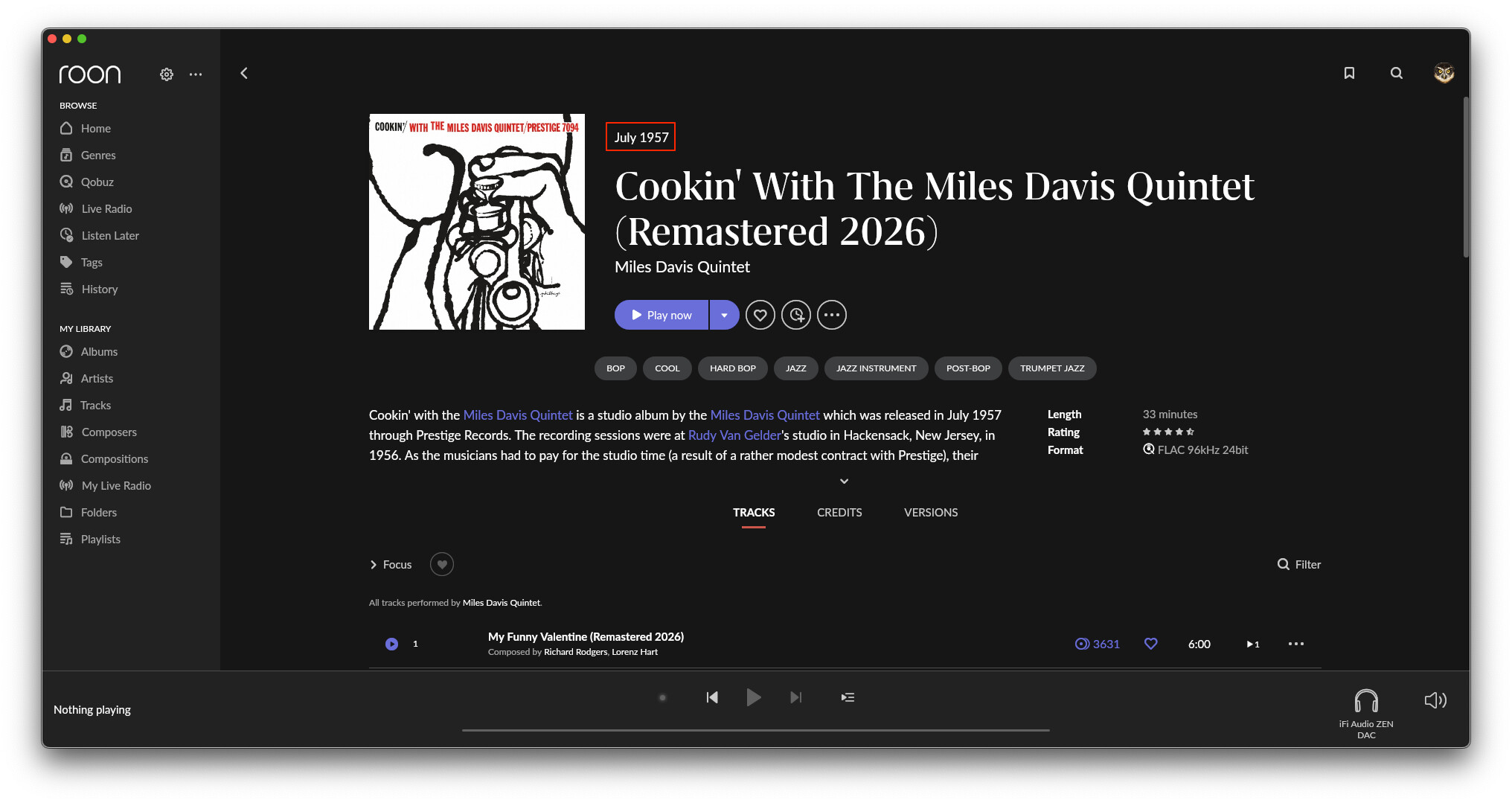
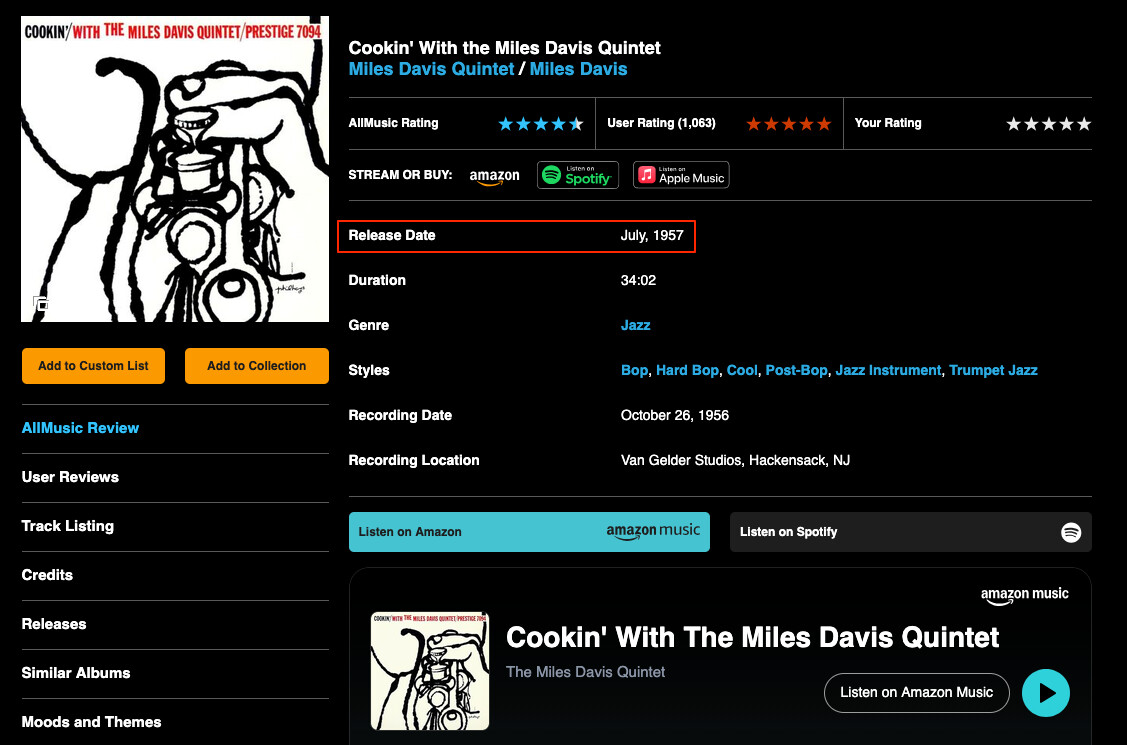
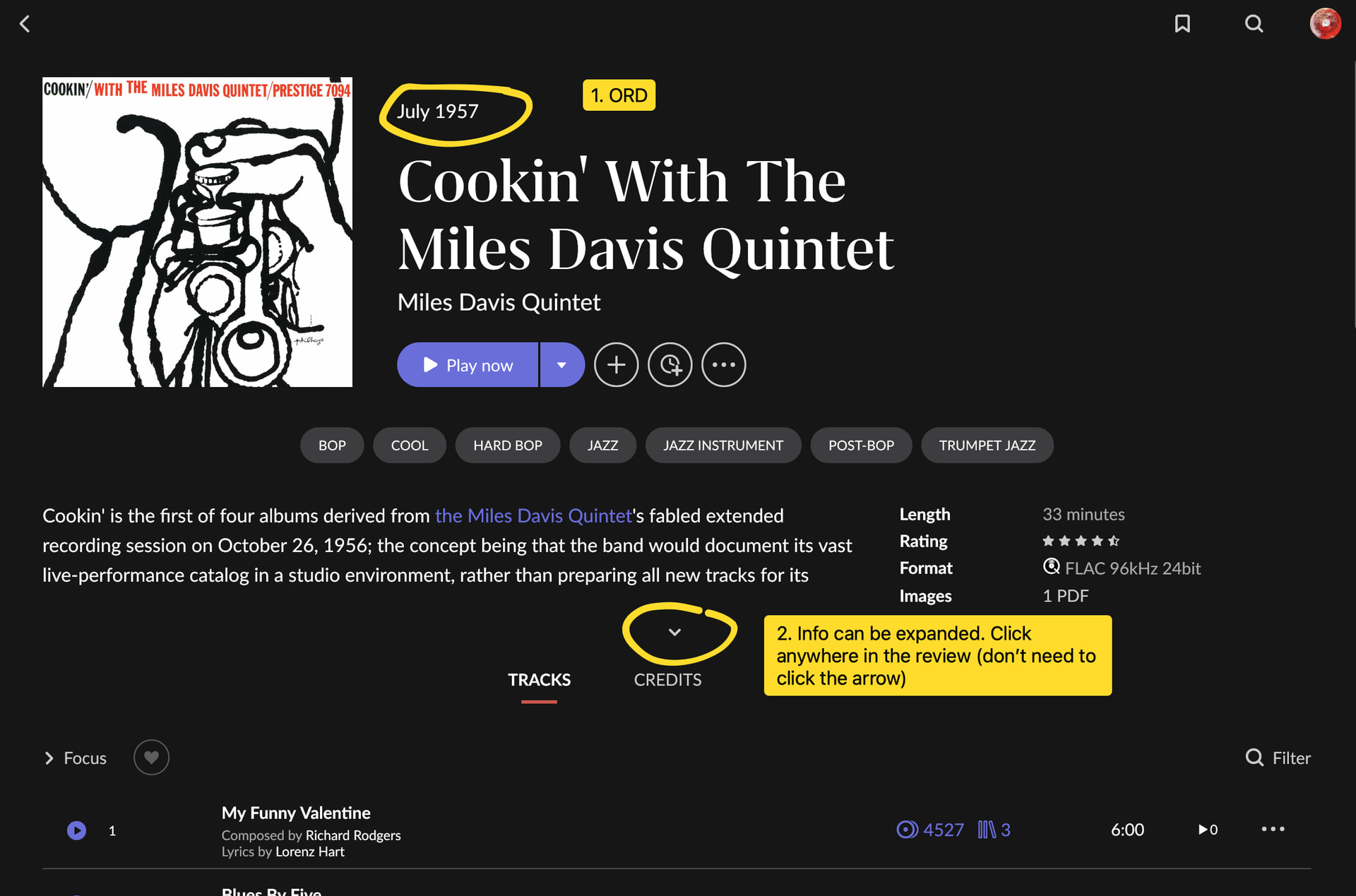
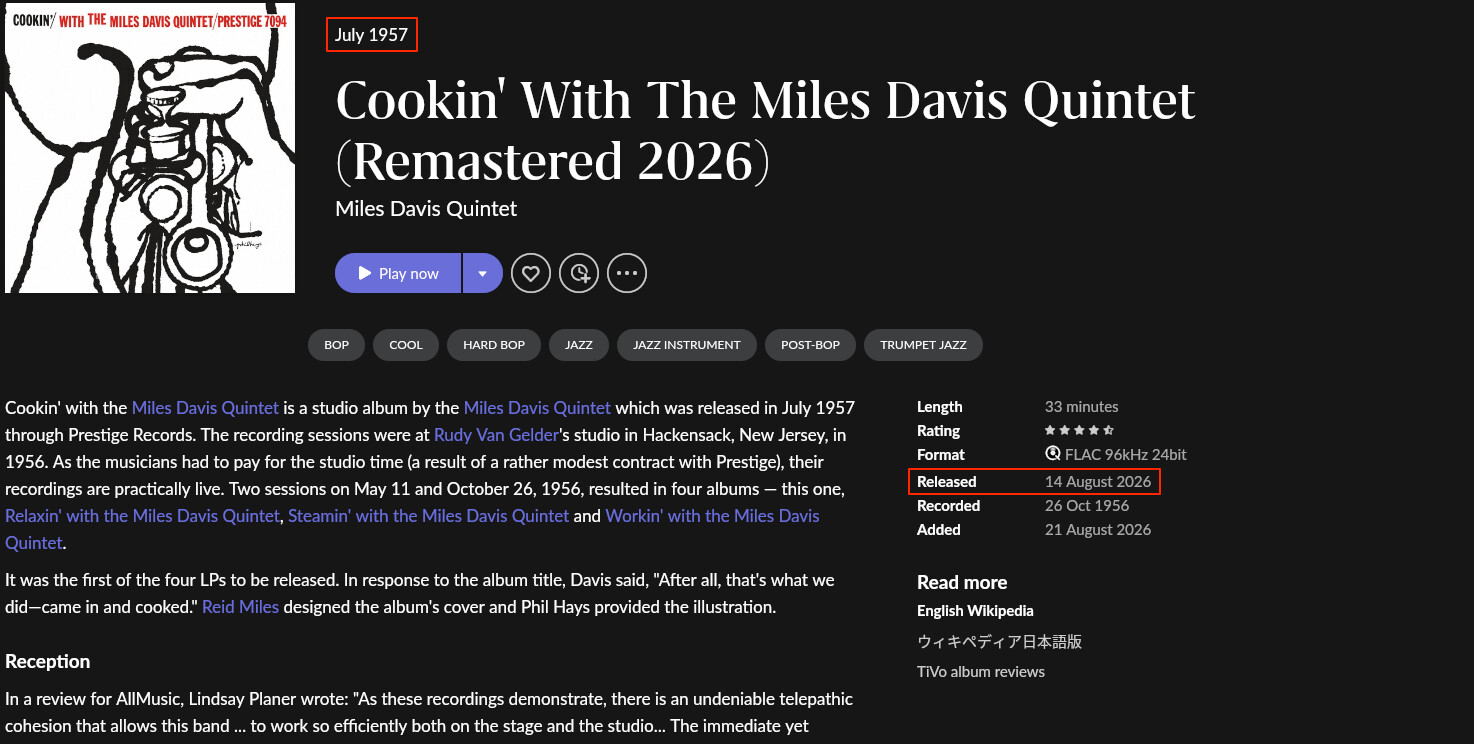
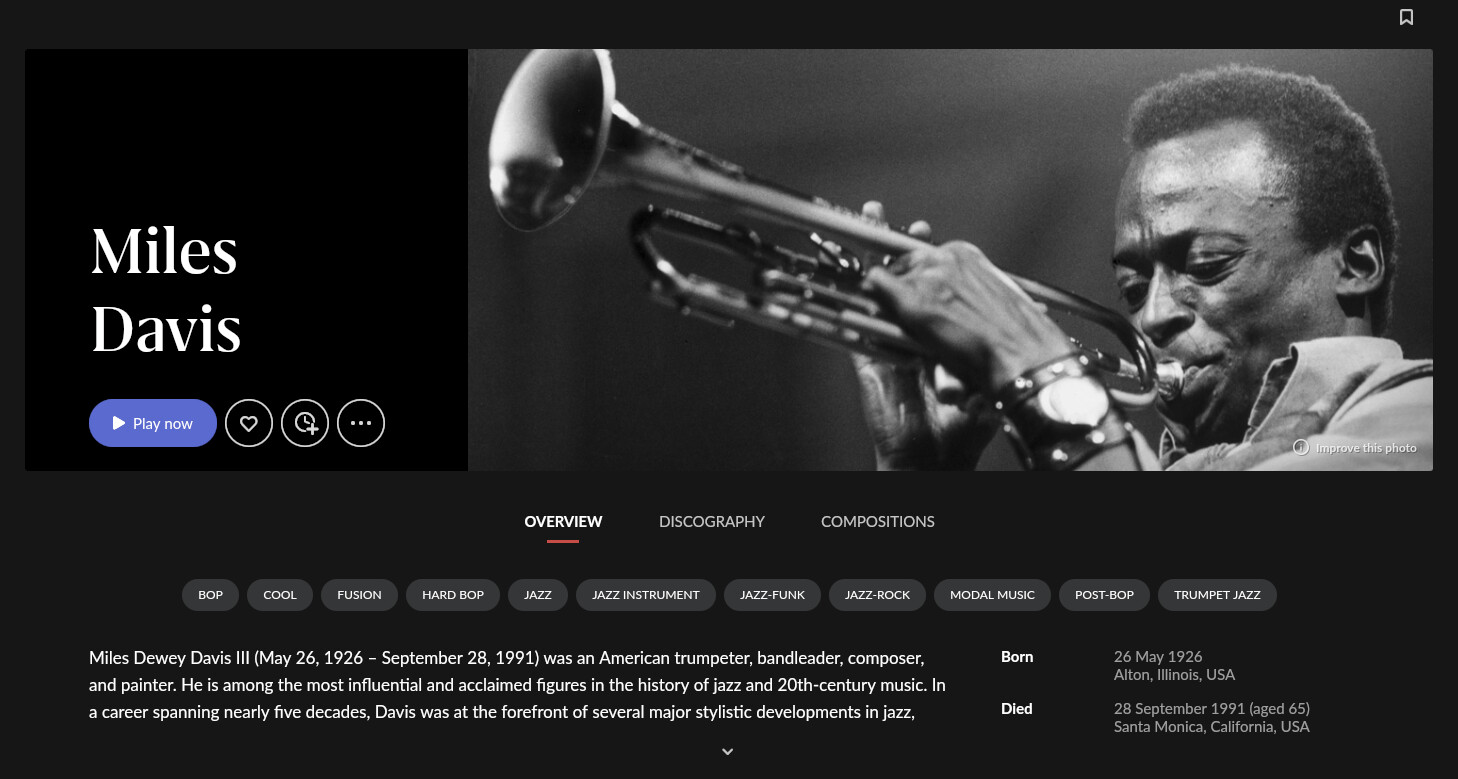
I hadn’t used the “Release date” sorting option before, but I decided to try it out. For Miles Davis’s *Cookin’* (Remastered 2026), the “Original release date” is July 1957, while the “Release date” is August 14, 2026.
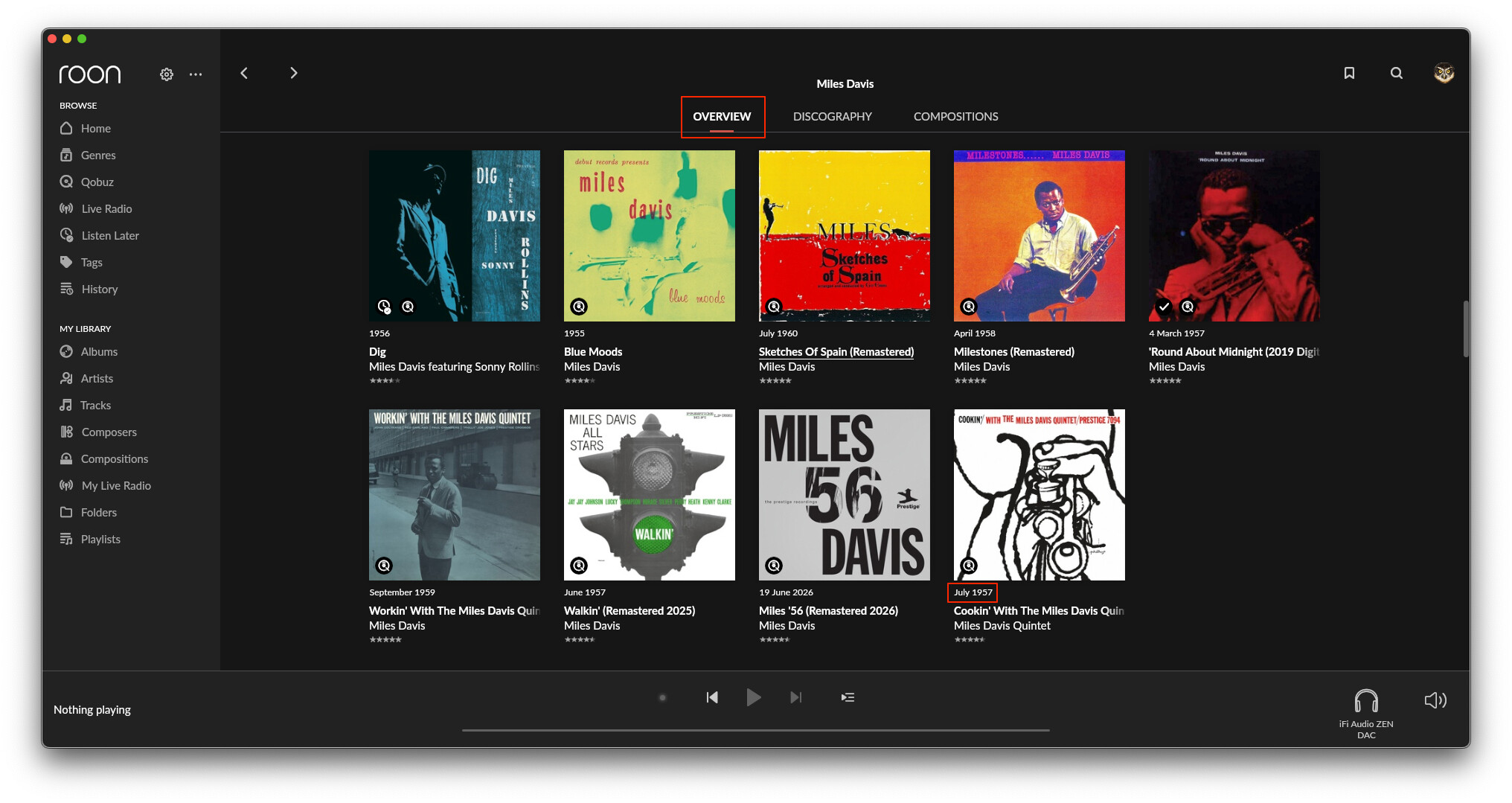
1. In the Overview, it is sorted to the end of the list, yet the displayed release date remains the “Original release date” (July 1957).
2. The release dates displayed for the surrounding albums appear jumbled, making it look as though the list isn’t sorted correctly.
3. I believe it should display the date used for sorting—the “Release date” (August 14, 2026).
Since only the “Original release date” is shown in the album info, the “Release date” doesn’t actually appear on the display; you have to check the album editing screen to see it.
Classic jazz albums are often reissued with added outtakes or remasters, and I prefer to sort my albums by “Original release date,” so I don’t really see the point of having a “Release date” field that isn’t displayed anywhere.
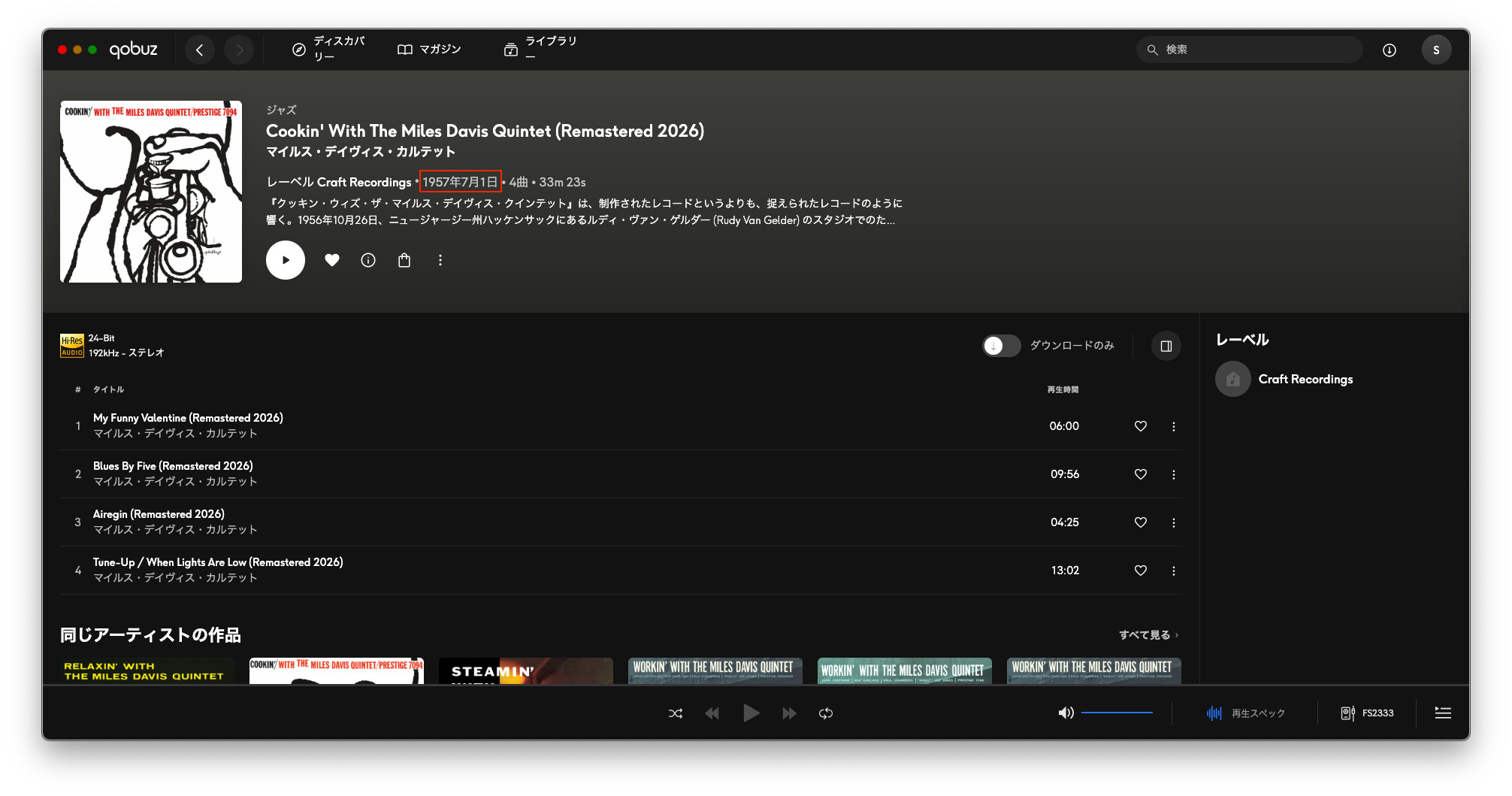
It’s a bit late to mention this, but looking at the Qobuz information, the “Original release date” (July 1957) is displayed, while the “Release date” (August 14, 2026) is not.
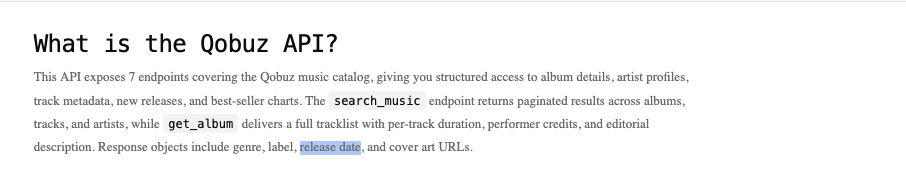
It appears that the Qobuz API only provides a single “release date” field (though I cannot verify this myself, as the API isn’t available to general users).
This suggests that Roon maps the Qobuz “release date” to its own “Original release date” field, while sourcing the Roon “Release date” from a different piece of metadata—is that right? Is that why the discography is designed so that it can only be sorted by “original release date”?
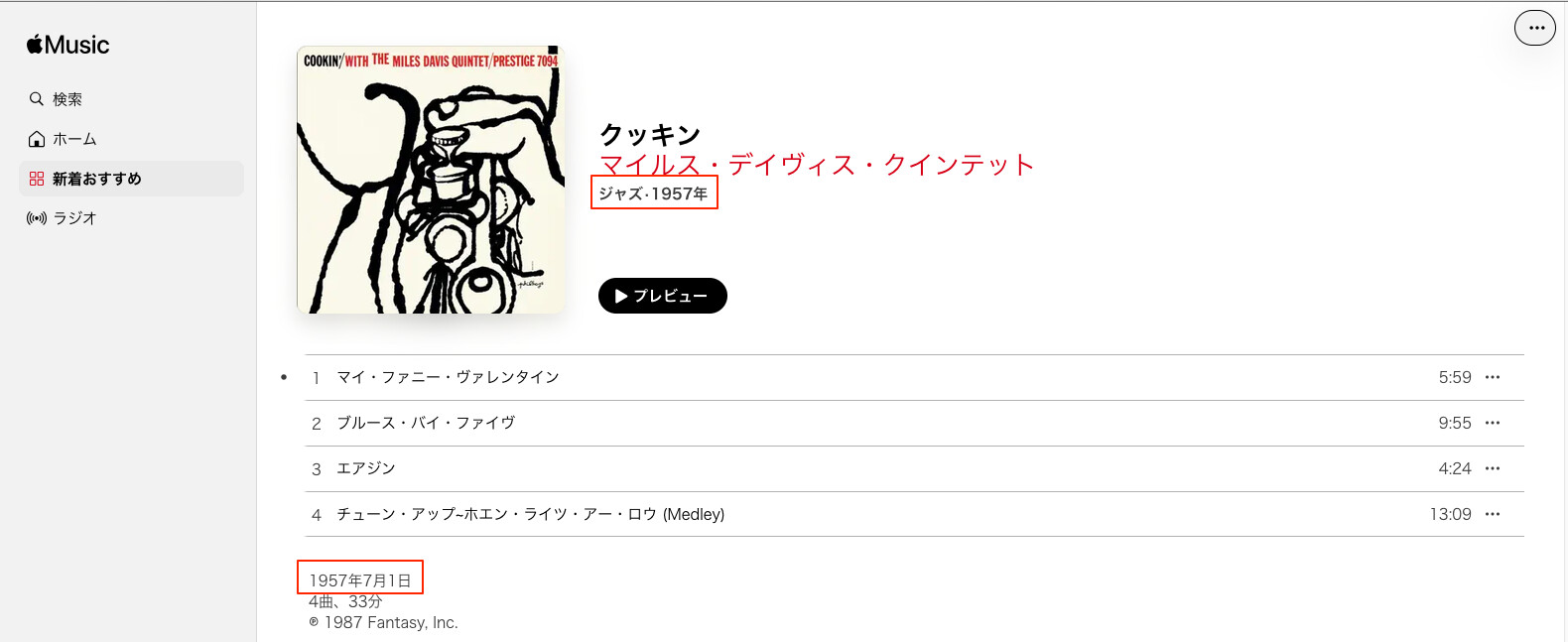
I just noticed that while AllMusic and Discogs list the release date simply as “Jul, 1957,” Qobuz lists it as July 1, 1957.
I initially thought it might be a bug on Qobuz, but since Apple Music also lists it as July 1, 1957, I wonder if they share the same source for their metadata?
Or is it just a system default to display the 1st of the month when the specific day isn’t provided?
Thank you for your patience, and thanks to @Suedkiez for the detailed comparison.
I have an answer from the team on the sorting question. The difference between the two tabs is intentional, not a bug.
Overview is a view of your music, shaped by your preferences. It follows your Album Dates for Sorting setting, and it can show or hide duplicate versions. If you own several editions of the same album, Overview can show all of them in the order you choose.
Discography is a view of the artist’s career, covering albums in your library and beyond it. Its purpose is to show when the artist actually released each album. A 2026 remaster of Cookin’ is still a 1957 album in the story of Miles Davis’s career, so Discography always sorts by original release date. It does still respect your choice of primary edition.
To answer your earlier question: this is not because of a streaming service limitation or performance. It is a deliberate design choice, made so that Discography stays consistent for every user.
Your feedback about the labels is fair. When both tabs say “release date” but behave differently, it is easy to be confused. I have passed that feedback along to the team.
On metadata: when an album’s release date or original release date is missing or wrong, editing it is the right approach for albums in your library, as you are already doing. Your edits apply to Overview and My Albums, and to Discography’s original release date order.
Thanks for the details, but this is just not true. It would be great if it were (or if it followed the setting). But as I showed in detail in my post in Early Access, it doesn’t work. Discography sorts by release date. In fact, in my EA thread I was told the opposite, namely that my setting of using Original Release Date for date sort in Settings does NOT apply to Discography, and that THIS is intentional.
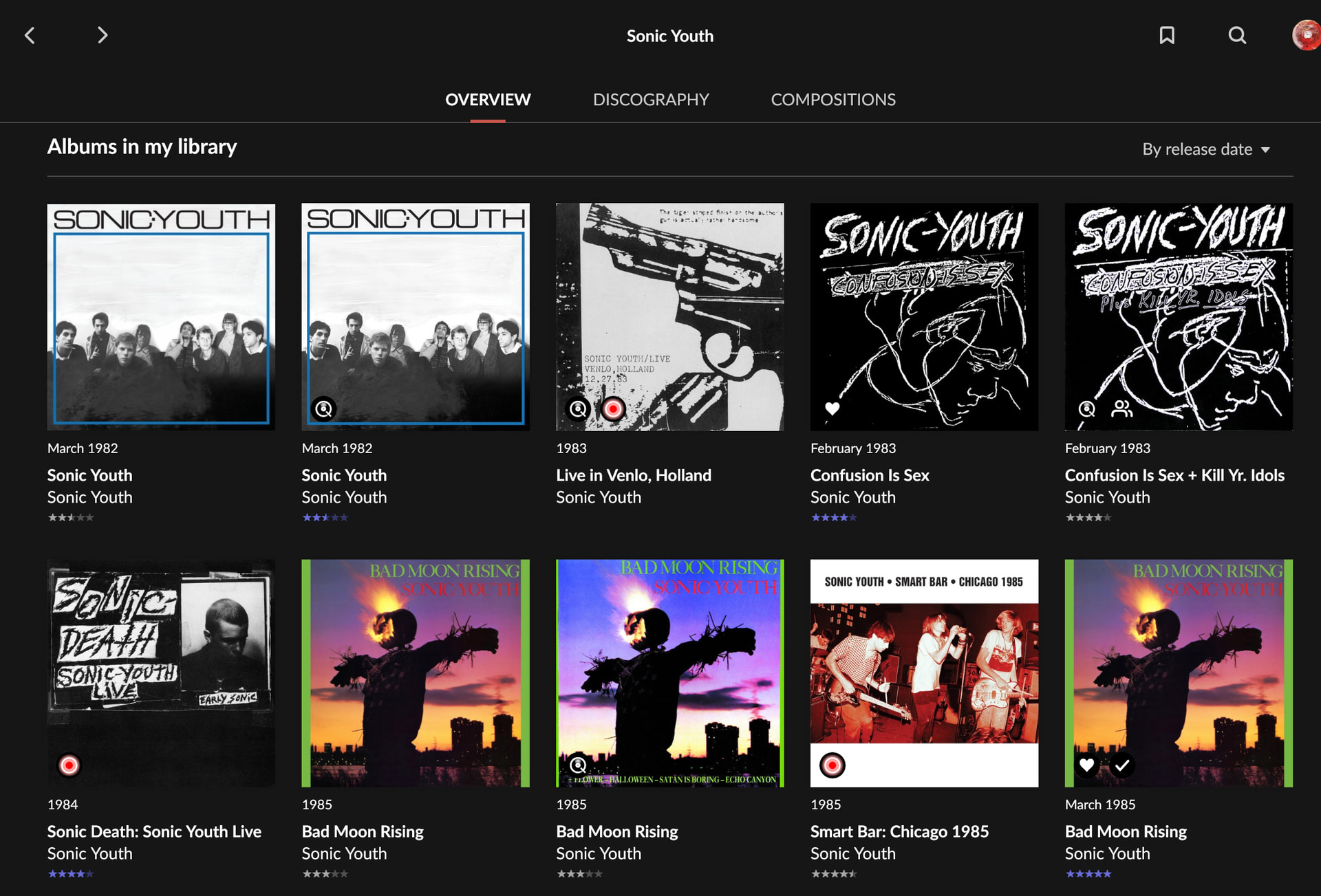
I have many other albums behaving the same, in Sonic Youth and in other artists. That’s why the sort in Sonic Youth looks very different between Discography and Overview. I just focused on the Live in Venlo album for purposes of demonstration.
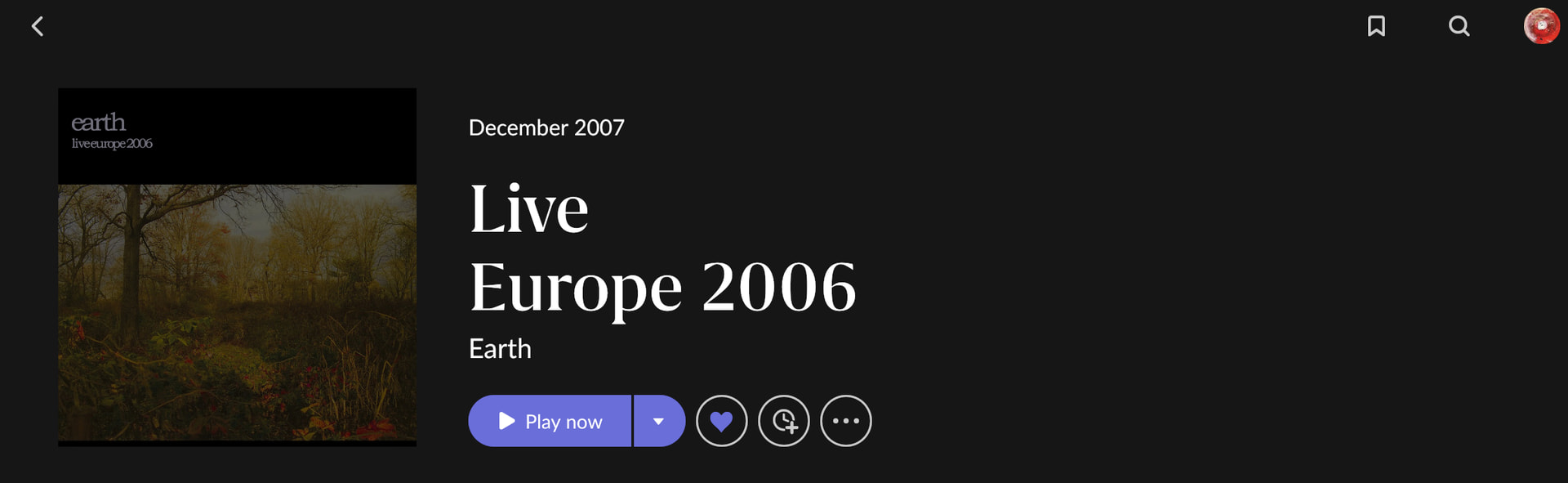
Live in Venlo was not really released originally in 1983 but it was recorded in this year. As there is no “sort by recording date” option, I entered the recording date as the Original Release Date. However, my reasons shouldn’t matter, it should use the ORD field (as this can be empty or wrong for many other reasons, too)
Hi @vadim, could you please clarify something for me?
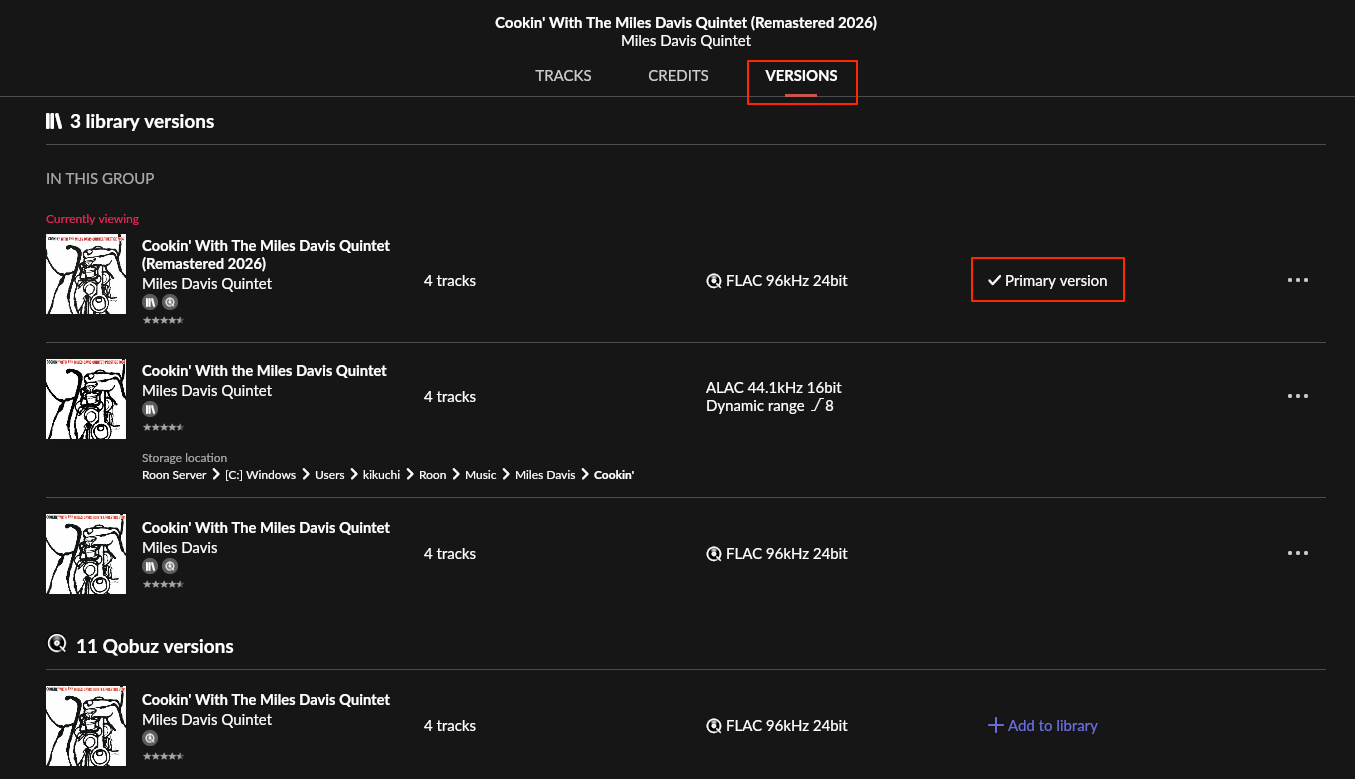
My understanding is that multiple versions of an album can only be viewed on the “Versions” screen, while only the “Primary” version appears on the “Overview” screen.
Is it actually possible to display multiple versions separately on the “Overview” screen?
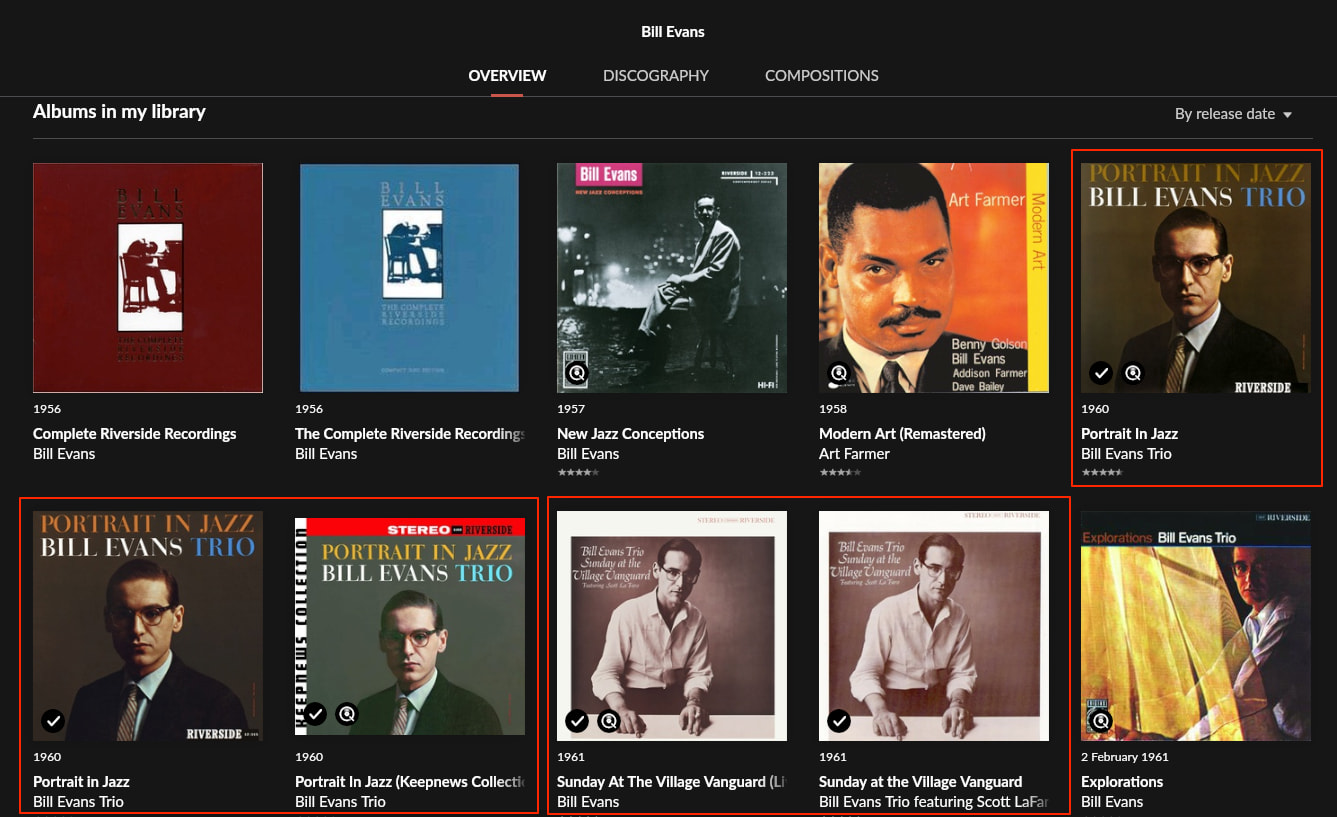
In the case of the attached image, would three albums be displayed?
Is there a specific setting for that?
It seems like it would be too cluttered, so I probably wouldn’t use it, but I’d like to know for future reference.
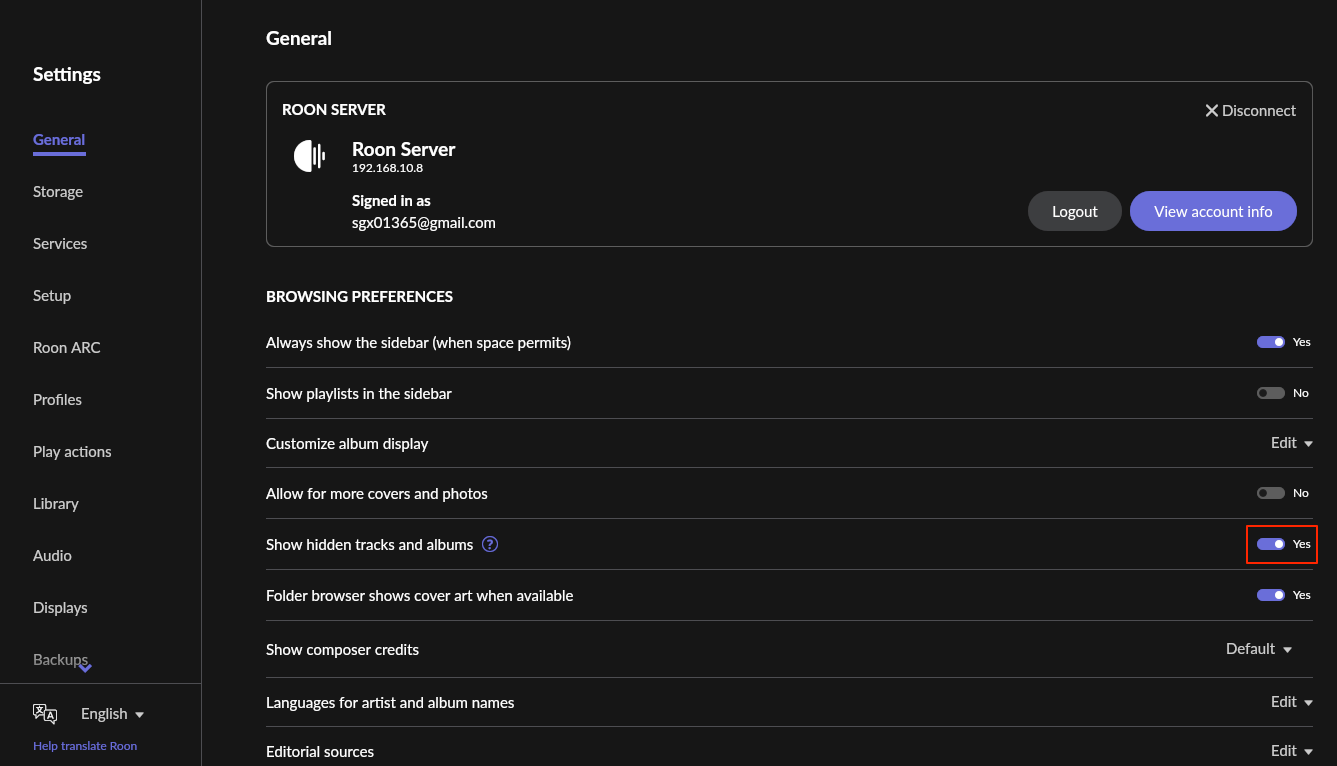
The understanding is incorrect. Go to Settings > General > Browsing Preferences > Show hidden Tracks and Albums.
If it is No (the default), only the primary version is shown in My Albums and Overview, the other versions are under the Versions tab.
If it is Yes, all versions are shown side by side, and then the order follows the date of the versions (if sorted by date) or whatever the sort order is (e.g. in My Albums if sorted by play count, it will use the play counts of the individual versions):
After changing the settings, all versions appeared in the Overview.
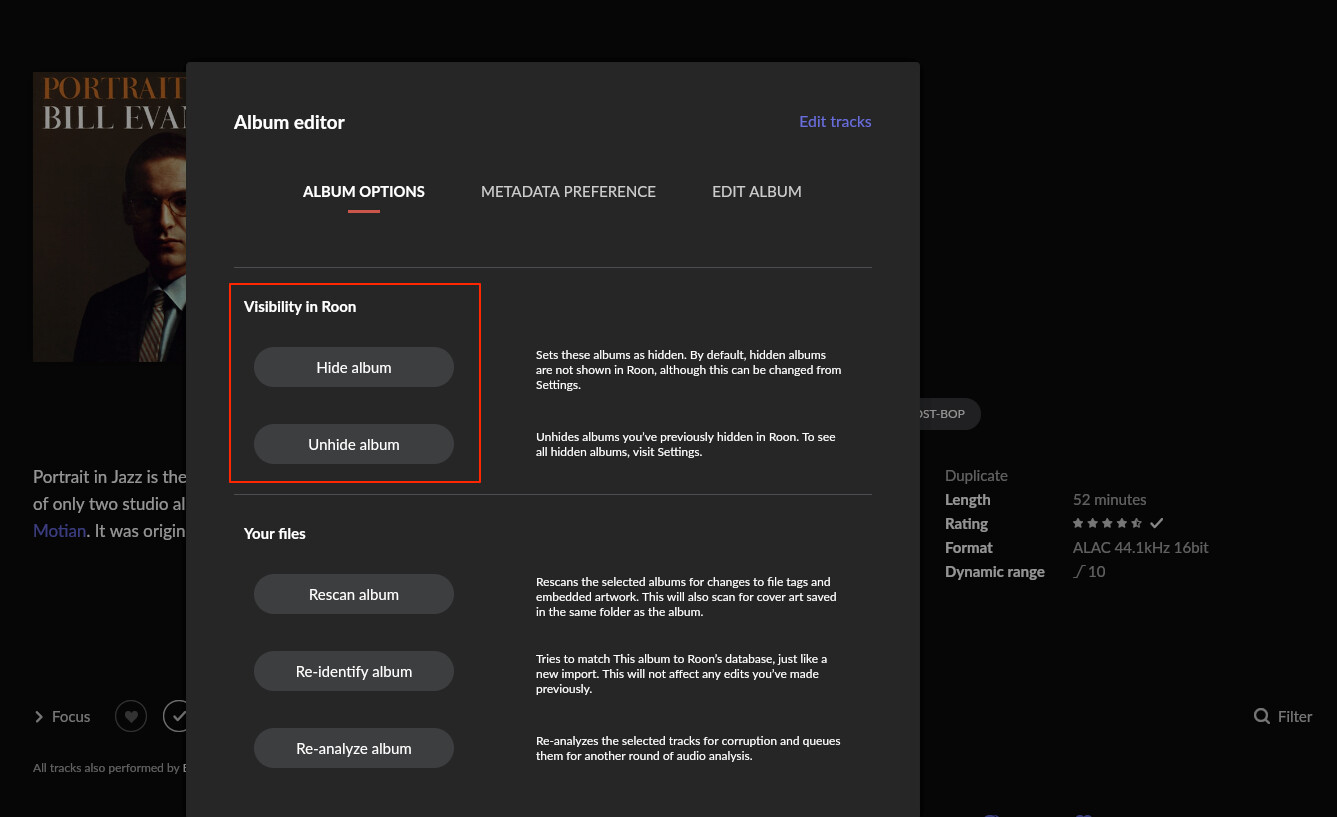
I had assumed the “Visibility in Roon” setting was only for when a user wanted to manually hide specific albums.
So, it turns out that album versions other than the “Primary” one are treated as “Hidden Albums.”
I agree that this is confusing. I’d prefer if there were two separate, clearly labeled settings, one for manually hidden albums/tracks and one for version grouping. This way, it would be clear what each setting does, and one could decide to do one but not the other. (Just because I want to hide the manually hidden ones, does not necessarily mean that I want to group all versions, and vice versa). This would be yet another Feedback > Feature Suggestions topic
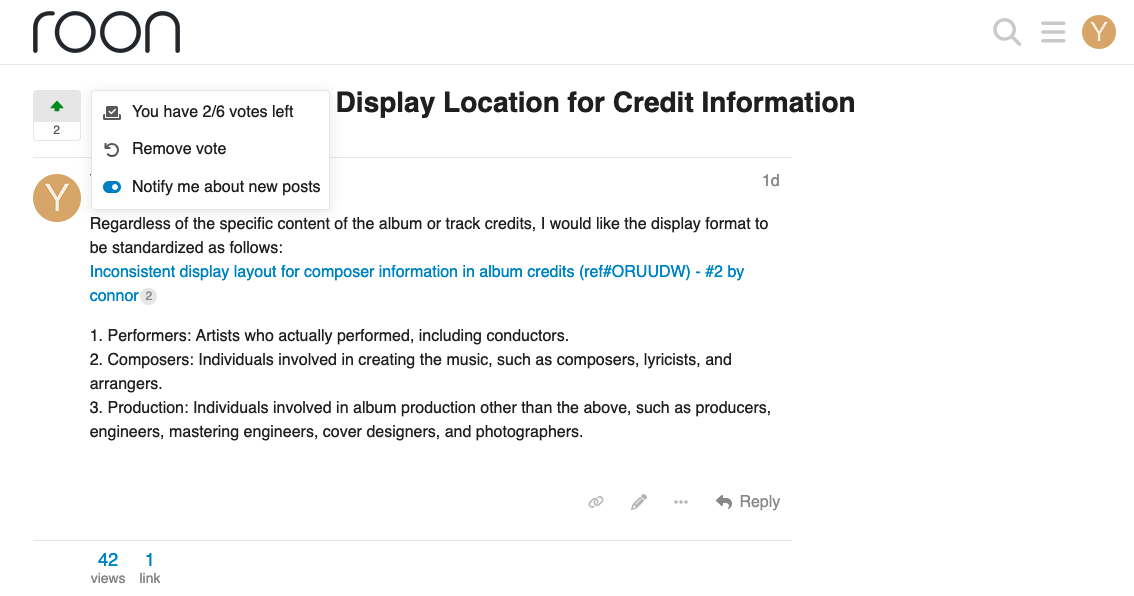
Unfortunately, I’ve already used four of my six votes and only have two left, so I’d rather save them for more important requests.
For starters, I don’t have any specific albums I want to hide, and I use the app in a way that doesn’t display versions other than the primary one anyway…