Thanks for taking the time to write in and share your report - sorry to hear about your processing issues on your Titan!
We’ll go ahead and enable diagnostics on your Nucleus to take a closer look into things. We should have more information to share with you later this week, thanks for your patience in the meantime.
Hi @Andrej_Sali,
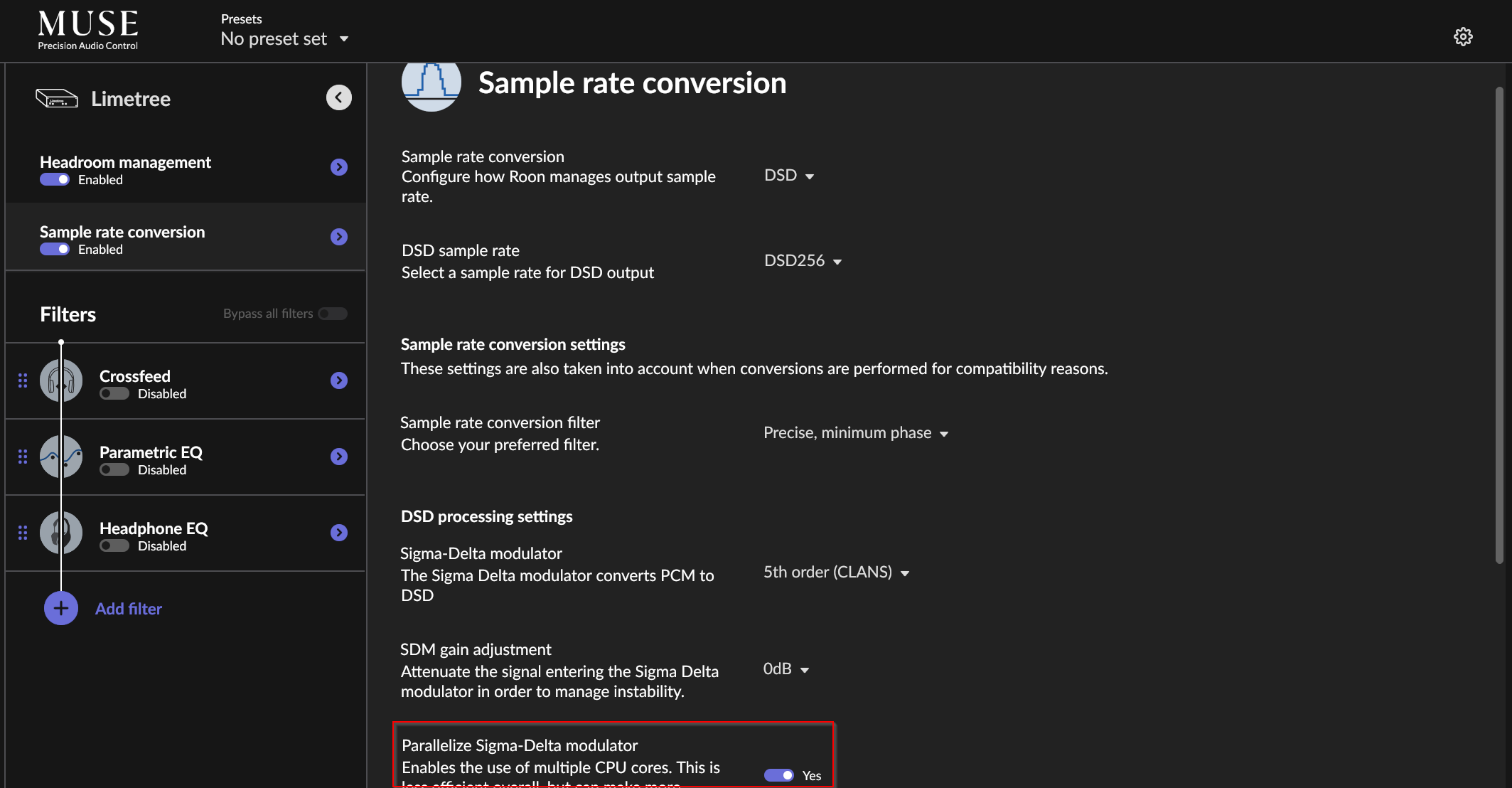
Our developers have suggested that you try activating Parallelize Sigma-Delta modulator. You can find that option in MUSE under Sample rate conversion.
i wonder if you tested your own Titan server with my DSD file (see the Dropbox link above) or probably any DSD512 file on an internal SSD (I have an 8 TB Samsung SSD, specified above), converting it to DSD256?
i wonder if my library transfer from Nucleus+ to Titan has something to do with it, especially given a surprise automatic library conversion following my reinstallation of the Operating System via the webui (with no impact on the DSD512 processing speed).
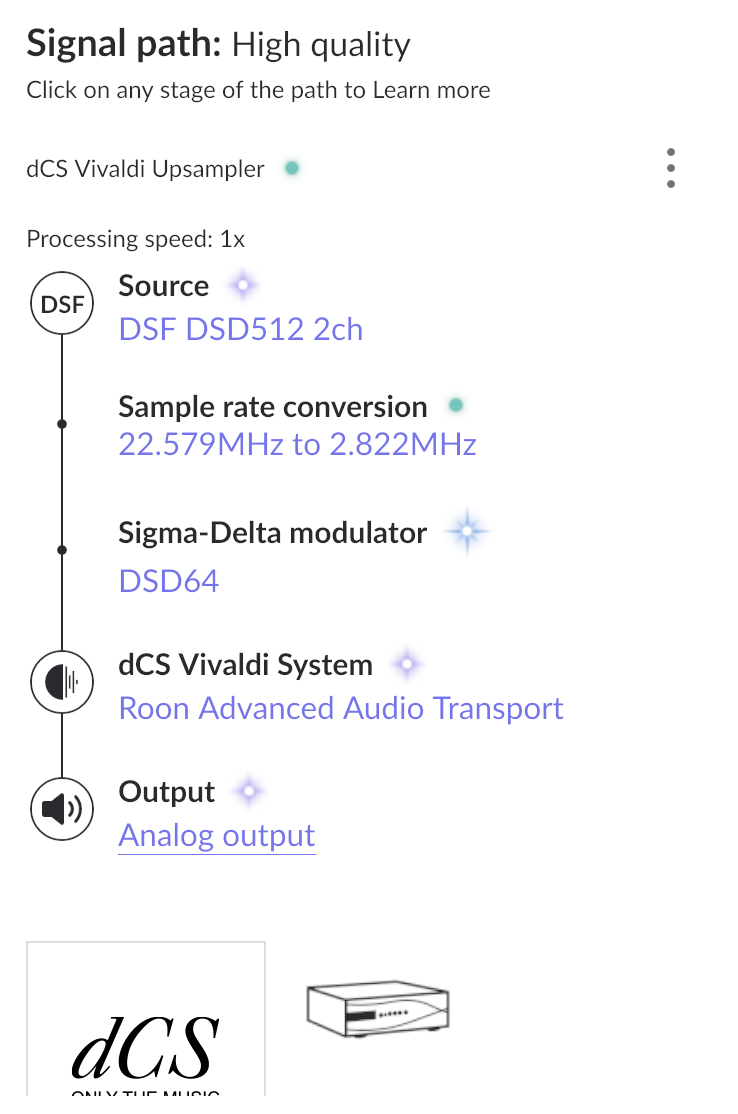
One question from my side. For the downsampling to DSD128 did you set an explicite DSD128 downsampling in roon or is it processed implicitely by setting downsampling for compatibility? Just for testing try both options and see how performance indicator behaves.
Also try enabling/disabling headroom management.
One more, since usually such passively cooled hardware throttles CPU performance in case it’s getting too hot, your Titan is not hidden in some cupboard but stands freely in you room, right? Its case doesn’t feel hot when touching it?
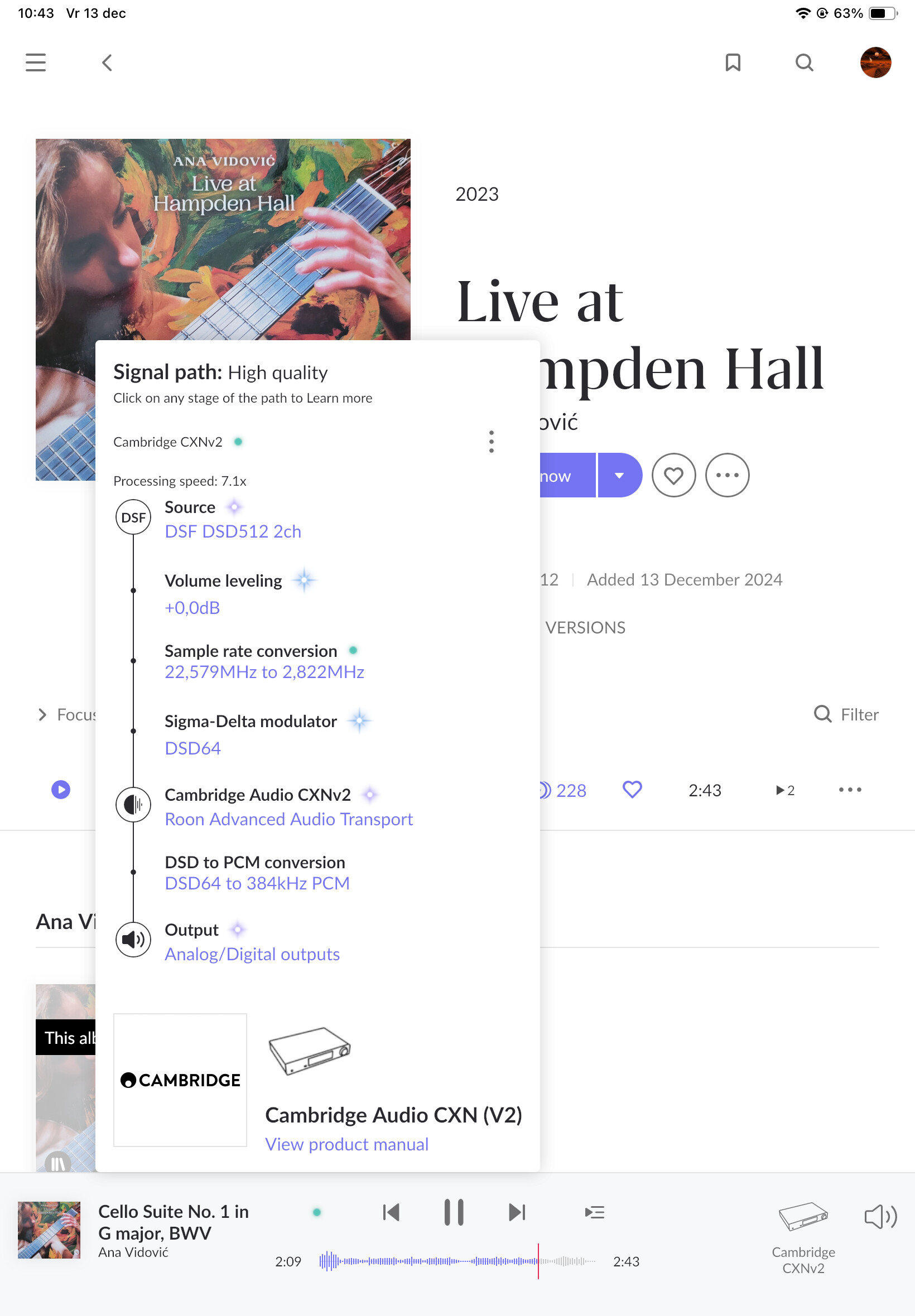
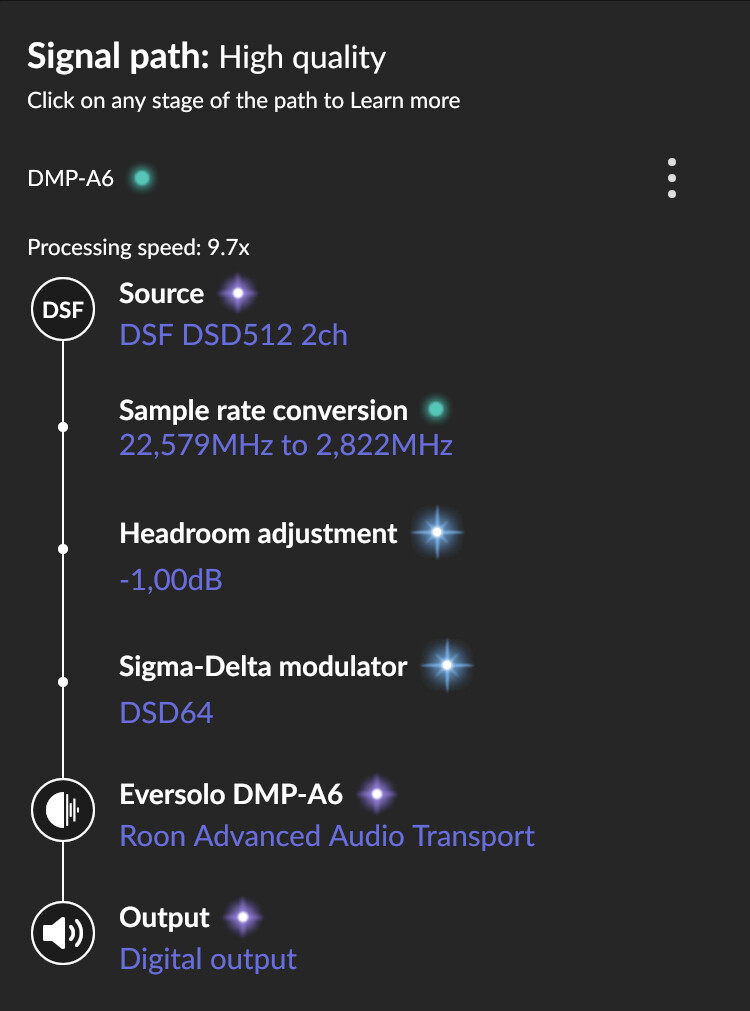
So, couldn’t resist to test your dsf file
Though, in my situation I can only downsample to DSD64, not to DSD128. Don’t know if this makes a huge difference for comparison. And I’m rather surprised about the performance indicator in my roon environment.
As you can see almost 10x. And I could even add a native DSD convolution filter though, the PI then drops to 1.1x.
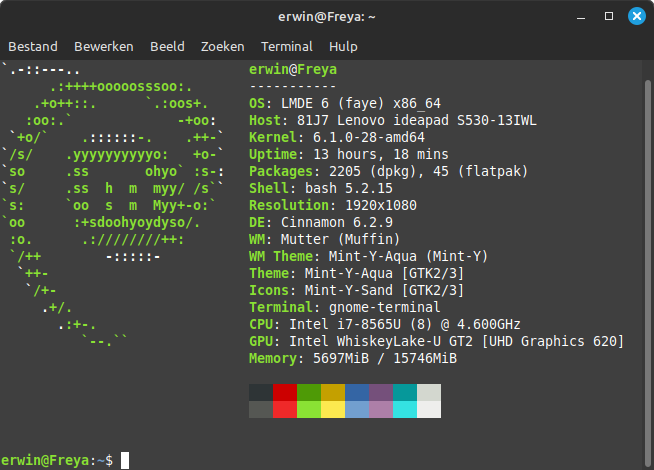
But… the CPU here is a Xeon D-1527 from 2016, in a NAS, not intended to be used as some sort of number cruncher.
So, I still don’t want to believe that your issue is related to generally lower CPU performance of the Titan.
Since you mentioned that your migrated library might be corrupted somehow there may be also a chance that there’s some roon background process running related to this, draining CPU without knowing.
Have you ever edited music metadata in roon? Is your library only about local files? In case it’s only local and you only use the metadata in the files without having edited in roon, then it may be worth doing a complete re-build of the library, after a proper library backup.
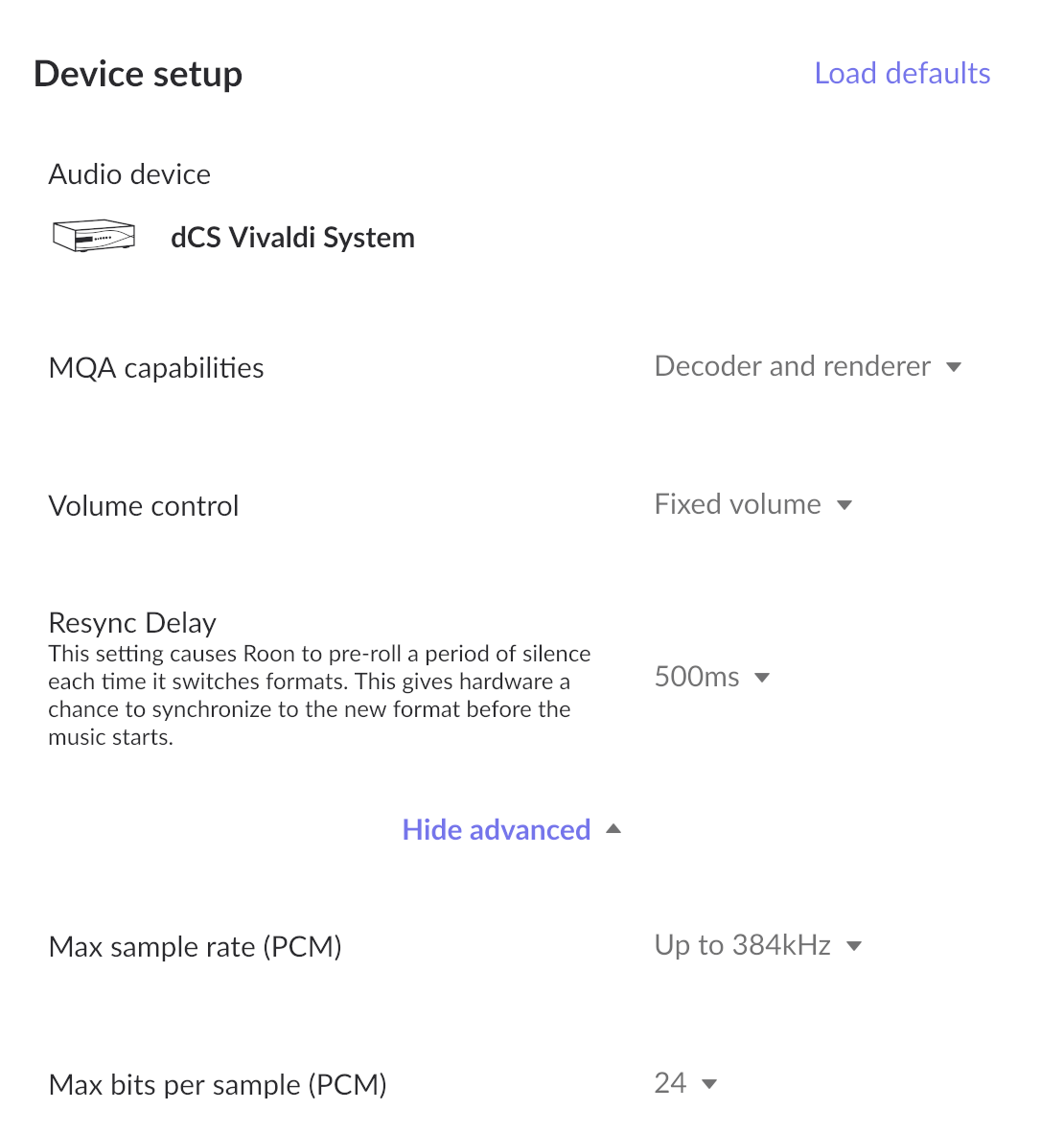
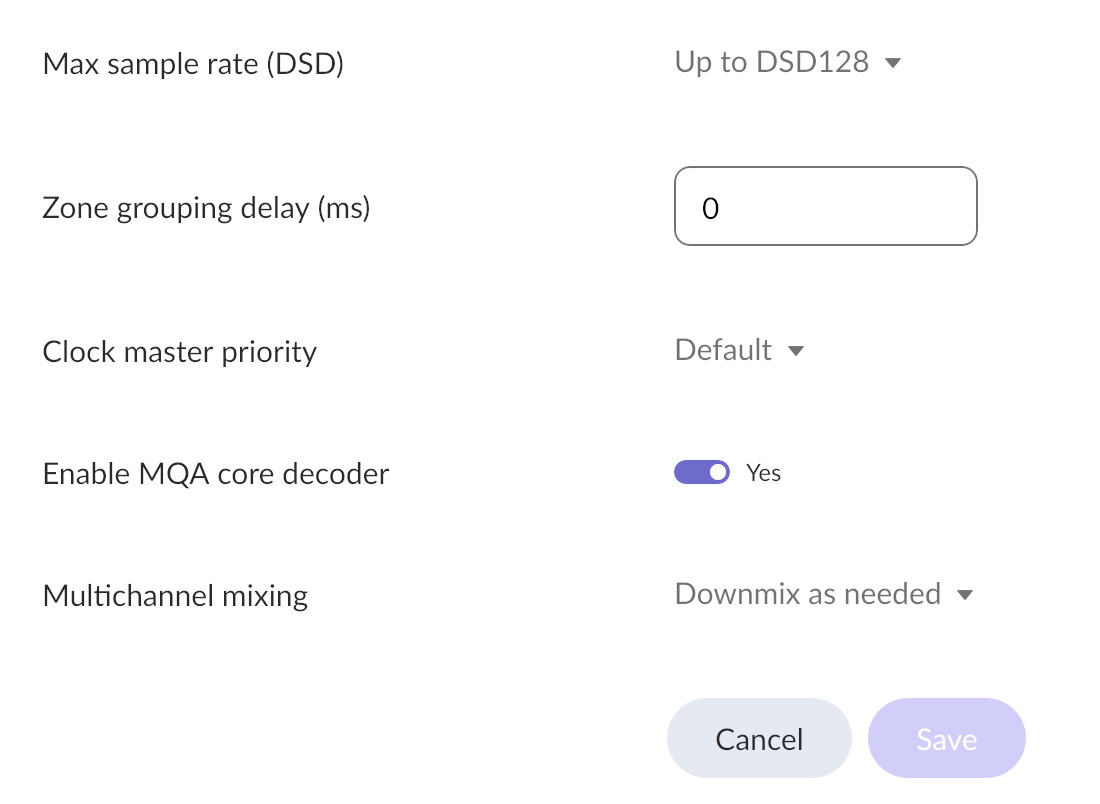
Could you please share the DAC’s “device setup” window in roon?
thank you for commenting. your suggestion about a background process draining CPU sounds very interesting to me - thank you!
i added so little metadata of my own to Roon by hand that I am willing to let it go in the interest of being able to start from scratch, if I have to. but i do have some “added” albums from Tidal and Qobuz, which would be nice to retain.
so i think it would be really helpful if Roon can look at the background processes and any other diagnostics that would help me avoid unnecessary steps and losses.
Interesting thoughts! After i dismounted my Titan SSD mounted on a MacOS desktop, DSD512 playing lasted about 30 seconds instead of 10 seconds. The file I am playing is of course on the Titan’s internal SSD so networking cannot be a direct culprit, but this “10->30 second” observation may indicate there are some background processes to do with networking that are devouring Titan’s CPU, as you guessed.
A few other network comments: I am connected to Tidal, Qobuz, and Dropbox (for automatic backup). I also used to be able to do automatic backup on my Mac desktop, I think via SMB, but that stopped working a while ago, and I could not easily restore it, so I simply removed this backup share from the Roon’s backup list. But maybe something went wrong along these lines, resulting in unnecessary waste of CPU cycles …
At this point, it’d be really great to get some explicit steps to do from Roon, based on their actual look at my Titan