What’s happening?
· I have a Roon ARC issue not related to connecting to to the server
Describe the issue
I can’t view my title playlist from the Room R
Arc app he suggest that no playlist have been created
Describe your network setup
Verizon FiOS

· I have a Roon ARC issue not related to connecting to to the server
I can’t view my title playlist from the Room R
Arc app he suggest that no playlist have been created
Verizon FiOS
Good day @arturoperrone !
I hope you’re doing well today.
I would like to point out that yesterday there was AWS outage which caused many services over the globe to experience shutdown including Tidal.
Can you please clarify whether you still face this issue ?
If so, can you please collect logs from your server (instruction:
) and upload them to our File Storage here:
https://workdrive.zohoexternal.com/collection/8i5239cc05950ac07456889838d9319545a82/external
?
Thanks!
Looking forward to your reply!
Regards.
In Roon, for the past few days, Tidal becomes unavailable in the app for several hours, even though the Tidal app itself works perfectly.
I am getting frustrated with Roon.
Yesterday, there was a major outage at Amazon Web Services, on which Tidal relies. The problem you mention could be related to that. If you restart your Roon Server, everything will probably be back to normal.
Hi @arturoperrone,
Checking in here since we haven’t seen a response. Some of Tidal’s services were affected by the recent (since resolved) AWS US-EAST-1 outage.
Have you seen your affected Playlist populate again in ARC?
Please navigate to Settings → Sercives in Roon (not ARC) and sign out/back into Tidal. Close and re-open the ARC account on your home network after taking this step.
Let us know if this helps. We’ll watch for your response. Thanks!
· Other
· None of the above
· Other
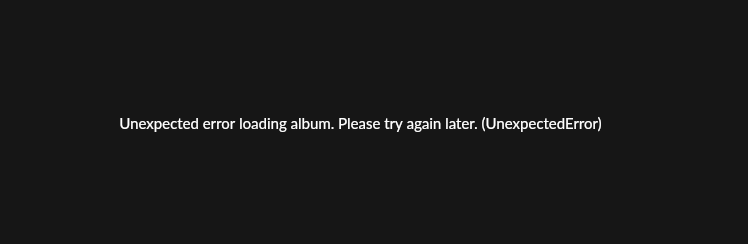
Unexpected Error loading album
Irrelevant
When trying to access some albums, this screen is shown
Going into the log, it is identified as Roon internal error 500
10/23 12:10:53 Debug: [easyhttp] [1142] GET to https://api.roonlabs.net/metadata/1/albums/200:0:m11v78dpweznc/tracks?c=qobuz-us&tidal=max returned after 33 ms, status code: 500
10/23 12:10:53 Debug: [easyhttp] [1141] GET to https://api.roonlabs.net/metadata/1/albums/200:0:m11v78dpweznc?c=qobuz-us&tidal=max returned after 235 ms, status code: 304, request body size: 0 B
10/23 12:10:53 Debug: [easyhttp] [1143] GET to https://api.roonlabs.net/metadata/1/albums/200:0:m11v78dpweznc/credits?c=qobuz-us&tidal=max returned after 305 ms, status code: 304, request body size: 0 B
10/23 12:11:02 Debug: [easyhttp] [1144] POST to https://api.roonlabs.net/device-map/1/register returned after 242 ms, status code: 200, request body size: 4 KB
The request is pretty clear, please diagnose this issue on Roon’s side.
I’m having same issue. If I keep trying, it eventually works
I’m having the exact same problem last week it was a red banner saying to check my internet connection, tonight it’s the above error message and I can’t get albums to load from artists discographies.
Same for me too, seems like all calls to https://api.roonlabs.net returning http 500 responses in the server logs.
· Other – My issue isn’t listed above
Room keeps coming up with an error loading the full album in Tidal.
WiFi orbi,

Hello @Jonathan_Barrell,
Thanks for reaching out and welcome to the community! 
We’re aware that some users are currently experiencing issues with TIDAL becoming unavailable in Roon, even though the TIDAL app itself may appear to work normally.
These interruptions are related to a wider TIDAL service outage affecting multiple regions, caused by problems on their Amazon Web Services (AWS) infrastructure. This may result in temporary failures when Roon tries to connect to TIDAL’s streaming API.
You can monitor the situation here:
Once TIDAL services are restored, please:
We’ll continue to keep an eye on the situation, but the issue should resolve automatically once TIDAL’s systems are back to normal.
Thanks for your patience!
Hello @Amir_Mousavi
Thank you for reaching Roon support.
We’re aware that some users are currently experiencing issues with TIDAL becoming unavailable in Roon, even though the TIDAL app itself may appear to work normally.
These interruptions are related to a wider TIDAL service outage affecting multiple regions, caused by problems on their Amazon Web Services (AWS) infrastructure. This may result in temporary failures when Roon tries to connect to TIDAL’s streaming API.
You can monitor the situation here:
Thanks for your patience!
— Roon Support
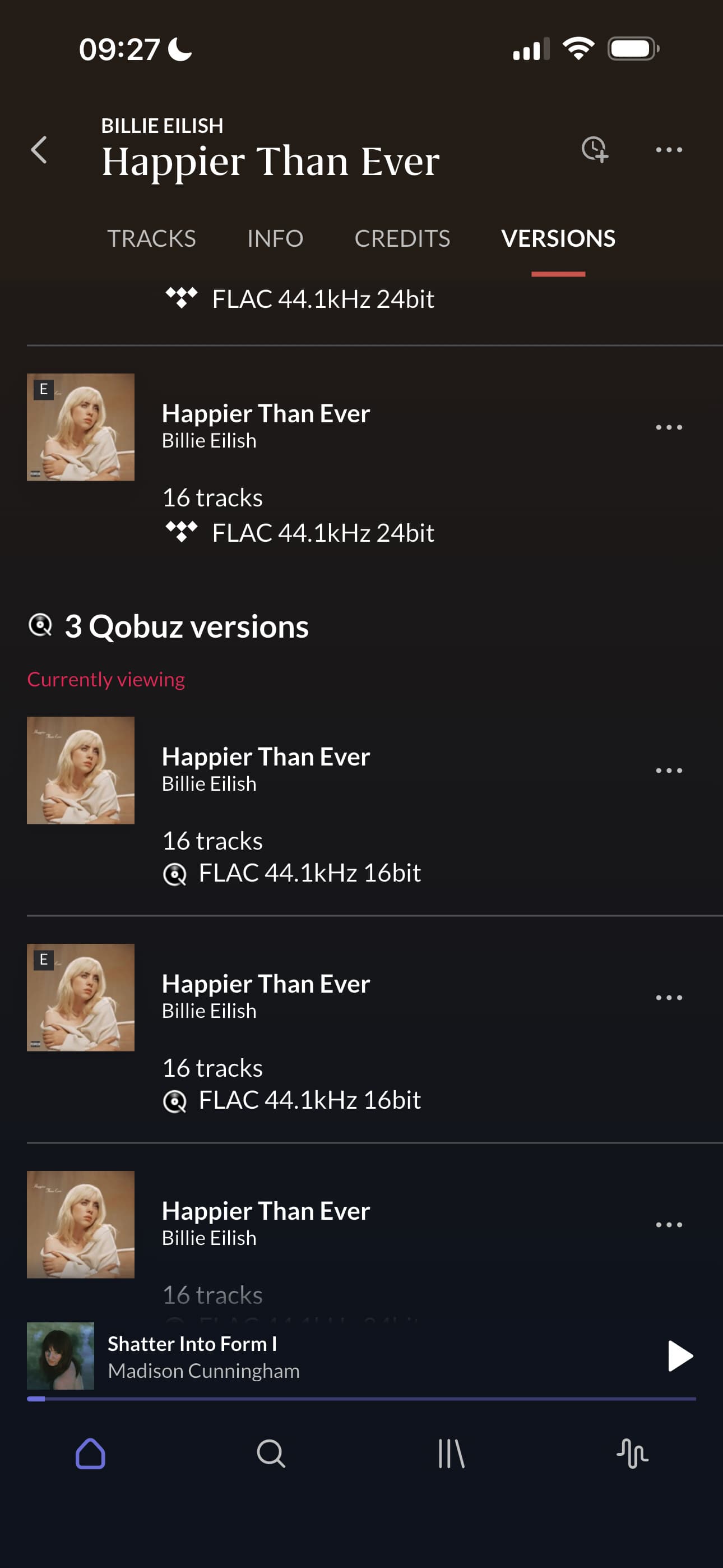
Experiencing the same thing with qobuz versions of the albums, the internal versions seem to load fine. I tried restarting the core and program, also seems to be happening on the mobile version of roon. Roon Arc doesn’t let you go into the qobuz versions, only shows you what you have added to library so the issue can’t happen there.
I guess maybe yet another AWS error that is also affecting Tidal?
What? I’ve legitimately never gotten that “versions” option on albums in Roon Arc, is iOS getting features Android isn’t getting or something? This has been one of my biggest gripes with Arc…
I always do and think this is the normal behavior. No, the apps are the same one iOS and Android. (I had ARC on Android previously).
I can also play Qobuz albums on ARC from there if they are not in the Roon library. If you never have this then I’d suggest opening a ticket with Support.
(Funnily, I am currently trying to track down a new issue in ARC where I do have a Versions tab but it’s empty when the phone is on 5G, while it is populated as normal when the phone is on wifi - this is probably an entirely unrelated issue but it’s relevant here as I immediately noticed it due to being used to always having the Versions tab)
It’s intermittent and transient, so I am sure the issue is on roonapi side.
What’s interesting is that if you add any track or the whole album to the library, it happens far less often. Maybe there is some caching going on at the Roon side.
I started noticing the issues when accessing “listen later” since those albums were not in my library.
· Other
· None of the above
· Other
I have a roon core connected to Brinkmnn dac. As of today when I try to load an album from Tidal I get a massage “unable to load album unauthorized Error”.
It doesn’t happen all the time. It sometimes load the album and some time will not.
From router to switch to rock to Brinkmann dac