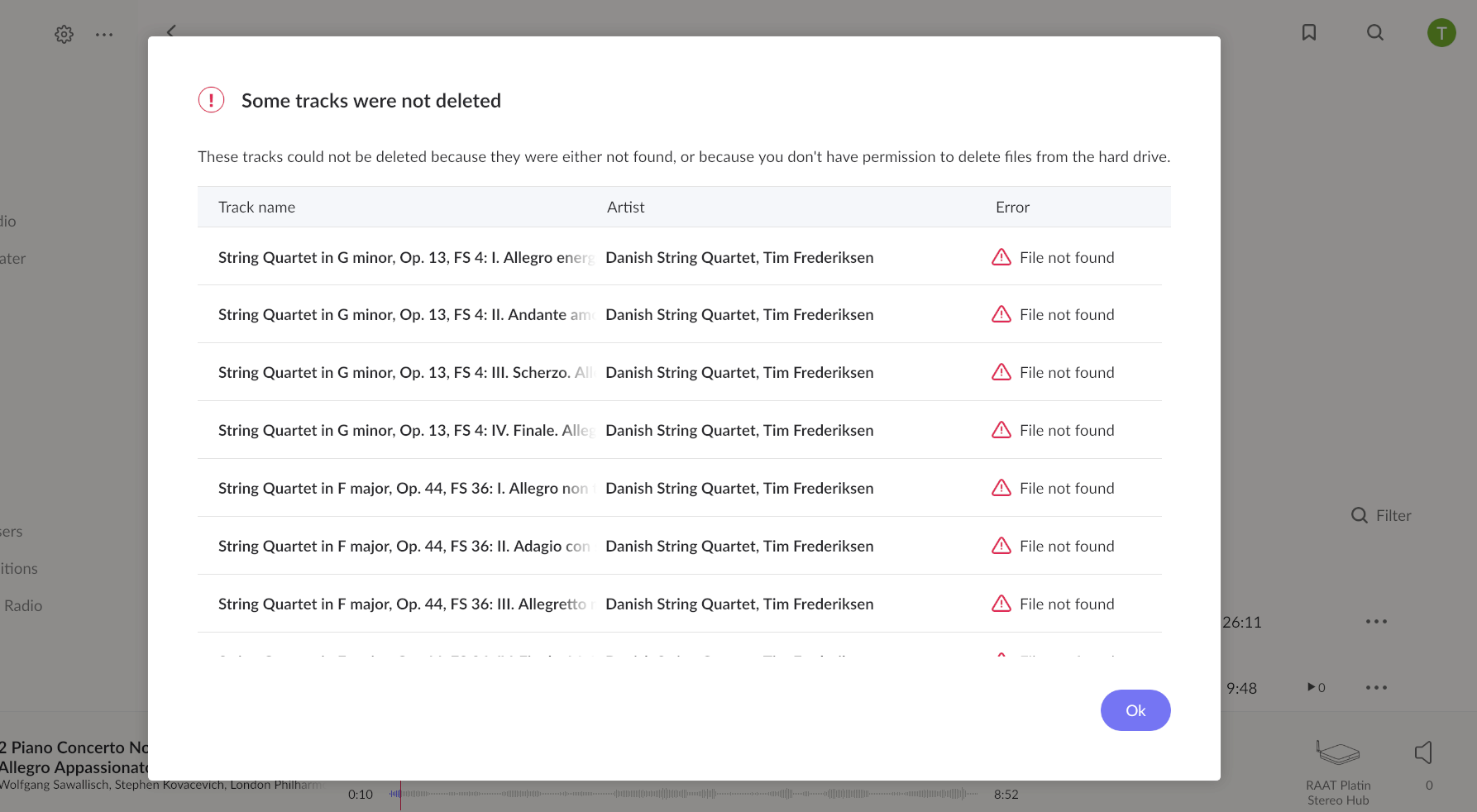
All Qobuz items have disappeared. I have tried restarting roon. Logging out of, and back into Qobuz. When I login to Qobuz, I can see large numbers of favorites including roon favorites. In roon focus the Qobuz storage location has disappeared but the favorites are present in "My Qobuz" with "+" signs (i.e. not added to my library). In "clean up library" there are very large numbers of what I assume are deleted Qobuz library items.
Looking back through support posts the identical symptoms have happened several times before for various users over many years. For example:
Jan 2021
Sep 2024 - Jan 2025
A few weeks ago - to present
Looks like a regression to me.
Describe your network setup
This has worked unmodified for years. Google home LAN. Two unmanaged TP-link and Netgear switches used to wire attach WD storage and a Lenova E590 i7 laptop. The Lenova laptop is used as a roon core/remote. I have tried both wifi and ethernet attachment. Makes no difference.
I have an update. All qobuz items have been restored in the last few hours. So thanks if something was changed behind the scenes.
But there are several issues:
Checking the restored Qobuz files I am now seeing a lot of “unavailable” albums. But when I add the available version I cannot delete the unavailable one:
I just wanted to confirm that I am also experiencing the same issue described in your support thread regarding Qobuz playlists. My recently created Qobuz playlists are not appearing in Roon, and sometimes the Qobuz → New Releases section shows an error message.
Could you please keep me updated on the progress of this fix?
Thank you for your support.
Best regards,
OĞUZ AKBATUR
mjw
(And I'm standing in your doorway And I'm mumbling and I can't remember the last thing that ran through my head)
9
Roon will provide updates in the following thread only.
You may have noticed that the title was updated from [Ticket-in] to [Fix in Early Access]. Recent testing in EA suggest that the issue is resolved, so it shouldn’t be too long now before the fix is rolled out to Production builds.
Thank you for your patience regarding this issue. As mentioned, there is a fix undergoing testing the Early Access category. The main tracking thread for this issue can be found here:
If you wish to migrate your Roon devices to the Early Access branch to test the fix, you can use these instructions:
The team anticipates that the fix will be released with the next Roon update. For those who aren’t eager to migrate to Early Access, hang in there and the fix will be publicly available shortly.
We’re going to close this thread now to ensure that responses stay in the main tracking thread above. The team is closely monitoring for #earlyaccess and the main tracking thread for feedback from users who are testing the fix.